
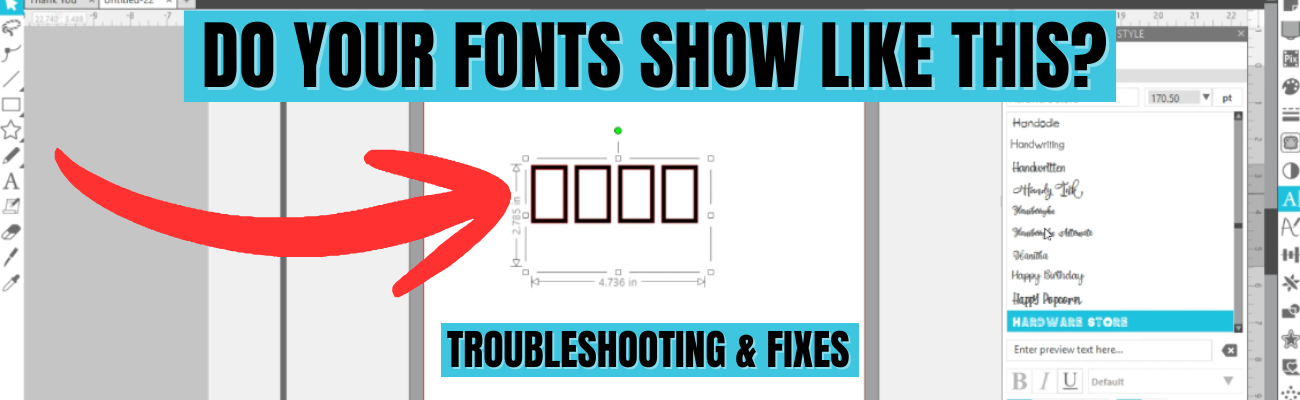

Have you ever opened Silhouette Studio, started designing with text, and instead of a beautiful font you’re greeted with rectangles, boxes, or missing letters? Font issues in Silhouette Studio are a common frustrations that we see when troubleshooting with users—whether fonts don’t show up at all, won’t display correctly, or refuse to work the way you expect. The good news? These problems usually have simple explanations and easy fixes once you know what to look for.
Affiliate links may be present in the following blog post and as an Amazon Associate, I earn from qualifying purchases.
I just shared a brand new video on the Silhouette Secrets+ YouTube channel that walks you through exactly why font issues happen in Silhouette Studio and how to troubleshoot them. In this tutorial, you’ll learn why fonts show up as rectangles, a glimpse at previewing fonts, why fonts can go missing or seem like they are missing, and how to reinstall fonts correctly—including whether OTF or TTF files work best. If you’ve ever wondered “Why is my font doing that?” this video will help you get back to designing quickly and show how to avoid some of these issues.

Watch the new video called Troubleshooting Fonts in Silhouette Studio | Rectangles, Missing Fonts & Fixes on the Silhouette Secrets+ YouTube channel HERE
Supplies Shown in the Video:
Additional Resources:
- How to Install Fonts written tutorial
- How to Install Fonts video tutorial
- A to Z Resources for Silhouette Users

If you’re ready to go beyond troubleshooting and really learn how to use fonts to create your own designs in Silhouette Studio, come join us in the Creative Community with EllyMae | Crafting & Troubleshooting site. Our February 2026 exclusive member video covers working with text, fonts, and design techniques so you can move from simply typing words to confidently creating custom designs with fonts. It’s the perfect next step if you want to unlock the creative power of text in Silhouette Studio and design projects that are truly your own. In the 96 minutes step-by-step video tutorial I cover everything from where fonts are stored, font storage, designing with glyphs, offsets, compound paths, combining shapes, and more! Create 10 unique designs in less than 2 hours and then take and use those techniques to create even more!

Find more details on the Creative Community with EllyMae HERE
Save this for future reference by pinning the image below.

Enjoy !
THANK YOU for your support! How can you help? Click HERE & buy a coffee.
Every little bit helps with the cost of running the site.

Silhouette Classes
Never stop learning! Let me help you take the anxiety out of learning with Silhouette and get to creating faster! My Silhouette classes are heavily focused on software, so you can take the skills & techniques taught and apply them to many future projects!


**This post may contain affiliate links. What that means is that I may receive compensation if you purchase through the links I have provided. The price you pay for the product or service is not higher but I may get compensated for sharing.
Discover more from Silhouette Secrets-Swift Creek Customs
Subscribe to get the latest posts sent to your email.











