Posted on 3 Comments

Silhouette Studio PDF diagram updated

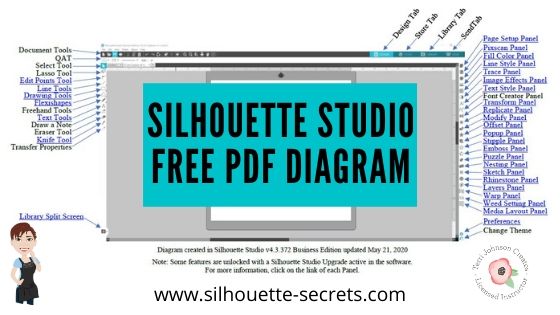
Just a quick heads up that I have updated the free PDF diagram of the Design tab in the Silhouette Studio software.

Grab the free PDF file HERE or click the image below.

Download this to your computer and open it. Then click on the blue links to be taken to more in-depth information on each of the tools or features.

Print it for a visual reference while working in the software too!

I have had many comment with feedback that this is very helpful to them when getting familiar with the Silhouette Studio v4 software.
All of the information provided is part of the “Let’s Explore v4 series” on the blog HERE.

We love seeing what you are creating with your Silhouette machines or software.
Feel free to post photos or questions on my Facebook group at 
Silhouette Secrets with EllyMae.

Save this for future reference by pinning the image below.

Enjoy!

This image has an empty alt attribute; its file name is logo.jpg

THANK YOU for your support! How can you help? Click HERE & buy a coffee.
Every little bit helps with the cost of running the site.

Or if you are looking for more in-depth, step-by-step classes, check out all of my online Silhouette classes on my Teachable site HERE.

SS Logo snip it
**This post may contain affiliate links. What that means is that I may receive compensation if you purchase through the links I have provided. The price you pay for the product or service is not higher but I may get compensated for sharing.
Posted on 4 Comments

Let’s Explore v4 – Free PDF diagram – Updated

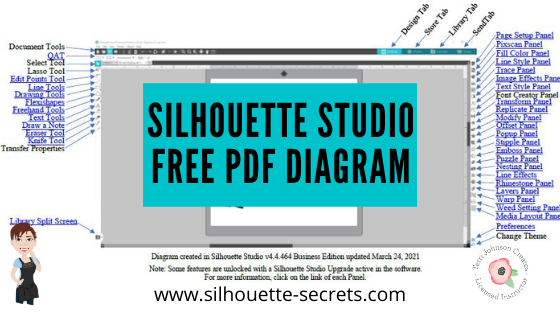
Last year I created a free PDF document that is a diagram of the Design Tab in the Silhouette Studio software. Each of the tools and features is labeled and links back to more information on that feature or tool.

I have just updated this PDF file, so if you grabbed it before make sure to delete the old one and download this new one for future reference.

Click HERE to download or the photo below.

To use this file, download it HERE to a safe place on your computer.

Open the PDF file and then click on any of the blue titles to be taken to more information on that topic.

Note: this is a fluid document and will be updated as needed

Ta-da!
You are now on your way to learning more about the Silhouette Studio software.
Take some time and learn a new feature or tool today!

Check out the full “Let’s Explore v4” series directly on the blog HERE.

Save this for future reference by pinning the image below.

I would love to see what you are creating with your Silhouette!
Feel free to post photos or questions on my Facebook group at 
Silhouette Secrets with EllyMae.

Enjoy!

SS Logo snip it
**This post may contain affiliate links. What that means is that I may receive compensation if you purchase through the links I have provided. The price you pay for the product or service is not higher but I may get compensated for sharing.