
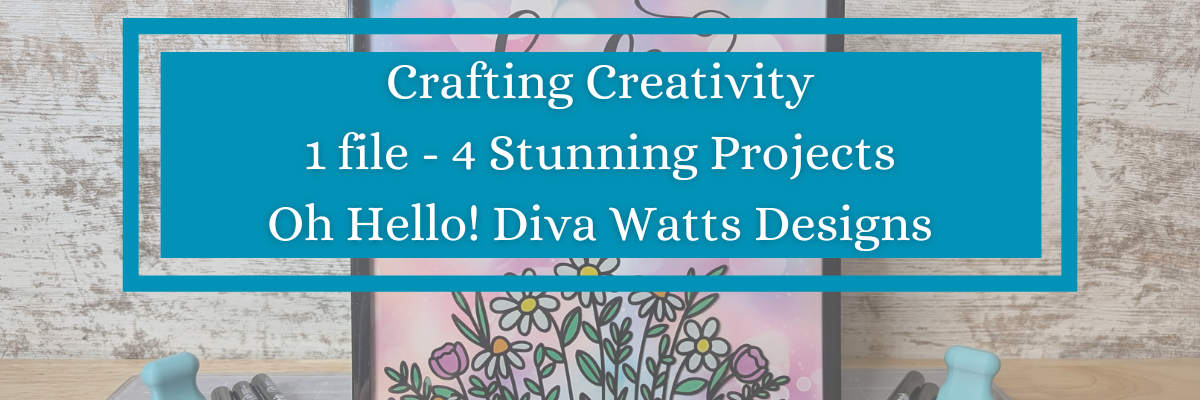

Looking for creative ways to get more out of your cut files? In this post, I’m sharing how I used one SVG file from Diva Watts Designs to create four unique and beautiful projects—all with Silhouette! From a layered cardstock sign with vinyl to an interchangeable home décor frame, greeting cards, and even a custom wood sign, you’ll see just how versatile one SVG project can be. Whether you’re crafting for fun, decorating your space, or creating gifts, this post is packed with inspiration and ideas to help you make the most of your designs.
Affiliate links may be present in the following blog post and as an Amazon Associate, I earn from qualifying purchases.
When you look at a design file, do you see one project idea, or can you envision it on multiple projects? I started the Crafting Creativity series to help spark ideas and inspiration to do more with your files.

I took this Oh Hello design by Diva Watts Designs and am sharing several projects below that could be created from this one file.
First, here is a look at a finished wood sign by Diva Watts Design using this design.

Crafting Creativity Projects with Diva Watts Designs
One simple design opens the door to endless crafting ideas. You may look at this design and say, “I don’t have a laser, so I cannot do anything with it.” But that’s simply not the case! Let’s take a look at a few possibilities.
Project #1 – Door Hanger with Cardstock and Vinyl

Rather than limit yourself to a specific material, use different materials to create a similar style. I used cardstock and vinyl added to a pre-made wood backer for this design.
Check out this post – How to Make a DIY Door Hanger Sign with Cardstock & Vinyl Using Silhouette HERE for more details.

Additional Resources:
Supplies Used:
- Oh Hello by Diva Watts Design – Design #1252716
- Recollections cardstock
- SuperTite Precision Craft Glue
- Fine Tip Applicator Bottle
- Wood Sign Blank
- Maker’s Magic Gloss by Scorch Marker
- Adhesive Vinyl
- Transfer Tape
- Silhouette Cameo 5
- Silhouette Autoblade
- Squeegee
- Weeding Tool
- Washi Tape
Project #2 – Card Designs
I love this one! I used just the hello part of the design, cut a bit off the left side using the Knife tool and then welded it to rectangle frame. Then I made an offset of the design and layered it together to make it pop.

Using just the text from the wood sign design I created the next cards. Don’t throw out those bits! In some cases, like this one, you can use the negative part of the design that’s been cut and create with it too!

When using the negative of a design, a quick trick to get the placement is to use the positive part of the design as your “stencil” and glue the pieces in place first. This means that the design will be placed exactly where you want it. I show using this technique in a video on the Swift Creek Customs channel HERE.
After I used the background as a stencil, I used double-sided foam tape to pop up the striped background to give it some dimension on it’s own card. One cut = 2 card designs.
Additional Resources for the tools I used to create the designs:
- Compound Paths
- Demystify Compound Paths Live video tutorial
- Knife Tool
- Welding Text to a Shape Tutorials
- Offset
Supplies Used:
- Oh Hello by Diva Watts Design – Design #1252716
- Recollections cardstock
- Patterned Cardstock
- Adhesive Tape Runner (tape runner refills)
- SuperTite Precision Craft Glue
- Fine Tip Applicator Bottle
- Double sided foam tape
- Silhouette Cameo 5
- Silhouette Autoblade
Project #3 – DIY Glass Frame Sign with Vinyl and Sharpie Markers
I love creating projects that can be repurposed and have use all year long! This glass frame with the flower portion of the design does just that.

I cut the flower design from adhesive vinyl and added it to the backside of the frame. Then colored that in using Sharpie markers on the backside. While that was drying and the adhesive vinyl curing, I designed several backgrounds to swap out in the frame. This really makes the project versatile and something that can be used year round.

There are so many patterns & design sentiments options out there!

This was another project that I didn’t even bother to use registration marks with. I designed it the size I needed and then used a paper trimmer to cut the straight edges to fit the frame. Sometimes I think we can overcomplicate projects just because we have a machine that can cut things. A good ole paper trimmer is a great tool to have in your tool box!
See the step-by-step tutorial for this project here – DIY Interchangeable Glass Frame Sign with Silhouette Studio – One Project for All Seasons
Additional Resources:
Supplies Used:
- Silhouette Studio Software
- Epson Presentation Paper – Matte
- Printer: Canon TS9521C
- Paper Trimmer
- Black Frame
- Oracal 651 Adhesive Vinyl – Black
- AT 65 Transfer Tape
- Sharpie Creative Markers
- Oh Hello by Diva Watts Design – Design #1252716
- Hello Friend by Diva Watts Designs – Design #346714
- Pastel Bokeh Background Patter by Sarah Hurley – Design #468587
- Life is Beautiful by Diva Watts Designs – Design #353162
- Turquoise Blue Mauve Ombre Watercolor Gradient Background by Clikchic Designs – Design #414628
- You are Braver Than You Believe by Diva Watts Designs – Design #375874
- Heavenly Sky Background Pattern by Faith & Grace – Design #436002
Project #4 – Wood Sign

I used my Glowforge laser to cut all the pieces out of a piece of Maple Plywood. Here is a look at the pieces etched, scored, and cut out.

I prefer to mask my wood pieces before cutting with the laser and then I can simply remove the masking and they are much cleaner.
Once I had all the pieces cut, the Posca Paint Markers made this so easy to color in. Painting is not my favorite part of the finishing process and I hate waiting for things to dry, but I’m getting used to it. Coloring with the paint markers was so satisfying.

The larger pieces I did end up using a bit of acrylic paint to cover the larger surface area.

I shared my process including how I set up the “OH, hello” to score on the wood section so that I knew exactly where to glue the pieces in place in this video on the Silhouette Secrets+ YouTube channel HERE – Laser Engraved Wood Sign Using Silhouette Studio

Additional Resources:
- How to Save As a SVG from Silhouette Studio
- Creating SVG files in Silhouette Studio for use with Cricut, Siser, Glowforge, and More! class
- Creating a SVG file in Silhouette Studio with Text class
Supplies Used:
- Oh Hello by Diva Watts Design – Design #1252716
- Silhouette Studio Business Edition
- Maple Plywood
- Glowforge laser machine
- Posca Paint Markers
- Acrylic Paints
- Foam Brush
- Aleene’s Tacky Glue
- UV Resistant Clear Gloss
All of these projects were completed using just 1 file from Diva Watts Designs! Stacey has so many more amazing designs too!
Find designs by Diva Watts Designs at:
Follow along with Diva Watts Designs on the Diva Watts Designs website, Facebook and Instagram too!
A great big thank you to Stacey at Diva Watts Designs for contributing the free file for the Silhouette Secrets+ newsletter for the month of July! If you missed grabbing the free design in July, it is available in the Silhouette Design Store HERE.
This year I started offering a free file each month for Silhouette Secrets+ newsletter subscribers. I love designing in the Silhouette Studio software and have shared some of my creations as well as look forward to collaborating with more artists in the future too!

Silhouette Secrets+ Newsletter
Never miss out on the news, tips, “secrets”, deals, classes, and more that I share on Silhouette Secrets+. Sign up for the newsletter and get information delivered to your inbox every Friday.
Unsubscribe at anytime.
Sign up for the weekly newsletter HERE to have information delivered direct to your inbox and grab each month new freebie.
Did this give you some ideas? How about how you can take 1 file and create a variety of projects with it. I had so much fun brainstorming, designing, and creating with this file. See more ideas and inspiration in the Crafting Creativity section on the website HERE.
Save this for future reference by pinning the image below.

Enjoy !
THANK YOU for your support! How can you help? Click HERE & buy a coffee.
Every little bit helps with the cost of running the site.

Silhouette Classes
Never stop learning! Let me help you take the anxiety out of learning with Silhouette and get to creating faster! My Silhouette classes are heavily focused on software, so you can take the skills & techniques taught and apply them to many future projects!


**This post may contain affiliate links. What that means is that I may receive compensation if you purchase through the links I have provided. The price you pay for the product or service is not higher but I may get compensated for sharing.
Discover more from Silhouette Secrets-Swift Creek Customs
Subscribe to get the latest posts sent to your email.









