Posted on Leave a comment

Crafting Creativity: Classic Pooh Projects to Inspire You

Silhouette Secrets+ with EllyMae

This edition of Crafting Creativity is full of heartwarming inspiration straight from the Hundred Acre Wood! Using the Classic Pooh: Friend Like You digital stamp set by Katie Pertiet Designs, I created several sweet and timeless projects featuring Pooh and his friends. From layered cards to charming home décor, each piece highlights how versatile digital stamps can be when paired with your Silhouette. Get ready to see how these delightful designs can bring warmth, friendship, and nostalgia to your craft table.

Affiliate links may be present in the following blog post and as an Amazon Associate, I earn from qualifying purchases.

Did you know that the Classic Pooh is now in the public domain in the U.S.? Classic Pooh entered the public domain on January 1, 2022. The Disney version is not in public domain.
*Outside of the U.S., please refer to trademark laws & regulations for your area.

Black and white illustration featuring Classic Pooh characters and inspirational quotes about friendship and togetherness.

Each month in the Crafting Creativity series, I dive into a single design file and transform it into a variety of unique projects to inspire your own creativity. From cards and stickers to home décor and custom tags, I love exploring all the possibilities one file can offer. These posts are designed to show you how versatile a single design can be and to spark ideas for using your Silhouette in new and exciting ways. Whether you’re a seasoned crafter or just starting out, Crafting Creativity is full of tips, tricks, and inspiration to help you make the most of every design!

Crafting Creativity – Classic Pooh Projects

Digital stamps are incredibly versatile and perfect for creating a wide range of projects. Pair them with your Silhouette for precise print-and-cut projects, and suddenly one file becomes the foundation for endless creative possibilities. Whether you’re crafting for holidays, birthdays, or everyday inspiration, digital stamps make it easy to bring your ideas to life!

Project #1 – Flip Action Interactive Cards

A collection of interactive flip action cards featuring illustrations of classic characters in the Hundred Acre Wood, with sentiments about friendship and togetherness.

These came together so easily and I was able to fit the print and cut designs for 6 cards onto one letter size sheet of paper. Here is a look at my print and cut page setup.

A design software interface displaying a print and cut setup for Classic Pooh-themed cards, featuring light pastel colors and illustrations.

I posted a quick video of cutting the pieces for this project using the Electrostatic Mat.
Check out the video on Instagram or Facebook.

And I used these designs in this video tutorial to show how to match colors in the Silhouette Studio software with the eyedropper too!

Screenshot of a Silhouette Studio interface displaying color matching tools and a page setup for digital stamp designs featuring characters from Classic Pooh.

Check out the tutorial on the Silhouette Secrets+ YouTube channel HERE.

Additional Resources:

Supplies Used:

Project #2 – Stickers

A layout featuring Classic Pooh digital stamps on a cutting mat, showing printed phrases and illustrations alongside a Silhouette cutting machine.

Digital stamps are perfect for creating custom stickers — you can size them exactly how you want, print them on your favorite sticker paper, and even cut them out perfectly with your Silhouette! They’re a fantastic way to bring digital designs into the physical world for planners, journals, cards, and more.

I received several questions about how to use digital stamps inside Silhouette Studio, so I created a step-by-step tutorial showing exactly how I set up, trace, and print and cut these adorable Classic Pooh images. It’s easier than you might think, and once you try it, you’ll be hooked on making your own personalized sticker sheets!

A digital stamp design setup in Silhouette Studio featuring Classic Pooh and friends, with a tutorial header emphasizing autotrace and print & cut tips.

This video tutorial is available on the Silhouette Secrets+ YouTube channel HERE.

Additional Resources:

Supplies Used:

Project #3 – Custom Tags

A set of six birthday gift tags with drawings featuring Classic Pooh and friends, including birthday greetings in playful fonts. The tags are displayed on a cutting mat.

The first set I created using the Silhouette Super Fine Heat Pen with silver foil. I had a couple issues with the foil tearing which smeared a few parts, but otherwise they turned out great! They are a bit more work to set up with extra steps for the foiling, but if you are looking for a WOW factor! This can do it!

A hand holding a tag with a birthday message, featuring illustrations of classic characters from the Hundred Acre Wood, including Pooh and friends.

I used a different sketch font on each one and one I drew a balloon using the Flexishapes and the line drawing tool.

A hand holding a tag featuring a sketched illustration of a child and a small dog, with a balloon graphic. The design is simple and evokes a playful, nostalgic theme.

But I couldn’t stop there! I also went ahead and simply changed the line color on all the sketch fonts to black and then did the tags as a print and cut. This does not have the shine to it, but it was less steps to set up to have it all printed.

A collection of birthday tags featuring illustrations of Pooh and his friends, with various designs that include the text 'Happy Birthday!' on a white background.

When working with sketch fonts, make sure to click on the Send tab and look at the bold red lines. That is exactly how it would sketch or print through a printer. Text defaults to “cut edge”, which can make sketch fonts act a bit goofy if they are close to single line fonts. They may not look complete and that is exactly how they would sketch or print.

See more details on sketching and photos of exactly what I mean in this blog post – How to Sketch with Silhouette

Additional Resources:

Supplies Used:

Project #4 – Custom Party Decor with Silhouette

Create your own party decor in the form of gift boxes, gift card holder, cupcake wrappers, and cupcake toppers.

A group of decorated cupcakes featured alongside themed party decor, including a cupcake wrapper and treat box, all featuring Classic Pooh illustrations, set on a wooden surface.

I created my own digital paper using the Classic Pooh: Friend Like You stamp set.

Print and cut layout featuring black and white sketches of classic characters from the Hundred Acre Wood, along with a cutting machine in the background.

And I shared exactly in this video – How to Create Custom Digital Papers in Silhouette Studio | Easy Tutorial on the Silhouette Secrets+ YouTube channel.

A close-up of DIY digital papers created in Silhouette Studio, featuring black and white illustrations of characters from the Hundred Acre Wood, including Pooh and friends. The papers are laid out on a wooden surface near a Silhouette cutting machine.

Take the steps and tips I shared and create your own unique custom digital background too! Have you seen the shirts where the husband takes a photo of the wife or vice versa and puts it onto a shirt for special occasions like birthdays? I just had to do it! So I made my husband custom gift wrap for his birthday.

A sheet of custom digital paper featuring repeated images of a person's smiling face, placed on a wooden surface next to a small gift box bearing the same design.

Additional Resources:

Supplies Used:

All of these projects were completed using just 1 digital stamp set by Katie Pertiet. She has a store full of amazing digital supplies and also produces physical products as well, such as stamps and more!

Find designs by Katie Pertiet Designs at:

Follow along with Katie Pertiet Designs on the  FacebookYouTube, Instagram HERE and HERE.

A great big thank you to Katie for contributing the free file for the Silhouette Secrets+ newsletter for the month of September! If you missed grabbing the free design in September, grab it here – Classic Pooh: Friend Like You digital stamp set and create amazing things!

This year I started offering a free file each month for Silhouette Secrets+ newsletter subscribers. I love designing in the Silhouette Studio software and have shared some of my creations as well as look forward to collaborating with more artists in the future too!

Silhouette Secrets+ Newsletter

Never miss out on the news, tips, “secrets”, deals, classes, and more that I share on Silhouette Secrets+. Sign up for the newsletter and get information delivered to your inbox every Friday.
Unsubscribe at anytime.

Sign up for the weekly newsletter HERE to have information delivered direct to your inbox and grab each month’s new freebie.

Did this spark some creative ideas for you? It’s amazing how one digital stamp set can be transformed into so many unique projects! I had such a wonderful time brainstorming, designing, and bringing each of these Classic Pooh creations to life. You can find even more inspiration and project ideas in the Crafting Creativity section on the Silhouette Secrets+ website — click HERE to explore!

Save this for future reference by pinning the image below.

Collage of Classic Pooh projects including interactive cards, birthday tags, cupcake wrappers, and custom party decor showcasing digital stamps.

Enjoy !

THANK YOU for your support! How can you help? Click HERE & buy a coffee.
Every little bit helps with the cost of running the site.

Silhouette Classes

Never stop learning! Let me help you take the anxiety out of learning with Silhouette and get to creating faster! My Silhouette classes are heavily focused on software, so you can take the skills & techniques taught and apply them to many future projects!

Silhouette step-by-step Classes by Silhouette Secrets+

Silhouette Secrets+ with EllyMae
**This post may contain affiliate links. What that means is that I may receive compensation if you purchase through the links I have provided. The price you pay for the product or service is not higher but I may get compensated for sharing.

Posted on Leave a comment

1 Stencil, 6 Creative Projects: Transform Your Design into Home Décor, Jewelry, Decals & More with Silhouette

Silhouette Secrets+ with EllyMae

Looking for stencil craft ideas to spark your creativity? This week, I’m sharing how one stencil design can be transformed in six fun and unique ways! Using the Hand Carved Flower Stencil by Kassy’s Parlour, created by artist Kassandra Louise Designs, I turned this single file into a home décor sign, cup decal, jewelry pendants, painted canvas, and more. It’s incredible how one design can inspire so many creative projects.

Affiliate links may be present in the following blog post and as an Amazon Associate, I earn from qualifying purchases.

When you look at a design file, do you see one project idea, or can you envision it on multiple projects? I started the Crafting Creativity series to help spark ideas and inspiration to do more with your files.

In this episode, I’m featuring this Hand Carved Flower Stencil Pattern by Kassy’s Parlour.

Digital stencil design featuring hand-carved flowers on a black background, labeled with available file formats.

Crafting Creativity Projects – Stencil Craft Ideas

Project #1 – Stencils with Stencil Material

Once I got started cutting stencils out, it was hard to stop.

A silhouette cutting machine with a flower stencil design and a quote stencil cut out, placed on a wooden tabletop.
Designs by Kassy’s Parlour

These are cut from 6 mil stencil material and it cut beautifully.

A person holding a flower stencil design above a cutting machine with a light-colored cutting mat.

Here is a look at the stencil before I unloaded it from the machine. For harder to cut materials, checking the cut before unloading the machine is a great habit to get into. If the cut did not complete, you can send it again and it should cut in the same place. This is great for materials such as stencil materials that dull blades quicker and may need extra passes to cut through.

Once the stencil is cut, it can be used for many different projects and mediums.

One thing to keep in mind is that stencil material is plastic and plastic will dull the blade quicker than other materials. It is perfectly normal to have to increase the blade settings or passes the more that is cut. And if you are cutting this material a lot, you may go through more blades than other thinner, easier to cut materials.

I cut this 6 mil stencil material using the preset for Stencil Material in the Silhouette Studio software. All I changed was to increase the passes to 2 and then when that started having a few hang ups, I increased it to 3 passes.

Additional Resources:

Supplies Used:

Project #2 – Card Background with Stencil

Have you ever used a Gel Press or Gelli Plate before? This is such a fun technique!

A hand holding a printed stencil design featuring various flower shapes, showcasing a lilac color against a white background.

Basically, a gel press is a jelly plate that you can add paint or other mediums on top of and then you press a piece of paper over top of it and pull the paint off. You can layer colors, add textures, and have lots of options.

An overhead view of a crafting workspace featuring a gel press printing technique. A teal and purple patterned paint layer is applied on a piece of paper, with a roller and stencil positioned nearby.

Here are a couple of pulls that I did using the stencil on top of the Gel Press.

A workspace displaying a stenciled design on paper with blue and purple acrylic paints, accompanied by two bottles of DecoArt paint. A ruler and cutting mat are visible in the background.

These can turn out so neat and each one is unique. Once dry the pages can be used for many projects such as cards, mixed media pages, tags, backgrounds and more!

A craft workspace featuring a handmade card reading 'Just a Note' surrounded by acrylic paint bottles, tools, and a gel press.

I used two of the gel prints to make this card and then stamped with black ink directly on top of the print. It turned out pretty neat with the paint showing through the black ink.

A handmade card featuring a floral stencil design in shades of purple, with the words 'just a note' and 'to say hello' printed in bold black text.

Supplies Used:

Project #3 – Home Decor Sign

For this project, I opened the stencil design, changed the fill color to transparent and then right clicked and chose “Release Compound Path”. This will break up the design into pieces. I then deleted all the pieces around the full flower design. Then selected all of the flower pieces, right click and choose “Make Compound Path”.

I am using a 8″ frame, so drew a square and sized it to 8″ x 8″. I selected the flower design and filled it with black, just to see it better. Then started playing around with patterns. I filled the flower design with a pattern and decreased the transparency in the Fill Color panel. Then I started filling the background square with patterns and testing them out.

Here is a look at my working file where you can see the different pattern options I was playing around with.

Silhouette Studio design screen showing a floral background with the text 'It never gets easier You just get better' for creating custom decals.

Then I printed the design onto Epson Presentation Paper – Matte and cut it with my paper trimmer.

A printed design with the text "It never gets easier. You just get better" is placed on a wooden table near a cutting machine and a paper trimmer.

When there are straight lines and a larger image as shown above, an old school paper trimmer does the trick versus trying to set up for a print and cut. I use Silhouette Studio to do the design work and printing and then with 4 swipes, my paper trimmer has the project ready to go.

A framed wall art piece featuring the quote 'It never gets easier. You just get better.' against a blue background with a floral design, alongside a white pitcher holding purple flowers.

And the best part about this is, you can change it out whenever you feel like. Print a new image and swap it out to coordinate with the season, your decor, or your mood.

Additional Resources:

Supplies Used:

Project #4 – Cup Decal

I cut several flower decals from patterned adhesive vinyl to decorate my new travel coffee cup. I used the same technique as described above to separate the flower design from the stencil and cut individual flower decals.

A hand holding a white insulated cup featuring a blue floral design, set against a grassy background.

After I weeded the decals, I cut them apart and then applied transfer tape and placed each one individually around the cup, so I could control where they were and how they fit together.

Here is a close up of the decal where I hope you can see a bit of it’s sparkle & shine.

Close-up of a travel coffee cup featuring a blue flower decal with a glossy finish.

Tips for Creating Cup Decals with Adhesive Vinyl

Surface Area

When applying adhesive vinyl to a surface that may be handled often, you want to keep in mind the size of the pieces of the design. The smaller the piece, the less adhesive there is to stick to the surface of the blank. So thin letters, intricate flourishes, delicate designs may not stick well to the surface of an object that’s handled or washed.

Even if using “permanent” adhesive vinyl, that doesn’t mean it will never come off or lift. Permanent adhesive vinyl simply means it has a stronger adhesive on the backside than “temporary” vinyl once cured. You can still peel it off, pick it off, scrape it off, etc.

The greater the surface area of the solid pieces of the design, the more adhesive there is to stick to the object.

There are a couple things you can do to help with a decal staying put longer.

  • thicken fonts or enlarge small areas of the design
  • eliminate the smaller or tiny sections of a design if possible
  • clean the surface of the cup with an alcohol swab & let it dry completely – this cleans off any dust or oils off the surface that can repel the adhesive
  • after applying the decal, let it sit for 48-72 hours for the adhesive to set up
  • apply a bit of heat to help the adhesive vinyl stick – not too much, you don’t want to melt it

Surface of the Cup

Stain resistant, nonstick, or silicone surfaces are designed to repel anything from sticking to it. Even if you are able to get a decal to stick initially, it usually does not for long.

It doesn’t just apply to cups though. There are a lot more stain resistant paints on the market and being used to paint interior walls of homes. Stain resistant is designed so things don’t stick to it, so even a “permanent” adhesive vinyl decal may not stick.

Textured surfaces can also be more difficult for a decal to stick to or it may not last long on a texture surface.

Placement of the Decal

When placing decals onto a cup, keep in mind where it is placed. I purposely placed my designs higher up on the cup knowing that it would be set into a car cup holder.

The more a cup is handled, the greater chance there is that the decal can catch, lift, or come off. This would include things like someone picking at the design, washing the cup, scrubbing the cup, sliding in and out of a car cup holder, being tossed around in a bag, etc.

And…

Sometimes things just happen and it won’t last. The best part about having a cutting machine is that you can cut another one. Or you can take the current one off, clean the cup, and apply a new decal to fit your mood.

Additional Resources:

Supplies Used:

Project #5 – Custom Jewelry for Pendants, Bag Tags, Keychains, Earrings…

I created a collection of jewelry pendants with matching earrings, bag tags, keychains and more

A collection of custom jewelry including necklaces, earrings, and keychains featuring vibrant floral designs encased in circular metal settings, displayed on a dark background.

Once I got started with this, it was hard to stop and I ended up creating quite a few.

A set of jewelry including a pendant, earrings, and a charm, featuring intricate blue floral designs with glitter, accompanied by a blue tassel.

When working with digital supplies, it’s so easy to change things up and I think the Mod Podge Sparkle added so much to this project.

A collection of colorful jewelry items including necklaces, earrings, and keychains featuring vibrant floral designs and glitter accents, displayed on a dark surface.

See all the written details in this blog post – Sparkle & Shine: DIY Custom Jewelry HERE

A display of various DIY jewelry pieces made using Silhouette, including pendants, earrings, and tassel accents with vibrant colors and glitter.

Or watch the video tutorial on the Silhouette Secrets+ YouTube channel HERE.

A close-up view of DIY sparkling jewelry pieces on a black surface, featuring colorful pendants and leather tassels with a step-by-step tutorial overlay.

And by request, I also created a set of printable instructions that can be found HERE too.

Supplies Used:

Project #6 – Painted Canvas Decor

I tried several different things with these and they are still a work in progress. Some things didn’t turn out such as using the stencil with white sharpies or sponging on white texture paste. I had too much bleed, so I ended up painting another layer to cover it up.

An arrangement of three canvases displaying floral designs in pink and white, alongside a printed sheet featuring a similar floral stencil pattern on a blue background.

When the white Sharpie and texture paint didn’t work out on this one, I switched gears and cut a stencil from Silhouette adhesive backed stencil material and started filling it in with TCW Stencil Butter. OH MY! I have to say that the Silhouette adhesive backed stencil material worked AWESOME! Even with the texture of the canvas, it worked great! I will definitely be using this more in the future. The only drawback is that it is letter size and I would have loved to create a larger stencil.

A close-up view of a flower stencil applied to a blue canvas, with fuchsia stencil butter visible in the stencil design.

But I made it work. I had to let the first flower dry and then I added more.

A blue canvas featuring pink flower designs on the left, alongside a stencil with white flower outlines on the right.

All I need now is the perfect saying to add to it. Let me know if you have any ideas that jump out at you when you see the project!

The next one has several layers of paint on it, but ultimately, I ended up with a solid pink background. I had cut a 12″ x 12″ stencil to use with this, but then I started looking at all of those negative pieces that were left over from the stencil and wondered if I could use those in some way.

A person holding a floral stencil above a cutting machine on a wooden work surface, with additional craft supplies visible in the background.

I ended up applying transfer tape and picking up all of those pieces that I then used as a negative stencil on the wet paint. It was really just a “let’s see what happens moment”. I just laid the transfer tape on top of the wet paint with the negative pieces attached and smoothed it down to see what would happen.

Close-up view of a pink textured canvas with an embossed pattern.

It gave it an interesting pattern. Once the paint was dry, I then simply traced around with the white Sharpie Creative Maker and then I added a layer of Mod Podge Sparkle on top of it.

A pink canvas with white flower stencil designs on it, placed next to a clear stencil sheet on a wooden surface.

I am not sure if it’s finished yet or if I will add more to it. Just waiting a bit to see where the art goes.

Additional Resources:

Supplies Used:

All of these projects were completed using just 1 stencil design file from Kassy’s Parlour.

Find designs by Kassy’s Parlour on Etsy HERE.

Follow along with Kassandra Louise Designs of Kassy’s Parlour on:

A great big thank you to Kassy for contributing the free file for the Silhouette Secrets+ newsletter for the month of August! If you missed grabbing the free design in August, it is available in the HERE.

This year I started offering a free file each month for Silhouette Secrets+ newsletter subscribers. I love designing in the Silhouette Studio software and have shared some of my creations as well as look forward to collaborating with more artists in the future too!

Silhouette Secrets+ Newsletter

Never miss out on the news, tips, “secrets”, deals, classes, and more that I share on Silhouette Secrets+. Sign up for the newsletter and get information delivered to your inbox every Friday.
Unsubscribe at anytime.

Sign up for the weekly newsletter HERE to have information delivered direct to your inbox and grab each month new freebie.

Did this spark your imagination? ✨ It’s amazing how one single file can be transformed into so many unique projects! I loved exploring all the creative possibilities with this design. You can find even more inspiration and project ideas in the Crafting Creativity section on the website — check it out HERE.

Save this for future reference by pinning the image below.

A collage of various crafting projects made using a hand-carved flower stencil design. The projects include decorative cards, jewelry pendants, a travel cup decal, and painted canvas art, showcasing creative uses of vinyl and stencil techniques.

Enjoy !

THANK YOU for your support! How can you help? Click HERE & buy a coffee.
Every little bit helps with the cost of running the site.

Silhouette Classes

Never stop learning! Let me help you take the anxiety out of learning with Silhouette and get to creating faster! My Silhouette classes are heavily focused on software, so you can take the skills & techniques taught and apply them to many future projects!

Silhouette step-by-step Classes by Silhouette Secrets+

Silhouette Secrets+ with EllyMae
**This post may contain affiliate links. What that means is that I may receive compensation if you purchase through the links I have provided. The price you pay for the product or service is not higher but I may get compensated for sharing.
Posted on Leave a comment

One SVG, Four Stunning Projects: Crafting with Diva Watts Designs and Silhouette

Silhouette Secrets+ with EllyMae

Looking for creative ways to get more out of your cut files? In this post, I’m sharing how I used one SVG file from Diva Watts Designs to create four unique and beautiful projects—all with Silhouette! From a layered cardstock sign with vinyl to an interchangeable home décor frame, greeting cards, and even a custom wood sign, you’ll see just how versatile one SVG project can be. Whether you’re crafting for fun, decorating your space, or creating gifts, this post is packed with inspiration and ideas to help you make the most of your designs.

Affiliate links may be present in the following blog post and as an Amazon Associate, I earn from qualifying purchases.

When you look at a design file, do you see one project idea, or can you envision it on multiple projects? I started the Crafting Creativity series to help spark ideas and inspiration to do more with your files.

Design featuring a floral pattern with the words 'Oh, Hello' on a circular background, accompanied by the logo of Diva Watts Designs.

I took this Oh Hello design by Diva Watts Designs and am sharing several projects below that could be created from this one file.

First, here is a look at a finished wood sign by Diva Watts Design using this design.

A round wooden sign featuring a floral design with the text 'Oh, Hello' in a stylish script. The sign has a natural wood background and a black band at the bottom with white lettering.

Crafting Creativity Projects with Diva Watts Designs

One simple design opens the door to endless crafting ideas. You may look at this design and say, “I don’t have a laser, so I cannot do anything with it.” But that’s simply not the case! Let’s take a look at a few possibilities.

Project #1 – Door Hanger with Cardstock and Vinyl

A round chalkboard sign featuring a floral design with the text 'Oh, hello' written in a playful font. 
Blog post features one SVG to create multiple projects.

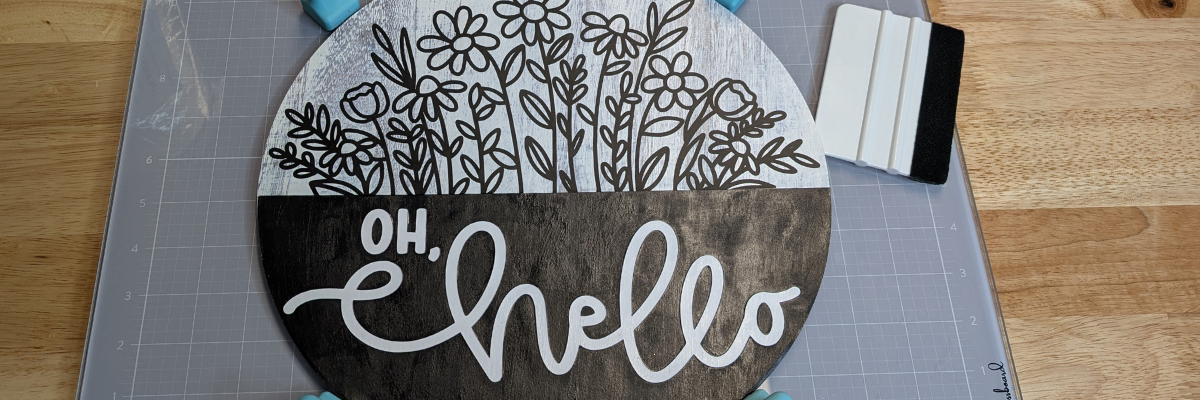
Rather than limit yourself to a specific material, use different materials to create a similar style. I used cardstock and vinyl added to a pre-made wood backer for this design.

Check out this post – How to Make a DIY Door Hanger Sign with Cardstock & Vinyl Using Silhouette HERE for more details.

A round wooden sign featuring the phrase 'Oh Hello' with floral designs above and a dark horizontal band across the middle, resting on a crafting mat with tools nearby.

Additional Resources:

Supplies Used:

Project #2 – Card Designs

I love this one! I used just the hello part of the design, cut a bit off the left side using the Knife tool and then welded it to rectangle frame. Then I made an offset of the design and layered it together to make it pop.

A close-up of a layered cardstock project featuring the word 'hello' in a decorative font, set on a wooden table with adhesive tools and a cutting machine in the background.
Blog post features one SVG to create multiple projects.

Using just the text from the wood sign design I created the next cards. Don’t throw out those bits! In some cases, like this one, you can use the negative part of the design that’s been cut and create with it too!

Craft projects featuring the phrase 'Oh Hello' on colorful cardstock, along with crafting tools like scissors and a tape runner, displayed on a wooden surface.
Blog post features one SVG to create multiple projects.

When using the negative of a design, a quick trick to get the placement is to use the positive part of the design as your “stencil” and glue the pieces in place first. This means that the design will be placed exactly where you want it. I show using this technique in a video on the Swift Creek Customs channel HERE.

After I used the background as a stencil, I used double-sided foam tape to pop up the striped background to give it some dimension on it’s own card. One cut = 2 card designs.

Additional Resources for the tools I used to create the designs:

Supplies Used:

Project #3 – DIY Glass Frame Sign with Vinyl and Sharpie Markers

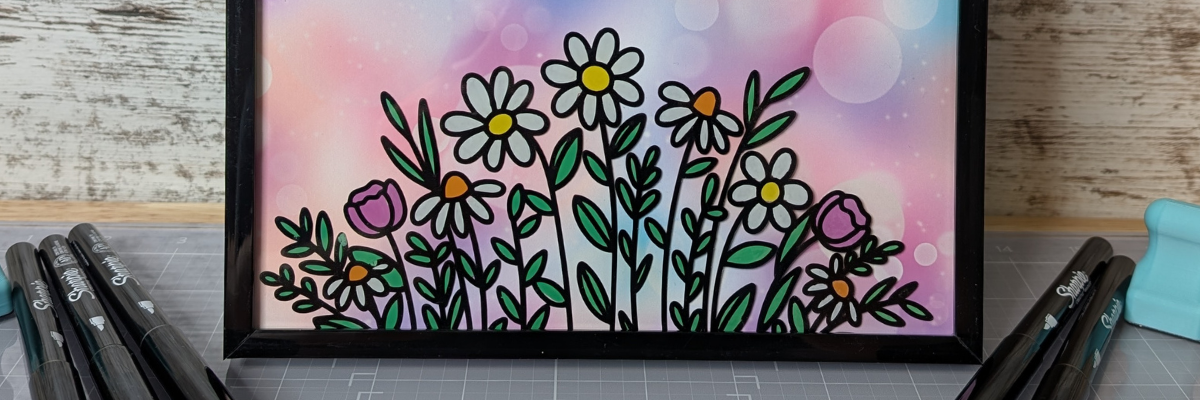
I love creating projects that can be repurposed and have use all year long! This glass frame with the flower portion of the design does just that.

A colorful glass frame sign featuring the text 'hello FRIENDS' with a floral illustration at the bottom, surrounded by crafting markers and tools.
Blog post features one SVG to create multiple projects.

I cut the flower design from adhesive vinyl and added it to the backside of the frame. Then colored that in using Sharpie markers on the backside. While that was drying and the adhesive vinyl curing, I designed several backgrounds to swap out in the frame. This really makes the project versatile and something that can be used year round.

A framed sign featuring the text 'life is beautiful' with a colorful gradient background and floral design at the bottom, surrounded by craft markers.
Blog post features one SVG to create multiple projects.

There are so many patterns & design sentiments options out there!

A framed design featuring floral elements and an inspirational quote, surrounded by craft markers and tools on a workspace.
Blog post features one SVG to create multiple projects.

This was another project that I didn’t even bother to use registration marks with. I designed it the size I needed and then used a paper trimmer to cut the straight edges to fit the frame. Sometimes I think we can overcomplicate projects just because we have a machine that can cut things. A good ole paper trimmer is a great tool to have in your tool box!

See the step-by-step tutorial for this project here – DIY Interchangeable Glass Frame Sign with Silhouette Studio – One Project for All Seasons

Additional Resources:

Supplies Used:

Project #4 – Wood Sign

Finished laser wood sign created with a design by Diva Watts Designs. Blog post features one SVG to create multiple projects.

I used my Glowforge laser to cut all the pieces out of a piece of Maple Plywood. Here is a look at the pieces etched, scored, and cut out.

Laser-cut wood pieces featuring the text 'Oh Hello' and floral designs on a cutting bed.

I prefer to mask my wood pieces before cutting with the laser and then I can simply remove the masking and they are much cleaner.

Once I had all the pieces cut, the Posca Paint Markers made this so easy to color in. Painting is not my favorite part of the finishing process and I hate waiting for things to dry, but I’m getting used to it. Coloring with the paint markers was so satisfying.

Close-up of a round wooden plaque with a floral design, surrounded by various colored markers and a measuring tool, showcasing crafting materials.

The larger pieces I did end up using a bit of acrylic paint to cover the larger surface area.

Crafting workspace with colorful markers, a green wood piece, and a round wooden sign adorned with flowers and the word 'hello' in yellow.
Blog post features one SVG to create multiple projects.

I shared my process including how I set up the “OH, hello” to score on the wood section so that I knew exactly where to glue the pieces in place in this video on the Silhouette Secrets+ YouTube channel HERE – Laser Engraved Wood Sign Using Silhouette Studio

A workspace displaying tools and materials for crafting a laser wood sign, featuring markers and a circular cut wood piece with flower designs.
Blog post features one SVG to create multiple projects.

Additional Resources:

Supplies Used:

All of these projects were completed using just 1 file from Diva Watts Designs! Stacey has so many more amazing designs too!

Find designs by Diva Watts Designs at:

Follow along with Diva Watts Designs on the Diva Watts Designs websiteFacebook and Instagram too!

A great big thank you to Stacey at Diva Watts Designs for contributing the free file for the Silhouette Secrets+ newsletter for the month of July! If you missed grabbing the free design in July, it is available in the Silhouette Design Store HERE.

This year I started offering a free file each month for Silhouette Secrets+ newsletter subscribers. I love designing in the Silhouette Studio software and have shared some of my creations as well as look forward to collaborating with more artists in the future too!

Silhouette Secrets+ Newsletter

Never miss out on the news, tips, “secrets”, deals, classes, and more that I share on Silhouette Secrets+. Sign up for the newsletter and get information delivered to your inbox every Friday.
Unsubscribe at anytime.

Sign up for the weekly newsletter HERE to have information delivered direct to your inbox and grab each month new freebie.

Did this give you some ideas? How about how you can take 1 file and create a variety of projects with it. I had so much fun brainstorming, designing, and creating with this file. See more ideas and inspiration in the Crafting Creativity section on the website HERE.

Save this for future reference by pinning the image below.

Collage of four crafting projects showcasing the 'Oh Hello' design by Diva Watts Designs, featuring a wooden sign, a floral artwork, and greeting cards, highlighting creative variations using Silhouette tools.

Enjoy !

THANK YOU for your support! How can you help? Click HERE & buy a coffee.
Every little bit helps with the cost of running the site.

Silhouette Classes

Never stop learning! Let me help you take the anxiety out of learning with Silhouette and get to creating faster! My Silhouette classes are heavily focused on software, so you can take the skills & techniques taught and apply them to many future projects!

Silhouette step-by-step Classes by Silhouette Secrets+

Silhouette Secrets+ with EllyMae
**This post may contain affiliate links. What that means is that I may receive compensation if you purchase through the links I have provided. The price you pay for the product or service is not higher but I may get compensated for sharing.
Posted on Leave a comment

DIY Interchangeable Glass Frame Sign with Silhouette Studio – One Project for All Seasons

Silhouette Secrets+ with EllyMae

Looking for a versatile home décor project you can enjoy all year long? This DIY Interchangeable Glass Frame Sign with Silhouette Studio is the perfect solution! Using a simple glass frame, adhesive vinyl, Sharpie Creative Markers, and Epson Presentation Paper, you can create a custom sign with beautiful digital backgrounds and sayings that can be swapped out for every day decor, seasonally, or for holidays. Designed entirely in Silhouette Studio, this project combines the ease of printable designs with the precision of vinyl cutting, making it beginner-friendly yet completely customizable. Whether you’re decorating for spring, adding a spooky touch for Halloween, or creating a cozy Christmas look, this reusable sign is a budget-friendly craft you’ll use again and again.

Affiliate links may be present in the following blog post and as an Amazon Associate, I earn from qualifying purchases.

For this project, you may even have all the supplies available in your craft stash or think about what you could use as an alternative. I’ve listed the supplies I used below, so you can recreate it too! Don’t limit yourself to these designs either! Think Halloween, Christmas, Winter, and more! I’ll add photos to this blog post as I create more too!

A DIY interchangeable glass frame sign featuring the text 'hello FRIENDS' with a pastel bokeh background and floral designs at the bottom. Surrounding the frame are Sharpie Creative Markers in various colors and crafting tools.

DIY Interchangeable Glass Sign Supplies:

How to Create a DIY Interchangeable Glass Sign

Gather the supplies. I grabbed an 8″ x 8″ glass frame from my supply closet, some scrap adhesive vinyl in black, some transfer tape and my Sharpie Creative Markers.

DIY interchangeable glass frame sign supplies photo. A workspace with a Silhouette cutting machine, colorful Sharpie Creative Markers, a black adhesive vinyl sheet, and a glass frame on a wooden table.

Measure the inside of the frame you are using. Even if the photo frame states a certain dimension, make sure to measure it and verify so that you don’t end up with a print that is too small like I did.

Open Silhouette Studio and using the Drawing Tools, draw a rectangle. Size the rectangle to the measurements taken using the Scale Tools and verify it again.

Screenshot of Silhouette Studio software displaying printable background designs featuring floral elements and text elements like 'life is beautiful' and 'hello FRIENDS' for a DIY interchangeable glass frame sign

I designed 3 different backgrounds at the same time. Use the Silhouette Studio software to create the entire design, including sizing the flower shapes to fit within the shape you are working with.

Now comes the longest part of the entire project – selecting a background pattern and the quotes you want to use. This is what always takes me the longest in creating.

There are multiple ways to add a pattern to a shape. Check out the additional resources below for several options.

I selected the square and then clicked on the library tab in the top right. Then selected a pattern from under my Patterns Folder in the Silhouette library and just continued to do that until I found the ones I wanted. I have 1100 patterns in my Silhouette library, so it took me awhile to make a decision.

A DIY interchangeable glass frame sign displaying the phrase 'life is beautiful' over a colorful gradient background with flowers, accompanied by various markers and crafting tools.

Repeat these steps to create as many backgrounds as you choose.

When ready to cut, it’s a great idea to use File > Save As and create a “cut file”, so you keep an original working file that could be referred back to if needed.

When ready, move the flowers away from the background design. Change the line color of the sentiment to transparent. You do not want the red cut line to print around the image and have to reprint. A line thickness greater than 0 on any line in Silhouette Studio will print out.

Various printed designs for a DIY interchangeable glass frame sign, featuring quotes and decorative backgrounds, laid out on a crafting table with a cutting machine in the background.

I am using Epson Presentation Paper – Matte with my Canon TS9521C printer on the photo matte high quality setting. Every printer can vary in what colors look like and the only way to know what the colors will be is to test with your printer. See additional resources below.

Next, cut the flower design (or whatever design you are using) from adhesive vinyl. Make sure that the adhesive vinyl you use is the same color on the backside as the front. This will be applied on the backside of the glass frame.

Tabletop setup for a DIY project featuring a black glass frame, cutting mat with flower designs, adhesive vinyl, and various paper backgrounds.

Weed the adhesive vinyl design and apply transfer tape to the entire design.

Clean the backside of the glass frame carefully and let dry.

Then, carefully apply the design to the backside of the glass frame.

Tip: (not shown) Use painter’s tape along the edges of the glass to make it safer to handle and prevent cuts from the glass edges.

A flat lay image showing various crafting supplies for a DIY project, including black Sharpie markers, a ruler, a clear plastic mat with a floral black vinyl design, and a black frame, with colorful patterned papers in the background.

After applying the adhesive vinyl, don’t worry about seeing the adhesive of the vinyl on the front side. As the vinyl sits on the glass and the adhesive sets up, the adhesive look will disappear. Just make sure to apply the adhesive vinyl smoothly and make sure all areas are adhered well to the glass.

Next, on the backside of the glass, start coloring in the design as desired with the Sharpie Creative Makers. These work great on glass!

Close-up of a hand using a green Sharpie marker to color in a floral design on a glass surface with a black vinyl outline.

Don’t worry too much about it looking a bit messy or coloring only in the lines, you won’t see the backside of the glass.

An assortment of colorful Sharpie markers placed above a hand-drawn floral design on a transparent surface, featuring daisies and pink flowers.

Let the paint dry. Add additional coats as needed for the desired look.

While it dries, grab a paper trimmer and trim down the printed backgrounds. I did not set this up for a print and cut as I would have lost space and not been able to fill my frames completely. Plus, it is 4 straight edge cuts per page. A good quality paper trimmer is a great tool to have in your craft supplies.

A decorative interchangeable glass frame sign featuring inspirational quotes surrounded by colorful floral designs, with Sharpie Creative Markers placed nearby.

And then all that’s left to do is to add the background paper into the frame and secure it.

Grab some photos of your awesome project and think of new ideas that you can swap out the background with or keep it up all year long!

1 frame = endless possibilities!

Additional Resources:

DIY Interchangeable Glass Sign Additional Photos

(I’ll add more photos as I create additional backgrounds to swap out.)

Save this for future reference by pinning the image below.

A DIY glass frame sign featuring a pastel background with the words 'hello' and 'FRIENDS,' along with colorful floral designs at the bottom, demonstrating a versatile home decor craft.

Enjoy !

THANK YOU for your support! How can you help? Click HERE & buy a coffee.
Every little bit helps with the cost of running the site.

Silhouette Classes

Never stop learning! Let me help you take the anxiety out of learning with Silhouette and get to creating faster! My Silhouette classes are heavily focused on software, so you can take the skills & techniques taught and apply them to many future projects!

Silhouette step-by-step Classes by Silhouette Secrets+

Silhouette Secrets+ with EllyMae
**This post may contain affiliate links. What that means is that I may receive compensation if you purchase through the links I have provided. The price you pay for the product or service is not higher but I may get compensated for sharing.

Posted on 1 Comment

How to Make a DIY Door Hanger Sign with Cardstock and Vinyl Using Your Silhouette

Silhouette Secrets+ with EllyMae

Looking for a creative way to use those gorgeous wood sign designs without needing a laser cutter? In this tutorial, I’m sharing how you can create a stunning door hanger using just cardstock and vinyl—no laser required! I’m using a design by Diva Watts Designs and showing step-by-step how to bring it to life with your Silhouette machine. Whether you’re a beginner or just looking for a new way to use your cutting machine, this is a great project that proves you can make high-impact decor with tools you already have.

Affiliate links may be present in the following blog post and as an Amazon Associate, I earn from qualifying purchases.

A circular door hanger featuring floral designs at the top and the text 'OH, hello' in a stylish font at the bottom, hung with a twine loop.

Quick Steps to Create Your Cardstock & Vinyl Door Hanger

Want the quick version? Here’s a fast rundown of how I created this layered door hanger using my Silhouette and a design by Diva Watts Designs:

  1. Choose Your Design – I used the Oh Hello design from Diva Watts Designs that’s originally intended for laser cutting.
  2. Resize & Prep in Silhouette Studio – Open the file in Silhouette Studio, resize as needed, and ungroup the layers for cutting.
  3. Cut Cardstock Layers – Cut each of the design’s base layers from cardstock.
  4. Cut Vinyl Details – Use adhesive vinyl for the detailed elements like the lettering or small accents.
  5. Assemble the Layers – Stack and glue the cardstock layers together.
  6. Add Vinyl Elements – Carefully apply the vinyl details on top using transfer tape.
  7. Finish with a Hanger – Punch a hole or attach a twine loop to hang your finished piece.

That’s it! A beautiful, layered sign using just cardstock and vinyl—no laser required. Keep reading for more in-depth details and helpful tips!

Supplies for DIY Door Hanger Sign with Cardstock & Vinyl

DIY Door Hanger with Cardstock & Vinyl Project Details

First, I started by measuring my wood sign backer. Then, I grouped the Oh Hello design and scaled it up to 11.8″. Next, rather than paint, I printed a Wood White Texture Digital Pattern by Daniela Moscone onto a 12″ x 12″ sheet of cardstock and then cut the background out of the printed paper. I played around with many different color combinations and finally settled on basic black and white.

Screenshot of Silhouette Studio showing a design with the text 'Oh Hello' and floral elements, alongside a wood texture background.

I added the digital pattern paper to the background to get a feel for how it would look before I printed the page.

If you are printing a large pattern or filling almost the entire sheet of material with a pattern design, skip the print and cut limits and print the entire page or as much as your printer will allow and then simply cut the design from the printed page. If I had used registration marks on this page, I may not have gotten the size circle I needed with my pattern.

I could then simply place the entire sheet on my cutting mat and cut the size circle I needed.

A Silhouette cutting machine next to a printed cardstock sheet featuring a wood texture pattern and a round wooden sign blank, set on a wooden workspace.
DIY Door Hanger Sign with Cardstock and Vinyl

I cut the black piece from a sheet of black cardstock and the “OH, Hello” from white cardstock.

Now here is my next “secret”. I used the negative of the white cardstock as my placement template for the words on top of the black section. I used a couple pieces of washi tape to hold it in place so nothing moved.

Close-up of a black cardstock design with the words 'OH, hello' laid out on a wooden surface, secured with decorative washi tape.

Then I could easily add glue and every piece was placed lined up as the original design showed.

A layered cardstock and vinyl design featuring the words 'OH, Hello' with a black background and white letters, placed on a wooden surface with washi tape securing the template.

To adhere the background paper to the wood sign, I used Maker’s Magic glue and spread it all over the wood sign and on the backside of the printed cardstock. Then smoothed it down onto the wood backing. I’ve had this Maker’s Magic glue in my stash for a while. The first time I used it, I had a few issues, but I think it was me and just like many things, it takes practice. It worked great for this project, and I knew I wanted to not only protect the cardstock but also add it to the top of the entire sign before I applied the adhesive vinyl flowers so the transfer tape wouldn’t tear up my printed design. I did let the Maker’s Magic dry overnight before adding the adhesive vinyl flowers.

A workspace featuring a round wooden sign with the text 'Oh Hello' in white and a long piece of vinyl with floral designs. There are tools and supplies, including a cutting mat and adhesive vinyl, laid out on a wooden surface. DIY Door Hanger Sign with Cardstock and Vinyl

Next it was time to apply the adhesive vinyl flower design. I enlisted the help of my new magnetic glass craft mat & magnets helped to hold this sign in place to easily apply the adhesive vinyl in the exact location I needed.

A person applying a vinyl design that says 'oh hello' on a decorative circular sign with floral accents, using a craft mat for stability. DIY Door Hanger Sign with Cardstock and Vinyl

Instead of using the magnets on top of the material, I placed them in 4 places around the edge of the wood sign and it held it securely in place.

A round wooden sign featuring a floral design and the text 'Oh, Hello' in a contrasting color, placed on a cutting mat with tools nearby. DIY Door Hanger Sign with Cardstock and Vinyl

I love how this DIY door hanger turned out with cardstock and vinyl!

Round door hanger with floral design featuring the phrase 'Oh, Hello' in white lettering on a black background, hanging from a twine loop. DIY Door Hanger Sign with Cardstock and Vinyl

Think outside the box! Even if a design is shown in a project photo a certain way, start brainstorming how else you can use it. What other materials could you use to create it? Cardstock and vinyl instead of wood cut pieces? This design is so much more than just a wood sign!

Additional Resources:

Save this for future reference by pinning the image below.

A round door hanger sign featuring a floral design at the top and the phrase 'Oh, Hello' at the bottom, with a rustic wood texture background.
DIY Door Hanger Sign with Cardstock and Vinyl

Enjoy !

THANK YOU for your support! How can you help? Click HERE & buy a coffee.
Every little bit helps with the cost of running the site.

Silhouette Classes

Never stop learning! Let me help you take the anxiety out of learning with Silhouette and get to creating faster! My Silhouette classes are heavily focused on software, so you can take the skills & techniques taught and apply them to many future projects!

Silhouette step-by-step Classes by Silhouette Secrets+

Silhouette Secrets+ with EllyMae
**This post may contain affiliate links. What that means is that I may receive compensation if you purchase through the links I have provided. The price you pay for the product or service is not higher but I may get compensated for sharing.

Posted on Leave a comment

DIY Custom Earring Cards with Silhouette Sketching & Gelly Roll Pens

Silhouette Secrets+ with EllyMae

Looking for a creative way to level up your handmade jewelry packaging? In this DIY tutorial, I’ll show you how to create custom earring cards using Silhouette Sketching and vibrant Sakura Gelly Roll pens. These unique earring display cards not only showcase your earrings beautifully but also add a professional, artistic touch to your small business or handmade gifts. Using Silhouette Studio software and your Silhouette cutting machine, you can sketch intricate designs, logos, or text with ease. Whether you’re selling on Etsy, prepping for a craft fair, or making gifts for friends, these handmade earring cards are the perfect finishing touch!

Affiliate links may be present in the following blog post and as an Amazon Associate, I earn from qualifying purchases.

Have you ever made custom earring cards with Silhouette? How about sketched with your Silhouette machine? Why not combine the two and create custom earring cards?
I created the projects shown in this post to send with a gift to a friend.

Customize your designs for your specific project, a gift, or just because!

Think it, design it, create it!

Sketched Earring Card Supplies

Grab your supplies and just get started.

A collection of jewelry making supplies including earring hooks, a Silhouette pen adapter, Gelly Roll pens, and cardstock, arranged on a wooden surface next to a Silhouette cutting machine.

Supplies:

Sketched Earring Card Setup in Silhouette

Use a premade earring card file or create your own. Then add a design to the earring card for sketching.

Screenshot of Silhouette Studio software displaying a design for sketched earring cards, featuring a floral vine design and design setup options.

I used the Long Earring Display Card by Clikchic Designs – Design #389717 for this project.

Keep in mind the software and machines are designed as cutting machines, so the red “cut” lines on the screen are exactly how a sketch pen will sketch out. It will sketch the outer lines of a “cut” file. If a design or font is not filled in, the sketch pen will not magically fill things in unless it’s told to.

If you want a design or font to be filled in by a pen, you can use the Sketch Panel/Line Effects Panel to add a fill. Keep in mind that the sketch fill pattern will affect the time to sketch the design. When a design or font is filled in with a small sketch fill pattern, that pen is going over and over an area just like if you were filling in a design or font by hand with a pen. That can mean that it cements the paper to the cutting mat, so be careful removing the materials from the mat.

Sketch designs, fonts, or single line fonts can work better for sketching without having to do much to alter the designs.

However, not all sketch designs or fonts are truly designed for sketching. The file name may simply include sketch, so it’s always good to click on the Send tab and take a closer look to see where the pen may travel to get an idea of what it will turn out like.

Find additional tips on sketch designs in this post – How to Sketch with Silhouette.

Install the pen in the Silhouette machine and test.

Close-up view of a Silhouette cutting machine with a pen holder and white cardstock positioned for crafting.

The Silhouette pen holders allow for a wide variety of pens to be used in the machines. The installation process is the same no matter if using the Silhouette Type A, Type B, or Type C Pen Holders. Find the collar that fits the best for the size pen you are using and make sure it’s secure.

Did you know that the cap on the Silhouette pen holder has a purpose? Keep the cap!
Place the cap on the pen holder when you install the pen and when the tip of the pen touches the cap, that is your pen depth. This should work for most pen types and all Silhouette pen holders.

If needed, you can also use a popsicle or craft stick placed underneath the pen tip when you insert the pen holder in the machine. This will show you if the pen is too far down in the adapter or installed at the correct height. Pens installed too low in the adapter have a greater chance of drawing drag marks.

Silhouette Sketch Popsicle Stick Trick
Silhouette Cameo 3 with Type A Pen Holder

If the pen is too low, simply remove it and lift it up in the pen holder a bit before tightening the collars. Proper setup and testing will save you frustration and drag lines across your project.

If you are working on a project with specific materials such as envelopes, etc. Test on cardstock first to save your more expensive materials.

Sketching a Design with Silhouette

If sketching and cutting a project, set up the design to Cut by Line Color. I use red lines for the cut lines and blue lines for sketch lines.

Screenshot of Silhouette Studio software displaying design settings for sketched earring cards, featuring a blue intricate design on the left side of the interface.

I recommend sketching first and then cutting, so there is less chance that the design will move. Do NOT unload the cutting mat after the design has sketched.

A Silhouette cutting machine in action, sketching various designs including flowers and a butterfly on a sheet of white cardstock.

Uncheck the sketch lines and check the box next to the cut color, install a blade, and send the job to cut.

For more details on sketching by line color, check out this post – Silhouette Send Tab – Line Color.

A Silhouette cutting machine with white cardstock displaying multiple unsketched earring cards featuring floral designs and decorative borders.

Add you earrings and you have DIY custom earrings cards that can be used as gifts and more!

A variety of handmade earring cards showcasing different designs and earrings, displayed on a textured surface.

Want to see this in action?
Check out this quick glimpse on the Silhouette Secrets+ YouTube channel.

Just get started! Set it up to sketch and just start selecting designs and sketching. It is so much fun to just play around with it, even if you do not have a specific project or purpose in mind. Grab some cardstock and set up the machine to sketch and just play!

Additional Resources for Sketching:

Save this for future reference by pinning the image below.

A collection of custom DIY earring display cards featuring different designs and earrings, with a title banner reading 'DIY Earring Cards Sketching with Silhouette'.

Enjoy !

THANK YOU for your support! How can you help? Click HERE & buy a coffee.
Every little bit helps with the cost of running the site.

Silhouette Classes

Never stop learning! Let me help you take the anxiety out of learning with Silhouette and get to creating faster! My Silhouette classes are heavily focused on software, so you can take the skills & techniques taught and apply them to many future projects!

Silhouette step-by-step Classes by Silhouette Secrets+

Silhouette Secrets+ with EllyMae
**This post may contain affiliate links. What that means is that I may receive compensation if you purchase through the links I have provided. The price you pay for the product or service is not higher but I may get compensated for sharing.

Posted on Leave a comment

DIY Busted Canvas Art: Transform Your Wall Decor with This Trendy Technique

DIY Busted Canvas
Silhouette Secrets+ with EllyMae

Are you ready to take your wall art to the next level? Or just want to try something new? A busted canvas project is the perfect way to add a bold, trendy touch to your home decor. This creative technique combines texture, dimension, and artistic flair to transform a plain canvas into a statement piece that’s truly one of a kind. Whether you’re a seasoned crafter or new to DIY projects, this guide will walk you through every step of creating your own stunning busted canvas.

First, I don’t think there is a “wrong” way you can do this! Look around your supplies and use what you have and then just keep going. Start with an idea and let it take you from there.

Affiliate links may be present in the following blog post and as an Amazon Associate, I earn from qualifying purchases.

Supplies for DIY Busted Canvas

Basic Supplies:

*this project can be created with a wide variety of materials. I will list some of the ones that I used in the examples I share below

Embellishment Supplies:

Example #1 – Christmas Tree Busted Canvas

Christmas Tree Busted Canvas DIY

Example #2 – Sketched Watercolor Busted Canvas

DIY Busted Canvas Sketched Watercolor Background

How to Create a DIY Busted Canvas

I’m going to share the steps I took, but you can do some of these in any order.

Step 1 – Prep the canvas frame.

With a paint brush or foam brush, add an even layer of Mod Podge to the inside of the back of the canvas frame as a base coat.

DIY Busted Canvas - Step 1 Mod Podge Backside

Step 2 – Cut the pattern material down to size.

Using scissors, cut the pattern material down to size. This does not have to be exact, but get as close from frame edge to frame edge. You want to make sure the center of the canvas is fully covered.

If using napkins, separate the ply of the napkin so you are only using 1 layer that is the patterned piece. This will ensure that the layers don’t separate later on in the process.

With the pattern face up, smooth down on top of the Mod Podge layer. Use a squeegee to help smooth it down onto the backside of the canvas.

DIY Busted Canvas - Step 2 & 3

Step 3 – Add an even layer of Mod Podge on top of patterned material.

I used the Mod Podge Sparkle on this one and love it, but of course, not every design will need bling.

Allow it to dry completely.

Step 4 – Measure the backside of the frame.

Measure the inside of the frame and the outer edge of the frame, so you know how large to create the design. Keep in mind that you want the design to be centered and if it’s too big, the canvas edges may hide part of the design.

Busted Canvas Measuring Frame

Step 5 – Pick a background design

Silhouette Studio Software - Background Design to Print

For this one, I printed a digital patterned background by Clikchic Designs of the Christmas tree. I started by opening the design in the Silhouette Studio software, set my page to letter size for the Koala Inkjet Glossy Paper, and then drew some rectangles using the measurements I took. This way I knew how large to size the design and what would be seen within the frame.

Then I printed the design.

Printing Background Design from Silhouette Studio

Step 6 – Trim the background design down to canvas size.

I used a paper trimmer to trim the background design down to the 8″ x 10″ size of the frame.

Step 7 – Decorate the front side of the canvas however you desire.

DIY Canvas - Painted Front

For this one, I decided I wanted to try to replicate the outer edge design of the patterned background with the blue sky, stars, and snow.

I started with a base layer of a blue metallic paint. Then sponged on a darker blue on top of that. And then added some lighter blue & white paint splatters for the stars. I added a bit of water to the acrylic paints to thin them out and give it some dimension too!

I just kept going to see how it would turn out. I’m learning to do that more and more and just see where it takes me and I’ve been thrilled with almost all the results.

Let that dry completely before moving on to the next step.

Step 8 – Cut the canvas from the backside

DIY Busted Canvas - Cutting the Canvas

Using a sharp utility knife on a safe surface such as a self healing cutting mat, find the center of the backside of the canvas and make slices from the center out towards the frame randomly. The farther back you cut, the deeper the curl will be on the front of the frame.

Step 9 – Secure the background photo to the backside of the frame

DIY Busted Canvas Glue Background to frame

Add hot glue along the edges of the frame and line up the background image to secure it to the backside of the canvas frame.

Gluing down the opposite corners to start can help get it aligned properly before you are too committed and the fine tip glue gun can come in handy. Use a squeegee to run along the edges of the background paper and smooth it down to the glue.

Step 10 – Roll back the cut pieces on the front of the canvas

DIY Busted Canvas Roll Back Edges

Flip the canvas over and gently roll back the cut pieces. Training the curls by rolling it a bit before gluing can help to prevent lifting after it’s glued down. Once curled as desired, add a bit of hot glue to the end and press it down to the canvas. I found using the end of my paint brush worked well to hold it in place while the glue dried and I didn’t burn my fingers.

Continue around the entire frame until all of the sections are curled and securely glued in place.

Step 11 – Admire your new DIY Busted Canvas artwork

DIY Busted Canvas - Christmas Design

Each diy busted canvas will be a unique creation!

DIY Busted Canvas Up Close Look

I love how this turned out!

 DIY Busted Canvas Final Photo

Like I mentioned at the beginning, I don’t think there is any “wrong” way to do this. I’m definitely hooked on the busted technique.

Step 12 – Start planning your next creation

DIY Busted Canvas Next Project

I hope this has given you some creative ideas! Look around your stash and see what you could use to create your own DIY Busted Canvas.

Check out the video tutorial on the Silhouette Secrets+ YouTube channel HERE

DIY Busted Canvas Video Tutorial

Save this for future reference by pinning the image below.

DIY Busted Canvas Tutorial Pinterest

Find more project ideas and tutorials on the blog HERE.

Enjoy !

THANK YOU for your support! How can you help? Click HERE & buy a coffee.
Every little bit helps with the cost of running the site.

Silhouette Classes

Never stop learning! Let me help you take the anxiety out of learning with Silhouette and get to creating faster! My Silhouette classes are heavily focused on software, so you can take the skills & techniques taught and apply them to many future projects!

Silhouette step-by-step Classes by Silhouette Secrets+

Silhouette Secrets+ with EllyMae
**This post may contain affiliate links. What that means is that I may receive compensation if you purchase through the links I have provided. The price you pay for the product or service is not higher but I may get compensated for sharing.