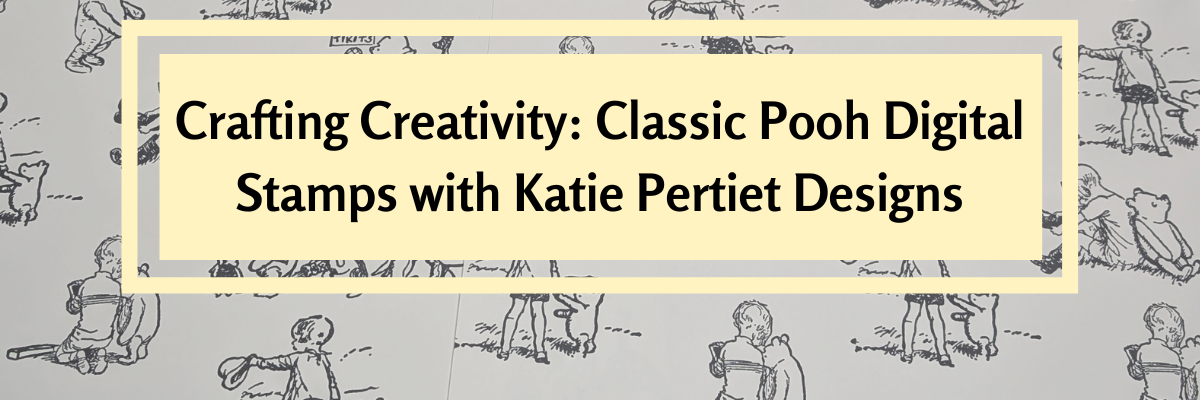

This edition of Crafting Creativity is full of heartwarming inspiration straight from the Hundred Acre Wood! Using the Classic Pooh: Friend Like You digital stamp set by Katie Pertiet Designs, I created several sweet and timeless projects featuring Pooh and his friends. From layered cards to charming home décor, each piece highlights how versatile digital stamps can be when paired with your Silhouette. Get ready to see how these delightful designs can bring warmth, friendship, and nostalgia to your craft table.
Affiliate links may be present in the following blog post and as an Amazon Associate, I earn from qualifying purchases.
Did you know that the Classic Pooh is now in the public domain in the U.S.? Classic Pooh entered the public domain on January 1, 2022. The Disney version is not in public domain.
*Outside of the U.S., please refer to trademark laws & regulations for your area.

Each month in the Crafting Creativity series, I dive into a single design file and transform it into a variety of unique projects to inspire your own creativity. From cards and stickers to home décor and custom tags, I love exploring all the possibilities one file can offer. These posts are designed to show you how versatile a single design can be and to spark ideas for using your Silhouette in new and exciting ways. Whether you’re a seasoned crafter or just starting out, Crafting Creativity is full of tips, tricks, and inspiration to help you make the most of every design!
Crafting Creativity – Classic Pooh Projects
Digital stamps are incredibly versatile and perfect for creating a wide range of projects. Pair them with your Silhouette for precise print-and-cut projects, and suddenly one file becomes the foundation for endless creative possibilities. Whether you’re crafting for holidays, birthdays, or everyday inspiration, digital stamps make it easy to bring your ideas to life!
Project #1 – Flip Action Interactive Cards

These came together so easily and I was able to fit the print and cut designs for 6 cards onto one letter size sheet of paper. Here is a look at my print and cut page setup.

I posted a quick video of cutting the pieces for this project using the Electrostatic Mat.
Check out the video on Instagram or Facebook.
And I used these designs in this video tutorial to show how to match colors in the Silhouette Studio software with the eyedropper too!

Check out the tutorial on the Silhouette Secrets+ YouTube channel HERE.
Additional Resources:
- Create a Flip Action Interactive Card in Silhouette Studio: Step-by-Step Tutorial
- Silhouette Studio: Fill Color Panel
- Silhouette Print and Cut
- Silhouette Studio: Testing Print Colors
Supplies Used:
- Classic Pooh: Friend Like You digital stamp set
- Neenah 110 lb white cardstock
- Recollections cardstock – white
- Cardstock
- Adhesive Tape Runner (tape runner refills)
- Twine
- Mini Stapler
- Silhouette Cameo 5
- Silhouette Autoblade
- Silhouette Electrostatic Mat
- Printer: Canon TS9521C
Project #2 – Stickers

Digital stamps are perfect for creating custom stickers — you can size them exactly how you want, print them on your favorite sticker paper, and even cut them out perfectly with your Silhouette! They’re a fantastic way to bring digital designs into the physical world for planners, journals, cards, and more.
I received several questions about how to use digital stamps inside Silhouette Studio, so I created a step-by-step tutorial showing exactly how I set up, trace, and print and cut these adorable Classic Pooh images. It’s easier than you might think, and once you try it, you’ll be hooked on making your own personalized sticker sheets!

This video tutorial is available on the Silhouette Secrets+ YouTube channel HERE.
Additional Resources:
- Autotrace
- Edit Points
- Recovered Documents
- Print and Cut Resources
- A to Z Silhouette Resources
Supplies Used:
- Classic Pooh: Friend Like You digital stamp set
- Silhouette Sticker Paper
- Silhouette Cameo 5
- Silhouette Autoblade
- Silhouette Electrostatic Mat
- Printer: Canon TS9521C
Project #3 – Custom Tags

The first set I created using the Silhouette Super Fine Heat Pen with silver foil. I had a couple issues with the foil tearing which smeared a few parts, but otherwise they turned out great! They are a bit more work to set up with extra steps for the foiling, but if you are looking for a WOW factor! This can do it!

I used a different sketch font on each one and one I drew a balloon using the Flexishapes and the line drawing tool.

But I couldn’t stop there! I also went ahead and simply changed the line color on all the sketch fonts to black and then did the tags as a print and cut. This does not have the shine to it, but it was less steps to set up to have it all printed.

When working with sketch fonts, make sure to click on the Send tab and look at the bold red lines. That is exactly how it would sketch or print through a printer. Text defaults to “cut edge”, which can make sketch fonts act a bit goofy if they are close to single line fonts. They may not look complete and that is exactly how they would sketch or print.
See more details on sketching and photos of exactly what I mean in this blog post – How to Sketch with Silhouette
Additional Resources:
- Flexishapes
- Line Drawing Tool
- Silhouette Print and Cut
- Sketching with Silhouette
- Silhouette Heat Pen Setup
- Foil Quill for Older Silhouette Models
Supplies Used:
- Classic Pooh: Friend Like You digital stamp set
- Neenah 110 lb white cardstock
- Silhouette Heat Pen: Super Fine
- Silhouette Cameo 5
- Silhouette Autoblade
- Silhouette Electrostatic Mat
- Printer: Canon TS9521C
Project #4 – Custom Party Decor with Silhouette
Create your own party decor in the form of gift boxes, gift card holder, cupcake wrappers, and cupcake toppers.

I created my own digital paper using the Classic Pooh: Friend Like You stamp set.

And I shared exactly in this video – How to Create Custom Digital Papers in Silhouette Studio | Easy Tutorial on the Silhouette Secrets+ YouTube channel.

Take the steps and tips I shared and create your own unique custom digital background too! Have you seen the shirts where the husband takes a photo of the wife or vice versa and puts it onto a shirt for special occasions like birthdays? I just had to do it! So I made my husband custom gift wrap for his birthday.

Additional Resources:
- Custom Gift Wrap with Silhouette Studio – written tutorial
- How to Use the Eyedropper Tool in Silhouette Studio | Match Colors Perfectly
- How to Use Digital Stamps in Silhouette | Open PNG Files, Autotrace Tips & Print and Cut
Supplies Used:
- Classic Pooh: Friend Like You digital stamp set
- Neenah 110 lb white cardstock
- Recollections cardstock – white
- Silhouette Cameo 5
- Silhouette Autoblade
- Printer: Canon TS9521C
All of these projects were completed using just 1 digital stamp set by Katie Pertiet. She has a store full of amazing digital supplies and also produces physical products as well, such as stamps and more!
Find designs by Katie Pertiet Designs at:
- Katie Pertiet Designs
- Katie Pertiet Designs with Arden Creek at A Cherry On Top – physical products
Follow along with Katie Pertiet Designs on the Facebook, YouTube, Instagram HERE and HERE.
A great big thank you to Katie for contributing the free file for the Silhouette Secrets+ newsletter for the month of September! If you missed grabbing the free design in September, grab it here – Classic Pooh: Friend Like You digital stamp set and create amazing things!
This year I started offering a free file each month for Silhouette Secrets+ newsletter subscribers. I love designing in the Silhouette Studio software and have shared some of my creations as well as look forward to collaborating with more artists in the future too!

Silhouette Secrets+ Newsletter
Never miss out on the news, tips, “secrets”, deals, classes, and more that I share on Silhouette Secrets+. Sign up for the newsletter and get information delivered to your inbox every Friday.
Unsubscribe at anytime.
Sign up for the weekly newsletter HERE to have information delivered direct to your inbox and grab each month’s new freebie.
Did this spark some creative ideas for you? It’s amazing how one digital stamp set can be transformed into so many unique projects! I had such a wonderful time brainstorming, designing, and bringing each of these Classic Pooh creations to life. You can find even more inspiration and project ideas in the Crafting Creativity section on the Silhouette Secrets+ website — click HERE to explore!
Save this for future reference by pinning the image below.

Enjoy !
THANK YOU for your support! How can you help? Click HERE & buy a coffee.
Every little bit helps with the cost of running the site.

Silhouette Classes
Never stop learning! Let me help you take the anxiety out of learning with Silhouette and get to creating faster! My Silhouette classes are heavily focused on software, so you can take the skills & techniques taught and apply them to many future projects!