Posted on 4 Comments

Silhouette Cameo 5, Curio 2 & Portrait 4 – Care, Maintenance, and Storage Tips

Affiliate links may be present in the following blog post and as an Amazon Associate, I earn from qualifying purchases.

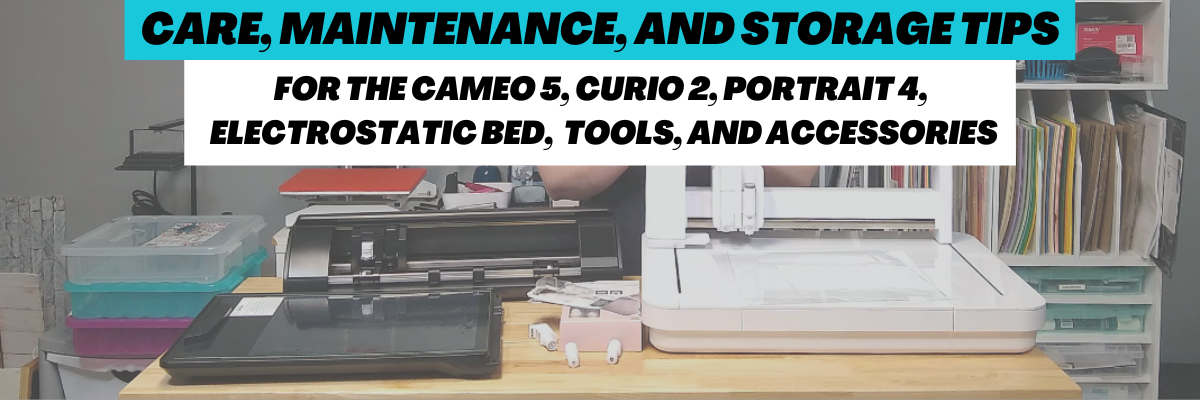
With the release of these new models of Silhouette machines – the Silhouette Cameo 5, Curio 2, and Portrait 4 – along with the new Electrostatic (ES) Beds – care and maintenance is going to be very important in the success and lifespan on your machines!

We troubleshoot with thousands of users each week and we have seen some very dirty machines. This will affect the lifespan and usage of your Silhouette machines! There is no way to sugar coat that! Especially now with the new technology released.

I’m sharing tips to the care, maintenance, and storage for the new Silhouette machines and accessories in this video – Silhouette Cameo 5, Curio 2, Portrait 4 – Care, Maintenance, and Storage Tips video on the Silhouette Secrets+ YouTube channel found HERE.

Care, Maintenance, and Storage Tips

The #1 biggest thing is to keep your machines clean and free of debris. Especially with the new powered tool housing and power plug on the Cameo 5, Curio 2, and Portrait 4. Any dirt or debris in that power housing plug and it can affect your results and success!

I recommend keeping the lid on your machine for the Silhouette Cameo 5 and Portrait 4 closed when it’s not in use.

A Silhouette machine dust cover is a great idea too, especially if you have a workspace that has a lot of particles in the air. The Cameo 4 dust covers fit nicely over the Cameo 5 machines. They are pretty similar in size, just a few differences in the design.

With the Silhouette Curio 2, keep it free and clear of debris and materials in the way of the housing and channels on the machine. Any dirt, debris, or materials in the channels can interfere with the Curio 2 function and housing moving freely during use.

I do not recommend storing anything on top of the Silhouette Curio 2 or it could affect the machine function.

A can of compressed air or a keyboard air duster may be handy to have around to help keep debris off the machine as well.

For my Curio 2 with acrylic etching/engraving, I’ve been using a handheld vacuum to help with the clean up after the etch.

Silhouette Electrostatic (ES) Bed

The Silhouette Electrostatic (ES) Bed is new! It’s awesome! Keep the boxes if you have not already thrown those away. The Electrostatic Bed should be stored completely flat and I do not recommend storing things on top of it.

The Silhouette Electrostatic (ES) Bed is very specific in that it needs to be completely flat in order to function properly and maintain the charge. Any warping of the bed due to improper storage or materials placed on it over time, can affect the success of using it.

Keep the boxes and packing materials for storage on the Silhouette Electrostatic (ES) Bed. This will be the best protection that you can use and you know it is stored safely when it’s placed back in the box with the packaging foam.

Any damage to the Silhouette Electrostatic (ES) Bed and you will need to replace it. Improper storage of the bed is not a machine fault, but is the responsibility of the user.

For information on how to install the Silhouette Electrostatic (ES) Bed with a Silhouette Cameo 5 click HERE.

Silhouette Electrostatic (ES) Protective Sheets

The Electrostatic (ES) Protective Sheets are a very important part of the ES bed as well! The Electrostatic (ES) Protective Sheets need to be store completely flat and kept flat for proper usage on the Electrostatic (ES) Bed. If they are not completely flat, the charge may not be able to build up properly and be maintained during the cut.

I found 2 options for storing the Electrostatic (ES) Protective Sheets. Both are 12″ x 12″ scrapbook cases and fit the 12″ x 12″ Protective Sheets very well.

Silhouette Power Tool Storage

The new Silhouette Power Tools are a bigger tool housing than previous Silhouette tools. This means that they may not fit in the previous tool storage that a user had.

The storage of these new power tools will be very important because you not only have to protect the Auto Tool Detection metal plate on the backside of the tool, but you also have a Power Plug on the backside of the tool that needs to be protected as well.

I found a couple options for storage for the tools and they are customizable for what each user might need.

The Options Grab-n-Go Storage worked great for the Silhouette 3″ foil rolls, the print and emboss squares & fasteners for the Silhouette embossing mat, and holding multiple tools. This is an “Option” that can grow with you.

Look around your house and see if there is something you can repurpose for tool storage. You may already have an option that works for the tools you have!

Non-power Silhouette Tool Storage Options

This is the tool holder that I’ve been using for several years with the non-power Silhouette tools such as the Autoblade, Rotary blade, and Kraft blades. As you can see, I have gathered a selection of tools over the years as I’m writing tutorials and teaching classes.

This tool holder has worked for me so far with the smaller blade housings.

Additional Care Tips

Keep the rollers clean of adhesive. The rollers of the Cameo 5 and Portrait 4 should not be rolling on the adhesive of the cutting mat or it can pick up adhesive residue and affect your future cut projects.

All of these tips are 100% the user’s responsibility. You have invested in these machines and with proper care, use, and storage the Silhouette machines, tools, and accessories should work well for you.

Find the new Silhouette model machines and accessories at CrafterCuts or SilhouetteAmerica.

Save this for future reference by pinning the image below.

Enjoy !

THANK YOU for your support! How can you help? Click HERE & buy a coffee.
Every little bit helps with the cost of running the site.

Silhouette Classes

Never stop learning! Let me help you take the anxiety out of learning with Silhouette and get to creating faster! My Silhouette classes are heavily focused on software, so you can take the skills & techniques taught and apply them to many future projects!

Silhouette step-by-step Classes by Silhouette Secrets+

**This post may contain affiliate links. What that means is that I may receive compensation if you purchase through the links I have provided. The price you pay for the product or service is not higher but I may get compensated for sharing.
Posted on 3 Comments

Silhouette Machine Maintenance

Today we are going to discuss some ways you can keep your Silhouette machines running in top order.

The #1 way that you can keep your machines in good working order is to keep them clean.
I know that sounds so basic, but it is the down and “dirty” reality of it.
Keeping it clean and not letting things build up is best!

Dirt, dust, adhesive residue, paint, glitter, fibers, or other debris can interfere with getting a good cut and affect the lifespan of the machine.

Affiliate links may be present in the following blog post and as an Amazon Associate I earn from qualifying purchases.

Tips to Keeping Your Silhouette Machine Clean

To keep it clean, remove any debris, fibers or materials out of the machine after use.
Look closely at your Silhouette machine.
Do you see any dirt, debris, glitter, fibers, or other materials in the machine in any area?

The more familiar you can become with your machine and how it works will help you with future projects and troubleshooting on the machine.

What are some areas you should look at?

Blade Adjustment area
If you have a Cameo 3, any Cameo 4 model, or Portrait 2 or 3 model; make sure to check the adjustment holes for any debris. These are on the left side of the Silhouette machine.
Debris in these holes can block the Autoblade from adjusting properly.

Remove any debris from inside the holes carefully with a sharp pair of tweezers or blow out with a canned of compressed air.

Cutting Strip
This is a rubber strip that runs under where the blade housing moves and provides the bottom support on the underside of the mat or material when the blade is cutting.

Check the cutting strip for debris, cuts, gouges, pieces missing, etc. both by a visual check and by running your hand along the strip to feel for any roughness.

The cutting strip is present on all Silhouette models, except the Curio & Portrait 3.
In some older models, it may be black.

If there are cuts, gouges, holes, or pieces missing; this can affect the cut quality.
This is a replaceable part and can be ordered from Silhouette America.
There are different cutting strips according to the machine models.
Cameo 1-3 model cutting strips can be found HERE.
Portrait models found HERE
Cameo 4 found HERE
Cameo 4 Plus – found HERE
Cameo 4 Pro – found HERE
Use code 10OFF to save 10% with any of the links above.

Personally, I like to keep an extra on hand for each of my machines, just in case.

The description of the cutting strip, also contains a link to instructions on how to replace it.
Click HERE for those instructions as well.

Cutting Channel
With the new design of the Cameo 4, there is now a cutting channel that is directly in front of the cutting strip. This is just a small, thin channel that runs the length of the cutting strip.

This allows for a feature called Pop Out cutting for cardstock without a mat.
Check out more information on Pop Out cutting HERE.

Check that there is no debris in this channel. Usually wiping with a clean, dry cloth will clean it.

Auto Load Sensor
The Cameo 4, Cameo Plus, and Cameo Pro have a small sensor on the left side of the machine for the Auto load feature.

If there is any debris in the sensor area, it can interfere with the loading of the cutting mat, whether you are using this feature or not.
Carefully, clean any debris out of this sensor being very careful not to scratch it.

Here is how the Auto load feature works

Rollers
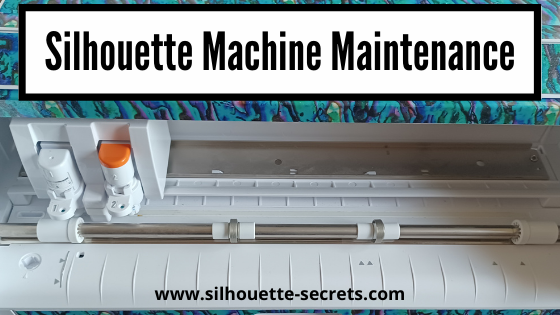
All Silhouette machines have rollers on the left and right side.
If debris or adhesive residue builds up on the rollers it can affect how the mat or material rolls in and out of the machine. The machine is designed to grip the smooth edges of a Silhouette cutting mat or material.

Both rollers should be rolling across the same material. If it is gripping the edge of the cutting mat on the left side, but rolling across the material on the right side, it can cause one roller to roll at a different rate than another.

Some other ways this can happen is if a user is taping the materials down on the edges, material is cut too wide for the cutting grid on the mat, or the right roller is in too far and rolling across the material or adhesive.

Adhesive residue is one of the bigger issues I see with machines over time.

Two of the most common ways I see adhesive building up on the rollers is if the right roller is not positioned in the far right groove on the roller bar and is rolling across the adhesive on the mat.
This will not only cause the roller to pick up the adhesive from the mat, but it can also wear a groove in your cutting mat over time and it will not cut correctly in that area as the mat is not a completely flat surface with that groove worn in it.

The other thing I see that can cause issues is re-sticking the cutting mats with any adhesive glue of any type. No matter how careful a user is, this can cause cut issues over time. Adhesive residue can built up on the rollers, inside the machine, and gum up a cutting blade too.

In discussions with Silhouette support this is not recommended and they have seen so many issues due to re-sticking mats and adhesive residue inside of machines that they get back. Ultimately over time, it can decrease the lifespan and cause you headache and frustration with cut issues.

I would also recommend a Silhouette cutting mat. Other brands of mats can be a different thickness, which can affect the lifespan of the rollers on many models. And the adhesive grid may be a different size than a Silhouette cutting mat, which means the roller would be rolling on the adhesive and picking up residue.

To clean adhesive residue off of the rollers, start by taking a Q-tip with a bit of alcohol on it and carefully removing it. Just a bit of alcohol should do.
I do not recommend using any adhesive remover that is oil based as it could affect the rollers ability to grip the materials due to the oil.
If your rollers have quite a bit of build up, it may take some time and patience to get those cleaned up.

General Cleaning Tips

In general, keeping the machine free of debris is the best way to get the best results.

A can of compressed air can help remove debris inside the machine and get to areas & fibers we cannot see.

Wiping down with a dry cloth is another way to remove debris & fibers.

Closing the lid on the Silhouette machine when not in use can help dust and dirt stay out of the machine.

Covering the machine when not in use can also help to protect the machine.
Find covers and carrying cases HERE for Silhouette machines.
Use code 10OFF to save 10% on your order.

Do not re-stick the cutting mats with any type of adhesive.
I can get a lot of life out of my cutting mats and over time, you will pick up tips that help extend the life as you continue to use your machine.
Check out this post HERE on Getting the Most Out of Your Silhouette Cutting Mats

Want more tips?
Check out these YouTube Videos from Silhouette
Silhouette Support Series – Cutting Machine Maintenance
Silhouette Support Series – Blade Maintenance
Silhouette Support Series – Cutting Mat Maintenance
Silhouette Support Series- Replacing the Cutting Strip

Find the full series HERE

I hope these tips help you to get the most life out of your Silhouette machines!

Have further questions?
Feel free post on the
Silhouette Secrets+ Facebook Group.

Save this for future reference by pinning the image below.

Enjoy!

This image has an empty alt attribute; its file name is logo.jpg

THANK YOU for your support! How can you help? Click HERE & buy a coffee.
Every little bit helps with the cost of running the site.

Or if you are looking for more in-depth, step-by-step classes, check out all of my online Silhouette classes on my Teachable site HERE.

SS Logo snip it
**This post may contain affiliate links. What that means is that I may receive compensation if you purchase through the links I have provided. The price you pay for the product or service is not higher but I may get compensated for sharing.