Posted on Leave a comment

Happy 14th Birthday Silhouette!!!

Affiliate links may be present in the following blog post and as an Amazon Associate I earn from qualifying purchases.

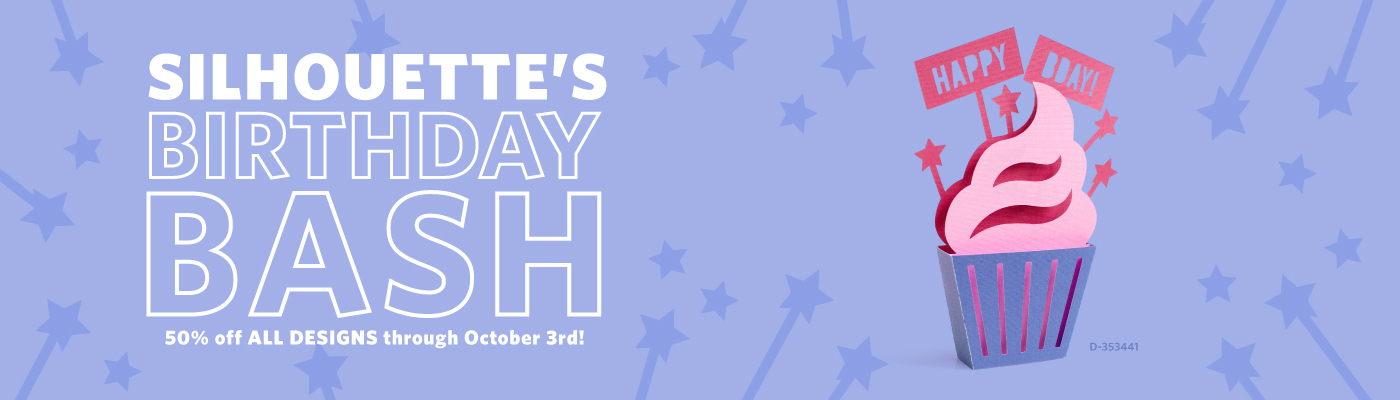
Just a quick post to say – Happy Birthday Silhouette! And to let you know that to celebrate they are having a 50% off sale in the Silhouette Design Store!

Now through October 3, 2023 all designs are 50% off – check it out HERE or click the photo above.

Clear out those wish lists of the designs or fonts you’ve been eying. Or stock up on things for upcoming projects. During these sales, I go through and try to clear out my wish list. Sometimes I find I may not like the design as much as I did the first time or that I no longer need it for a project. But, most times, I end up collecting it (I mean buying it) anyhow.

After your purchase, if you have any issues getting files to sync up, I’ve got resources that can help too!

If your files do not sync up right away or your library shows Working Offline, check out this step-by-step tutorial on how to get things connected again and syncing properly

Let’s Explore v4 – Designs Not Downloading – HERE

Those steps when followed exactly, typically solve most user issues with getting files to sync. However, a few weeks back there was a hiccup with the Silhouette Design Store servers and resulted in a delay for some files.

If you find after completing all of those steps that your files still do not download properly and you want to access for immediate use, I have a short term solution.

Check out this video – Quick Fix for Silhouette Library Not Syncing To Use Designs HERE.

If you don’t need the files for immediate use, I would just give it some time and the servers will eventually sort themselves out, then the steps I posted above for Designs Not Downloading should get it all synced back up. Anything you’ve purchased in the Silhouette Design Store can be recovered in one way or another. I know they are working to get the servers back to speaking properly to user’s libraries.

What are you stocking up on? Fonts? Holiday designs? Let us know below in the comments.

Enjoy !

THANK YOU for your support! How can you help? Click HERE & buy a coffee.
Every little bit helps with the cost of running the site.

Silhouette Classes

Never stop learning! Let me help you take the anxiety out of learning with Silhouette and get to creating faster! My Silhouette classes are heavily focused on software, so you can take the skills & techniques taught and apply them to many future projects!

Silhouette step-by-step Classes by Silhouette Secrets+

**This post may contain affiliate links. What that means is that I may receive compensation if you purchase through the links I have provided. The price you pay for the product or service is not higher but I may get compensated for sharing.
Posted on Leave a comment

Stock up on Silhouette Supplies

Affiliate links may be present in the following blog post and as an Amazon Associate I earn from qualifying purchases.

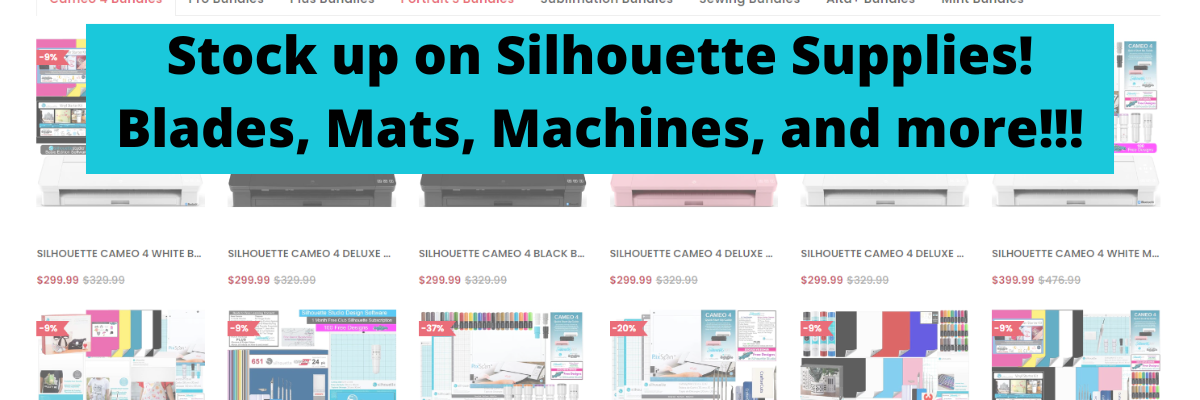
Do you need to stock up on Silhouette supplies like cutting mats or blades?
Or are you looking for a new machine?

Check out the deals happening at Crafter Cuts!
And use coupon code SECRETS to save 10% too!

Silhouette Studio Software Upgrades

If you are looking for a Silhouette Studio Software upgrade, those are also on sale too!

Have questions on the Silhouette software upgrades?
Find out what my favorite, most used features are in each upgrade HERE.

Reconditioned Silhouette Machines

Did you know they have Reconditioned machines as well?
Here is what “reconditioned” means.
This is a tested, confirmed working, Cameo 4, with a new Autoblade and Cutting Mat. This machine is not returnable. Packaging may be damaged and minor scratches may exist on the machine.

Check out all the details HERE.

It may be an option that you might look into if you are looking for a new machine at a lower price.
After chatting with CrafterCuts, these are typically machines that they have had returned by customers (most times through an Amazon return) because they didn’t take the time to learn how to use the machine or follow instructions. It happens more than you can even imagine!!! Sometimes as quickly as overnight.
We all know you cannot learn how to use a Silhouette machine overnight – lol.
If only they would have found my website or Teachable classes first 😉

CrafterCuts also has other equipment available as well such as Sawgrass sublimation printers and sewing machines too!

I also shared my new favorite tools a few months back from CrafterCuts too!
Check that out HERE.

Now, you may be asking, who is CrafterCuts?
Great question!
CrafterCuts is a sponsor of the Silhouette Secrets+ step-by-step classes on my Teachable site HERE.
They are an authorized reseller for Silhouette America and who I was referred to through my contacts at Silhouette America. When I started looking into them, I found I had ordered from them through Amazon years ago. They have been around a long time, but many users just have not heard about them.
With their sponsorship, I have been able to continue providing classes through my Teachable site for users.
A great big THANK YOU to them and watch for more classes coming!!!
I’ll have more details to share soon!

————————-

I work with many great retailers and I order different things from them all!
Check out the Recommended Retailers list at the top of the website or click HERE if you are looking for other supplies too!

And THANK YOU!
Using links I share supports Silhouette Secrets+ and helps me to bring you more tutorials, classes, testing, and information!
The cost of the products is not more for you and I may get credit for the referral as an affiliate.
Sometimes the cost could even be less with special coupons I may be able to get through those retailers.
So don’t forget to use your coupon code SECRETS at CrafterCuts to save even more!

Enjoy !

THANK YOU for your support! How can you help? Click HERE & buy a coffee.
Every little bit helps with the cost of running the site.

Looking for more in-depth, step-by-step classes, check out all of my online Silhouette classes on my Teachable site HERE.

SS Logo snip it
**This post may contain affiliate links. What that means is that I may receive compensation if you purchase through the links I have provided. The price you pay for the product or service is not higher but I may get compensated for sharing.
Posted on Leave a comment

Layered Mandala Paper Decor

Just a quick post to share what I had to create this week.

Affiliate links may be present in the following blog post and as an Amazon Associate I earn from qualifying purchases.

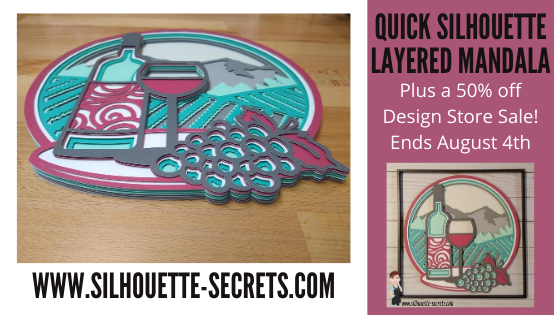
This Wine Scene Vineyard Multi Layer Mandala design by Doesjie , jumped in my cart.
It can be found at Design Bundles or Creative Fabrica,
When my youngest came downstairs to see what I was doing, she said “That is so you!”.
They know me so well!

This layered mandala is cut from 8 pieces of cardstock and is 11″ wide.

I used 3-D foam tape to stick the layers together to give it dimension.

I was so glad that I ordered some new 3-D foam tape to try as this was a large design and took a bit. Here is the pile of backing off the tape after I finished.

So far I am loving this Double Sided Foam Tape I bought in bulk – find it HERE on Amazon. There are several sizes available but I think it works great for large projects like this that require a lot of dimension.

For more tips on cutting and assembling layered mandalas check out this post HERE.

Now I’m off to find the perfect background paper for this design to place it in a shadow box.

For more 3D Designs by Doesjie check out their store at:
Design Bundles
Creative Fabrica

Save this for future reference by pinning the image below.

Enjoy!

SS Logo snip it
**This post may contain affiliate links. What that means is that I may receive compensation if you purchase through the links I have provided. The price you pay for the product or service is not higher but I may get compensated for sharing.
Posted on 1 Comment

Let’s Explore – Silhouette Design Store Subscriptions

Affiliate links may be present in the following blog post and as an Amazon Associate I earn from qualifying purchases.

What is a Silhouette Design Store Subscription?

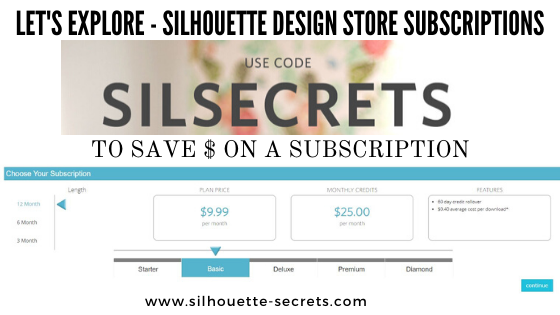
A subscription to the Design Store means that you pay a set price per month and you get a certain amount of credit for that price.
For instance, if you choose the Basic subscription plan, you pay $9.99 per month and get $25 in credits to spend in the Silhouette Design Store.
On average most designs are $0.99, which means that if you were to pay full price, you could buy about 10 designs if you spent $9.99 per month.
But, with a subscription that money goes even further.
You would get about 25 designs for the $9.99 spent each month.
All of this is based on a $0.99 item, which means with a subscription you are paying an average of $0.40 per design.

I started with the Basic subscription to test the waters and found that I loved being able to shop or just go click a design and buy it without a second thought when I had credits to use.

The higher the subscription, the greater the savings.

A Deluxe Subscription = $14.99 per month = $50 credit
*average cost is $0.30 per design
*if credits are depleted you get 25% off all designs until your next credit

A Premium Subscription = $19.99 per month = $150.00 credit
*average cost is $0.13 per design
*if credits are depleted you get 50% off all design until your next credi
t
*Free download of all “Last Chance Designs”


A Diamond Subscription = $29.99 per month = $250.00 credit
*average cost is $0.12 per download
*if credits are depleted you get 50% off all designs until your next credit
*Free download of all “Last Chance Designs”

All subscriptions allow the credits to be rolled over for 60 days, just make sure to use them before that time limit hits or they expire.
(I never seem to have a problem using up mine.)

These examples above are all using the 12 month option, but there are also options for 6 months and 3 months too.

How to save more

There are a couple of ways you can save even more.

Pay the full year in advance.
This is what I do and it gives you even more of a discount.

Use the credits when there is a sale.
I save things to my wishlist all the time and then when a sale comes along, I’ll go through my wishlist and decide what I want to purchase.

For instance, if there is a 50% off sale in the Design Store and you have a Basic Subscription, that means that your credit will go twice as far.
Instead of the average of $0.40 per design, you will getting those design for $0.20 because they are 50% off.

I started with the Basic and found I like it enough to keep on going.
Each user is going to vary in what works for you.
Some find they love it, while others may not, but I want to let you know how to save the most you can.

I love to design my own, but I don’t always have time to do that or I am overly-critical of my designs, which then means I end up spending more time arguing with myself than I do cutting and getting the job done.

Hope this helps explain a little about subscriptions and you get more things done with your Silhouette!

Let me know if you have any questions on my Facebook group
Silhouette Secrets+ with EllyMae.
I would love to see what you are creating with your Silhouette machines!

Save this information for later by pinning the image below.

Enjoy!

SS Logo snip it
**This post may contain affiliate links. What that means is that I may receive compensation if you purchase through the links I have provided. The price you pay for the product or service is not higher but I may get compensated for sharing.