
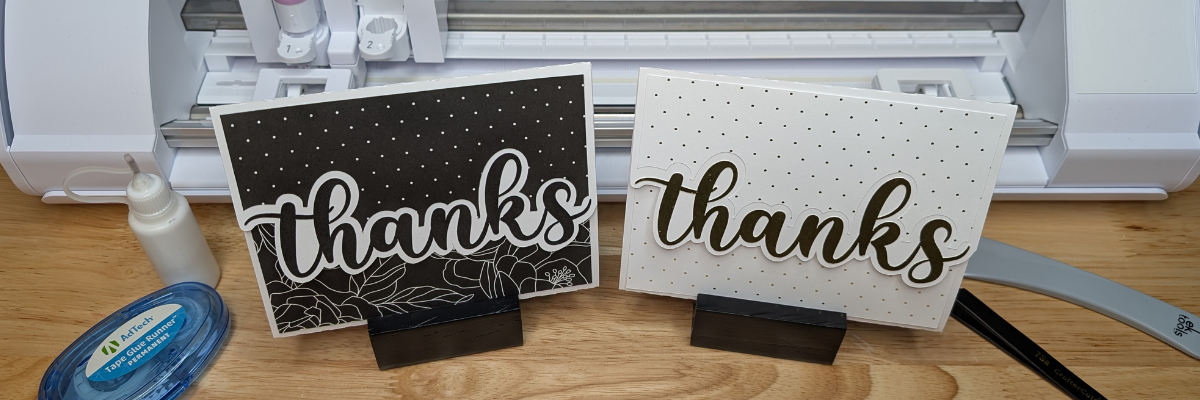

Creating custom card designs in Silhouette Studio is easier than you might think, and today I’m excited to share a step-by-step Tri-Fold Shaped Edge Card tutorial now live on the Silhouette Secrets+ YouTube channel! This project is perfect for any occasion, and once you learn the process, you can customize it with your own text, images, and themes. You’ll find the full supply list conveniently located right below the video link, so you can gather everything you need and craft along with me.
Affiliate links may be present in the following blog post and as an Amazon Associate, I earn from qualifying purchases.
Head over to the Silhouette Secrets+ YouTube channel to watch the full step-by-step tutorial. I walk you through each part of creating a Tri-Fold Shaped Edge Card so you can follow along at your own pace and customize it to match any theme or occasion. And while you’re there, I’d love your support—click the Like button, leave a comment to share what design you plan to create, and make sure to subscribe for more Silhouette tips and project inspiration. Don’t forget to tap the bell so you’re notified as soon as new tutorials are released!

Ready to design your own? Once you’ve watched the tutorial and are inspired to start creating, here are the supplies I used for my Tri-Fold Shaped Edge Card. Feel free to follow along with the same materials or customize your project with what you have on hand—either way, you’ll be crafting a unique card in no time!
Supplies for Custom Card Design:
- Silhouette Cameo or other cutting machine
- Silhouette Autoblade
- Silhouette cutting mat
- Cardstock – solid and patterned as desired
- Adhesive Tape Runner (tape runner refill)
- SuperTite Precision Craft Glue
- Precision Tip bottle
- *Precision Glue Gun by My Sweet Petunia – I updated my tool after recording the video and recommend this for ease of use
- Copy Paper
- Bone folder
- Tweezers
- Optional: Handy Tool, Scissors
- Font Style Used: Babylone Script
Additional Resources:
- Silhouette Tutorial: How to Install Fonts – written tutorial
- Step-by-Step Guide: How to Install Fonts for Silhouette Studio – video tutorial
- Edit Points in Silhouette Studio
- More Design Tutorials in Silhouette
This is a card design that can be used all year long and for many different situations.
Here are a couple more designs that I created too!

Mix and match different paper patterns with the same designs to create different looks.

This is a great way to use up scraps papers or smaller sheets too!

Save this for future reference by pinning the image below.

Enjoy !
THANK YOU for your support! How can you help? Click HERE & buy a coffee.
Every little bit helps with the cost of running the site.

Silhouette Classes
Never stop learning! Let me help you take the anxiety out of learning with Silhouette and get to creating faster! My Silhouette classes are heavily focused on software, so you can take the skills & techniques taught and apply them to many future projects!


**This post may contain affiliate links. What that means is that I may receive compensation if you purchase through the links I have provided. The price you pay for the product or service is not higher but I may get compensated for sharing.
Discover more from Silhouette Secrets-Swift Creek Customs
Subscribe to get the latest posts sent to your email.











