
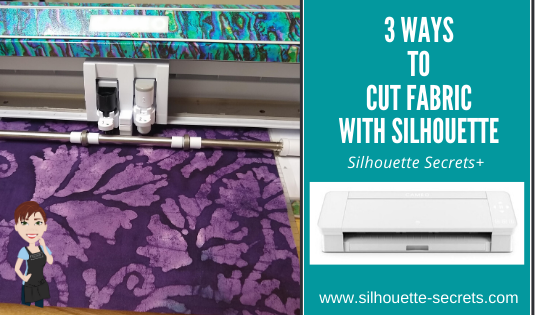

Today we are going to look at 3 different ways you can cut fabric using your Silhouette machine. The technique that you use may vary depending on the easiest to use and also which Silhouette machine you currently are using.

Affiliate links may be present in the following blog post and as an Amazon Associate I earn from qualifying purchases.
For this post, I am a face mask file that was in the Silhouette Design Store.

Once you have the file, open it in the Silhouette software.

Use the Transform – Scale Panel to size the pattern to what you need by entering the exact percentage to size the pattern up or down.

Now, let’s take a look at 3 different options you have for using the Silhouette to make these fabric masks.
Option #1 – Cut a template with the Silhouette.
I used the Face Mask Sewing Pattern file to cut a template out of cardstock.
I then labeled each panel for future use.
I was cutting several of the same fabric, so I could layer the fabric and cut through multiple layers with a hand held rotary blade.

If you are using this method, you only need to cut 1 of each panel for the template.
I folded the fabric over several times to get both sides and then pinned the template to the fabric. I was able to cut the outer panel for 2 masks of each size.
You could cut more at the same time depending on how much fabric you have and how many masks you want.

I did the same with the Liner fabric.

I found this way to be the fastest way as you could cut multiple layers of fabric at the same time. You could also cut with scissors around the template if you don’t have a hand-held rotary blade.
Option #2 – The Cameo 4 with the rotary blade
If you have a Cameo 4, Cameo 5, or Curio 2 you have the option of using the Rotary blade in the Tool 2 housing. The Rotary blade is only compatible in the Cameo 4 machine.
*Updated to include new Silhouette machine models compatible with rotary blade.
You will want to use a super sticky cutting mat to hold the fabric in place.
A strong grip mat will work well or grab a brand new regular cutting mat.
A brayer is also a good idea to roll over your material to make sure it is good and stuck to the cutting mat. In order for it to complete the cut, the fabric needs to stay stuck to the mat.

For more tips on using the Rotary blade check out this post –
First Cuts with the Rotary blade.
Option #3 – Stabilize the fabric and cut with a new sharp blade.
Stabilized fabric can be cut with the Cameo 3 Autoblade, Cameo 4 Autoblade, Black Silhouette blade, Premium blade, or even the Deep Cut Blade
(although I wouldn’t recommend the Deep Cut as a first choice).

What is stabilized fabric?
Stabilized fabric means that you have applied something to it to help “stabilize” it or make it stiffer.
My favorite method is using Terial Magic and this is what I used in this tutorial.

To use Terial Magic, spray the entire fabric down with the solution.

Let it dry for 20-40 minutes.
Don’t get rid of those hangers from clothes you buy – they work perfect for projects like this or hanging swim suits to dry.
Then press it with an iron to dry completely.
This makes the fabric stiff and almost like paper.
Now, with a sharp Silhouette blade, it will cut like butter.

I used the Fabric, Cotton Print setting with a Black Silhouette blade, also called a “ratchet” blade.
The pattern above is enlarged 115% for the Large size.
Look at those nice, crisp cut edges.

Perfect cuts each time!

I do have to say, this is my favorite way to cut fabric with the Silhouette machines.
It will work on all Silhouette machines with a regular, sharp blade.
It does require pre-treatment, but it is so worth it for the end result!
The other awesome thing about Terial Magic, is that it washes out, so it is perfect for applique, quilting, or these fabric masks.
Another alternative to Terial Magic is Heat and Bond sewable.

You do not want to use a product like starch or other stabilizers that are not sewable, or you may gum up the cutting blade.
For this design, once it was cut, I followed the step-by-step tutorial on the Silhouette 101 blog for assembling this face mask.

I am not an expert at sewing. Basically, I can sew a straight line.
And I used a basic Brother sewing machine to finish these masks out while following the tutorial on my ipad.

So grab your favorite fabric and create something!

And then try to get a photo where your kids aren’t acting up.

This was not the first take on the photo – lol.

What will you create with your Silhouette machine?
My kids are already requesting more masks in other fabric patterns and shirts too!
Stay tuned for more on that!

Additional Resources:
- First Cuts with the Silhouette Rotary Blade
- How to Turn a Flat Design into a 3D Felt Stuffy with Silhouette and Rotary Blade
Save this for future reference by pinning the image below.

Enjoy !
THANK YOU for your support! How can you help? Click HERE & buy a coffee.
Every little bit helps with the cost of running the site.

Silhouette Classes
Never stop learning! Let me help you take the anxiety out of learning with Silhouette and get to creating faster! My Silhouette classes are heavily focused on software, so you can take the skills & techniques taught and apply them to many future projects!


**This post may contain affiliate links. What that means is that I may receive compensation if you purchase through the links I have provided. The price you pay for the product or service is not higher but I may get compensated for sharing.
Discover more from Silhouette Secrets-Swift Creek Customs
Subscribe to get the latest posts sent to your email.












Thank you for the reminder about Terial Magic! I have a Cameo 2 and I bet it will work great.
You are welcome! It will work fabulous! I love it!
This tutorial was awesome and just what I needed to know. However, could you tell me if these methods and which blade: deep cut or ratchet blade ( as these are the two I have), would best work when cutting felt?
Many thanks
Ultimately it’s going to come down to the felt you have….. You could try the deep cut blade under a 10, then it’s basically a ratchet blade…. But you have the ability to go higher than a 10….. You would need to stabilize it.
The best success I’ve had cutting felt is with the Cameo 4 and the Rotary blade though.
[…] Cutting Crepe Paper on the Cameo 4 5 “secrets” to cutting Crepe Paper on the Cameo 4 First Cuts with the Rotary Blade 3 Ways to Cut Fabric with Silhouette […]
[…] For tips on cutting fabric check out this post HERE. […]
Awww man….A Cats fan? 🙂 I’m a Griz fan relocated to Illinois. So in all seriousness, can you replace the rotary cutter in the fabric housing? Or do you have to buy a whole new blade? I have a Cricut Maker and I’m in the process of making the switch over after the fun and games of the Cricut announcements. One of the things that I have been able to do with the Cricut is just replace the little rotary wheel (just like in my large rotary cutter).
With Silhouette blades, you do replace the entire housing.
[…] For tips on cutting fabric check out this post HERE. […]
[…] 3 ways to use your Silhouette to cut fabric – Silhouette … […]
It is just a basic cloth for cleaning. Could be used on your computer screen to remove dust, etc.
[…] 3 Ways to Use Silhouette to Cut Fabric […]
[…] 3 Ways to Use Silhouette to Cut Fabric […]