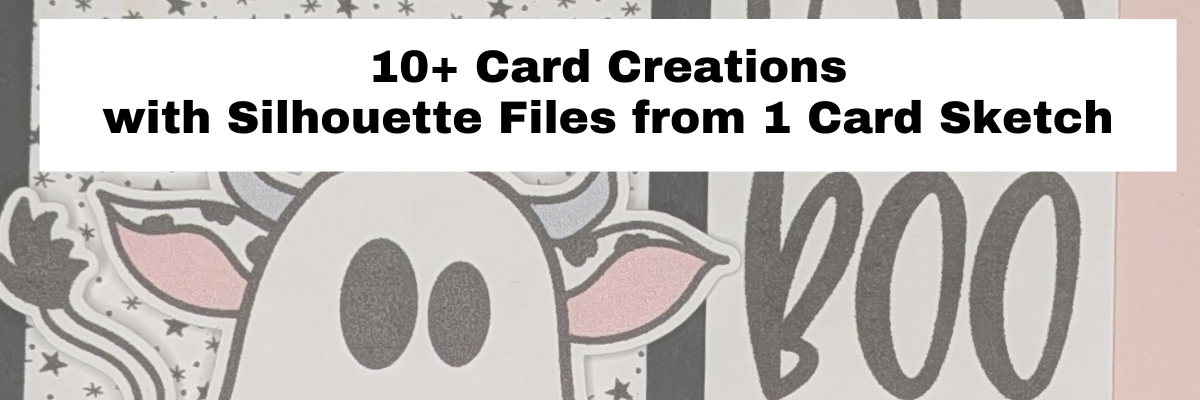

One card started it all and I ended up spending the afternoon designing with files from my Silhouette library to create 10 more cards. Find all the details below for the general card making supplies I used and the Silhouette files for each card creation. I made Halloween themed cards, but you could use this same sketch idea from Meg Davies eBook – Card Sketches with a Twist to create cards for all kinds of occasions.

Affiliate links may be present in the following blog post and as an Amazon Associate, I earn from qualifying purchases.
I used Sketch #1 from the eBook and created all of these cards based off of that sketch idea. Two things sparked my creative ideas. First, in the eBook, Meg shares 4 real-life card creations for each sketch in the book, along with the supply list and dimensions. Card sketches are a great starting point. Find the eBook HERE.
Second, I created 1 card and then while looking in my Silhouette library for the files I wanted for the first card, I kept seeing more designs that I wanted to use. So I did just that!
Here is a look at the first card that started it all.

Happy Halloween Ghost – Card #1
- Halloween Background – Printable Word Art by Traci Vanover – Design #446324 (no longer available)
- Ghost Sitting on Pumpkin with Broom by Stinkin Cute Paper Piecings – Design #418450
- Happy Halloween by Silhouette – Design #450202
After creating the first card, I recorded a video sharing how I turned the card sketch into a cut file and then designed the cards in Silhouette Studio. Watch the video below
Basic Card Making Supplies I Used:
- Silhouette Studio Software
- Silhouette Cameo 5, Autoblade, Silhouette Cutting mat
- Canon TS9521C printer
- White Neenah Cardstock
- Cardstock – Use code ELLYMAE10 to save
- Precision Glue Press
- Adhesive Tape Runner
- Adhesive Foam Tape
- Scissors
- Distress Inks
- Ink Blending Tool
- Glassboard Magnetic Craft Mat & Magnets – Use code SILHOUETTESECRETS to save 15% off your order
10 Cards with 1 Card Sketch File & Silhouette
For most of these cards, I set up the backgrounds with 4 to a page and printed, then used a paper trimmer to cut since it was straight edges and I could fit more on the page without the registration marks. A few snips with the paper trimmer and the backgrounds were cut.

I set up the sentiments and graphic elements with print and cut and fit as many as I could on a page.

If I am creating multiples of the same card, I would copy and paste and fit as much as I could of the elements on the print and cut page. I was creating different designs for each card, so I arranged all the elements and fit as much as I could on each page. I did save each print and cut page as a separate file, so I have the files to go back to and use again or if something would have happened and the cut was off, I could reprint and repeat.
All the images cut perfectly and I didn’t have to repeat any of these designs. I do follow the same steps every single time for print and cut and stick to the defaults and basics. If I do alter things away from the defaults, I tell myself that if it doesn’t work, then it’s my own fault. Check out this print and cut blog post for tips and Successful Print and Cut Projects – Back to Basics.
Happy Halloween Frog & Cat – Card #2

For this card, I inked the edges of the background paper with orange and then used a distressing tool on the edges of the torn paper rectangles of purple and green. I used foam tape to pop up the frog and cat with the pumpkin graphic and the matted sentiment.
Supplies Used:
- Halloween Splatter by Renee Jablow – Design #330091
- Torn Edge Paper Element by Rachel F Creative – Design #1247380
- Cat, Frog, and Jackolantern by Stinkin Cute Paper Piecings – Design #151076
- Happy Halloween by Silhouette – Design #398852
- Distress Paper Edge Tool
Advice from a Bat – Card #3

On this card I inked the edges of the background paper with black ink and used foam tape on the bat to pop it up on the card. The green piece of cardstock was cut with a paper trimmer from a scrap.
Supplies Used:
- Trick-Or-Treat Pattern by Caitlin Bell- Design #387514
- Advice from a Bat Phrase by Kolette Hall- Design #216052
- Halloween Bat Set by Studio Ilustrado- Design #1295294
Bibbity Bobbity Boo – Card #4

For this card, I use the Bibbity Bobbity Boo Silhouette file and assembled it in the software and set it on a green background to print and cut. I used the Cut Edge on the Send tab to cut only the outside of the rectangle. The witch and moon are cut from colored cardstock scraps. And the background pattern is inked with black ink.
Supplies Used:
- Bibbity Bobbity Boo Halloween Phrase by Sarah Bailey – Design #276722
- Halloween Washi Borders Planner Stickers by Quietfire Designs – Design #332085
- Witch Silhouette by Sarah Bailey – Design #153652
- Halloween Printable Card Background with Spider Web by Graphic House Design – Design #422324
Boo-tiful – Card #5

This card the entire background is set up as a print. The Boo-tiful design and border was placed on a white background. I duplicated the border design, then released the compound path to leave the window pieces and filled those with yellow and placed them over top of the open windows to give it the appearance of the lights showing through.
Supplies Used:
- Boo-tiful Witch by Quietfire Designs – Design #333202
- Halloween Scenery Borders by Studio Ilustrado – Design #1297902
Boo Spider – Card #6

For this card background, I used the knife tool to cut the rectangle apart, then added the torn edge border to cut edges. Once it was lined up and the same size as the background rectangle, I selected both and welded together, then filled it with the background pattern for printing. Since this one had a specific cut pattern on one side, I did set up the design to print and cut along with the book spider. The Happy Halloween design is printed directly onto the background of the card front.
Supplies Used:
- Boo Spider by Jillibean Soup – Design #419904
- Halloween Pattern by Sophie Gallo – Design #21891
- Torn Edge Borders by Sarah Hurley – Design #377592
- Happy Halloween by Jolly Little Prints – Design #451501
Boo to You – Card #7

I used print and cut elements from the 3D Chipboard Village Halloween Silhouette file and added an offset then filled it with white and set it up for a print and cut. The sentiment has an offset behind it that is filled with white and set up as a print and cut. I also printed the washi tape Silhouette files and then layered those on the card front. The background paper is inked with black ink. And the black squares were cut from scraps of black cardstock.
Supplies Used:
- Halloween Washi Sticker Tape by Quietfire Designs – Design #387692
- 3D Chipboard Village Halloween Add-on – by Lori Whitlock – Design #422016
- Whimsical Words of Halloween Word Art Phrases Print and Cut by Clikchic Designs – Design #379761
- Gray Halloween Pattern by Caitlin Bell – Design #385461
Fab Boo Lous! – Card #8

For this card, the cow is set up as a print and cut along with the sentiment was added to a white rectangle background and then printed. Black and pink cardstock rectangles were cut to layer underneath the sentiment and foam tape was used under the cow design.
Supplies Used:
- Black and White Stars Seamless Pattern by Kristen Magee – Design #304513
- Fab Bool Lous! Quote by Sarah Hurley – Design #222051
- Boo Cow by Diva Watts Designs – Design #448045
Ghost Hug – Card #9

I added an offset around the ghost and then cut that from an orange piece of cardstock. The sentiment is set up on a white rectangle and print and cut, then layered on top of a purple cardstock rectangle. The green cardstock was cut with a paper trimmer. I added black ink around the edges of the background paper. I used foam tape underneath both the ghost and the sentiment.
Supplies Used:
- Ghost Hug – You Can’t Feel It But It’s There by Sarah Hurley – Design #388363
- Ghost Leopard Print by Wispy Willow Designs – Design #420019
- Boo Ghost by Sarah Bailey – Design #450921
Skull Ephemera – Card #10

For this card, I set up the ephemera pieces as a print and cut along with the Happy Halloween sentiment. Then layered the designs together and used foam tape on the bottle and skull. The red piece of cardstock is a scrap, and I tore the edge by hand. I used an Old Paper Distressed Ink on the background paper.
Supplies Used:
- Happy Halloween by Silhouette – Design #67236
- Halloween Skulls by Lori Whitlock – Design #21121
- Halloween Ephemera Sampler by Traci Vanover – Design #418099 (no longer available)
- Halloween Washi Borders Planner Stickers by Quietfire Designs – Design #332085
Halloween Word Art – Card #11

For this card, I layered the Halloween word art on top of the alcohol ink background and changed the word art color to match one of the colors picked up from the background with the eyedropper tool. Then set it up for printing. I added the additional word art on top of a torn edge rectangle and then print and cut the Silhouette file. The orange rectangle is cut from a scrap. I inked the background with orange ink and used foam tape under the cat and bat Silhouette files.
Supplies Used:
- Torn Edge Paper Element by Rachel F Creative – Design #1247380
- Halloween Elements Digbat Font by Sarah Bailey – Design #274612
- Halloween Alcohol Ink and Gold Foil Background by Sarah Hurley – Design #375593
- Halloween Word Art / Sign by Sarah Hurley – Design #388369
- Halloween Word Art by Sarah Bailey – Design #150590
It was difficult to stop with these designs, and I have a few more in the creation process but had to tell myself this was enough for one blog post. I hope you’ll open the Silhouette software and look through your library and see what you can put together for a future project.
Additional Resources:
- Print and Cut – Back to Basics – Set up for Success
- Show Hide Library in Silhouette Studio
- Creating Card Bases 2 Ways
- Patterns in Silhouette
- 4 Ways to Open Patterns in Silhouette
- A to Z Silhouette Resources
Save this for future reference by pinning the image below.

Enjoy !
THANK YOU for your support! How can you help? Click HERE & buy a coffee.
Every little bit helps with the cost of running the site.

Silhouette Classes
Never stop learning! Let me help you take the anxiety out of learning with Silhouette and get to creating faster! My Silhouette classes are heavily focused on software, so you can take the skills & techniques taught and apply them to many future projects!