Posted on 2 Comments

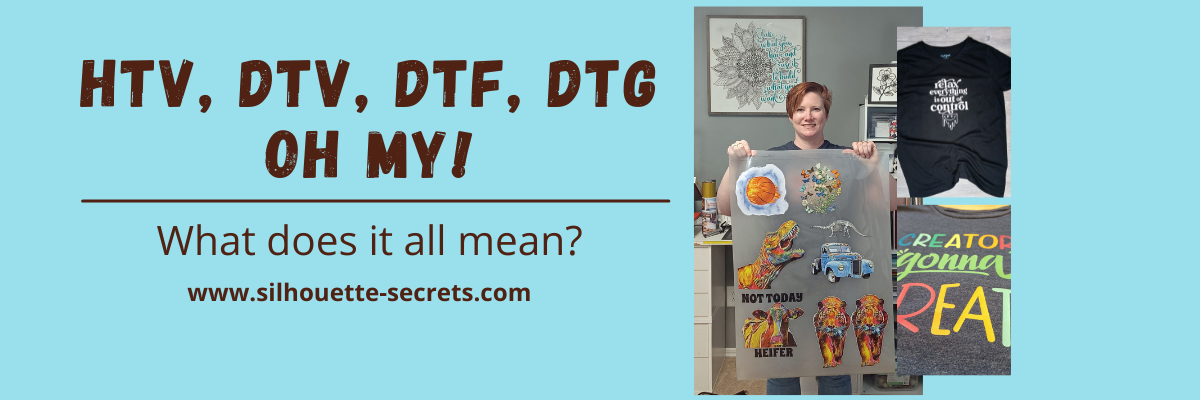
HTV, DTV, DTF, DTG, Oh my! – What does it all mean?

There are a lot of letters out there floating around in the industry right now and lots of places to get confused about what they all mean.

So let’s take a look at the basics of what each of these terms mean and then you may have a better idea if you want to look into each one a little bit further.

Affiliate links may be present in the following blog post and as an Amazon Associate I earn from qualifying purchases.

What is what?

HTV = Heat Transfer Vinyl

Heat transfer vinyl is a product that can be applied to fabric. The adhesive on heat transfer vinyl is heat activated and the adhesive melts into the fabric.

Siser Easyweed HTV Design - Relax Everything is Out of Control

Relax Everything Is Out of Control by Sophie Gallo – Design #436898

There are many brands and types on the market worldwide.
I use Siser Easyweed HTV and other Siser specialty HTV the most in my projects.

The primary purpose of HTV is for fabric and materials, however, you will see some apply it to other surfaces as well. I see mixed results with these methods and it is always good to test what you plan to do.

For more details, tips, tutorials, projects, and classes on HTV
Click HERE

Siser Easyweed HTV White - Cat Mom Design

Cat Mom by Erica Digital Design – Design #377246
Peeking Cat by Erica Digital Design – Design #353053

DTV = Direct to Vinyl

Siser EasyColor DTV is a product that was released in the Fall of 2022. It is a heat transfer vinyl that can be printed on with an inkjet printer.

Siser EasyColor DTV - Sarcasm Loading Printable HTV

Periodic Table Sarcasm design by Suzanne Cannon – Design #298890

I love Siser DTV!!!
I’ve had great success and my shirts have been washed well over 20+ times.

For more details on Siser EasyColor DTV
CLICK HERE

Creators Gonna Create design with Siser EasyColor DTV - printable HTV

Creators Gonna Create design by Jamie Lynn Designs – Design #295352

Siser DTV is great for being able to add graphics or multi-color designs using a home printer without having to cut and layer multiple colors of HTV.
Grab some Siser EasyColor DTV in a variety of sizes at The Vinyl Spectrum HERE.

Make sure to follow the instructions from Siser on printing, pressing, and washing for best results!

DTV is not the same as Heat Transfer Paper.
Heat Transfer Paper was an alternative before Siser EasyColor DTV was released. But it is not vinyl, even though many use the terms interchangeably.
Find more on Heat Transfer Paper HERE.

DTF = Direct to Film

Direct to Film is a printer that prints onto a film that is used to transfer the design to a blank. This can be a great for heavy graphic images that you do not want to layer or if you have a lot of one design that you are using for a project.

DTF designs ordered from 143Vinyl

Here is a sheet of DTF prints I ordered to test from 143Vinyl.com.
Cut them apart and heat press to your shirt or blank.
Done!

Backside of a DTF print ordered from 143Vinyl

Here is a look at the backside of a DTF print.

This is not your everyday at home printer, but can be useful if you run a business.
If you are interested in investing in a DTF printer, you can find more details on printers and supplies at Heat Transfer Warehouse or Swing Design.

If you are like me and don’t want to invest in a DTF printer or have no need to, then I’d recommend ordering some DTF prints to try out.
Check out 143vinyl.com and order today!
(Note: 143Vinyl is currently upgrading equipment as this post is published and DTF ordering is on hold)

Butterfly DTF design from 143Vinyl

You can either upload your own image or use their image library. I chose to use the Image library for my first round to test it out, but mostly because it takes me forever to decide on a design that I want and even longer to create it.

Make sure to follow all their instructions for submissions if you upload your own images.

Vintage Truck DTF print from 143Vinyl

I have also seen a lot of mention about DTF “hacks”. Keep in mind that it may or may not have the same results or longevity. It is all a process of experimentation.
The only way to know is to test it, if you decide to go down that road.

DTG = Direct to Garment

Direct to garment is another specialized printer and not your ordinary, average home printer. This printer type allows you to print directly onto a shirt or other blank.

Both a DTF or a DTG printer are a serious investment, so I would recommend doing a bit of research before diving into that, but it can be a great option for a small business that is growing.

Check out more on DTG printers at Swing Design HERE.

For me as an everyday crafter, a DTF or DTG printer are not in my list of must haves for my studio as I do not think they would be utilized enough.

Vinyl

Vinyl is a general term that can be used in reference to many different products.
Often times it is used so generically, that we have to clarify what the user is wanting to do before we can advise on information they are looking for.

There is adhesive vinyl, HTV, specialty vinyl, and also things like sticker paper and heat transfer paper that get lumped into the “vinyl” category.

Oracal 651 Adhesive Vinyl Intricate Mandala Design - Take what you have and use it to build what you want

If you are looking for more on adhesive vinyl, check out these tutorials HERE.

I wanted to keep this very basic in explaining what each meant. It can be very confusing when you see the terms thrown out there and sometimes used incorrectly.

I hope this information helps to give you an idea if you would like to explore more on a certain area that might be helpful to your future projects or business!

Save this for future reference by pinning the image below.

HTV, DTV, DTF, DTG what does it mean

Enjoy !

THANK YOU for your support! How can you help? Click HERE & buy a coffee.
Every little bit helps with the cost of running the site.

Silhouette Classes

Never stop learning! Let me help you take the anxiety out of learning with Silhouette and get to creating faster! My Silhouette classes are heavily focused on software, so you can take the skills & techniques taught and apply them to many future projects!

Silhouette step-by-step Classes by Silhouette Secrets+

SS Logo snip it
**This post may contain affiliate links. What that means is that I may receive compensation if you purchase through the links I have provided. The price you pay for the product or service is not higher but I may get compensated for sharing.
Posted on Leave a comment

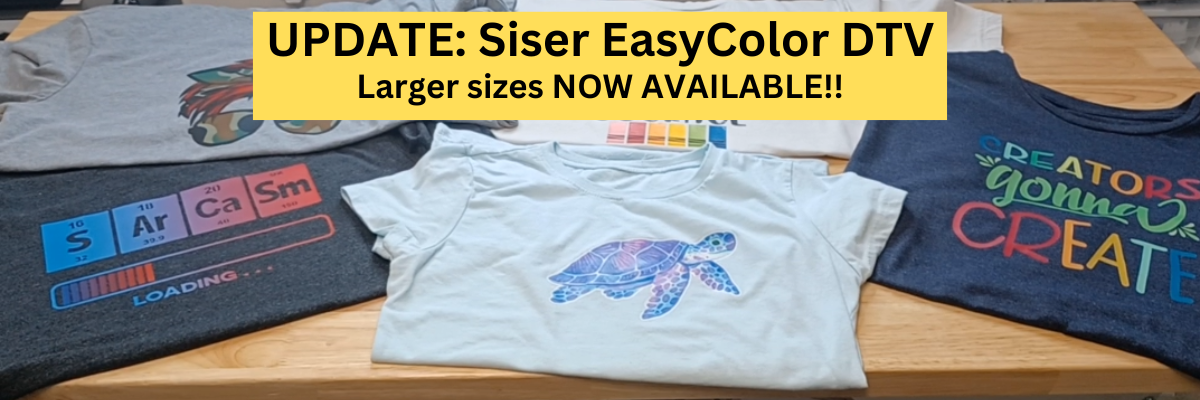
Siser EasyColor DTV UPDATE!!!

Siser EasyColor DTV was released in August 2022 and I have been loving it!

Today I have an update for you on some of the Siser EasyColor DTV projects that I have done and it is now available in larger sizes! Yay!

I wear several of the shirts I made when I first received Siser EasyColor DTV almost weekly.
This means they have been washed over 20+ times and they are still looking great!

Affiliate links may be present in the following blog post and as an Amazon Associate I earn from qualifying purchases.

First, I mentioned above that larger sizes for the Siser EasyColor DTV are now available.
You can grab those HERE at The Vinyl Spectrum.

Supplies used:
Siser EasyColor DTV
Siser TTD Mask (when needed)
Canon TS9521C inkjet printer
T-shirt or blank to apply it to

These are all shirts that I created when I first received my Siser EasyColor DTV in August 2022 and have been washing almost weekly for most of them.
That is 20+ washes for most of them and they still look fantastic.
I can see where the shirts themselves have shrunk or worn, but the DTV is still in great shape!

This is the very first shirt that I made using the Siser EasyColor DTV.
Periodic Table Sarcasm design by Suzanne Cannon – Design #298890

Creators Gonna Create design by Jamie Lynn Designs – Design #295352

Seaturtle Watercolor Printable by La La Shiba – Design #327519

Creativity Takes Courage design by Jillibean Soup – Design #416662

The biggest thing about the Siser EasyColor DTV is we’ve learned new things since it’s first release date.
Check out the instructions from Siser HERE and follow them EXACTLY for the best results.

Here are the biggest things to do for best results
1. Print on plain paper settings.
2. If using TTD Easy Mask, wait 24 hours before masking.
3. After pressing Siser EasyColor DTV, wait 24 hours and wash in cold.
Washing prior to wearing washes out any excess ink that is not soaked into the DTV.
If worn without washing, any contact with water can create water spots in that excess ink and even stain the shirt. It is recommended to wash prior to wearing and I’ve had great results with that!

All printers vary in the amount of ink that is laid down when it’s printing. Test your printer with the specific instructions linked and listed above for the best results.

This new Siser EasyColor DTV has been very, very popular and now with the larger sizes, I know we will see more coming too!

In my experience it has held up well and I am loving it!

Grab yours today HERE and have a play with it!

If you follow me on my Silhouette Secrets+ YouTube Channel or the Swift Creek Customs YouTube channel, you’ll see me wear these often in my videos.

I’ve also put together a quick video update showing up close looks at each of these Siser EasyColor DTV projects on the Silhouette Secrets+ YouTube Channel.
Check it out HERE or below.

Check out more tips for the Siser EasyColor DTV HERE

I’d love to see what you create!
Feel free to post on the Silhouette Secrets+ with EllyMae Facebook Group HERE
or on the Creating with Siser Juliet & Romeo Cutting Machine Users Facebook group.

Save this for future reference by pinning the image below.

Enjoy !

THANK YOU for your support! How can you help? Click HERE & buy a coffee.
Every little bit helps with the cost of running the site.

Looking for more in-depth, step-by-step classes, check out all of my online Silhouette classes on my Teachable site HERE.

SS Logo snip it
**This post may contain affiliate links. What that means is that I may receive compensation if you purchase through the links I have provided. The price you pay for the product or service is not higher but I may get compensated for sharing.
Posted on 1 Comment

Siser EasyColor DTV with Silhouette

Have you heard?
If you have been following me on my Facebook or YouTube channels I hope you haven’t missed it!

Affiliate links may be present in the below and as an Amazon Associate I earn from qualifying purchases. What that means is that I may receive compensation if you purchase through the links I have provided. The price you pay for the product or service is not higher but I may get compensated for sharing.

I have been having a ball playing with the NEW Siser EasyColor DTV – printable heat transfer vinyl!

This combines one of my favorite features of Silhouette – Print and Cut – with the possibilities to put full color graphics on garments and objects with a home inkjet printer.

Yes, you read that right! Your home inkjet printer will work.
What printer do you need? Any high quality photo printer should work.

I am using a Canon TS9521C Craft Printer but you do not have to have this exact one.

I do like this printer because I have the capability to print on 12″ x 12″ cardstock, other large formats, and it has the rear feed tray.
Check out this post on How To Print & Cut Larger for more tips.

I wanted to drop in and share some of the tutorials and demos I’ve been doing with this Siser EasyColor DTV.

I ordered mine from The Vinyl Spectrum who has super fast shipping and I added a few Silhouette Autoblades to my order to reach that free shipping minimum.
For the super fast shipping I get, I’m happy to pay the shipping, however, I needed a few new blades anyhow.

Now, let’s get on to the EasyColor Information!
Check out each video description for more details and links to all the supplies used in each video.

Let’s start with the update after washing because I know many are wondering about the lifespan. First wash and the colors look the same and no lifting on the vinyl.
I did follow the care instructions on the Siser website.

Siser has said that they were seeing 20-25 washes before they saw changes in the colors. It will take me awhile to get up to 20 washes, so I’ll update every so often.

Now that you’ve seen the update and how it held up, let’s take a look at how I did this.

I am using a process called Print and Cut with the Silhouette. I released a new video tutorial on Print and Cut in less than 15 minutes to share how I set up the file and was successful in my cutting.

I also shared more tips on print and cut with Silhouette in this video,
Tips for Silhouette & Siser EasyColor DTV.
In the video, I share some of the most common reasons we see for cutting issues with Silhouette when using print and cut.

And then I shared more tips in this video,
Siser EasyColor DTV with Silhouette Print & Cut

I shared a few more tips for masking and pressing the EasyColor DTV in this video,
Siser EasyColor DTV Demonstration – Printable HTV

And I couldn’t stop, so I also shared
5 Tips for using Siser EasyColor DTV – Printable HTV

Now, this new material is not limited to shirts even though that might be what you see in the majority of testing going on right now.
I also used it on these cotton canvas zipper bags and I shared that HERE
Back-to-School Goody Bags with Siser DTV.

As you can tell, I’ve had a lot of fun with this new product!
I have used several other brands in the past and even taught classes with printable heat transfer paper. The major difference here is that this is actual heat transfer vinyl (not paper) that is printable AND I’ve been successful in getting it to mask and transfer without losing ink.

Make sure to check out the links in each video for the specific supplies I used and for more tips and tutorials on each one.
I want you to be successful with this product!

Grab some and just start playing with it!

Check out the Siser Application Instructions HERE.

I would love to see what you are creating with your Silhouette software or machines!
Feel free to post on my Facebook group at 
Silhouette Secrets with EllyMae.

Save this for future reference by pinning the image below.

Enjoy !

This image has an empty alt attribute; its file name is logo.jpg

THANK YOU for your support! How can you help? Click HERE & buy a coffee.
Every little bit helps with the cost of running the site.

Or if you are looking for more in-depth, step-by-step classes, check out all of my online Silhouette classes on my Teachable site HERE.

SS Logo snip it
**This post may contain affiliate links. What that means is that I may receive compensation if you purchase through the links I have provided. The price you pay for the product or service is not higher but I may get compensated for sharing.