
In this edition of Crafting Creativity I’ll be sharing the projects I created through the month with a watercolor background pattern. Patterns can really make your project unique and be used in creative ways with Silhouette. A great big thank you to Clikchic Designs for providing the free file for the Silhouette Secrets+ July newsletter!

Affiliate links may be present in the following blog post and as an Amazon Associate, I earn from qualifying purchases.
Silhouette Background Patterns Projects
This past month I have had so much fun designing and creating with the Watercolor Background design by Clikchic Designs.

I even went LIVE on YouTube – which for me is a big step, especially with all the issues Silhouette has been having. In the live video tutorial I shared all about pattern fill and how you can use it.
Check out the YouTube Live Tutorial – Design with Pattern Fill: Silhouette Studio Tips for Stunning Results HERE.

I’ve been collaborating with designers this year and each week I am sharing new projects that can be created from 1 file. This is a file that the designer has provided for the Silhouette Secrets+ Newsletter subscribers. I want to share how you can take 1 design and think about different projects you can use it in to make your designs go farther!
Project #1 – Card Design with Watercolor Background
I used the Watercolor Grunge background and printed it on a 12″ x 12″ sheet of cardstock. Don’t worry if you don’t have the capability to print on 12″ x 12″ cardstock, the same technique can be done with letter size paper too!

I participated in a card swap and signed up to exchange 20 cards, so this was a perfect way to create 6 cards from one sheet of paper. And every one of these cards was different because of the unique watercolor grunge background.
Here is another set I made with a vertical layout.

Check out the written tutorial on how I made these cards in this post – Distressed or Grunge Background Designs in Silhouette Studio HERE
Additional Resources:
- More Cardstock Projects and Tutorials HERE
- Adhesives I Use for Cardmaking
- Silhouette Mint Stamp Machine Tutorials (custom made stamps)
Supplies Used:
- Blue Teal Green Watercolor Grunge Background Pattern by Clikchic Designs
- Other Watercolor Grunge & Background Patterns by Clikchic Designs
- Recollections Cardstock
- 3L Scrapbook Tape Runner Adhesive
- Double-sided Foam Tape
- Silhouette Cameo 5
- Silhouette Autoblade
- Silhouette cutting mat
- Canon TS9521C Printer
- Memento Black Ink
- Westcott 5″ Micro Tip Craft Scissors
- Sentiment Stamps
- Embellishments such as gems, sparkles, etc.
- Silhouette Mint Custom Stamp Machine
Project #2 – Sublimation Journal Cover
What started out as a sublimation tumbler idea, morphed into a sublimation journal cover project instead. I could not think of what I wanted to put as a saying onto a tumbler and while I was stumbling over that, I kept walking by these sublimation journals that I had ordered several weeks back.

Sometimes when the original project does not turn out, the next one is even better than you could imagine. I love these journal covers!
Additional Resources:
- Design with Pattern Fill: Silhouette Studio Tips for Stunning Results YouTube LIVE
- Sublimation with Silhouette
- Sublimation without a Sublimation Printer
- Pattern Fill in Silhouette
Supplies Used:
- Blue Teal Green Watercolor Grunge Background Pattern by Clikchic Designs
- Other Watercolor Grunge & Background Patterns by Clikchic Designs
- Sublimation Journal
- Epson F170 Sublimation Printer
- Tex Sublimation Paper
- Artesprix Heat Tape
- Artesprix Protective Paper
- Heat Safe Gloves
- Parchment Paper
- Siser Heat Press
Project #3 – Eclipse Cards
Have you tried the eclipse card design? While it can be difficult to photograph, it can have a big WOW factor in person.

When assembling the design you can use foam tape to either bump up the letters cut out or the background. Each can have a unique look to it.

Play around with different design ideas and see what you like best.
Additional Resources:
Supplies Used:
- Blue Teal Green Watercolor Grunge Background Pattern by Clikchic Designs
- Other Watercolor Grunge & Background Patterns by Clikchic Designs
- Recollections Cardstock
- 3L Scrapbook Tape Runner Adhesive
- Double-sided Foam Tape
- Silhouette Cameo 5
- Silhouette Autoblade
- Silhouette cutting mat
- Canon TS9521C Printer
- Westcott 5″ Micro Tip Craft Scissors
Project #4 – T-shirt Design using Siser EasyColor DTV
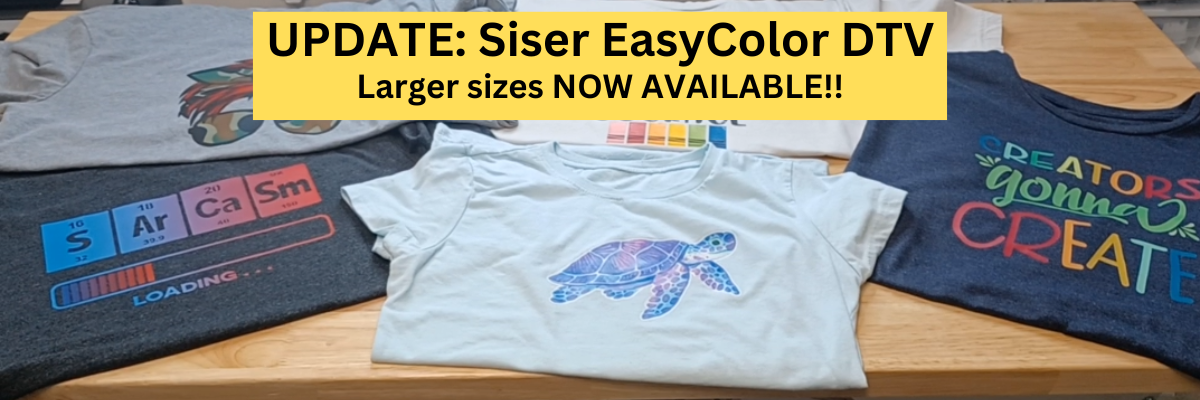
Printable patterns can be used for all kinds of projects, including printable HTV. Siser EasyColor DTV is real HTV that can be used with an inkjet printer.

I have had great success with the Siser EasyColor DTV and I would contribute that to following the printing and care instructions exactly. I have shirts that still look fantastic that I made when it was first released in August 2022.
In the video, Design with Pattern Fill: Silhouette Studio Tips for Stunning Results, I showed exactly how I created this design and you even get to see a little bit of troubleshooting LIVE while I tried to figure out what I was doing wrong and how I fixed it.
Additional Resources:
- Distressed or Grunge Background Designs in Silhouette Studio
- Siser EasyColor DTV tutorials
- Print and Cut Tutorials
Supplies Used:
- Blue Teal Green Watercolor Grunge Background Pattern by Clikchic Designs
- Other Watercolor Grunge & Background Patterns by Clikchic Designs
- Grungy Ink Clipping by ClikChic Designs
- Siser EasyColor DTV
- Canon TS9521C Printer
- T-shirt
Project #5 & 6 – Sublimation Coaster, Earrings & Necklace
I had a misprint when I first did the sublimation print for the journal and I had a line of “tiling”, which is a sharp distinct line in the actual printout and would not look good on my finished project. I explained about this and showed exactly what it looks like in the YouTube video HERE.
But, I wasn’t just going to throw away the printed sublimation page. I can use it for other projects! So I started digging in my sublimation blanks to see what the design would fit completely on. The coaster was the perfect fit and now sits on my desk too!

For the photo, I paired it with a tumbler that I use all the time from a previous class on creating your own custom designs.
Sometimes mistakes can be a good thing!
Next, I took a few more sublimation blanks and made some earrings and a necklace pendant from the extra pieces of the mistake sublimation print.

I don’t even want to admit how many pieces of sublimation printed designs I have just hanging out waiting for the perfect blank. Shhhh…. we won’t talk about it.
Additional Resources:
- Sublimation with Silhouette
- Creating Unique Designs in Silhouette Studio step-by-step class
- Citristrip Etching Application Video
- Sublimation without a Sublimation Printer
Supplies Used:
- Blue Teal Green Watercolor Grunge Background Pattern by Clikchic Designs
- Other Watercolor Grunge & Background Patterns by Clikchic Designs
- Sublimation Coaster
- Sublimation Acrylic Earrings
- Sublimation Pendant
- Epson F170 Sublimation Printer
- Tex Sublimation Paper
- Artesprix Heat Tape
- Artesprix Protective Paper
- Heat Safe Gloves
- Parchment Paper
- Siser Heat Press
I had so much fun crafting projects with the watercolor grunge background this month and still lots more ideas for future projects too!
Find more amazing designs by Clikchic Designs at:
Follow along with Clikchic Designs on their website, Facebook, and Instagram too!
A great big thank you to Clikchic Designs for contributing the free file for the Silhouette Secrets+ newsletter for the month of July! If you missed grabbing the free Watercolor Grunge Background, it is available in the Silhouette Design Store HERE.
This year I started offering a free file each month for Silhouette Secrets+ newsletter subscribers. I love designing in the Silhouette Studio software and have shared some of my creations as well as look forward to collaborating with more artists in the future too!

Silhouette Secrets+ Newsletter
Never miss out on the news, tips, “secrets”, deals, classes, and more that I share on Silhouette Secrets+. Sign up for the newsletter and get information delivered to your inbox every Friday.
Unsubscribe at anytime.
Sign up for the weekly newsletter HERE to have information delivered direct to your inbox and grab each month new freebie.
I hope this has given you some ideas on how one file can lead to many different projects!
Save this for future reference by pinning the image below.

Enjoy !
THANK YOU for your support! How can you help? Click HERE & buy a coffee.
Every little bit helps with the cost of running the site.

Silhouette Classes
Never stop learning! Let me help you take the anxiety out of learning with Silhouette and get to creating faster! My Silhouette classes are heavily focused on software, so you can take the skills & techniques taught and apply them to many future projects!