Posted on — Leave a comment

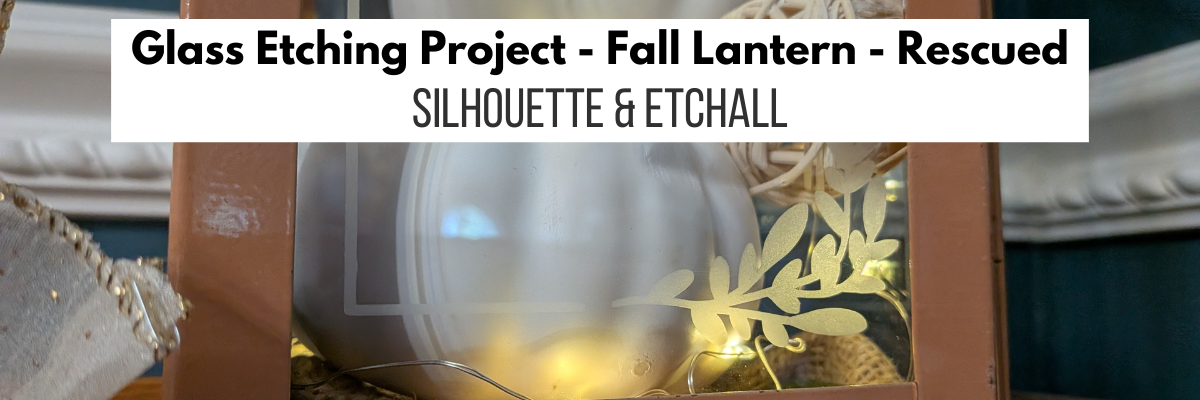
Glass Etched Lantern Decor with Silhouette

Glass Etched Lantern Blog Post

Silhouette Secrets+ with EllyMae

As I’ve mentioned in my past glass etching projects, I look for glass blanks whenever I’m out at a thrift store. Not only can you find great deals, save money on blanks, but can repurpose an item and give it new life too! I found this lantern at a thrift store and it was not perfect. But it was kismet because I knew just what I wanted to do with it.

Affiliate links may be present in the following blog post and as an Amazon Associate, I earn from qualifying purchases.

An orange metal lantern with a glass front and handle, placed next to a bottle of Etchall etching cream on a wooden work surface.

It was dirty – no problem. That can be cleaned up. It was pretty beat up – scratches in the paint, sticky residue on the panels, the handle, top and the, door were bent. But, it was the perfect blank for this project.

Close-up of an orange lantern with a glass panel and metal top, set against a blurred background of a workspace.

Now the only thing left to do was take the time to pull the entire project together. I am sharing the steps to glass etching, supplies, and my project process below.

This project was inspired by something I found on Pinterest, which turned out to be an AI image and not a real project that a human had created, until now. I used that creative inspiration and made my own real life Glass Etched Fall Lantern design.

Steps to Etched Glass Projects

  1. Create a stencil for etching.
  2. Clean glass blank with alcohol and allow to dry.
  3. Apply stencil.
  4. Mask off edge of stencil to prevent bleeding
  5. Apply Etchall Etching Creme and allow to sit for 20 minutes.
  6. Remove any excess Etching Creme and place back in the bottle.
  7. Wipe off remaining excess with a paper towel and safely discard paper towel.
  8. Run water in the sink and rinse off decal thoroughly.
  9. Remove masking tape and adhesive vinyl under running water.
  10. Rinse blank thoroughly.
  11. Dry and Enjoy!

Glass Etched Lantern Supplies

Customized Fall Decor Lantern Supplies

Glass Etched Lantern with Silhouette

Gather the supplies for the glass etching project and protect your work space.

I started by measuring the panels. On this lantern, the panels are not the same size and the design needed to be adjusted to fit. I did modify this design a bit to make it work for this project.

Digital design workspace in Silhouette Studio featuring a layout for stencils for panels with floral wreath elements to be used on a glass lantern.

Once I had all of the panel stencils designed to fit, then I grabbed some vinyl in a color I don’t use much of and cut each panel. I did do a test cut before cutting the entire stencil design.

Close-up of a Silhouette cutting machine with a turquoise sheet of material being loaded, displaying the letter 'B' test cut.

I love being able to create my own stencils with a cutting machine and having the option that if I mess something up, such as put it on crooked, I can simply remove it and cut another stencil. My project is not lost and I don’t have to go buy more. I do use scrap vinyl whenever I can or colors that I don’t typically use on projects or have more of than others. The stencils do not have to match either.

A bottle of Etchall Etching creme next to a glass lantern, with several adhesive vinyl stencils featuring floral designs laid on a wooden surface, and a cutting machine in the background.

I used transfer tape to apply the stencil onto the glass panels on the lantern. This particular lantern the panels were not removable and I worked on each panel separately. I tried to apply the stencil as straight as possible, however, as I mentioned, this lantern is a bit damaged, so not everything is perfectly aligned. And that is OK!

An glass lantern with an adhesive vinyl stencil applied featuring leaf designs, surrounded by crafting tools including a heat gun, Etchall Etching creme, and stencils on a work surface.

Glass etching is permanent and I like to ensure success, especially with detailed designs. So I used a little bit of heat with my heating tool. Be careful here and let the glass cool after this. Hot glass looks like cool glass.

I also add a layer of painter’s tape around the edges just in case any etching creme dribbles or runs. For this project, I felt it was very important given the edges of the glass panels and the damage making things crooked.

Crafting workspace with glass lantern, blue masking tape, and a design template featuring leaves. Nearby are Etchall Etching creme, a heat gun, and a silhouette cutting machine.

I then cover the entire stencil area where the design is with Etchall etching creme and wait 20 minutes.

A workspace featuring a glass lantern with a blue tape border, Etchall Etching creme applied, and surrounded by a bottle labeled 'etching' and various crafting tools including a heat gun, a spatula, and adhesive vinyl stencils.

When 20 minutes is up, I carefully scrap the Etchall etching creme off and put it back in the jar. Etchall etching creme can be reused and does not lose its potency. After the excess is scrapped off, I will carefully wipe the design with a paper towel before running water in the sink and rinsing off any remaining residue. At this step, you do want to be careful not to dislodge any pieces of the design. It never fails that when an oops happens and the creme touches an area you do not want to etch; it will etch in seconds.

A person's hand holding a blue squeegee, positioned over a glass surface marked with blue painter's tape and a design, beside a bottle of etching cream, a small dish, and crafting tools on a wooden table. Glass Etched Lantern Project

Once the Etchall etching creme has been rinsed, removed the stencil and painter’s tape, and then carefully dry the glass container.

An etched glass lantern panel, featuring decorative leaf designs, placed on a wooden work surface. Nearby are adhesive vinyl stencils, a white scrapper tool, and a heat gun.

Here is a close up look at the top of the first panel etched.

Close-up of glass etched lantern featuring a leaf design, placed on a wooden surface.

I then repeated that process for the other 3 panels on the lantern. Do you have to do all 4 sides? No, but why not! For my project I wanted it to show from every angle.

After all the etching is done, then it was time to start working on the rest of the project. I love magnolias and made some a few years back that I have on display in my living room. And the best part was I had extra crepe paper already prepped for the double sided magnolia leaves.

I used the Magnolia Wreath file by Masion Gregoria and cut out a template from cardstock for the magnolia flowers. Then easily cut them by hand. I find this much faster than setting up my machine to cut as I can cut through multiple layers of crepe paper easily with scissors.

A workspace featuring cut crepe paper shapes, including leaves and petals, alongside a set of alcohol markers and a cutting tool on a craft mat.

I took an alcohol ink marker and colored long rectangles of crepe paper for the stamin. Then used fine scissors and fringed it before rolling and gluing it for the centers.

And then I assembled the flowers and leaves. I ended up with 4 magnolia flowers.

A crafting workspace featuring a bouquet of white paper flowers with green leaves, a decorative lantern containing white faux pumpkins, a hot glue gun, scissors, and various crafting tools on a table.
Glass Etched Lantern Project

This was one of those projects that I test to see what works and then decide if I liked it before gluing things into place. I placed a piece of burlap fabric in the bottom of the lantern, added a few drops of glue to hold it down, then added the white pumpkins and some other random decor items inside.

Hot glued the flowers to the outside, strung the fairy lights inside and around the outside edge. I hid the switch under the back flower. And added a gold wired ribbon bow on top. I love how it turned out. I think the lantern cost me $7 at the thrift store and it turned out amazing! The biggest investment on my end was the time to create it after I decided to stop dreaming and get to work.

A decorative glass etched lantern filled with white pumpkins and fairy lights, accompanied by a bottle of Etchall etching crème on a wooden surface.

Here is a close up look at the front top of the front panel.

A decorative glass etched lantern filled with white ornaments, a natural ball, and illuminated by warm lights, placed against a dark green wall.

And a close up look at the bottom of the front panel.

A decorative glass etched lantern displaying white pumpkins, natural accents, and warm fairy lights, set against a dark green wall.

Another awesome project with Etchall Etching Creme!

A bottle of Etchall Etching crème next to a decorative glass etched lantern containing white decorative pumpkins and fairy lights.

Here is a look at the left side of the glass etched lantern showing the magnolia blooms.

A decorative glass etched lantern featuring artificial white flowers and green leaves, adorned with a gold ribbon, alongside white decorative pumpkins and natural elements inside.

A look at the back of the glass etched lantern. The little battery pack for the fairy lights fit perfect underneath the magnolia leaves and is easily accessible.

An autumn-themed decorative glass etched lantern showcasing white and cream pumpkins, a small clear ornament, and a floral arrangement with a magnolia flower, topped with a gold ribbon bow.

And a look at the right side of the glass etched lantern.

Decorative lantern with white pumpkins and floral accents, featuring a golden ribbon and warm fairy lights.

Glass etched projects are a great way to turn something plain into something unique. Or something that others might pass up on because it’s a bit damaged and repurpose it into an amazing decor piece.

I love using Etchall etching creme and have perfect etches each time! I’ve compared etching creme’s and it is the best. Glass can have its flaws, which can cause some imperfections in the etch, but those are few and far between with Etchall etching creme.

I’ve already picked up my next project piece at a craft thrift store a few weeks back and it’s calling my name to be customized.

Check out more glass etching projects HERE.

Save this for future reference by pinning the image below.

A glass etched lantern decorated with white flowers and greenery, sitting on a wooden surface. Beside the lantern is a container of etchall etching crème.

Enjoy !

THANK YOU for your support! How can you help? Click HERE & buy a coffee.
Every little bit helps with the cost of running the site.

Silhouette Classes

Never stop learning! Let me help you take the anxiety out of learning with Silhouette and get to creating faster! My Silhouette classes are heavily focused on software, so you can take the skills & techniques taught and apply them to many future projects!

Silhouette step-by-step Classes by Silhouette Secrets+

Silhouette Secrets+ with EllyMae
**This post may contain affiliate links. What that means is that I may receive compensation if you purchase through the links I have provided. The price you pay for the product or service is not higher, but I may get compensated for sharing.

Posted on — 5 Comments

5 “Secrets” to Cutting Crepe Paper

Update: re-published blog post can be found here: https://silhouette-secrets.com/2022/05/16/5-secrets-to-cutting-crepe-paper-with-the-cameo-4/

I have been having an awesome time learning to make crepe paper flowers. Now that the Cameo 4 can cut crepe paper with the rotary blade, I have several bouquets & individual flowers in my studio.

I just started working with this in November/December of 2019, so it is all fresh and new to me. But, I am loving it. Just a warning though – it is addictive!

Today, I am a guest blogger over on Terri Johnson Creates blog sharing my 5 “secrets” to cutting Crepe paper with the Cameo 4. Check it out HERE.

Rose bouquet copy

There are so many fabulous things that you can do with a Silhouette machine and my project list just continues to grow!

Head over to Terri’s blog to check out my “Secrets” and then make sure you share what you’ve been working on with your Silhouette on my Facebook group
Silhouette Secret+ with EllyMae.
We love to see what you have been creating!

Enjoy!

SS_Signature copySS Logo snip it

**This post may contain affiliate links. What that means is that I may receive compensation if you purchase through the links I have provided. The price you pay for the product or service is not higher but I may get compensated for sharing.

Posted on — 11 Comments

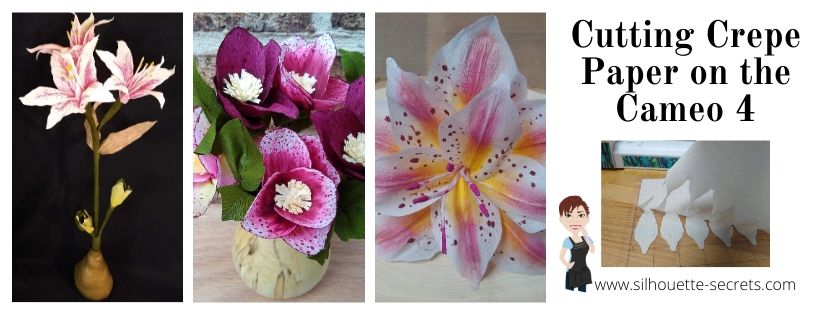
Cutting Crepe Paper on the Cameo 4

Cameo 4 – Cutting Crepe Paper

Affiliate links may be present in the following blog post and as an Amazon Associate I earn from qualifying purchases.

By now, I’m sure that you have all seen and heard about the new Cameo 4 machine. Well, I went ahead and purchased it when it was released. As soon as the pre-order went live, I was ready to click order. I ended up being #4 who ordered it from Silhouette America, so there were a couple people just as excited as I was that beat me to it.

Why? Well, for me there are a couple reasons. The biggest factor being that as a TJC Licensed Silhouette Instructor, I teach using the Silhouette machines. There are many new features on the Cameo 4, that I can’t teach if I have not used. Since the Cameo 3 is no longer being manufactured that means that more and more students will have a Cameo 4. And if you follow me on Facebook at all, you know that I do a LOT of troubleshooting for users on many pages and groups. In order to do that, I need to know how this machine works and all the ins and outs.

Now, let’s talk crepe paper. This is one of those new materials that the Cameo 4 can cut. I have been cutting crepe paper using the Rotary blade and having so much fun testing it. The more I play, the more ideas come to me, and the more projects I want to create.

After meeting Lia Griffith at the May 2019 Silhouette Summit, I started looking into this whole new world of creating and it opened up so many things. Well, really it added to my list of projects I want to complete.

SilSecrets_Lia

I have made many 3-D paper flowers, but never used crepe paper because well, I didn’t want to hand cut it all. I have been collecting Pins on Pinterest and supplies ever since.  And now with the Cameo 4 being able to cut new materials, it was perfect timing!

So let’s get down to it.

Cutting Crepe Paper on the Cameo 4

For the design in this tutorial I am using a Lia Griffith file for an Amaryllis flower. This was the December Member Make project and once I saw it, I just had to create it. But, you can do this with other files too, as I’ll show you at the end of this post.

I started by opening the svg file, moving it off my design mat, and ungrouping it.

Svg file copy

In order to open a svg file, the Designer Edition upgrade or higher is required in the Silhouette software. I feel this is a great investment and saves you time & headache in the long run. For more details on that, click HERE.

The file has all the parts needed to make 1 complete flower. And it tells you how to cut the pieces in relation to the grain of the crepe paper. This is something you want to keep in mind when you place the crepe paper on your mat, or if you are moving the pieces around to fit on the mat.

I started with the flower petals and moved those over onto the design mat to cut. Make sure you measure the size of the crepe paper you are using, so you know the exact length of it. I should have measured twice when I was cutting this file and I filled the entire page only to realize after I cut, that I measured wrong. It happens to us all!

Cutting flower petals copy

Once the design is on the mat ready to cut, click on the Send tab in the top right corner. The cut lines default to Tool 1 as designated by the bold red cut lines around the design. Since this will be cutting using Tool 2 and the rotary blade, the cut lines need to be turned off for Tool 1. Select the entire design and choose No Cut. The bold red lines will disappear = turn off.

Tool 1 copy

The Tool 1 cut lines must be turned off first or it will complete the Action with both Tool 1 and Tool 2. This means that it will first try to cut with any blade you have in the Tool 1 housing and then move on to cutting the design with the blade installed in Tool 2. This will most likely not work out well.

Next, with the entire design still selected, click on Tool 2 to expand it out and click Cut.

Tool 2 copy

Bold blue cut lines will turn on indicating that Tool 2 is active.

Currently, there is no Crepe Paper preset setting in the software and you will see a note that there are no compatible settings found for this material. That just means we need to add a custom setting in.

To do this, click on the More button on the right side. A menu will pop up and this is how to input custom cut settings. Choose the small plus sign and this will add a new material to the list. Change the name from New Material to match the material being used.

Custom settings2 copy

I named mine Lia Griffith Extra Fine Crepe Paper because that is what I’m cutting.

Change the material in the drop down box on the right to reflect what material you are cutting. Then click on the large plus sign to access the Tool 2 settings on the Cameo 4. Choose Cameo 4 Tool 2.

Custom settings3 copy

The Cameo 4 Tool 2 defaults to the Kraft Cut Action. Click on the large plus sign and choose Rotary Cut Action.

Custom settings4 copy

Next, click back on the Kraft Cut and then choose Remove Action.

Custom settings5 copy

For this Lia Griffith Extra Fine Crepe Paper, I used the default settings for the rotary blade.

Custom Rotary setting Extra Fine Crepe Paper copy

Click save in the bottom right corner (if needed) and then the big X in the top right corner under the Send tab.

Close out custom settings copy

Ta-da – you have entered a custom cut setting!

Next, select the new material setting that was created from the Materials list and on the screen you will notice additional blue lines.

Custom Setting Crepe Paper copy

These are part of the Smart Cut technology of the Rotary blade and also the Kraft blade. Since these blades are broader tip blades, they do not turn on a dime. The machine lifts the blade up and then sets it down (hook) to turn the tip of the blade in the next direction it needs to be going or it makes a loop so the blade can be start in the next direction.

Think of it just like using a hand held rotary blade. It is a round blade and does not make fine turns when cutting. For example, I have enlarged this flower petal shape. If you wanted to cut this with a hand held rotary blade, you would not cut it all in one pass without lifting the blade up. You would have to make multiple cuts to change direction. The blue lines show an example of the motion you might use with a hand held rotary blade in order to cut this shape. The same concept applies for the Cameo 4 rotary blade.

Rotary blade example copy

Now that the Smart Cuts are explained. We are ready to cut some flower petals.

I placed the crepe paper down on brand new Silhouette cutting mat with the grain running up and down (top to bottom). This lines up with the instructions from the cut file.

Brayer crepe paper down copy

I then used a brayer to smooth the crepe paper down on the cutting mat and make sure that it was stuck very well. I am using a Speedball brayer, but any one would do or you can use a hard roll, such as a vinyl roll core, etc. The main thing is to make sure the crepe paper has a good bond to the cutting mat. Since crepe paper has some stretch to it, you want to make sure it is good and secure before cutting or the paper will just move and get pushed around.

Cutting help copy

Then I crossed my fingers and clicked on Send in the bottom right corner. My supervisor was making sure it was all going according to plan.

IMG_20191225_110523957 copy

So exciting! It cut so well!

Crepe Paper Cut copy

Now, something I mentioned above is that crepe paper has stretch to it, so you want to go slow when removing it from your cutting mat. There may be a few spots that it didn’t quite connect the cut because the paper moved just a bit. But, it’s also pretty easy to either snip that little bit or to pull it gently apart.

IMG_20191226_154632993 copy

And the first pieces of the flower are cut.

IMG_20191226_155015787 copy

Now, to cut the rest of the flower pieces.

IMG_20191226_162425408 copy

Then the leaves for the buds were cut from Lia Griffith Double Sided Crepe Paper. I used a force of 20 for these.

Now, keep in mind if the crepe paper does not stay in place, the cut may not be complete. And not every single cut will turn out perfect. All Silhouette users run into issues or mis-cuts. It is all part of the process.

IMG_20191226_163149534 copy

These pieces were cut from Lia Griffith Heavy Crepe paper and as you can see, that last one didn’t say in place for the cut. The great thing about crepe paper flowers is, not all flowers are “perfect”. Each flower or leaf doesn’t grow uniformly, so in this case it will still work for the finished project. I used a force of 25 for the heavy crepe paper.

I then assembled the flower following the instructions provided by Lia Griffith and her assistant in the Member Make live video.

Amaryllis Full photo copy

The Amaryllis information that I used can be found HERE on Lia Griffith’s website.

Amaryllis Close photo copy

I am so in love with this! I learned a lot in the assembly and I am so glad that I followed the Member Make live to complete it.

Now, do you have to become a Lia Griffith Member to make pretty crepe paper flowers. No! I did because I think it’s something I will enjoy and expand my creative projects.

Since I know that not everyone wants to join a membership, I also tested this with files from the Silhouette Design Store.

I used the Hellebore by the Bleu Dahlia – Design #206393 and Flower Petals by Alaa’ K – Design #16305.

When the Hellebore file opens, it is a large flower design.

Hellebore example copy

I selected the entire design and scaled it down so the flower petal was just under 2 inches tall. I then right clicked on the petal design and ungrouped it and deleted the lines up the center of the design, as those are not needed for crepe paper.

Hellebore 2 copy

I then duplicated the petals, so there was 5 petals per flower. I cut 3 different colors of crepe paper for the flowers and 2 of each color.

Next, I moved to the leaves. From looking at the files in the Lia Griffith Membership site, I saw that they would cut the full leaf in half and angle it on the crepe paper so the grains of the paper would run diagonal on the leaves to make it more realistic. They cut 2 sides for each leaf and then glued them together. I used the knife tool in Silhouette Studio and cut the leaf in half and then replicated and mirrored the half of the design I wanted to keep.

Leaf design copy

Since the crepe paper is placed on the cutting mat with the grain running up and down, I placed the leaves at an angle to get the grains on the leaves in the manner they suggested.

Leaf grain copy

Since this leaf was not design specifically for this flower and I cut it in half of the original design, when I overlapped it and glued it, it didn’t line up perfectly. I found this was just fine and took sharp scissors and snipped both ends. Guess what? Leaves and flowers are not perfect or each one shaped the same. It worked great!

For the stamen (center part) of the flower, I just cut a long rectangle with my paper trimmer and then used scissors to fringe it. The rotary blade does not cut intricate designs and would just shred the crepe paper on this. I found it faster just to do it myself. Sometimes I think we complicate simple things like cutting a rectangle just because we have a machine that will cut it. Now, don’t get me wrong, if this was cardstock, I may or may not use the machine to cut the rectangle – that would depend on how many I’m cutting. Each project will vary.

Hellebore pieces copy

And once all the pieces are cut out, you can color as needed, and start assembling the flowers and leaves.

IMG_20200111_091019229 copy

I sure learned a lot of things in creating these flowers.

IMG_20200111_091353959 copy

But, I am in love with the finished designs.

IMG_20200111_094956364_HDR copy

As I said above, I’ve never worked with crepe paper before, so this is definitely something out of my comfort zone and I just can’t wait to create more!

IMG_20200111_095526325 copy

Things I learned:

  • Crepe paper is forgiving. Neither flowers or leaves are identical and sometimes a blemish makes it much more realistic.
  • While you can create your own flowers, it is so much easier to follow the step-by-step instructions on LiaGriffith.com. Since crepe paper is a new journey for me, I am learning lots on her site and I don’t think these would have turned out as well if I had been left on my own.
  • It is easier to cut some things by hand, like the stamen and simple rectangles.
  • I love crepe paper flowers!
  • It takes time, but the end result is amazing and something you can enjoy for a long time to come!
  • Single petal designs are best if you are looking for files to use for creating your own flowers.
  • They are so fun to make!

And I just couldn’t stop. While this set isn’t finished, I still wanted to share it with you. This one was cut using the Oriental Lily 3D by The Bleu Dahlia – Design #217974 from the Silhouette Design Store. I chose not to cut the stamen centers, but instead used the same technique I learned in the Lia Griffith Amaryllis design so it would look like a photo I found online of the Oriental Lily. I was drawn in by the bright colors.

IMG_20200112_201458273 copy

I can’t wait to share the finished set of 3 Oriental Lilies.

I hope that you will give it a try and I would love to see what you create on my Facebook group at Silhouette Secrets with EllyMae.

Check out 5 additional “secrets” to cutting crepe paper on the Cameo 4 in this guest post on Terri Johnson Creates blog as well.
5 “Secrets” to Cutting Crepe Paper
5 secrets Header photo

I would highly recommend the Lia Griffith Crepe Paper supplies. I have found that they are really high quality and look amazing!
They can be found direct at LiaGriffith.com or find links in my Amazon shop HERE.

Don’t have a Cameo 4, but it’s on your wishlist.
When you decide to take the leap check out these great retailers for Cameo 4 deals:
Heat Press Nation
Silhouette America
Swing Design
Or find it on Amazon

Like this? Pin the image below to find later!

Crepe Paper Pin

Enjoy!

SS_Signature copySS Logo snip it

**This post may contain affiliate links. What that means is that I may receive compensation if you purchase through the links I have provided. The price you pay for the product or service is not higher but I may get compensated for sharing.