Posted on 2 Comments

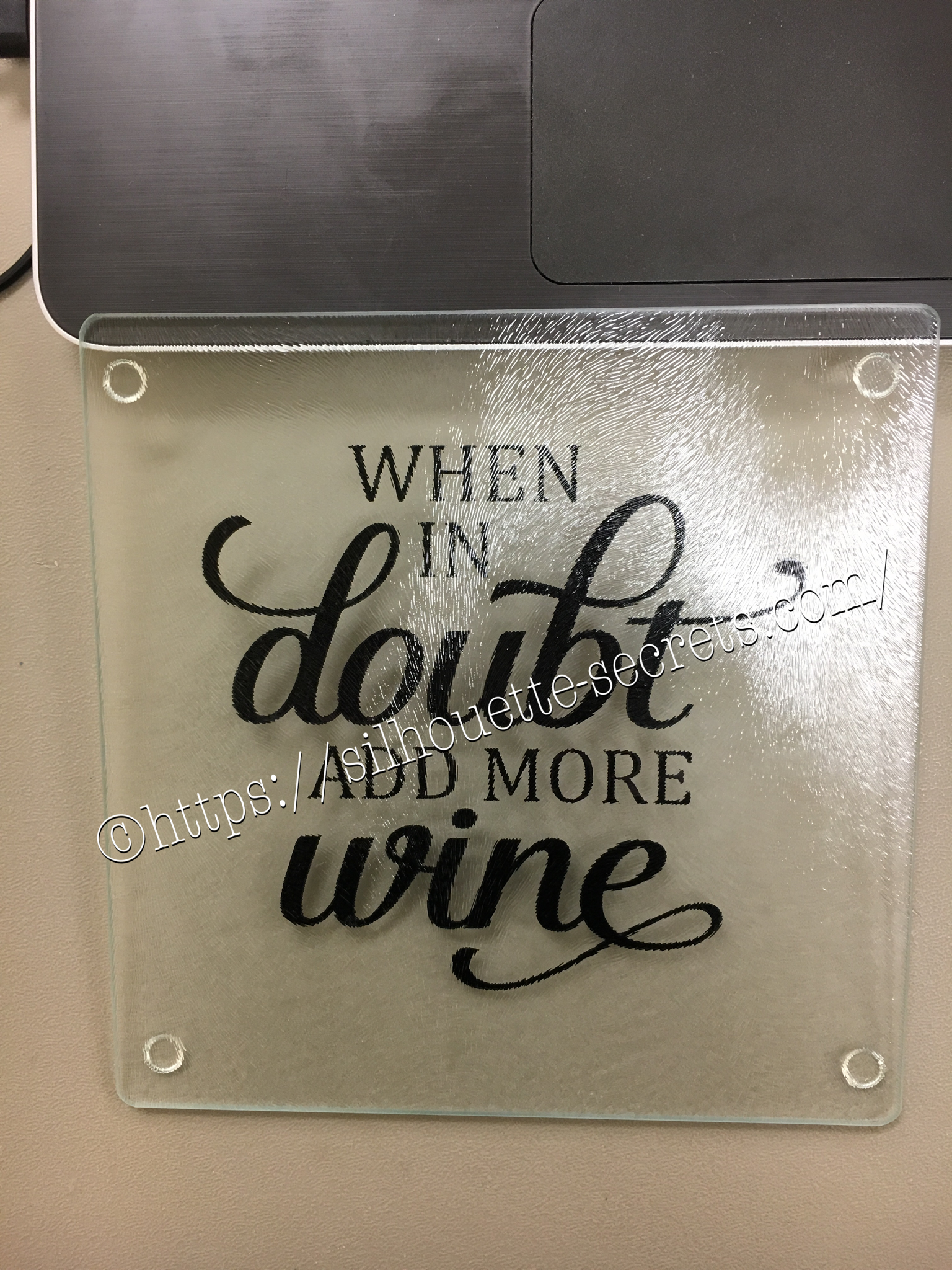
Glass cutting board design

This is a great project for a a great personalized gift. These glass cutting boards are textured on the top. Personally, I don’t think they make a good cutting board as they are textured on top but it makes a great coaster in my craft room. Of course, if you have been following my blog or my Facebook group, you know I like wine designs…. wine decor, wine…. well anything wine – lol.

With these glass cutting boards, you mirror your image on the Silhouette software before you cut it and then apply on the back side of the cutting board. I used Oracal 651 vinyl on this project, so it has a more “permanent” bond.

img_6042 Once you have the design cut, you can carefully weed the design and leave the image you want to transfer onto your project. Using your transfer tape to place your image on the back of the cutting board. Also as a note, vinyl is not food safe, so this is a great reason to apply it to the back of the cutting board. Next, you burnish your design down really good and carefully peel back your transfer tape. Done!

img_6047 There you go – a quick simple project! Now, I found this cutting board at our local Dollar Tree… however, they keep getting harder to find. You can pick up a glass cutting board anywhere and personalize it. These would be hand wash only as vinyl is not dishwasher safe. Also as a note, vinyl is not food safe, so this is a great reason to apply it to the back of the cutting board.

Enjoy !

THANK YOU for your support! How can you help? Click HERE & buy a coffee. Every little bit helps with the cost of running the site.

Looking for more in-depth, step-by-step classes, check out all of my online Silhouette classes on my Teachable site HERE.

SS Logo snip it
**This post may contain affiliate links. What that means is that I may receive compensation if you purchase through the links I have provided. The price you pay for the product or service is not higher but I may get compensated for sharing.
Posted on Leave a comment

Classroom decor

One thing I love about having my Silhouette Cameo is being able to help out my kid’s teacher’s with bulletin boards and other projects they have in the classroom.

I feel out teacher’s could use all the help they can get in the classroom and since I have little ones at home, I am unable to be in the classroom and volunteer, so I want to offer my help in other ways.

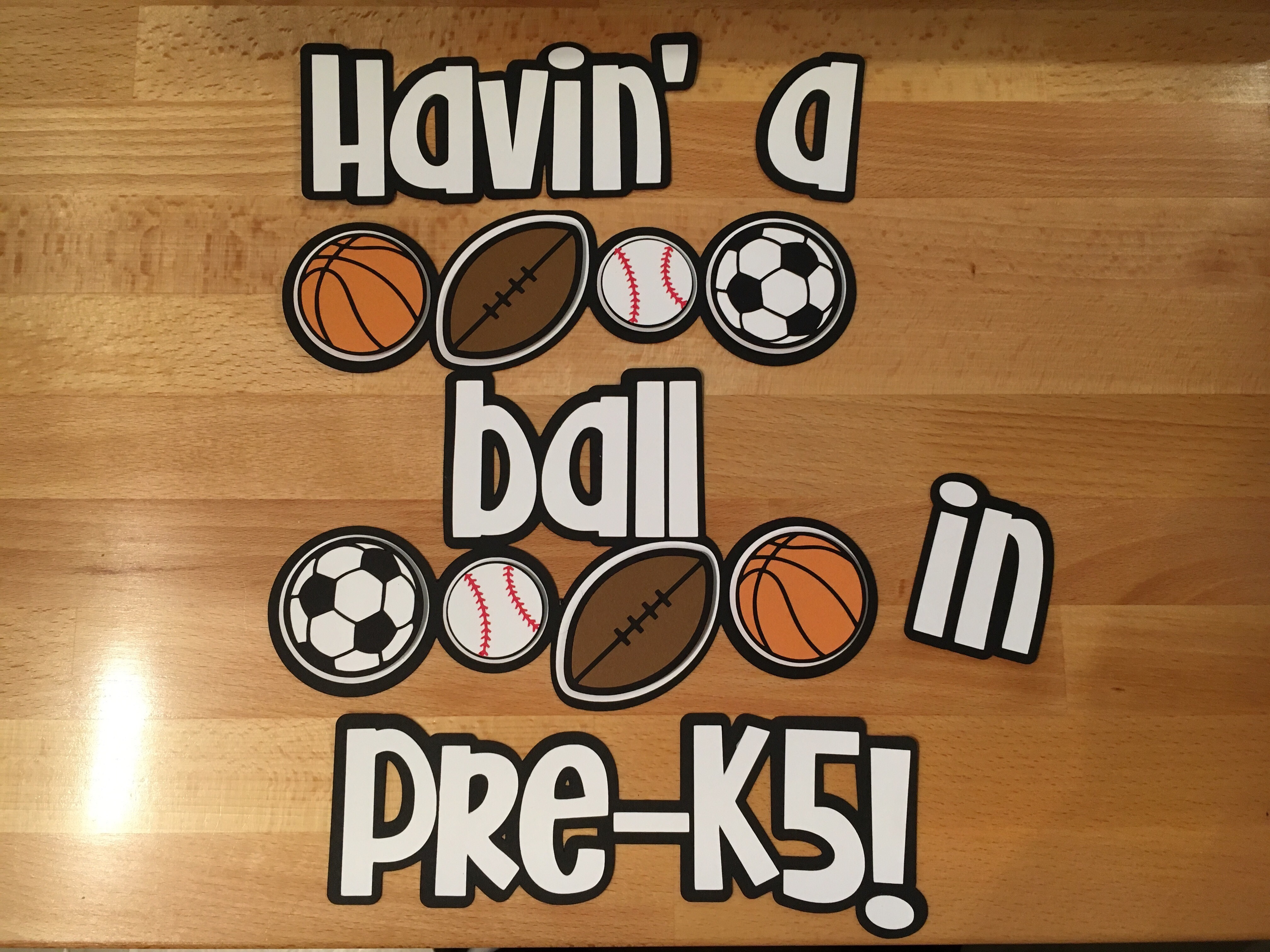
This year I have made a few things for my son’s Pre-K classroom including these decorations for the Dad’s Sports Night.

My love for the Silhouette started with paper crafts and has expanded to so much more, but I have not let the paper crafting go. I recommend having a separate blade for each type of medium you cut, such as vinyl, card stock, fabric, etc. I start my blade when it’s brand new as a vinyl blade and when it gets to where it’s not cutting as crisp, I graduate it into a card stock blade and just rotate it to a new job. When it gets to the point it’s not cutting well at all, then it’s time for a new one.

img_6101-1

Affiliate links may be present in the following blog post and as an Amazon Associate I earn from qualifying purchases.

I found a couple sports related images in the Silhouette Design store and just click buy and start cutting.

One thing that helps when cutting paper is having the right adhesive to glue things down. I love this Dual Action Glue Pen from Close to My Heart when I’m working with small detailed images.

img_6102

When working will really small details such as the baseball stitches I love the Xyron sticker maker. As you can see I don’t even use the little “X” part of the machine any longer… I just stick my object in the adhesive roll and pull it out the other end and use scissors to cut it off.

img_6103

For all the larger paper areas my favorite adhesive is this tape runner by Scrapbook Adhesive 3L.  It has been my go to for as long as I can remember and I’ve found a great online store to stock up on this as I go through it quickly when making cards. I highly recommend Scrapbookpal.com and order from them when I need to replenish my supplies. They even have free shipping over $25 and it’s quick.

img_6104

Here is the titles I made for the classroom door.

I typed out my title and then created an offset around it and welded that offset, so I would be able to cut the outline in black.

img_6108 img_6109

Owning a Silhouette Cameo allows me to be creative and help out in so many ways and I enjoy every minute of it.

What are our working on today?

Enjoy !

THANK YOU for your support! How can you help? Click HERE & buy a coffee. Every little bit helps with the cost of running the site.

Looking for more in-depth, step-by-step classes, check out all of my online Silhouette classes on my Teachable site HERE.

SS Logo snip it

**This post may contain affiliate links. What that means is that I may receive compensation if you purchase through the links I have provided. The price you pay for the product or service is not higher but I may get compensated for sharing.

Posted on Leave a comment

Halloween decor – yes that’s right!

Halloween is of course several months in the past, but when you can pick something up on clearance…. why wait until next year to finish it.
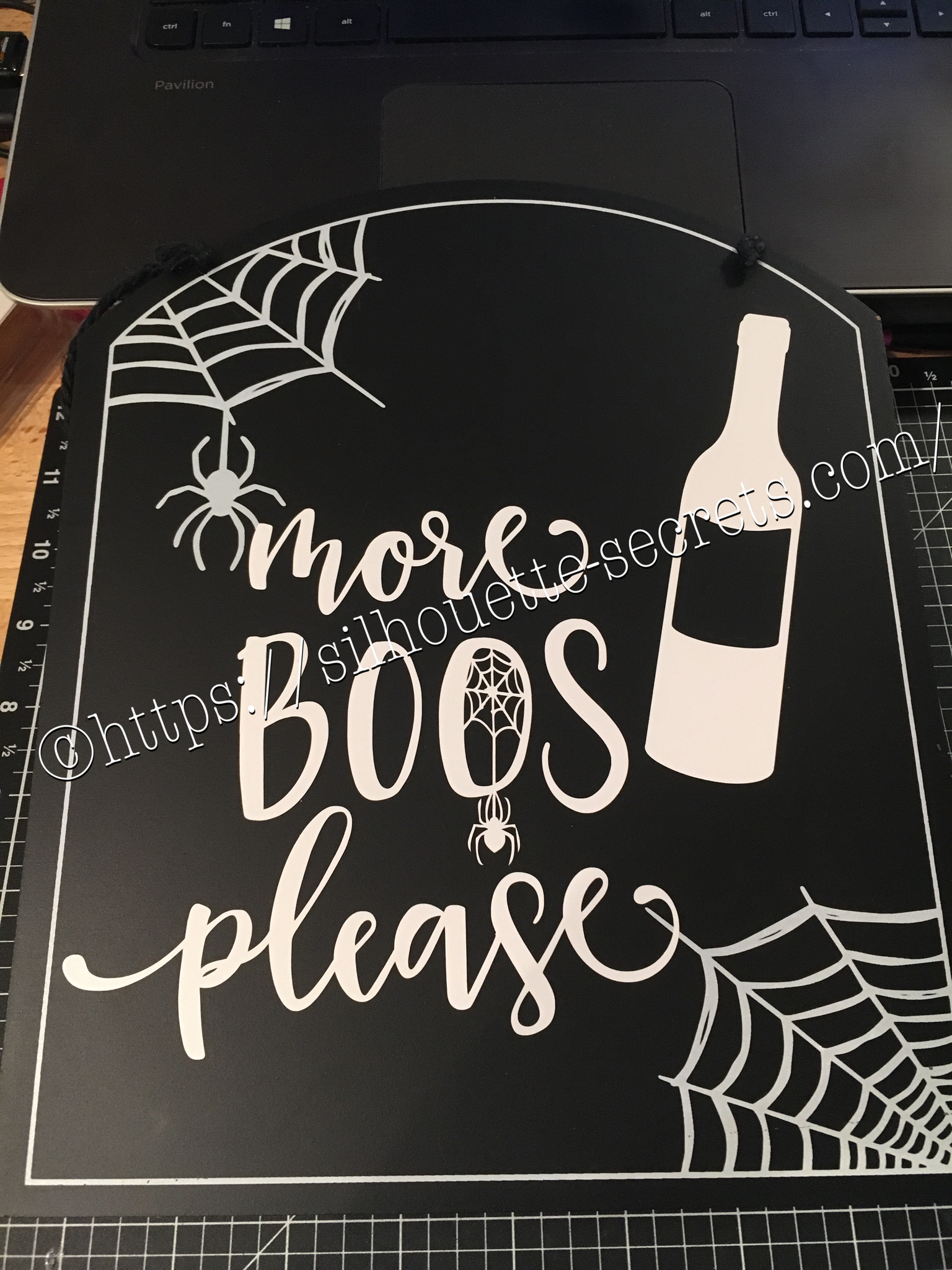
I found a couple signs at Target that were perfect to add vinyl to.

I had a couple files from the Silhouette store & they were perfect for these…..

img_6072-1

With my first design, I weeded the large area first & then I applied my transfer tape & uses a technique commonly called “reverse weeding” in the Vinyl crafting lingo.

How do you reverse weed?

Burnish your design well, so it all sticks to your transfer tape.
Then peel the backing off of your vinyl design & very carefully weed out the bits of vinyl from the delicate parts of your image.
This works especially well if you have small eye pieces or small dots for letters, etc. It does take some practice to get the hang of it.
The first time I did it, I hated it because my transfer tape kept sticking to me.
But, the more you practice & get the hang of it, the more you fall in love with the technique & use it for those delicate designs that you don’t want your pieces moving on.
In my design, I used this for the spider web that was in the center of my “O”.

After weeding my design, I then carefully placed my design on my sign & burnished it down really well. Then I carefully peeled the transfer tape off, watching for any vinyl that did not come off the transfer tape and I would put it back down & burnish it some more to get it to stick.

img_6074-1

And my second design, also from the Silhouette Design Store.


img_6075-1

Now these are ready to pull out for next year and will go perfectly in my dining room that has a wine theme.

Whenever you get the chance to grab some decor items at a discount, grab them, but don’t let them sit around too long without adding all the finishing touches.

Enjoy !

THANK YOU for your support! How can you help? Click HERE & buy a coffee. Every little bit helps with the cost of running the site.

Looking for more in-depth, step-by-step classes, check out all of my online Silhouette classes on my Teachable site HERE.
SS Logo snip it
**This post may contain affiliate links. What that means is that I may receive compensation if you purchase through the links I have provided. The price you pay for the product or service is not higher but I may get compensated for sharing.
Posted on Leave a comment

Quick gift – I love Rhinestones 

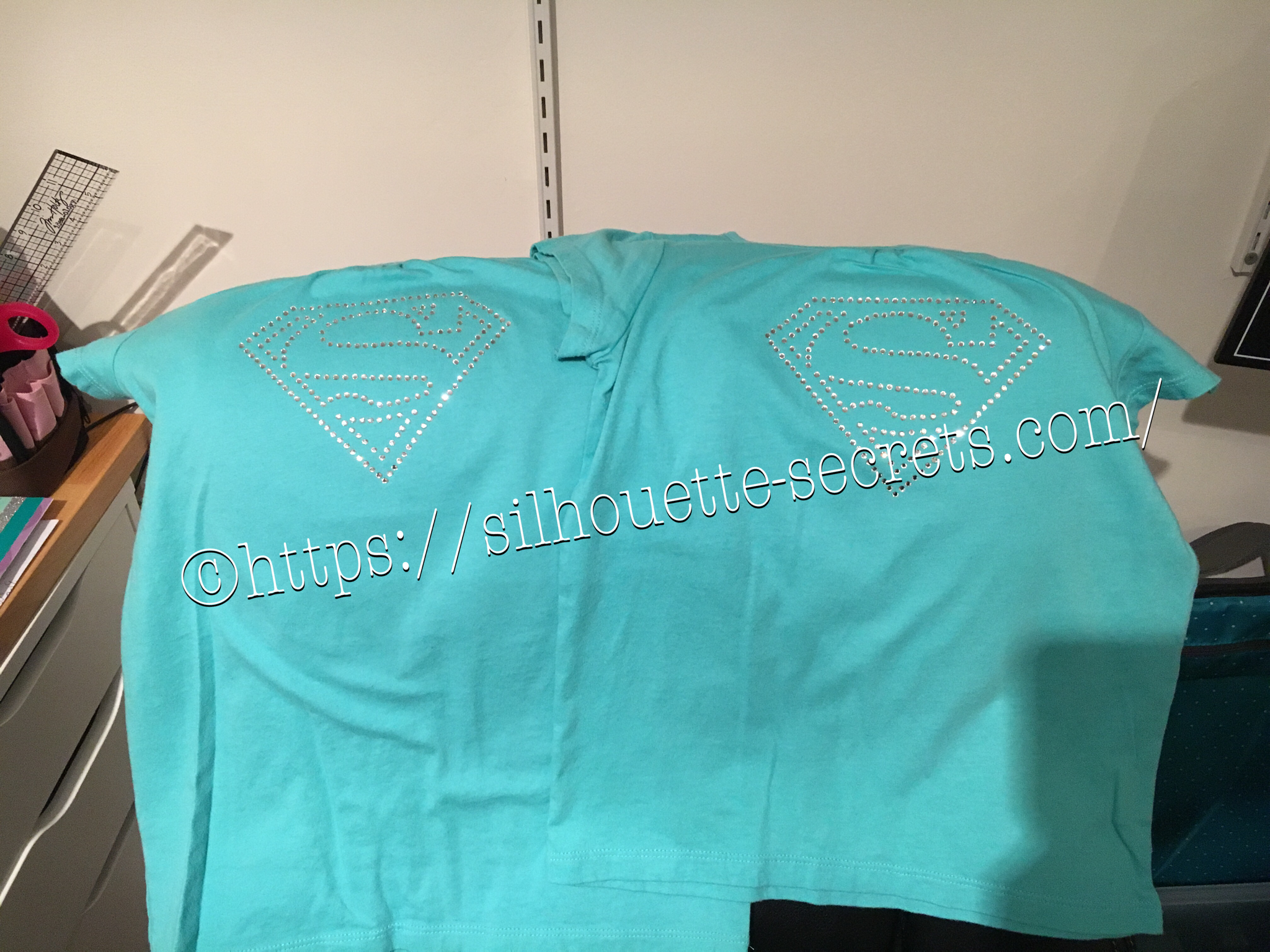
Rhinestones – once you start, it’s addictive and you just want to make more. I held off as long as I could, until I took Terri Johnson Creates hands on retreat last July. In her class, we designed our own rhinestone design and cut it out. After that one design, I was hooked and started shopping in the Silhouette store for more. This one jumped out at me and I knew I’d be making some for my nieces in the future.

I had just ordered some supplies from The Rhinestone World and had the opportunity to make these as quick gifts to send with my husband on a trip.

img_6136

So with this magic flock you cut the design with your machine and then peel it off the backing – rip it like a band aid gets the best results. If it has cut well, the little holes will stay on the backing and you can just scrape them off…..

img_6137

You can then lay the sticky design down on a safe surface, press it and peel it back again to get more of the circles to stick out.

img_6138

I then look for any that didn’t come out, remove those and put it back on the backing paper.

img_6139

Now, sprinkle your rhinestones on top of your template and rub them around until all the holes are full. Once all the stones are in place, using heat transfer tape, lay it over top of your design and burnish. Carefully life it up and make sure the rhinestones are stuck to the heat transfer tape.

img_6144

img_6145 Place your heat transfer on the shirt where you want it and I used an iron with a board under it and lots of pressure on high heat with a teflon sheet to set the stones on the shirt.

img_6147 I love the ability to make a gift up really quickly and hope you enjoy making rhinestone designs as much as I do.

I would highly recommend attending a retreat by Terri Johnson Creates, you will learn so much and be able to try all kinds of new projects. The possibilities are endless with the Silhouette Cameo!!!

Enjoy !

THANK YOU for your support! How can you help? Click HERE & buy a coffee. Every little bit helps with the cost of running the site.

Looking for more in-depth, step-by-step classes, check out all of my online Silhouette classes on my Teachable site HERE.

SS Logo snip it
**This post may contain affiliate links. What that means is that I may receive compensation if you purchase through the links I have provided. The price you pay for the product or service is not higher but I may get compensated for sharing.
Posted on 2 Comments

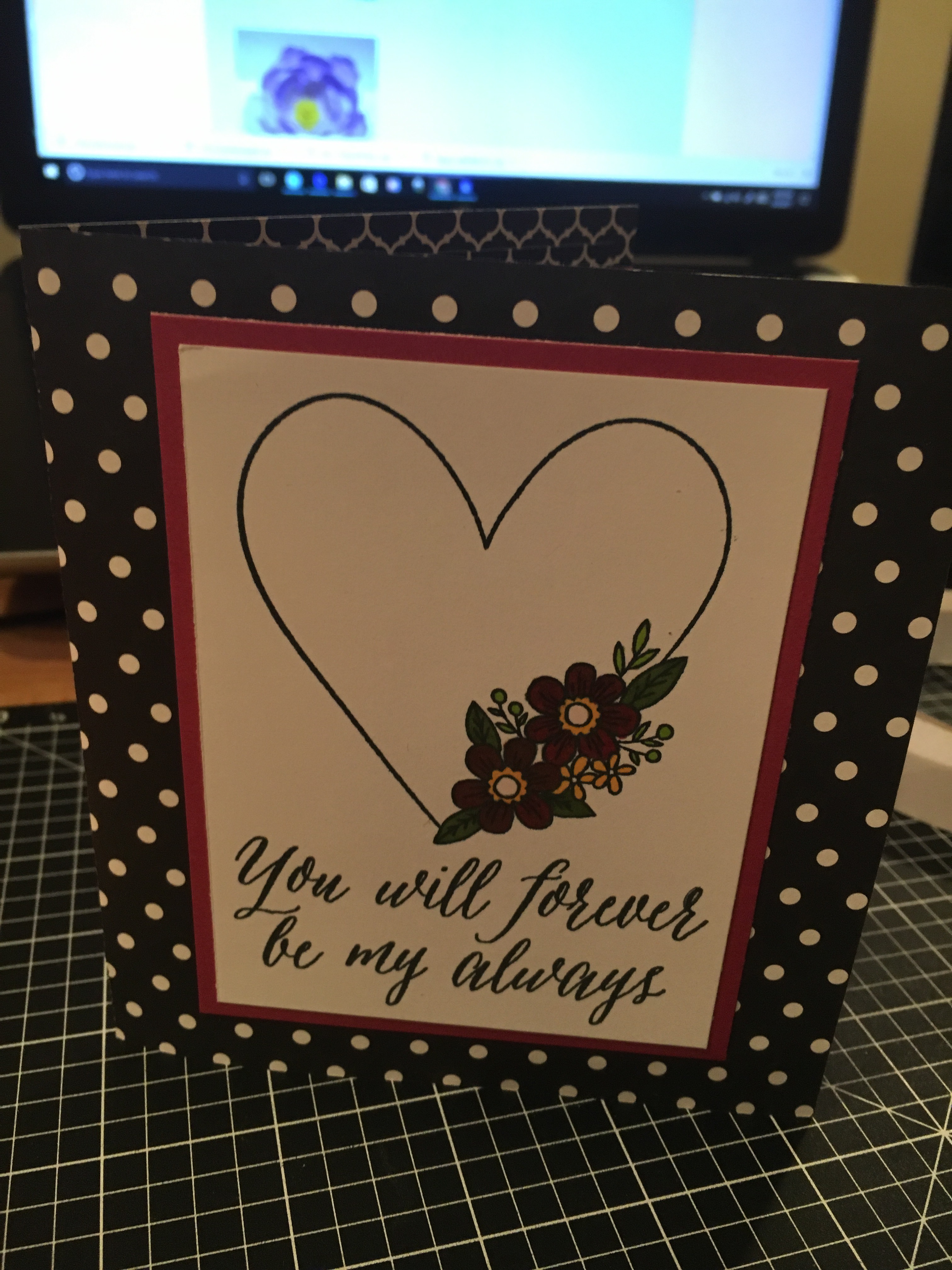
Customized cards with my Silhouette Cameo

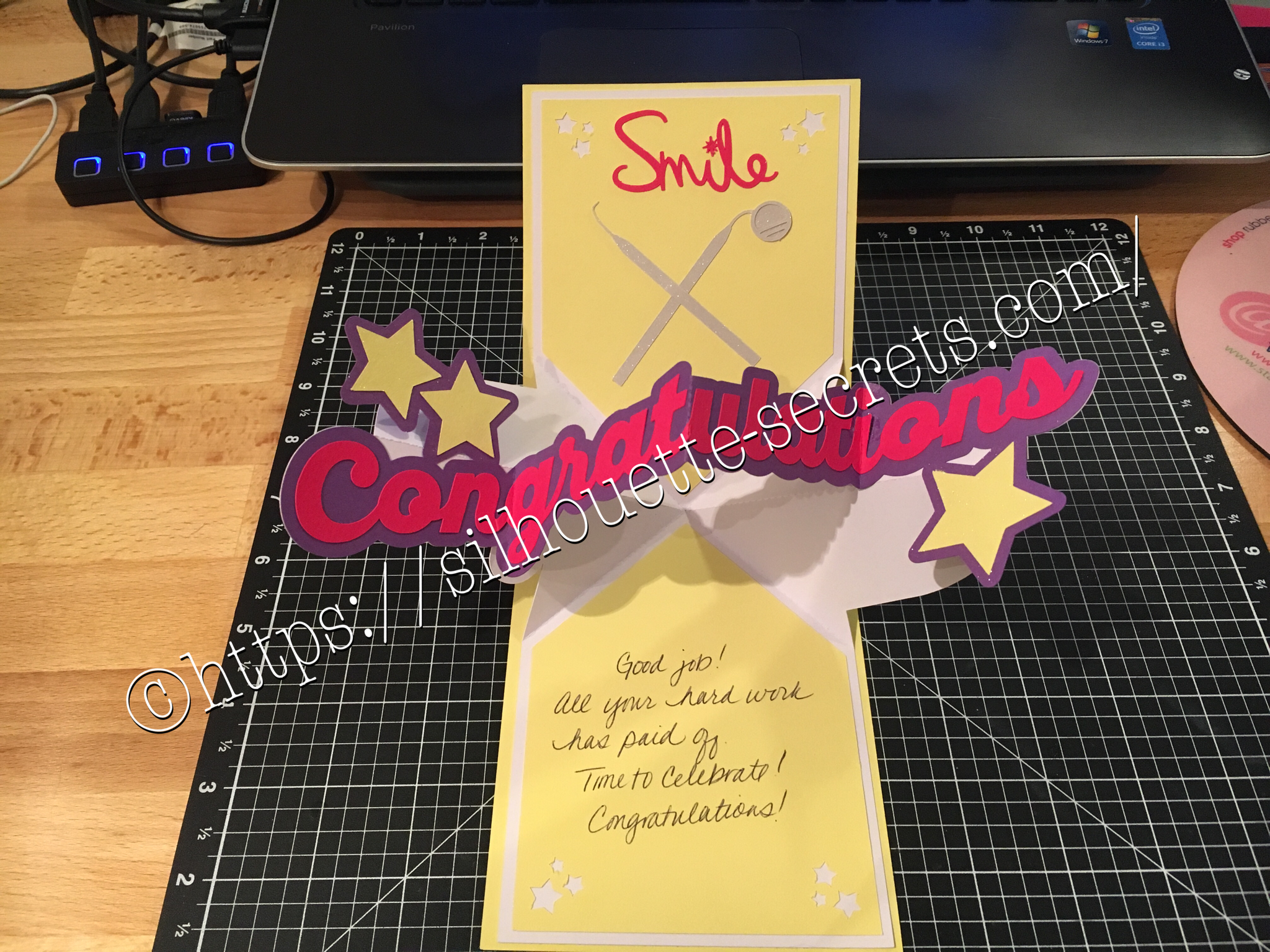
I love being able to create these customized cards for friends, especially for special occasions… A friend of mine just received the results of her dental hygiene exam and I thought I would create a unique card for her. I found all the designs in the Silhouette Store and loved that I could just click buy and then get to cutting. You can find the Congratulations Pop & Twist card file HERE. Find the Tooth file HERE. Find the Dentist tools HERE.

img_6006 img_6180

You can see a short video of how this card works HERE.

img_6005

I took the tooth cut file and resized it down to make a bunch of teeth confetti to include inside the pop & twist card. And then I stuffed it into the envelope. Just a tip… I even measured this card and it was under the weight limit but U.S.P.S still returned it for more postage. You just never know. Sometimes with these fancy fold cards they can get to be a bit thick and you need to allow for extra postage. I thought I was good this time, but guess not!

Now while you can find instructions on how to create these fancy cards such as Twist & Pop or Cards in a Box, I still prefer to use my Cameo machine and let it do the work for me.

What kind of fancy cards will you try with your Cameo?

Enjoy !

THANK YOU for your support! How can you help? Click HERE & buy a coffee. Every little bit helps with the cost of running the site.

Looking for more in-depth, step-by-step classes, check out all of my online Silhouette classes on my Teachable site HERE.

SS Logo snip it
**This post may contain affiliate links. What that means is that I may receive compensation if you purchase through the links I have provided. The price you pay for the product or service is not higher but I may get compensated for sharing.
Posted on Leave a comment

Happy Valentine’s Day!

Where ever you are, I hope that you have a wonderful Valentine’s Day!

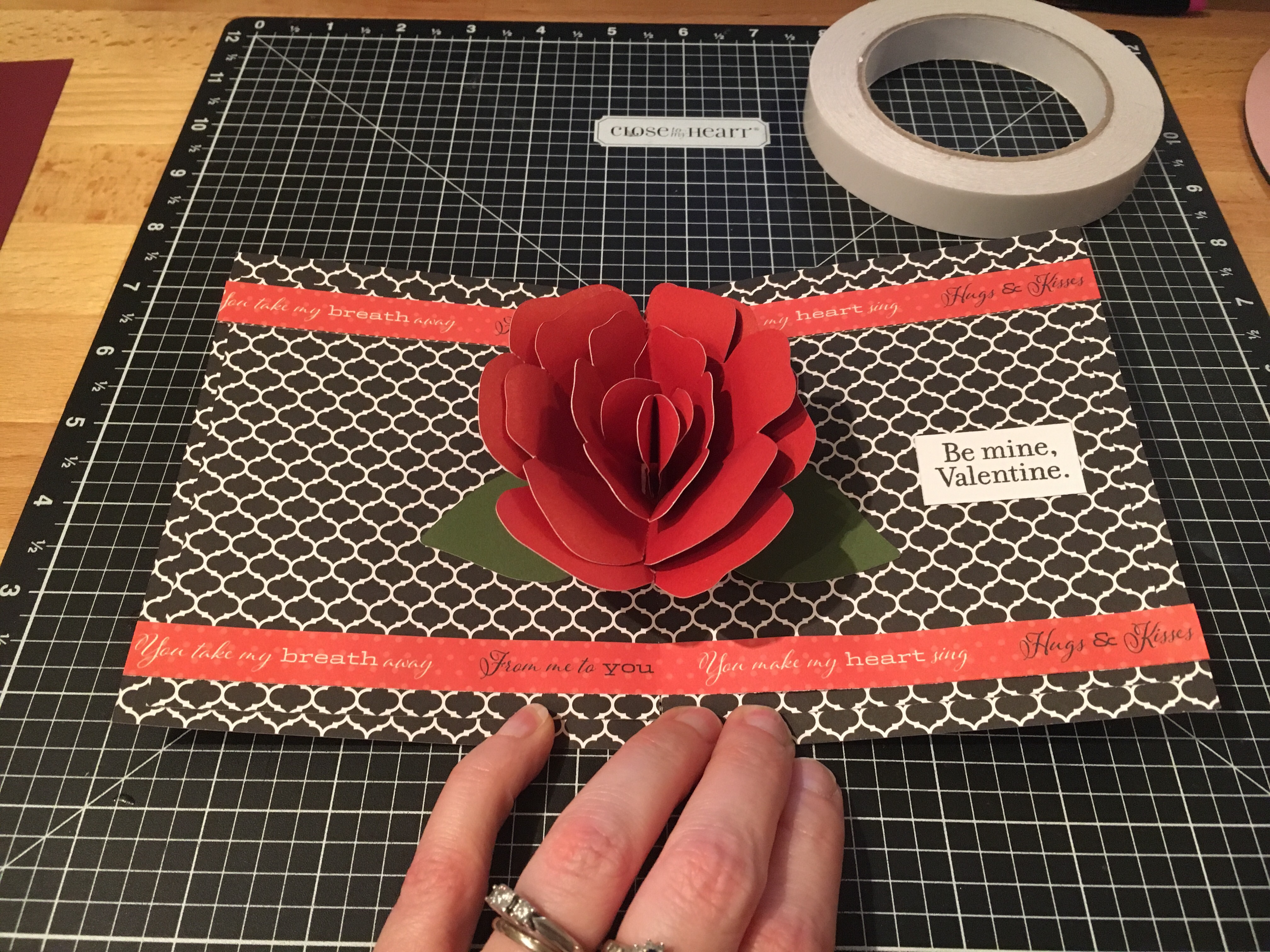
After hubby asked me if I could make a pop up flower card, I just had to try out several that I found…. In my last blog post, I showed you a card in a box bouquet that I found in the Silhouette store – you can see that HERE. But I found several others….. how do you ask? Well, Pinterest of course!!! That is my go to source for ideas… I’ll either browse the front page or if I’m looking for something specific, I will use the search function and see what cool things it will bring in to my life that I must make. You can find my Silhouette Pinterest page HERE for all thins I’ve pinned Silhouette related, but I also try to keep things organized in folders so I can find things easily when I get the time to make them.

img_5848

I used the cut file I found at Paper Pulse for the Rose pop up card and cut the pieces out of card stock. And then I referenced her instructions on how to piece it together and assemble the card.

img_5849 I used the CTMH Stamp of the Month from January and colored it in with the Shin Han markers. img_5850 I cut the card base and inside from a retired CTMH paper pack called La Vie En Rose.

img_5851 And then I used my Envelope Punch and created an envelope for my pop up card.

I hope you have a wonderful day!

Enjoy !

THANK YOU for your support! How can you help? Click HERE & buy a coffee. Every little bit helps with the cost of running the site.

Looking for more in-depth, step-by-step classes, check out all of my online Silhouette classes on my Teachable site HERE.

SS Logo snip it

**This post may contain affiliate links. What that means is that I may receive compensation if you purchase through the links I have provided. The price you pay for the product or service is not higher but I may get compensated for sharing.
Posted on 1 Comment

Bouquet of roses

The other night my husband shows me a photo on his phone and asks me, “Can you make this?” It was a pop up card with flowers in the middle…. so of course….. challenge accepted!!!

I start looking for cut files that I can make something similar and found several. This one I found in the Silhouette Design store and it was so easy to click buy and cut.

You can find the design HERE.

On this particular design there was also information in the product description that leads you to the designer’s blog for instructions on how to assemble and I referenced this several times to know the order that each was glued into the card. You can find the instructions for this card HERE as well.

This card in a box was easy to assemble since everything was included in the one cut file and all you had to do was un-group and arrange the cuts according to the color you wanted to cut. However, do keep in mind that if you want to mail this card, it does need to be resized smaller to fit in a regular size envelope.

img_5854

I cut all my pieces and set them aside to assemble everything at once. I used several adhesive types: Liquid Glass when gluing the card box, roses & stems together, foam tape to attach the greenery inside the card and then a Xyron sticker maker for the word valentine.

img_5855

Liquid glass is my go to adhesive for a quick secure hold on these card in a boxes or on rolled flowers…. I use a small amount and hold the paper in place for 10 seconds, sometimes maybe a bit longer, and then give it a few to dry and it holds so well.

img_5856

Above is my card once all the roses are attached inside the box.

img_5900

And above is my finished card. I did resize the card, so I would be able to put this in a 5 x 7 envelope and mail it.

img_5930

After making this smaller version, I decided that I wanted to make some for the teacher’s. Because really, who doesn’t want to receive a dozen roses? And ones you don’t have to water or take care of in any way – bonus!

img_5929

I hope you take some time to “Do something Creative today.”

Enjoy !

THANK YOU for your support! How can you help? Click HERE & buy a coffee. Every little bit helps with the cost of running the site.

Looking for more in-depth, step-by-step classes, check out all of my online Silhouette classes on my Teachable site HERE.

SS Logo snip it

**This post may contain affiliate links. What that means is that I may receive compensation if you purchase through the links I have provided. The price you pay for the product or service is not higher but I may get compensated for sharing.

Posted on Leave a comment

Friendly Flamingos

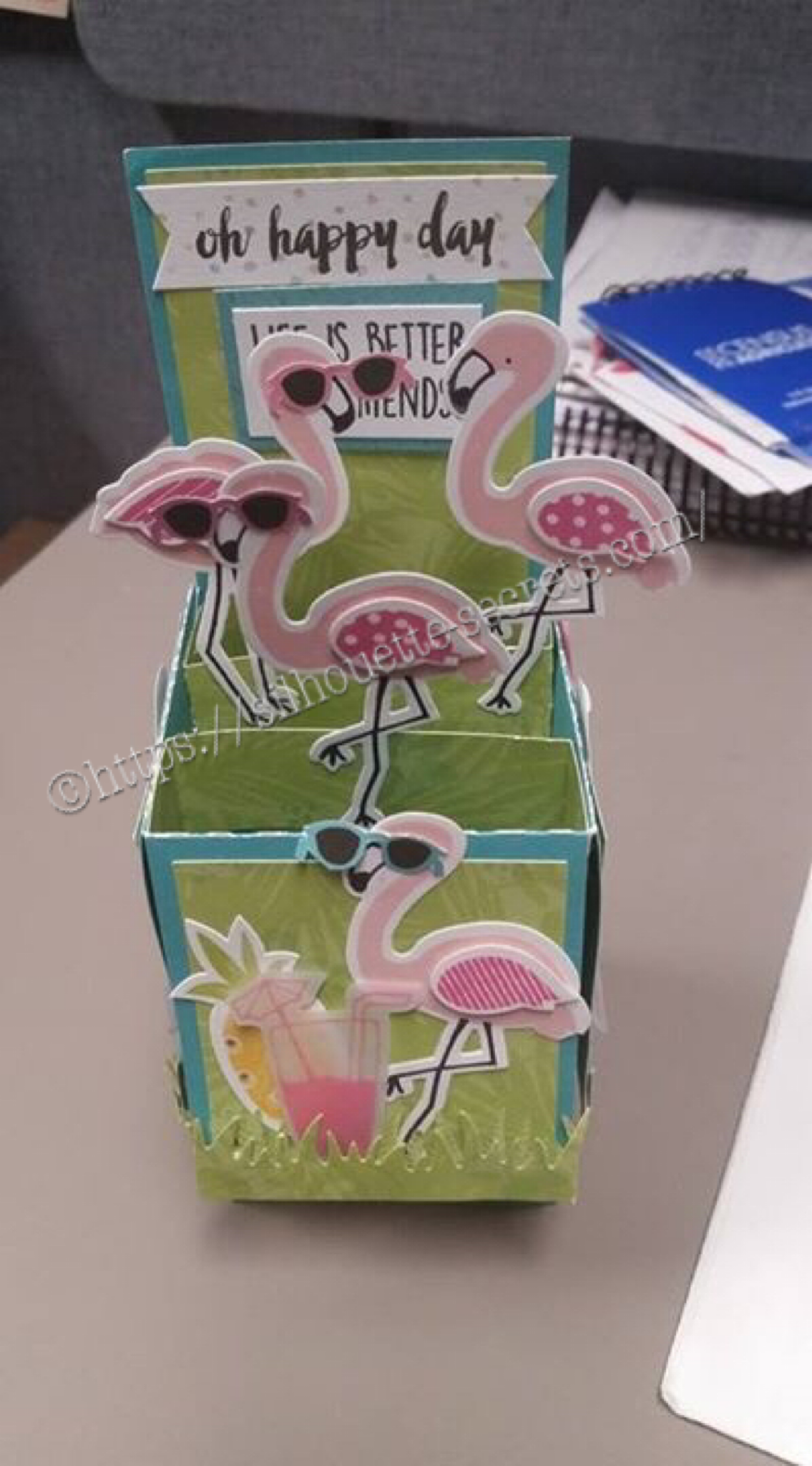
A friend had a birthday coming up and I thought it was a perfect time to pull these guys out. I love these card in a box cards! I found my box template at Myscrapchick.com HERE and cut it with my Silhouette Cameo. The box cut file cuts out the box to assemble, the pieces of paper that will fit in the spaces of the box and the inner brace parts. I then just added all the embellishments to the card all over.

img_5924 img_5925 img_5926

These flamingos and papers are retired from Close to My Heart, but they are always coming out with new & fresh ideas and supplies. Grab them before they retire too on my CTMH website: EllyMae.ctmh.com

One of my Facebook groups has a challenge for the month of February…. finish projects! And that is what I’m focusing on…. making a list of what I want to do and getting it done. What are you getting done?

Enjoy !

THANK YOU for your support! How can you help? Click HERE & buy a coffee. Every little bit helps with the cost of running the site.

Looking for more in-depth, step-by-step classes, check out all of my online Silhouette classes on my Teachable site HERE.

SS Logo snip it

**This post may contain affiliate links. What that means is that I may receive compensation if you purchase through the links I have provided. The price you pay for the product or service is not higher but I may get compensated for sharing.

Posted on Leave a comment

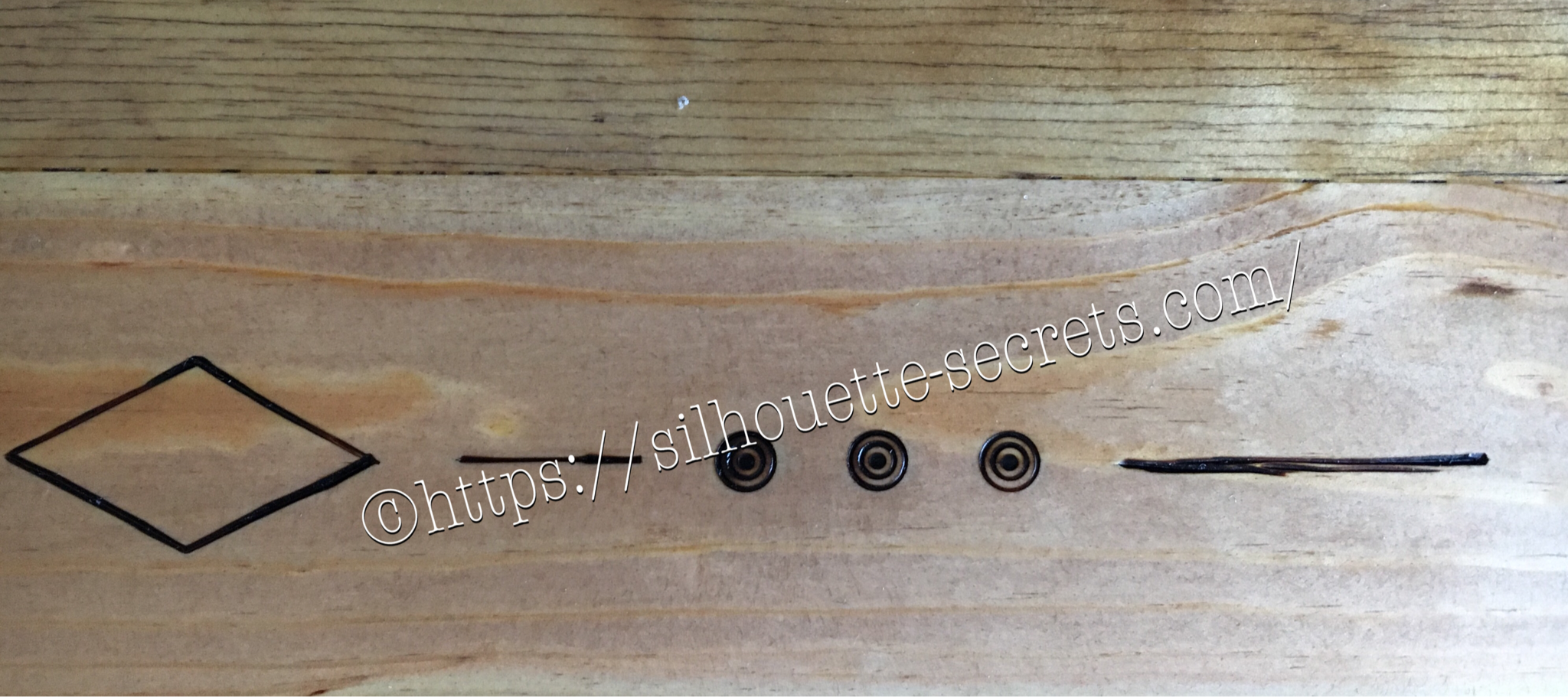
So many uses…. wood burning stencil

Every once in awhile hubby asks if I can make something…. last time it was roof shingles from chipboard for houses he was building as models….. This time a stencil for wood burning…..

Of course! I just need to know what you want and I can design it. That is what I LOVE about the Silhouette Cameo!!!

img_5440-2 Here is the stencil I cut out of Silhouette Chipboard for him to use.

And it worked perfect for what he wanted to do!

img_5469-2

So many uses so little time!!!

img_5837 img_5836

img_5838-1

The stencil did it’s job and the final project turned out great!

What will you use your Cameo to cut today?

Enjoy !

THANK YOU for your support! How can you help? Click HERE & buy a coffee. Every little bit helps with the cost of running the site.

Looking for more in-depth, step-by-step classes, check out all of my online Silhouette classes on my Teachable site HERE.

SS Logo snip it

**This post may contain affiliate links. What that means is that I may receive compensation if you purchase through the links I have provided. The price you pay for the product or service is not higher but I may get compensated for sharing.

Posted on Leave a comment

Cookie jars

So I scored big time right before Christmas at Michael’s store. I was walking by an end cap and a couple of these cookie jars, there was of course no price on them, but I was next to a price scanner, so just happened to pick them up & price them…. Well, there were on clearance!!! I purchased the one directly below for like $5 and the big ones below that were $1.99 each. Needless to say I grabbed the 2 big ones I saw that were $1.99 and ran to the register to check out. After she had already rang me up, I asked if she could tell me if there were more in the store… I made sure to do this after, so she couldn’t change the price on me, just in case…… I had grabbed the last 2… but still – what a deal! And of course, with my Silhouette Cameo & etching creme, nothing glass is safe!

So home I came to make some vinyl decals. I use Oracal 631 vinyl as my stencil and never have an issue with it. One of these was for a neighbor gift, so it took me a bit to decide on a design I liked, but once I saw this one in the Silhouette store, I knew it would fit. You can find the Made with Love design HERE in the store.

img_5330 img_5332

I use Etchall creme for my projects, as that is what we used in Terri Johnson Creates hands on retreat and I love the fact that you can scrape off the excess and reuse it. So it lasts a long time. I leave my creme on for 20 minutes or a bit longer and it always turns out great! You can find Etchall creme HERE.

img_5333 The first one I applied the vinyl to was the one on the left in the photo above…. it was a bit trickier due to the curve and the varied size of the jar. I grumbling a bit when I went to apply the vinyl to the jar on the right and then it went on like a dream. The biggest factor when applying your vinyl stencil to a glass item to etch is you want the edges of your design to have a great seal on them, so the etching creme doesn’t sneak up under the vinyl. The flatter you can get the decal on your object the better, any creases are areas that the etching creme might sneak in to.

img_5340 img_5341 I love how they turned out but I do have to confess that after over a month of it sitting on my counter, it’s still empty….. I don’t bake that often because then I end up eating them….. One of these days, I’ll put something in it.

Enjoy !

THANK YOU for your support! How can you help? Click HERE & buy a coffee. Every little bit helps with the cost of running the site.

Looking for more in-depth, step-by-step classes, check out all of my online Silhouette classes on my Teachable site HERE.
SS Logo snip it

**This post may contain affiliate links. What that means is that I may receive compensation if you purchase through the links I have provided. The price you pay for the product or service is not higher but I may get compensated for sharing.