Posted on — Leave a comment

Halloween decor – yes that’s right!

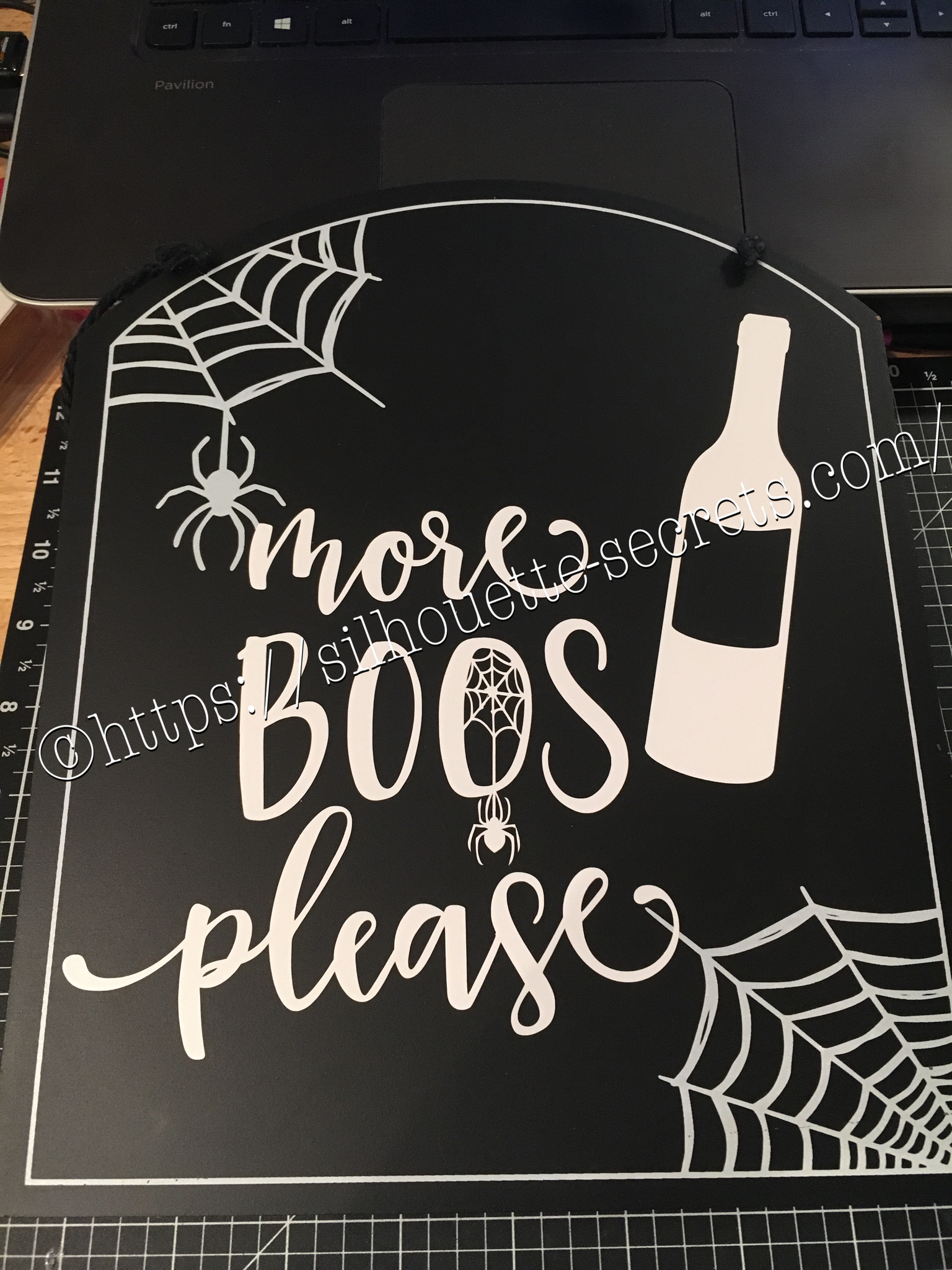
Photos shows a black sign that says more Boos please with a wine bottle, spiders, and webs.

Halloween is of course several months in the past, but when you can pick something up on clearance…. why wait until next year to finish it.
I found a couple signs at Target that were perfect to add vinyl to.

I had a couple files from the Silhouette store & they were perfect for these…..

img_6072-1

With my first design, I weeded the large area first & then I applied my transfer tape & uses a technique commonly called “reverse weeding” in the Vinyl crafting lingo.

How do you reverse weed?

Burnish your design well, so it all sticks to your transfer tape.
Then peel the backing off of your vinyl design & very carefully weed out the bits of vinyl from the delicate parts of your image.
This works especially well if you have small eye pieces or small dots for letters, etc. It does take some practice to get the hang of it.
The first time I did it, I hated it because my transfer tape kept sticking to me.
But, the more you practice & get the hang of it, the more you fall in love with the technique & use it for those delicate designs that you don’t want your pieces moving on.
In my design, I used this for the spider web that was in the center of my “O”.

After weeding my design, I then carefully placed my design on my sign & burnished it down really well. Then I carefully peeled the transfer tape off, watching for any vinyl that did not come off the transfer tape and I would put it back down & burnish it some more to get it to stick.

img_6074-1

And my second design, also from the Silhouette Design Store.


img_6075-1

Now these are ready to pull out for next year and will go perfectly in my dining room that has a wine theme.

Whenever you get the chance to grab some decor items at a discount, grab them, but don’t let them sit around too long without adding all the finishing touches.

Enjoy !

THANK YOU for your support! How can you help? Click HERE & buy a coffee. Every little bit helps with the cost of running the site.

Looking for more in-depth, step-by-step classes, check out all of my online Silhouette classes on my Teachable site HERE.

SS Logo snip it
**This post may contain affiliate links. What that means is that I may receive compensation if you purchase through the links I have provided. The price you pay for the product or service is not higher but I may get compensated for sharing.
Posted on — Leave a comment

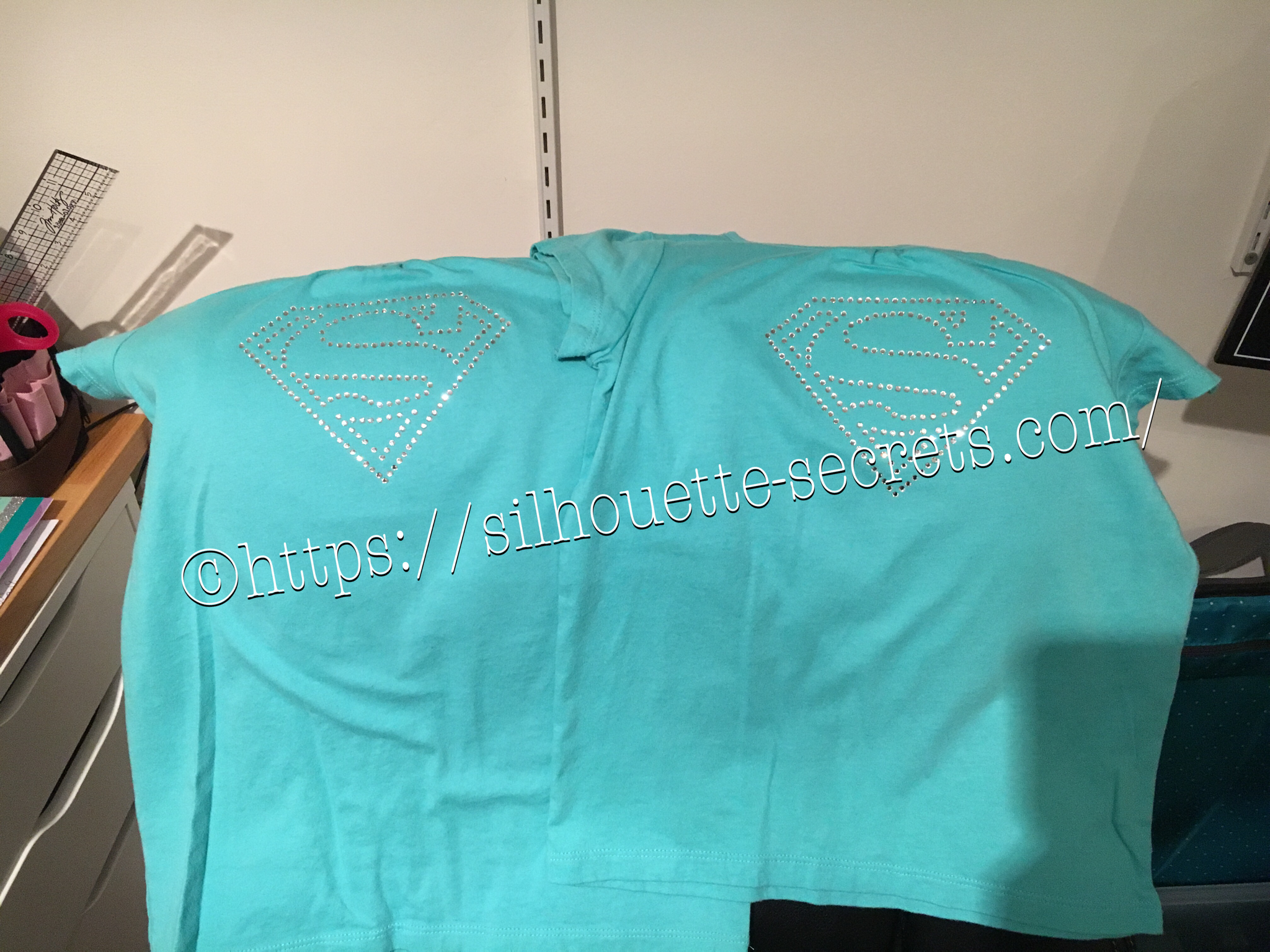
Quick gift – I love Rhinestones 

Photo shows 2 shirts with rhinestone designs

Rhinestones – once you start, it’s addictive and you just want to make more. I held off as long as I could, until I took Terri Johnson Creates hands on retreat last July. In her class, we designed our own rhinestone design and cut it out. After that one design, I was hooked and started shopping in the Silhouette store for more. This one jumped out at me and I knew I’d be making some for my nieces in the future.

I had just ordered some supplies from The Rhinestone World and had the opportunity to make these as quick gifts to send with my husband on a trip.

img_6136

So with this magic flock you cut the design with your machine and then peel it off the backing – rip it like a band aid gets the best results. If it has cut well, the little holes will stay on the backing and you can just scrape them off…..

img_6137

You can then lay the sticky design down on a safe surface, press it and peel it back again to get more of the circles to stick out.

img_6138

I then look for any that didn’t come out, remove those and put it back on the backing paper.

img_6139

Now, sprinkle your rhinestones on top of your template and rub them around until all the holes are full. Once all the stones are in place, using heat transfer tape, lay it over top of your design and burnish. Carefully life it up and make sure the rhinestones are stuck to the heat transfer tape.

img_6144

img_6145 Place your heat transfer on the shirt where you want it and I used an iron with a board under it and lots of pressure on high heat with a teflon sheet to set the stones on the shirt.

img_6147 I love the ability to make a gift up really quickly and hope you enjoy making rhinestone designs as much as I do.

I would highly recommend attending a retreat by Terri Johnson Creates, you will learn so much and be able to try all kinds of new projects. The possibilities are endless with the Silhouette Cameo!!!

Enjoy !

THANK YOU for your support! How can you help? Click HERE & buy a coffee. Every little bit helps with the cost of running the site.

Looking for more in-depth, step-by-step classes, check out all of my online Silhouette classes on my Teachable site HERE.

SS Logo snip it
**This post may contain affiliate links. What that means is that I may receive compensation if you purchase through the links I have provided. The price you pay for the product or service is not higher but I may get compensated for sharing.
Posted on — 2 Comments

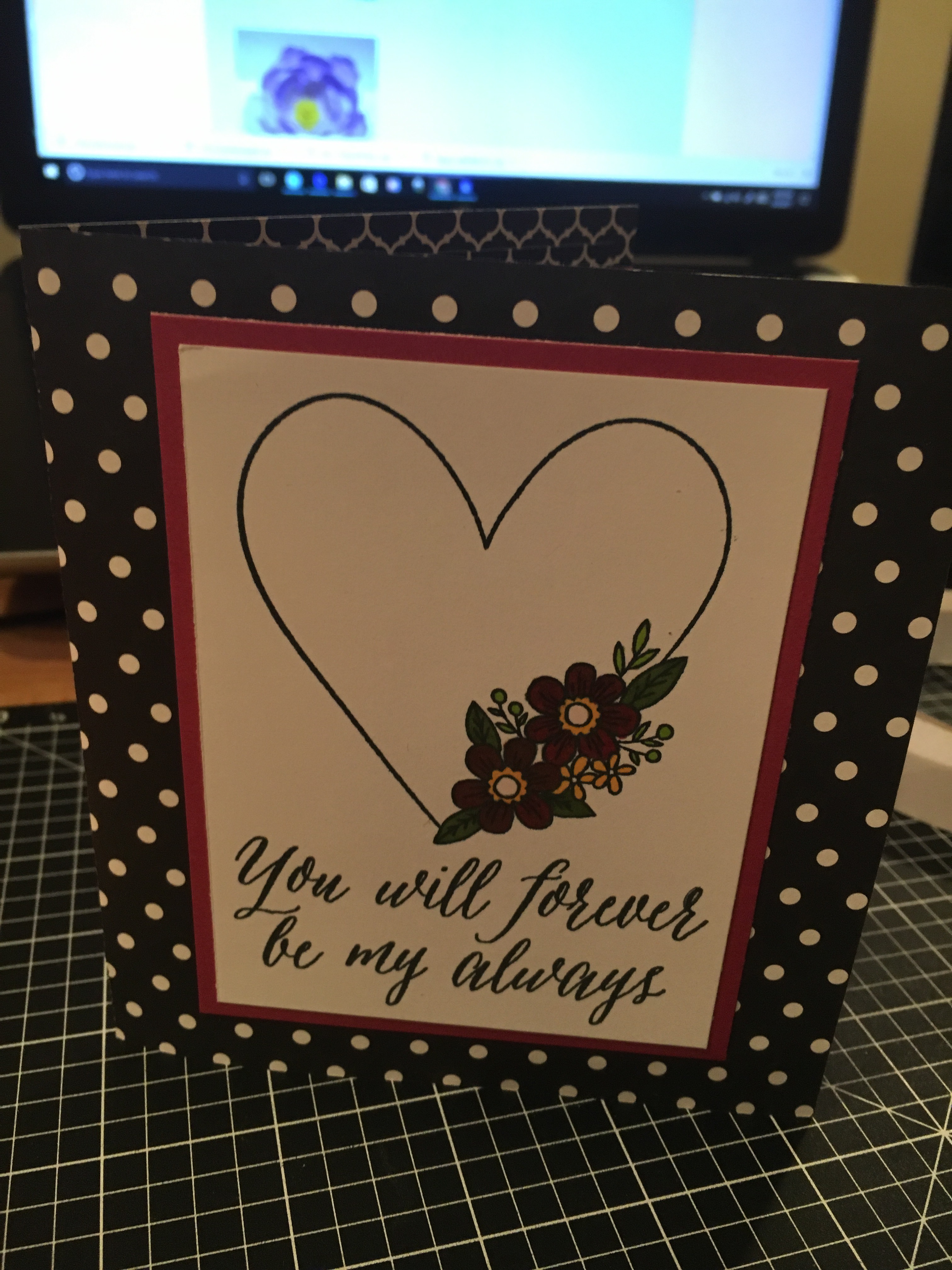
Customized cards with my Silhouette Cameo

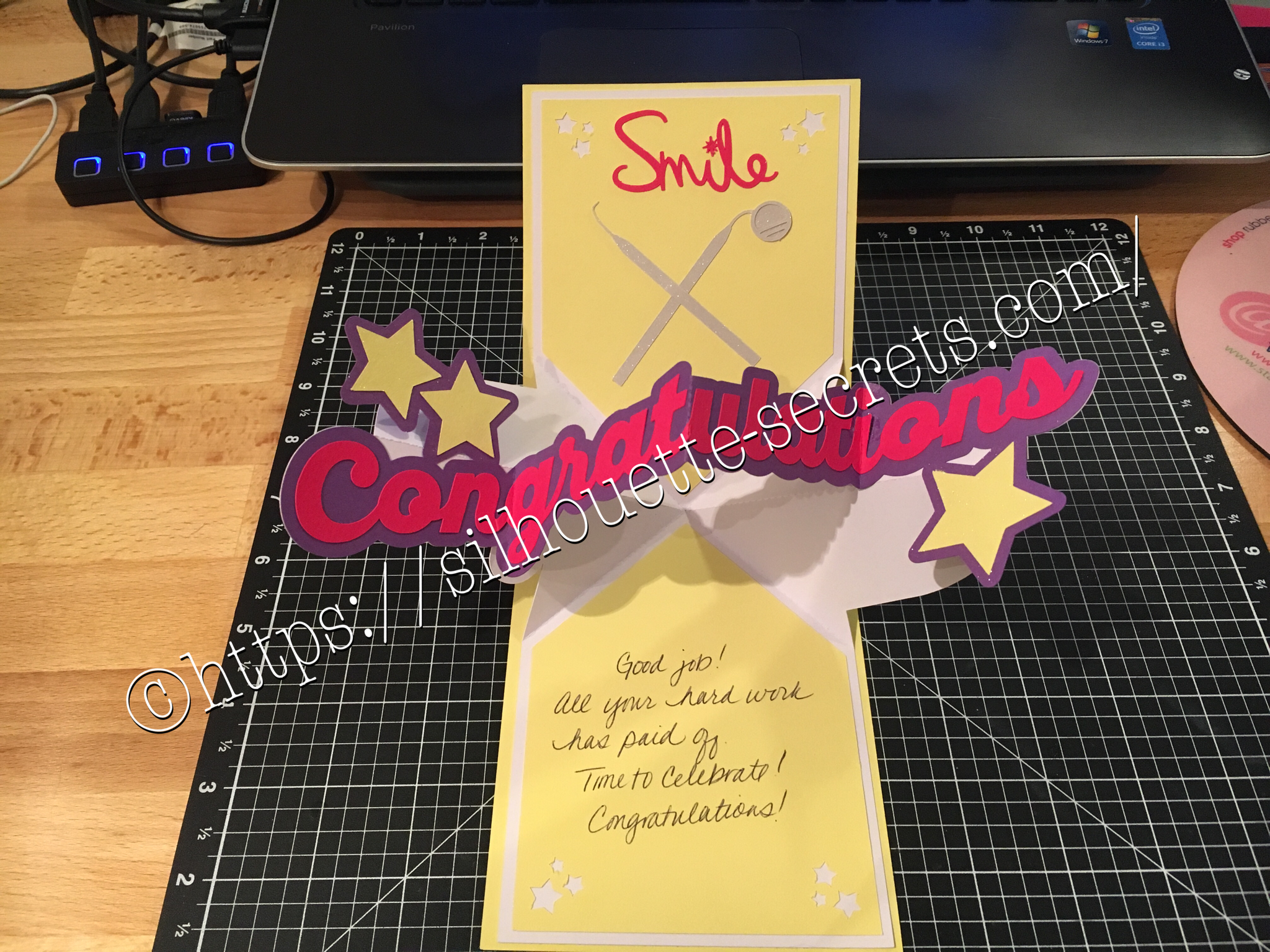
Photo shows a Congratulations pop up card.

I love being able to create these customized cards for friends, especially for special occasions… A friend of mine just received the results of her dental hygiene exam and I thought I would create a unique card for her. I found all the designs in the Silhouette Store and loved that I could just click buy and then get to cutting. You can find the Congratulations Pop & Twist card file HERE. Find the Tooth file HERE. Find the Dentist tools HERE.

img_6006 img_6180

You can see a short video of how this card works HERE.

img_6005

I took the tooth cut file and resized it down to make a bunch of teeth confetti to include inside the pop & twist card. And then I stuffed it into the envelope. Just a tip… I even measured this card and it was under the weight limit but U.S.P.S still returned it for more postage. You just never know. Sometimes with these fancy fold cards they can get to be a bit thick and you need to allow for extra postage. I thought I was good this time, but guess not!

Now while you can find instructions on how to create these fancy cards such as Twist & Pop or Cards in a Box, I still prefer to use my Cameo machine and let it do the work for me.

What kind of fancy cards will you try with your Cameo?

Enjoy !

THANK YOU for your support! How can you help? Click HERE & buy a coffee. Every little bit helps with the cost of running the site.

Looking for more in-depth, step-by-step classes, check out all of my online Silhouette classes on my Teachable site HERE.
SS Logo snip it
**This post may contain affiliate links. What that means is that I may receive compensation if you purchase through the links I have provided. The price you pay for the product or service is not higher but I may get compensated for sharing.
Posted on — Leave a comment

Happy Valentine’s Day!

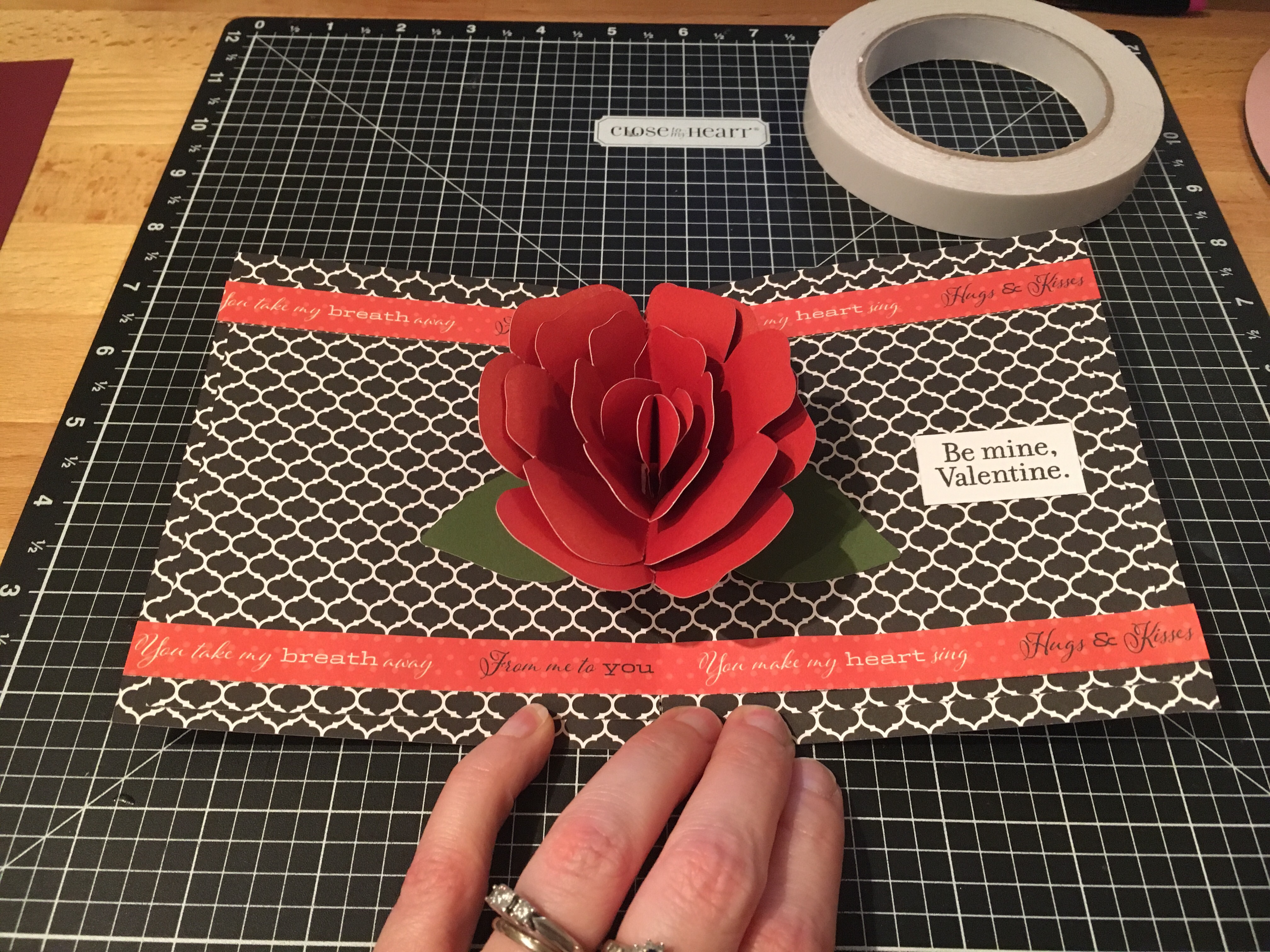
Photos shows the inside of a card that has a pop up rose design with Be mine, Valentine inside.

Where ever you are, I hope that you have a wonderful Valentine’s Day!

After hubby asked me if I could make a pop up flower card, I just had to try out several that I found…. In my last blog post, I showed you a card in a box bouquet that I found in the Silhouette store – you can see that HERE. But I found several others….. how do you ask? Well, Pinterest of course!!! That is my go to source for ideas… I’ll either browse the front page or if I’m looking for something specific, I will use the search function and see what cool things it will bring in to my life that I must make. You can find my Silhouette Pinterest page HERE for all thins I’ve pinned Silhouette related, but I also try to keep things organized in folders so I can find things easily when I get the time to make them.

img_5848

I used the cut file I found at Paper Pulse for the Rose pop up card and cut the pieces out of card stock. And then I referenced her instructions on how to piece it together and assemble the card.

img_5849 I used the CTMH Stamp of the Month from January and colored it in with the Shin Han markers. img_5850 I cut the card base and inside from a retired CTMH paper pack called La Vie En Rose.

img_5851 And then I used my Envelope Punch and created an envelope for my pop up card.

I hope you have a wonderful day!

Enjoy !

THANK YOU for your support! How can you help? Click HERE & buy a coffee. Every little bit helps with the cost of running the site.

Looking for more in-depth, step-by-step classes, check out all of my online Silhouette classes on my Teachable site HERE.

SS Logo snip it

**This post may contain affiliate links. What that means is that I may receive compensation if you purchase through the links I have provided. The price you pay for the product or service is not higher but I may get compensated for sharing.
Posted on — Leave a comment

So many uses…. wood burning stencil

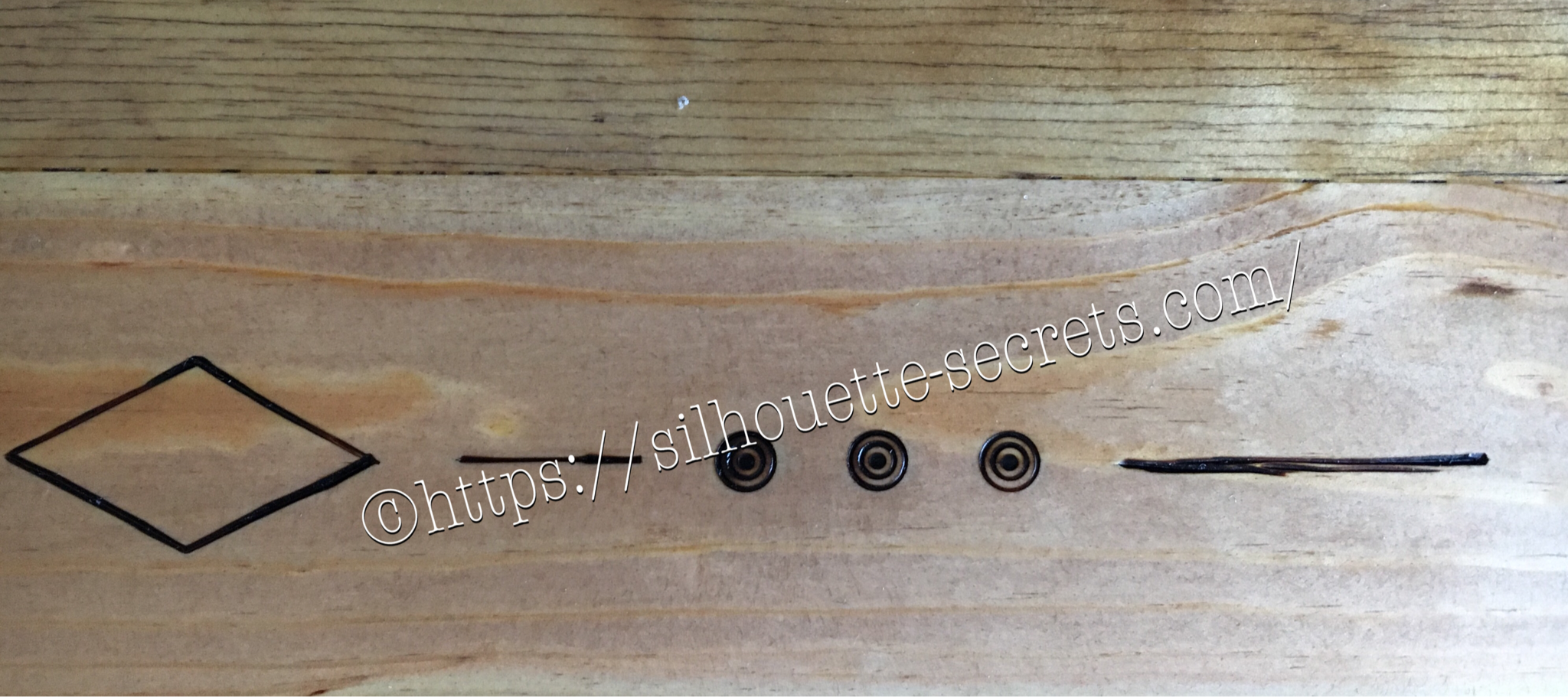
DIY Wood burned design in a desk with Silhouette used to create a stencil

Every once in awhile hubby asks if I can make something…. last time it was roof shingles from chipboard for houses he was building as models….. This time a stencil for wood burning…..

Of course! I just need to know what you want and I can design it. That is what I LOVE about the Silhouette Cameo!!!

img_5440-2 Here is the stencil I cut out of Silhouette Chipboard for him to use.

And it worked perfect for what he wanted to do!

img_5469-2

So many uses so little time!!!

img_5837 img_5836

img_5838-1

The stencil did it’s job and the final project turned out great!

What will you use your Cameo to cut today?

Enjoy !

THANK YOU for your support! How can you help? Click HERE & buy a coffee. Every little bit helps with the cost of running the site.

Looking for more in-depth, step-by-step classes, check out all of my online Silhouette classes on my Teachable site HERE.

SS Logo snip it

**This post may contain affiliate links. What that means is that I may receive compensation if you purchase through the links I have provided. The price you pay for the product or service is not higher but I may get compensated for sharing.

Posted on — Leave a comment

After Christmas crafting

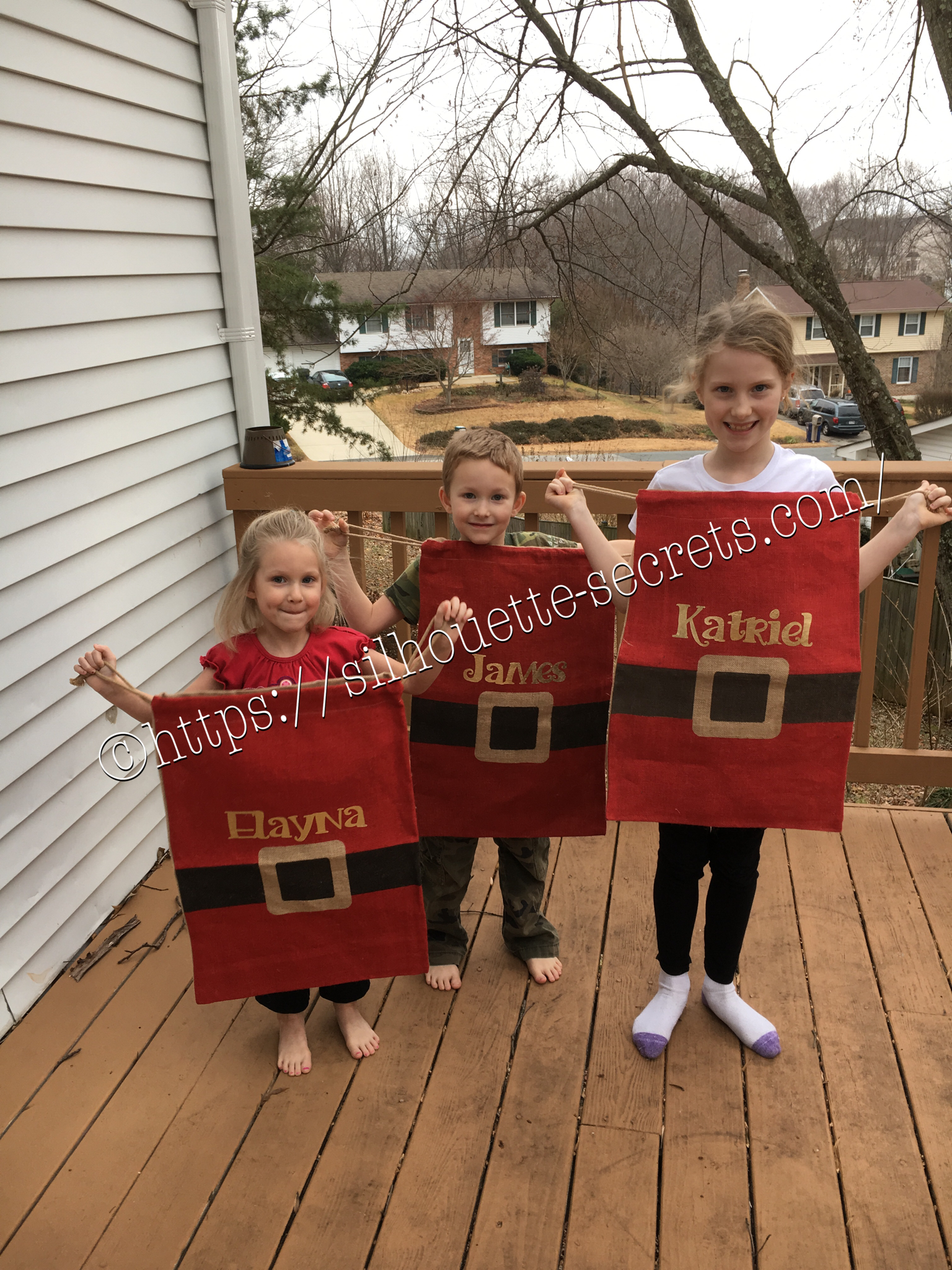
On Christmas morning I quickly realized that I needed Santa sacks, so no one could “peek” at what Santa brought before everyone else got out of bed. While shopping in the Target Christmas clearance the day after Christmas, I happened on these burlap sacks.

img_5368-2

I quickly sprang into action….

Grabbed 3 of them and headed home. There was some HTV that would be great on these. I found some gold foil HTV in my sample stash and set to creating the names in the Studio.

img_5380-3

img_5382-1

Just as a reminder…. always mirror your image when using HTV or you will end up wasting a bit of vinyl. Eventually, I will get a heat press, but for now, my iron works with my teflon sheet.

img_5379-1

The kids all enjoyed modeling their new Santa sacks for next year.

Do Something Creative Everyday!

Enjoy !

THANK YOU for your support! How can you help? Click HERE & buy a coffee. Every little bit helps with the cost of running the site.

Looking for more in-depth, step-by-step classes, check out all of my online Silhouette classes on my Teachable site HERE.

SS Logo snip it

**This post may contain affiliate links. What that means is that I may receive compensation if you purchase through the links I have provided. The price you pay for the product or service is not higher but I may get compensated for sharing.

Posted on — Leave a comment

New Year – New Mat!!!

I was cutting a few designs out of vinyl and it just seemed to keep tearing….. I powered through and cut a second time & then carefully coaxed it while weeding the design….

You can find that previous blog post with image HERE.

A few days later I sit down to cut a few more and think to myself, “Let’s try a new mat and see if it makes a difference.”

Oh my gosh! I don’t know why I always forget to try this….. It’s probably because I feel that my old mat is still sticky, but it just must not be sticky enough. A new mat, the vinyl doesn’t slip at all and I think that makes all the difference in clear cut lines…. This design below was so easy to weed and on 651, which I seem to have more issues with weeding.

img_5327

New mat = problem solved!

img_5328 I found this design in the Silhouette store and it said “Buy Me”…. well – click… and now I can just place it on my mat, resize it and cut. So simple!

 I wish you all a very Happy New Year & wish you many blessings in 2017!!

Enjoy !

THANK YOU for your support! How can you help? Click HERE & buy a coffee. Every little bit helps with the cost of running the site.

Looking for more in-depth, step-by-step classes, check out all of my online Silhouette classes on my Teachable site HERE.

SS Logo snip it
**This post may contain affiliate links. What that means is that I may receive compensation if you purchase through the links I have provided. The price you pay for the product or service is not higher but I may get compensated for sharing.
Posted on — Leave a comment

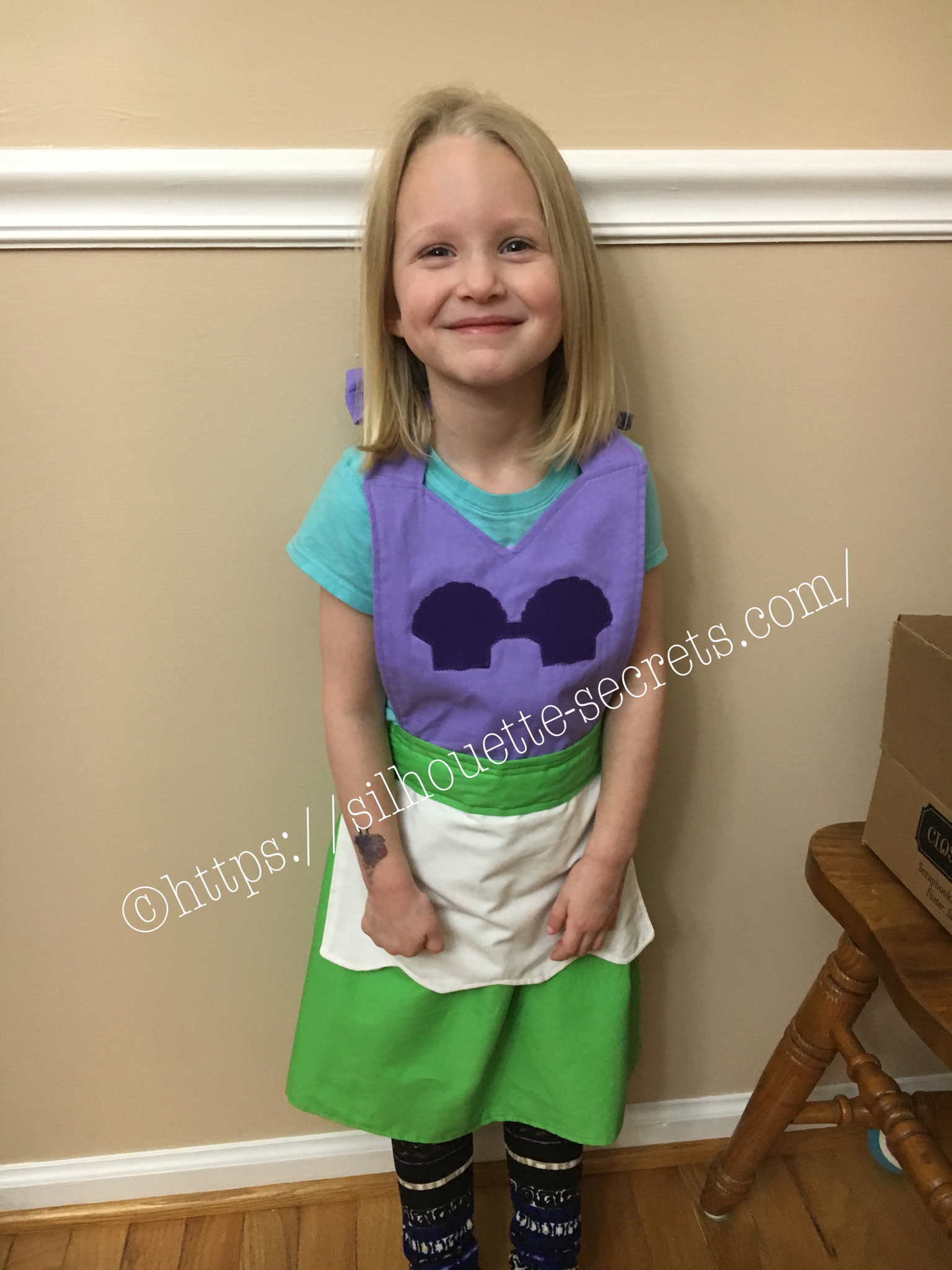
My little mermaid 

So a few weeks ago I shared this photo on my Silhouette Secrets Group page and it sparked a lot of interest to what I was making…. Well, it is actually several projects and I’m here today to show you the project I used my Silhouette to help me create.

img_4761-1

I found this tutorial for Princess dress up aprons on Pinterest and thought it would be perfect for my kids. We have very tall kids so the store bought Princess dresses do not always fit well or for very long. This is perfect for them to use for a long time to come. I actually made these Little Mermaid ones for my nieces as a Christmas gift.

img_5264

If I actually could sit down and go from start to finish on the project, it would only take a couple hours. But, I have 3 little interruptions, I was making 2 of them at the same time and everyone seems to want dinner… every single night…. So I worked on them a little here and a little there….

img_5265 I used my Silhouette machine to cut the seashells on the bodice. First I sprayed them with Terial Magic, let them dry a bit and heat set that with my iron. terial-magic Then, I added some sew-able interface backing to the fabric and put it on my Silhouette mat. This helps to stabilize the material even more and make it easier for the Silhouette blade to cut it. I then found my seashell I wanted from a design I had purchased in the Silhouette store. I duplicated the shell and aligned them next to each other. I added a rectangle between them and then welded the 3 shapes together. And changed my cut settings to Fabric and hit the cut button in Design Studio.

Tip: I keep separate blades for each type of material I am cutting, such as – Vinyl, cardstock, fabric, etc.

img_5266

And what a joy to see my nieces open up their gifts on Christmas morning!

I asked my youngest if she would like a Little Mermaid apron & she says “I want Tinkerbell!”. So off to the craft store we go again for green & yellow fabric. So I’m sure you will see me back again showing off her Tinkerbell apron, just as soon as I find the time to start that project.

Crafting with your Cameo = So many possibilities….. So little time!

Enjoy !

THANK YOU for your support! How can you help? Click HERE & buy a coffee. Every little bit helps with the cost of running the site.

Looking for more in-depth, step-by-step classes, check out all of my online Silhouette classes on my Teachable site HERE.

SS Logo snip it

**This post may contain affiliate links. What that means is that I may receive compensation if you purchase through the links I have provided. The price you pay for the product or service is not higher but I may get compensated for sharing.

Posted on — Leave a comment

Personalizing scrapbook album covers 

I love to give these mini albums as gifts, especially to grandparents. But, I like to make them even better by giving it a personal touch and what better way than….. vinyl!!!

To get it centered on the front I used my CTMH mat for measurements & some painters tape to hold my vinyl in place. I am using a method referred to the “hinged” method for applying my vinyl.

This way I can peel the backing off one side, cut the backing off & then smooth one side of the vinyl decal in place. Then I remove the painters tape & backing paper and carefully smooth the rest of the decal down into place. This helps get your design placed exactly where you want it.

img_5345-1

img_5349-1
img_5348-1

I found these cute designs in the Silhouette store and knew they would be perfect to personalize the covers of my gifts!
I love how these turned out!

Enjoy !

THANK YOU for your support! How can you help? Click HERE & buy a coffee.
Every little bit helps with the cost of running the site.

Looking for more in-depth, step-by-step classes, check out all of my online Silhouette classes on my Teachable site HERE.

SS Logo snip it
**This post may contain affiliate links. What that means is that I may receive compensation if you purchase through the links I have provided. The price you pay for the product or service is not higher but I may get compensated for sharing.
Posted on — Leave a comment

‘Twas the Night before Christmas

I’ve seen variations of this all over and I just had to try it.

This was a bit difficult to weed the vinyl but I was determined. I wanted this image on my charger plate. I ended up cutting it twice and then coaxing it along while weeding & applying it, but I love the end result.
img_5308 I decided I needed to cut up the words a bit & applied in pieces. It seemed to lay on the charger & go on better with less bubbles.

img_5312 And done….. another Christmas decoration off my to- do list.

I hope you enjoy your Christmas Eve!

Enjoy !

THANK YOU for your support! How can you help? Click HERE & buy a coffee. Every little bit helps with the cost of running the site.

Looking for more in-depth, step-by-step classes, check out all of my online Silhouette classes on my Teachable site HERE.

SS Logo snip it

**This post may contain affiliate links. What that means is that I may receive compensation if you purchase through the links I have provided. The price you pay for the product or service is not higher but I may get compensated for sharing.