Posted on 1 Comment

How to Turn a Flat Design into a 3D Felt Stuffy with Silhouette and Rotary Blade

Silhouette Secrets+ with EllyMae

Have you ever looked at a flat cut file design and wondered if it could become something more—like a soft, squishy 3D felt stuffy? With the Silhouette Cameo and Rotary Blade, you can easily cut felt and bring your designs to life in a whole new way! I’m sharing tips in this blog post for cutting felt and how I turned a 2D digital file into a custom 3D plush using felt, a Silhouette machine, and a little creativity. Whether you’re crafting gifts, keepsakes, or fun decor, this is a must-try technique for any felt lover or Silhouette enthusiast!

Affiliate links may be present in the following blog post and as an Amazon Associate, I earn from qualifying purchases.

These designs are by Sarah Hurley and the entire project is inspired by her cat Bosh. I have followed him since his adoption and my daughter has recently been following along too. So I asked if she wanted a Bosh stuffy, even though I already knew the answer. Anyone else have projects that jump in front of the line? Fun projects seem to do that!

Screenshot of the Silhouette Design Store featuring designs of Bosh the Cat and Grumpy Bosh the Cat, with a logo of Sarah Hurley.

Find these designs by searching “Bosh” in the Silhouette Design Store HERE. Follow Sarah Hurley and Bosh on Facebook and Instagram too!

Now, first let’s give credit to the inspiration for the project. Bosh the cat.

A close-up image of a gray cat resting on a surface, with a coffee cup visible in the foreground and a window in the background.
Bosh – photo courtesy of Sarah Hurley

I just can’t resist that face and he always makes me smile when I see his updates! Thank you Bosh for inspiration!

Don’t let a flat design fool you into thinking that’s all it can be used for!

Supplies Used for Cutting Felt with Silhouette:

Setting Up the Design for Cutting Felt

I brought the design into Silhouette and scaled it up for the size I wanted to create with. When working with the Silhouette Rotary blade, size does matter! Well, let’s face it – size matters for a lot of things.

Screen capture of design software showcasing a cat cut file for creating a plush stuffy, with outlines and dimensions displayed.

I opened both designs on the same design mat and then determined the size I wanted to make it based on my machines cut width capabilities and the felt sheet size. I used a 12″ x 24″ Silhouette cutting mat so I could make it as large as I could. For this project, I selected both designs and scaled them up at the same time, so they would be similar in size and I could make a double sided Bosh for myself.

On the Send tab, select the design and choose No Cut under Tool 1 and then click on Tool 2 and choose Cut. I used the Fabric, Wool setting to cut with.

Screenshot of Silhouette Studio software displaying a design of a cat-shaped stuffy ready for cutting, including settings for cutting fabric with a rotary blade.

See those little blue lines that appear around the design? Those are called hooks and loops and it is how the Silhouette Rotary blade works. It has to have some way to turn the blade to get going in the next direction. It does this by either cutting a loop to turn or lifting up and making a hook to turn the blade and start a new direction.

Illustration of a cat design in a Silhouette software interface, showing the rotary blade cut method and blue guide lines indicating cut paths.

The hooks and loops will change depending on the design and where you have things placed on the cutting mat. You can watch this in action by following the steps above to turn the Rotary action on and then moving the design around on the Send screen. The hooks and loops change based on the design, placement of the design, and what exactly is on the design mat.

I did cut the pink and black felt for the cat face, but I ended up going a different direction after cutting the felt bits. Some of them were just too small for the felt and it just pulled apart. This was a combination of the design and the actual felt itself. Even though these were the same exact brands of felt purchased from Michaels, the larger sheets were thicker than the smaller sheets. So the pink and black were different than the gray felt sheets. That makes a difference in the success of the project. Not all felt is created equal and there are different compositions.

Here is a look at what the Send tab looked like for the Pink felt pieces.

A screenshot of the Silhouette Studio software displaying a design for cutting felt. The design includes stylized cat shapes in pink and blue outlines, along with settings for the rotary blade on the right side.

This shows the loops that the Silhouette Rotary blade uses to turn and it just depends on the design. The Silhouette software determines what is the best method for the Rotary Action. This is based on the shape of the design, placement on the design mat, and proximity to other designs on the design mat.

The pink felt designs were successful.

A Silhouette cutting machine with a blue cutting mat displaying pink felt shapes cut with the Silhouette Rotary Blade.

And then I cut the black felt for the facial features and that just didn’t work as well as there were some pretty small bits for the whiskers, eyes, and grumpy face.

A screenshot of the Silhouette Studio software displaying various cat face designs, including eyes and whiskers, along with cutting settings for the Silhouette Cameo machine. Shows the hooks and loops of the Rotary Blade action.

Look at those hooks and loops!

It did cut, but some of the pieces were so thin that they just easily pulled apart. So I switched directions and cut black and pink Siser Easyweed HTV and used my heat press to apply it before I stitched it together.

Now, I’ll admit that I didn’t think it would work just based on my previous experience, the material, and how this specialty blade works. In the end HTV was less work for this project. You could always hand embroider the facial features on too.

I grabbed some embroidery floss and used a basic blanket stitch to stitch the sides together. I had 2 of these to stitch together, so I kicked up my feet and turned on a tv show and started stitching away.

A flat cut felt design of a smiling cat face with pink ears and a black whisker detail placed on a person's lap.

And don’t forget to add Poly-Fil before surgically closing the stuffy up.

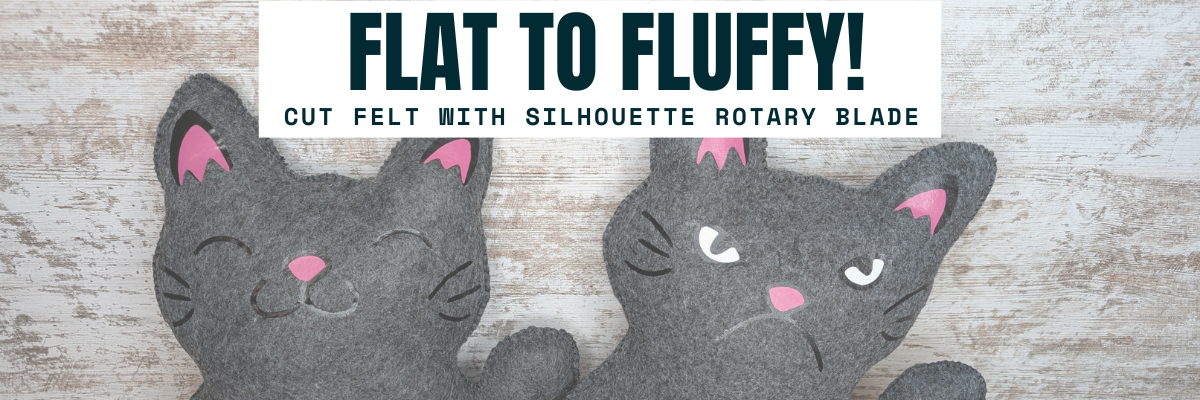
A pair of black felt cat plushies with contrasting pink features, displaying different facial expressions—one appears happy while the other looks grumpy.

My daughter chose to have a single sided Bosh stuffy and I made myself a double sided Bosh stuffy. Would you choose Happy Bosh or Grumpy Bosh? Or both depending on the day?

Tips for Cutting Felt or Fabric with Silhouette

  • Use transfer tape on the Silhouette cutting mat to protect the mat from fibers.
  • Change the transfer tape after the cut because it does cut through and shifting after can cause cut issues.
  • Use a sharp pair of scissors to snip any fibers and bits from fabric that didn’t cut through completely.
  • The design matters! Small designs or interior cuts may not work well.
  • Hooks and Loops matter! It’s how the blade turns and changes direction.
  • Complex designs can crash the software if it’s too much for the rotary action. If this happens, try having less on the design mat and cutting pieces one at a time.

I shared a quick video look at creating this project on the Silhouette Secrets+ YouTube channel. Check it out HERE.

Two plush felt cats, one with a happy expression and the other with a grumpy face, both showcasing the transformation from flat designs to 3D stuffed toys.

Additional Resources:

Here are a couple more felt projects that I’ve cut with the Silhouette Rotary blade in the past.

A person holding a handmade plush toy resembling a red panda, with a decorated Christmas tree in the background.

This Red Panda was cut with the Silhouette Cameo 4 Pro using the Rotary blade and a Strong Tack Cutting Mat. Here is a look at all the pieces before I assembled him.

A variety of colorful felt pieces arranged on a cutting mat, including shapes for crafting a plush toy design.

And I think this might have been my first felt stuffy I created using the Rotary Blade. I know I shared photos on Facebook when I made these, but I don’t think they ever made it to the blog.

A handmade felt otter plush toy being held, featuring brown and beige felt with black button eyes and a blue accessory in its paws.

Check out the Crafting Creativity blog posts HERE for more inspiration on how you can take your designs farther!

Save this for future reference by pinning the image below.

A flat cut file design featuring two felt plush cats, one with a happy expression and the other with a grumpy expression, alongside text that reads 'Flat to Fluffy!'.

Enjoy !

THANK YOU for your support! How can you help? Click HERE & buy a coffee.
Every little bit helps with the cost of running the site.

Silhouette Classes

Never stop learning! Let me help you take the anxiety out of learning with Silhouette and get to creating faster! My Silhouette classes are heavily focused on software, so you can take the skills & techniques taught and apply them to many future projects!

Silhouette step-by-step Classes by Silhouette Secrets+

Silhouette Secrets+ with EllyMae
**This post may contain affiliate links. What that means is that I may receive compensation if you purchase through the links I have provided. The price you pay for the product or service is not higher but I may get compensated for sharing.

Posted on Leave a comment

Amazon Prime Day Deals 2024

Amazon Prime Day Deals
Silhouette Secrets+ with EllyMae

Affiliate links may be present in the following blog post and as an Amazon Associate, I earn from qualifying purchases.

The 2024 Amazon Prime Days are here!

I’ll be sharing more deals throughout the entire sale as I find them in my Amazon Storefront HERE.

I’ve found a few deals on Silhouette machines too!

Silhouette Cameo 5 Bundle

Silhouette Cameo 5 – Black Bundle – click HERE

Silhouette Cameo 5 - White bundle

Silhouette Cameo 5 – White Bundle – click HERE

Silhouette Cameo 5 - White

Silhouette Cameo 5 – White – machine only – click HERE

Silhouette Curio 2

Silhouette Curio 2 – click HERE

I’ll be adding more deals I find to the Silhouette Secrets+ Prime Day list in my Amazon storefront. Check it out HERE.
Deals change quickly during the Prime Days.

And one more deal I want to share. Siser has teamed up with Creative Fabrica for Christmas in July.

Creative Fabrica and Siser team up!!!

Christmas in July is back and Siser has teamed up with Creative Fabrica to offer a free gift along with the Creative Fabrica subscription.

Check it out HERE.

Creative Fabrica Christmas in July Siser

I am not normally a big subscription person, but I have to say that I have gotten a lot of use out of my Creative Fabrica subscription.

Grab this deal or extend your subscription during this promotion HERE. And then make sure to fill out the form to grab you free gift HERE – mine arrives quickly.

Enjoy !

THANK YOU for your support! How can you help? Click HERE & buy a coffee.
Every little bit helps with the cost of running the site.

Silhouette Classes

Never stop learning! Let me help you take the anxiety out of learning with Silhouette and get to creating faster! My Silhouette classes are heavily focused on software, so you can take the skills & techniques taught and apply them to many future projects!

Silhouette step-by-step Classes by Silhouette Secrets+

Silhouette Secrets+ with EllyMae
**This post may contain affiliate links. What that means is that I may receive compensation if you purchase through the links I have provided. The price you pay for the product or service is not higher but I may get compensated for sharing.
Posted on Leave a comment

Siser Glow HTV – Part 2- Loving it more!

I’ve had so much fun with the Siser Glow HTV! If you missed Part 1 – check it out HERE. Siser Glow HTV can be cut with any cutting machine and I was swapping back and forth in my creations between Silhouette and Siser machines. Sometimes I had both going at the same time.

Affiliate links may be present in the following blog post and as an Amazon Associate I earn from qualifying purchases.

I had Siser Juliet set up in one room cutting away, while my Silhouette Cameo was cutting next to my computer (shown in Siser Glow HTV Part 1). With the Siser Juliet connected through WIFI, I regularly cut from one room to the next. The Juliet roll holder came in handy for these projects and my rolls of Siser Glow HTV.

One of the most important steps you can do is – test cut, test cut, test cut. It seems like such a basic step, but it can save you!!! Siser machines make it so easy to perform this simple action directly on the touchscreen and it will save you so much in time, materials, and frustration.

For more tips on getting your Siser machine and blade set up for perfect cuts, check out these videos on the Swift Creek Customs YouTube channel.
Siser Blade Depth & Installation
Siser Test Cut & Force Test
Siser Cut Settings & Presets
Siser Area Test – a material saver, just like test cut!!!

I think I found my new favorite shirt for awhile. I’ve been collecting these designs by Sophie Gallo just waiting for the perfect projects. Find this design HERE.
Here is a look at the back of the shirt.

I don’t know why I have never really decorated the back of my shirts and I hadn’t ever though about it until I started following MammaBearKay and watching her post her shirts. She runs an awesome business with adult humor shirts.

Here is a look at the Siser Glow HTV in the dark.

And the same shirt under the blacklight.

I’ve already several compliments on it when I have worn it out. Everyone gets a good laugh.

Here is a look at the front. I just took the little guy out of the original design and cut him smaller for the front. If I did this over, I think I’d put him on the other side, but it’s done now and I can always make another.

Let’s light him up!

After dark

And under the blacklight.

But I didn’t stop there…..

My son loves games, so this design from Leonardo Design Studio was perfect!

What kid doesn’t like a glow-in-the-dark shirt? Unless they are playing hide-and-seek or kick the can of course!

I was having so much fun creating. Little green men should glow right?

And I couldn’t leave Siser Romeo out of the fun! As soon as I had the Siser Glow HTV in my hands I had a BIG idea. It was only after I created the design that I realized I didn’t have Siser Glow HTV in the size I needed. So I called in a special request at The Vinyl Spectrum and ordered larger sizes.

I grabbed 16″ x 20″ Black Canvas frame at Michaels and had it ready to go when my Siser Glow HTV order arrived.

I created the design in the Siser Leonardo Design Studio software using basic drawing tools and the ES Neon Light font by Erik Studio.

I love how it has a different look depending on the blacklight or in the dark.

I’ll be sharing more about this project in the future so stay tuned on the blog and the Swift Creek Customs YouTube channel too!

Grab some Siser Glow HTV and I would love to see what you create with it no matter what cutting machine you have!

Supply list:
Siser Easy Glow HTV from any authorized retailer
– Cutting machine of choice – Silhouette, Siser
– Heat press
Don’t Make Me Go Voodoo on You by Sophie Gallo – Design #421322
– Level Up Design in Siser Leonardo Design Studio Library
– Alien design created with free image from pixabay and text
ES Neon Light font by Erik Studio
Blacklight

Save this for future reference by pinning the image below.

If you missed Part 1 of the Siser Glow HTV – check it out HERE.

Enjoy !

THANK YOU for your support! How can you help? Click HERE & buy a coffee.
Every little bit helps with the cost of running the site.

Silhouette Classes

Never stop learning! Let me help you take the anxiety out of learning with Silhouette and get to creating faster! My Silhouette classes are heavily focused on software, so you can take the skills & techniques taught and apply them to many future projects!
Silhouette step-by-step Classes by Silhouette Secrets+

**This post may contain affiliate links. What that means is that I may receive compensation if you purchase through the links I have provided. The price you pay for the product or service is not higher but I may get compensated for sharing.
Posted on 2 Comments

Siser Glow HTV – Love it! Part 1

I have been having a lot of fun…. maybe too much, but once I get started, it’s hard to stop.

Here is a little behind-the-scenes look at what my studio looked like a few weeks back when I was in the middle of all my creations.

Affiliate links may be present in the following blog post and as an Amazon Associate I earn from qualifying purchases.

Siser Easy Glow HTV arrived and I went creative crazy! So many ideas came to mind and I just started designing and cutting. I have lots I want to share with you, but I’ll have to split it into 2 parts to share it all. I may have also made myself my new favorite shirt too! (see Siser Glow Part 2)

Siser Easy Glow HTV can be cut with any cutting machine. I used both Silhouette and Siser cutting machines and it cut beautifully!

The first thing to do is test cut! Let me say it again so it sinks in – test cut, test cut, test cut. I started with the recommended settings on the Siser website for Easy Glow and did my test cuts. Your machine, blade life, and many other factors go into what cut settings will work for you in that moment.

For tips more tips that will save you time and frustration check out this post on Test Cuts and also Perfect Cut Settings.

And then I was off and cutting once I knew I wouldn’t waste materials. My kids are getting older and Trick or Treating is still big in our area, no matter their age. But the little cute plastic buckets aren’t doing it anymore.

Siser Easy Glow + Black Canvas Tote Bags = FUN!!!!
I wanted each bag to be different and used the following designs:
Trick or Treat by Echo Park – Design #226065
Trick or Treat by Megan Hardy Designs – Design #223278
Trick or Treat by Jamie Lane Designs – Design #386658

Siser Easy Glow HTV when charged works in the dark or with a blacklight. The photo above is after dark.

And blacklight makes it pop too! Who knew I’d be adding a blacklight to my crafting tools.

Then I asked each one to pick out a design for the other side that they wanted.
They picked out the following designs:
Skeleton by Erica Digital Designs – Design #447512
Pumpkin by FoxSister – Design #273879
Pumpkin by FoxSister – Design #273881

A look at the dancing skeleton after dark with his pumpkin friends.

And playing in the blacklight.

And this little dancing skeleton is not alone.

Check out this awesome video from Siser North America – I love it!

Grab some Siser Glow HTV and see what creative ideas you can come up with! It is currently available in 5 colors. I’ve included my supply list below for these new trick or treat bags.

Supply list:
Siser Easy Glow HTV from any authorized retailer
Black Canvas Tote
– Cutting machine of choice – Silhouette, Siser
– Heat press
Trick or Treat by Echo Park – Design #226065
Trick or Treat by Megan Hardy Designs – Design #223278
Trick or Treat by Jamie Lane Designs – Design #386658
Pumpkin by FoxSister – Design #273879
Pumpkin by FoxSister – Design #273881
Skeleton by Erica Digital Designs – Design #447512
Blacklight

Check out Part 2 of the Siser Glow HTV HERE when it goes live.

Save this for future reference by pinning the image below.

Want more tips, projects, and tutorials delivered right to your inbox? Never miss out of information by signing up for the Silhouette Secrets+ Newsletter.
Every Friday (or that’s my goal), I will have a new newsletter released sharing Silhouette information that can help you in your projects and learning more!
Sign up below and make sure to confirm your subscription to get the newsletter!

Silhouette Secrets+ Newsletter

Never miss out on the news, tips, “secrets”, deals, classes, and more that I share on Silhouette Secrets+. Sign up for the newsletter and get information delivered to your inbox every Friday.
Unsubscribe at anytime.

Enjoy !

THANK YOU for your support! How can you help? Click HERE & buy a coffee.
Every little bit helps with the cost of running the site.

Silhouette Classes

Never stop learning! Let me help you take the anxiety out of learning with Silhouette and get to creating faster! My Silhouette classes are heavily focused on software, so you can take the skills & techniques taught and apply them to many future projects!

Silhouette step-by-step Classes by Silhouette Secrets+

**This post may contain affiliate links. What that means is that I may receive compensation if you purchase through the links I have provided. The price you pay for the product or service is not higher but I may get compensated for sharing.
Posted on 1 Comment

Silhouette Cameo 4 & Siser Juliet & Romeo

As many of you know, I was invited by Siser to Italy in September 2022 for a product launch. We were given a tour of the Siser headquarters in Italy and a first glance at their new cutting machines. I have been using the Siser Juliet and Romeo machines in my craft projects since last fall when they were released.

Siser Headquarters in Italy with Silhouette Secrets+ and Swift Creek Customs

Before we go farther, yes, I am still using my Silhouette machines too!
I am using both. Sometimes even together for some projects!

This opportunity presented itself at a great time for me and I’ve enjoyed the challenge of learning something new. For me, this is continuing education.
I love to find out how things tick and I love new tools!

If you want to see more about my trip seeing the Siser HQ, check out this post –
New Release from Siser HERE.
I love behind-the-scenes looks at how companies in the industry work!

Since returning from Italy last fall, I have been testing and putting these new machines through the paces. Basically, anything I do with my Silhouette machines, I then try with the Siser Juliet or Romeo. I dive in and really watch how the machine works and what it can do. I’ve learned a lot and feel comfortable sharing that now with others.
Check out the Swift Creek Customs YouTube channel to see that side of things!

But, one of the big questions that was asked from the very beginning was – how does it compare to the Silhouette or Cricut machines?

What is right for you? Siser Juliet, Romeo, or Silhouette Cameo

So the first thing I want to say is that it takes time to learn a new machine and the software that runs it. Opening the box and giving a comparison may not reflect accurately on either machine.
Now that Siser Juliet and Romeo have been out and I am very familiar with the machine and the Leonardo Design Studio software, I have a few things to share.

A few weeks back I published a new video on the Swift Creek Customs YouTube channel sharing a bit more information. Well, really, I focused on 5 specific topics and demonstrate the differences of each with both brands. I had an ever growing list, but I had to narrow it down to a few key factors.

Silhouette Cameo 4 and Siser Juliet & Romeo

Check out the new video HERE.

Do I think the Siser Juliet & Romeo machines are for everyone? No
Do I think the Silhouette Cameo machines are for everyone? No
To be honest, there are some users that do not have the patience to learn either one or any cutting machine for that matter.
Do I think that anyone can learn to use a Silhouette Cameo or Siser Juliet/Romeo machine?
YES! If you are willing to take the time to learn, anyone can do it!

But, and a big but here…. YOU are the only one that can determine what machine is good for you and your projects!!! That could be multiple brands of cutting machines that have their strengths in different areas or it could be one model machine only or it could be none at all. But only YOU can decide!

The 5 topics I cover in the video are:
– Craft Cutting Machine vs More Professional Machine
– Software
– Machine Rollers
– Print and Cut
– Blades, Tools & Cutting Mats

If you are interested in learning more, check out the
Silhouette Cameo 4 & Siser Juliet & Romeo video HERE.

I do have Facebook groups for both where users share their projects.
Silhouette Secrets+ with EllyMae
Creating with Siser – Juliet and Romeo Cutting Machine Users

No matter what machine you have, the most important thing is that you get it out of the box and use it!

Looking for a cutting machine?

Find either one at authorized retailers
Silhouette
Check out the deals at Crafter Cuts HERE
Use my coupon code SECRETS to save 10%

Siser Juliet & Romeo available at The Vinyl Spectrum HERE
Fast shipping!

I hope you will join me on my journey and continue to grow along with me!

Find me online at:
Silhouette Secrets+ Blog
Silhouette Secrets+ YouTube channel
Silhouette Secrets+ Facebook Page
Silhouette Secrets+ Facebook Group
Silhouette Secrets+ Instagram
Swift Creek Customs Facebook Page
Swift Creek Customs YouTube channel
Creating with Siser Juliet & Romeo Cutting Machine Users Facebook Group

Save this for future reference by pinning the image below.

Pinterest Silhouette Cameo 4 and Siser Juliet & Romeo

Enjoy !

THANK YOU for your support! How can you help? Click HERE & buy a coffee.
Every little bit helps with the cost of running the site.

Silhouette Classes

Never stop learning! Let me help you take the anxiety out of learning with Silhouette and get to creating faster! My Silhouette classes are heavily focused on software, so you can take the skills & techniques taught and apply them to many future projects!

Silhouette step-by-step Classes by Silhouette Secrets+

SS Logo snip it
**This post may contain affiliate links. What that means is that I may receive compensation if you purchase through the links I have provided. The price you pay for the product
Posted on 1 Comment

SVG Merge – a Neat Tool To Save Time!

Just a quick post to share a very neat tool that I find is going to save me a lot of time in the future!

Affiliate links may be present in the below and as an Amazon Associate I earn from qualifying purchases. What that means is that I may receive compensation if you purchase through the links I have provided. The price you pay for the product or service is not higher but I may get compensated for sharing.

If you have not heard about this awesome company called Dreaming Tree, they are a company that has files for paper crafters of all kinds. A lot of 3-D paper crafting projects, but also flat ones as well!

They have lots of FREE files too in case you just want to play and test whether you will like the files or not.

Make sure to scroll down on each file to see the assembly video that they record for every single svg file they create!

Now, the Dreaming Tree website is not the main news I wanted to share, but it is an awesome site and brings me to the neat tool!

When you download Dreaming Tree files, you will notice that the pieces to each file are saved individually and not all in one svg file. This may seem odd at first, but here is why.
This makes the files compatible with many different cutting machines.
In the past, some programs changed the way they opened svg files and when the pieces were saved all as one file, it caused issues. This meant that Dreaming Tree had to redesign every single file to be compatible with those changes for certain programs.
So instead, they now offer each piece as an individual file.
Dreaming Tree has a vast collection of files and some of those can have a lot of pieces.
They are so neat when they are constructed!

This also means that you have to open each piece and then merge them onto one file if you so choose.

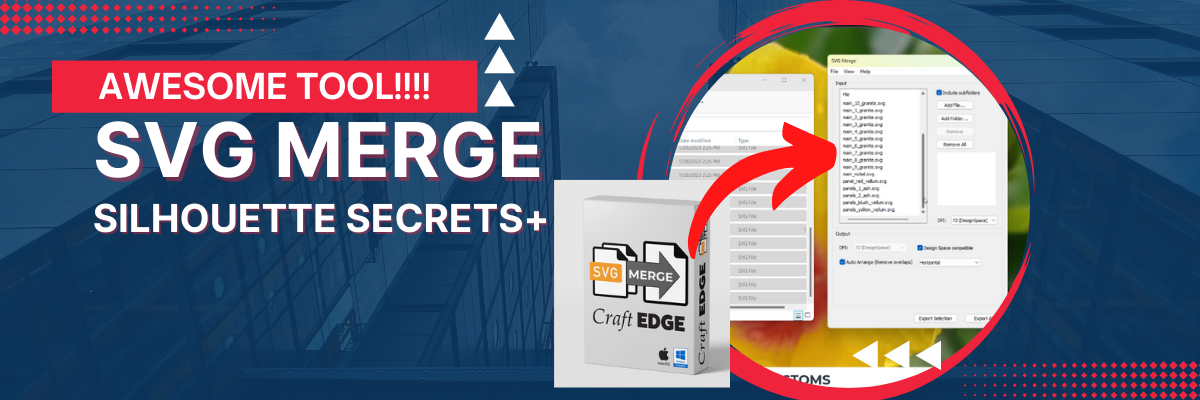
Unless you have this neat tool called SVG Merge!

Now, yes – this is a separate purchase, but I totally think it’s worth the cost if you use the Dreaming Tree site!

But, don’t take my word on it, let me show you!

I have 2 new videos out showing how this can help you as a Silhouette user or a Siser Juliet or Romeo cutting machine user.

First, here is the Silhouette Studio video.

Video from the Silhouette Secrets+ YouTube channel

And here is the video showing how it works in Leonardo Design Studio for the Siser Juliet & Romeo cutting machines.

Video from the Swift Creek Customs YouTube channel

As you can see in either video, I was so excited to share!

If you think this might be something that is a good tool for you, check it out

HERE

And I’ll share a couple of the Dreaming Tree files that I recently cut.

Tipsy Turkey Wine Wrapper and I turned it into a card as well.

This is the Father’s Day Crate and a poinsettia from the Poinsettia Planter file.

I have seen so many cool ideas done with this crate on the Dreaming Tree Facebook Group HERE.
There are often times that I may not be jumping to grab the design right away when it’s released, like this Father’s Day Crate, but then I see all the amazing pieces of artwork that other users are creating with it in the group and I HAVE to get it!

I also have all the pieces cut to build myself a snowman, but just need to take the time to do that.
Hopefully soon!

Frosty Gift box file found HERE.

I’ll share more when I have him finished up!

I hope you have a great day and get to be creative!

Save this for future reference by pinning the image below.

Enjoy !

THANK YOU for your support! How can you help? Click HERE & buy a coffee.
Every little bit helps with the cost of running the site.

Looking for more in-depth, step-by-step classes, check out all of my online Silhouette classes on my Teachable site HERE.

SS Logo snip it
**This post may contain affiliate links. What that means is that I may receive compensation if you purchase through the links I have provided. The price you pay for the product or service is not higher but I may get compensated for sharing.


Posted on 1 Comment

Siser® – Juliet® Cutting Machine

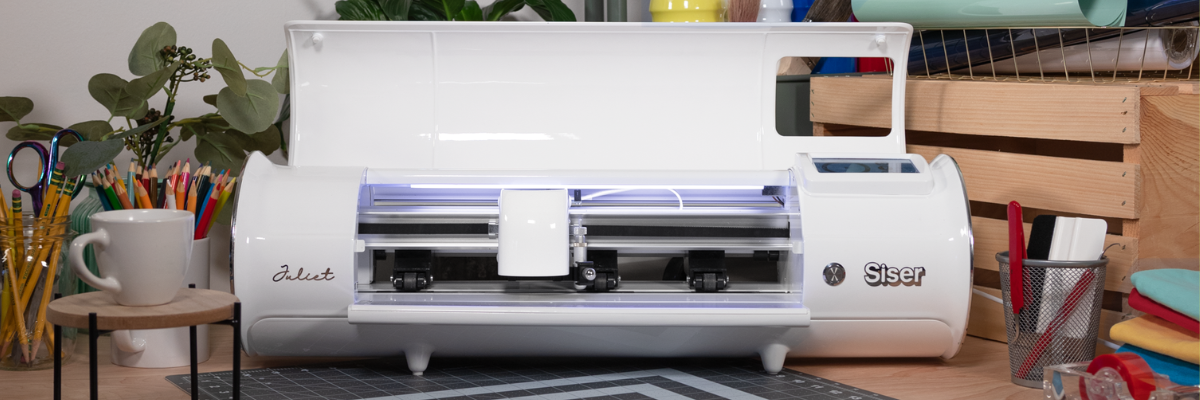
If you follow me on social media you may have seen that I’ve been testing a new machine called the Siser Juliet cutting machine.

While I’ve been bringing you Silhouette information for years, my experience in the craft industry has also lead to new connections and I’ve been getting requests to test products because of my experience. When I was asked by Siser North America if I’d like to test the Leonardo® Design Studio software and the Siser Juliet machine, I was honored. I chose to do so for several reasons but the 2 biggest ones were that I knew I would get questions about a new cutting machine on the market and I know that there are some Silhouette users who are looking to move to the next level. In order to be able to answer those questions, I knew I’d need experience to answer accurately.

Siser invited me to the official launch of Siser Juliet (and Romeo®) in Italy and I jumped on the opportunity. I didn’t even have a passport, but I started the process and all the puzzle pieces fell into place. Which means it was meant to be!
Italy was amazing and I loved seeing the behind the scenes of the Siser headquarters.
I hope to share more of that coming soon!

In addition to seeing Siser headquarters, we toured Venice, Verona, wandered around Vicenza, made connections in the industry, ate Italian meals, drank wine, laughed, celebrated, danced (if you can call what this gal did as dancing – more like wiggled and moved) and gave each other a hard time!

Selfies with Siser Joe and Sarah Clark (Silhouette Made)

I do think Venice was my favorite, but I think it was because of our tour guide. She was born and raised in Venice. She was amazing!
She had personal stories from the city and shared that over the years of touring she had been asked many, many times how she knew certain things.
She said she finally settled on an answer “Experience”.
I loved that!

It was an amazing trip and hearing from the Siser family directly about how passionate they are about this new launch but also about all of their products. They love what they do! When I was first told about this new machine and how they wanted to romanticize it and incorporate their Italian heritage, I was kind of like… what?
But, the more I talked with the Siser folks, I got it! I had the same feelings.
I know that will be hard to pass on to you, but I cherish the experience and seeing what I saw.

Photo by Siser at the Castelli di Giulietta & Romeo – Castle Juliet

I have been playing and testing with the Siser Juliet for the last couple of weeks and I have enjoyed the process of learning something new.
I do want to disclose that Siser did send me a Juliet cutting machine to test and I am also on the Siser Beta team so I can report feedback to them directly.
I am under no obligation from them and my opinions are my own.

Affiliate links may be present in the below and as an Amazon Associate I earn from qualifying purchases. What that means is that I may receive compensation if you purchase through the links I have provided. The price you pay for the product or service is not higher but I may get compensated for sharing.

Siser Juliet Cutting Machine

Where to find Siser Juliet & Romeo Cutters?

Siser Juliet and Romeo cutting machines and tools can be found here:
Vinyl Spectrum
Heat Press Nation
Pro World
Heat Transfer Warehouse
Amazon

Now, that I told you where you can find Siser Juliet, let’s take a closer look at her.

Siser Juliet is coming into the market to bridge a gap. This is a gap between the “craft” cutting machines and someone who is looking at a more professional machine which is a large investment & jump.

Siser is a company that manufactures materials that can be used with a wide variety of cutting machines, so they are not trying to come into the market to compete with any machine. Their products are used world wide by all kinds of cutting machine users from small to large.

Siser headquarters warehouse

I even tried to bring a roll home, but was caught in the act by a Siser employee.

Not only did we get a tour of the manufacturing side of things, but we also saw their lab and the testing room too!

This is a glimpse into the testing room. As I mentioned, Siser products are used with a variety of machines from the smallest craft cutter to the largest commercial machines.

I wished that I had counted the number of machines that they had in this one room.

Personally, I love the behind-the-scenes and learning more about different facets of the industry.

This is photo of what was on the testing table when we went through. That stack of materials is all labeled and tested with different machines in their testing room.

Ok, I could go on and on with photos and I hope to share a video tour here soon on the Swift Creek Customs YouTube channel and give a behind-the-scenes view of what I saw.

My goal is not to convince you that you need Siser Juliet, but to provide feedback and experience from working with her to be able to provide educated answers.

I have enjoyed playing…. um…. I mean testing…
Siser Juliet and the Leonardo Design Studio. I love to learn new things!

The biggest factor in the entire equations of using Siser Juliet will be YOU!
Juliet allows you to have more control over things, but YOU will need to learn how she works.

There are several differences in how Siser Juliet work. She operates more like a professional cutting machine vs a “craft” cutting machine.

I do NOT feel that at this time there is any way to accurately and fairly compare Siser Juliet to other machines. There are just too many variables and points to control in order to compare side-by-side.
And one of the biggest factors is YOU!

Here are a few differences:
– Blade style is a more professional style blade much like a CB09 blade. You replace only the blade tip and not the entire housing.
You set the blade depth. There are no numbers. You measure against your materials and set the depth manually according to what is needed.
– Juliet (and Romeo) are a WYSIWYG (what you see is what you get) when you go to load the material and cut. Where you leave the the blade housing is where she will cut.
It is NOT in relation to where the design shows on the screen.

Are you seeing a theme here?

YOU are in control of how she works and how successful she cuts.
She works, she cuts, she is a zippy little thing!

This is going to be the biggest factor in my opinion and experience with cutting machines in the last 17 years.

This is NOT going to be a cutting machine for everyone!
I’ll be 100% honest and up front about that right now.
Don’t get me wrong, Juliet is a machine that anyone can learn to use, as well as Leonardo Design Studio.
It is not hard!
Anyone can do it!
But YOU will need to invest the time into learning how to use her properly!

If I have intrigued you and you’d like to know more,
check out the Swift Creek Customs YouTube channel.

You can view all the videos on the main page HERE

or go directly to the Siser Juliet Playlist I’ve created HERE.

I go into more details about the machine and how it differs from a “craft” cutter in the video. This way you can actually see what I’m referencing about the blade and how to load the cutting mat.

I also shared a bit more information in this video on “Should You Get a Siser Juliet?”

Updated: 11/6/24 – Find more information and 100+ tutorials on Siser Juliet, Romeo & Leonardo Design Studio on the Swift Creek Customs Landing Page HERE

You can also find more details on the Siser website too!
Check it out HERE!

If you have questions, feel free to leave them in the comments below or join us on the Creating with Siser – Juliet & Romeo Cutting Machine Users Facebook Group HERE.

No matter what brand of cutting machine you have, I hope YOU use it!

Save this for future reference by pinning the image below.

Enjoy !

THANK YOU for your support! How can you help? Click HERE & buy a coffee.
Every little bit helps with the cost of running the site.

Silhouette Classes

Never stop learning! Let me help you take the anxiety out of learning with Silhouette and get to creating faster! My Silhouette classes are heavily focused on software, so you can take the skills & techniques taught and apply them to many future projects!

Silhouette step-by-step Classes by Silhouette Secrets+

Silhouette Secrets+ with EllyMae
**This post may contain affiliate links. What that means is that I may receive compensation if you purchase through the links I have provided. The price you pay for the product or service is not higher but I may get compensated for sharing.