Posted on 2 Comments

Top Crafting Gifts for Creative Makers: EllyMae’s Holiday Gift Guide

Silhouette Secrets+ with EllyMae

Does anyone else get total brain freeze when someone asks what gifts you want? Whether it’s for a birthday or the holidays, I instantly get that deer-in-the-headlights look. Even if I had a list going, it somehow flies right out the coop the moment someone actually asks.

So this year, I decided to create a Holiday Gift Guide not just for those shopping for the creative makers in their life—but also for anyone like me who needs a little help remembering what we actually love. Inside, you’ll find my go-to crafting tools, creative kits, and favorite supplies that I use all year long in my own craft room. Whether you’re a Silhouette or Siser fan, a paper crafter, or just dipping your toes into DIY, these gift ideas are practical, inspiring, and perfect for any skill level.

Let’s dive into the top crafting gifts for creative makers this holiday season!

Here’s a list of my favorite tools, supplies, and crafty goodies that I use all year long, and they make perfect gifts for makers at any skill level.

Affiliate links may be present in the following blog post and as an Amazon Associate, I earn from qualifying purchases.

Now before I share more, keep in mind that you do not need ALL of these items and that it’s taken me years to collect the craft supplies and tools that I currently use and recommend. I will also be adding to this list as new light bulb moments pop up with new ideas.

*prices subject to change & what is shown below are at the time of publication as of 11/21/25

Holiday Crafting Gift Ideas by EllyMae

Crafting Supplies:

Two Silhouette Tool Kits displayed side by side, one in white and the other in pink, each containing various crafting tools including a ruler, pen, and spatula.

I can never have enough tools!

A new tool kit was announced at the 2025 Silhouette Summit – originally it was stated it would be available in November. I asked for an update and was told they didn’t have a date on when it would be available.

A collection of crafting tools including a scraper, pick-up tool, adhesive remover, and weeding tools displayed on a wooden surface, with a Silhouette cutting machine in the background.

I’ll add a link when it does become available.

Close-up of the Pick-Me-Up tool, a crafting tool designed for picking up and placing small objects like paper pieces and rhinestones.

Image of a Sticky Thumb Adhesive Eraser, a crafting tool designed to remove adhesive residue from various surfaces like paper and plastic.
Screenshot of Silhouette's product page for cutting mats, showcasing various mats with pricing and product details.
Display of Silhouette blades available for purchase on an e-commerce website, showing various types including AutoBlade, Pen Holder, 3mm Kraft Blade, and Rotary Blade with their prices.
Image of a 3-pack silicone sheet for crafts, featuring colors black, gray, and beige, with a text overlay stating 'Easy to store' and retail details visible.
Westcott titanium-bonded scissors with adjustable glide tension for optimal cutting of various materials, ideal for home, office, classroom, and crafting.
Four pairs of scissors with black and yellow handles arranged in a grid.
Rotary paper trimmer packaged with a yellow handle and measurement grid, suitable for crafting and cutting paper.
Fiskars 2-sided self-healing cutting mat, measuring 18 x 24 inches, featuring a grid pattern for precise cutting.
Fiskars rotary cutter with an orange button, featuring a 45 mm blade, designed for quick blade changes and safety with a retractable blade.
Sizzix Tim Holtz Paper Shaping Set including tools and a black foam mat.
Fiskars Lia Griffith Signature Paper Curler and Scoring Tool in teal green and white, designed for easy curling and scoring of paper.
WORKPRO 6-piece Mini Pliers Set displayed with various types of pliers including needle nose, diagonal, long nose, bent nose, end cutting, and linesman, all shown in a compact carrying pouch.
A WORKPRO 12-in-1 ratcheting multi-bit screwdriver set displayed against a white background, featuring a red and blue handle with a quick-load mechanism and several interchangeable bits.
An Ultrathin LED light pad designed for crafters, shown on a wooden table with pens and illustrations nearby.
Artesprix Protective Project Mat designed for sublimation projects, shown in its packaging.

November Black Friday Sale – 40% off Artesprix supplies & free shipping on $75 order

Box packaging of the Heat It Craft Tool by Ranger, showing the product alongside instructions for use.
A Surebonder Superfine glue gun with a sleek black and green design, featuring a precision tip for detailed applications.
A collapsible silicone paint brush cleaner designed for artists on the go, featuring multiple size options and internal brush holders.
A precision glue press beside a bottle of Nuvo adhesive, both designed for crafting.
An assortment of crafting tools, including three rectangular sponges, a blue tray, a teal craft tool, a multi-colored strip of markers, and a patterned background mat.

I just ordered the Oceanside Pattern because it makes me happy to look at and I told myself if it was every available again, I would get it for myself just because. The little voice in my head won and it’s on it’s way to live in my studio. They have brought back a few of the Special Edition patterns for a limited time only. Their patterns are beautiful and some don’t last long.

A vibrant assortment of colored cardstock sheets is arranged on a wooden surface, alongside two boxes of color palettes featuring various hues. Color swatches and photography cards depicting flowers and patterns are displayed prominently, emphasizing creativity and crafting inspiration.

I love these and turn to them when I get stuck or need color inspiration. I’ve used them for several projects from cardstock matching, designing in Silhouette, or beading projects.

Check out more on how I’ve used these for inspiration HERE.

And she just released an updated version – Volume 3 & 4. I wonder how much Santa can carry for me this year.

Machines & Equipment:

Silhouette Portrait 4 cutting machine displayed in white with product details and pricing information.

More details on the Silhouette Portrait 4 HERE

Close-up view of the Silhouette Alpha cutting machine, showing the tool holders and a cutting mat loaded with material.
Product image of the Silhouette Curio 2 cutting machine in white, showcasing its features and pricing options.

Find more about the Silhouette Curio 2 HERE

Portable light pad with a foldable design and a control switch, ideal for tracing and sketching.

More details on the Silhouette cloChé HERE
Watch for an unboxing and additional information coming soon too! I have been testing with several projects and just need to get all my thoughts compiled into written words.

CraftPro heat press machine for crafting and DIY projects, featuring digital temperature control and multiple attachments.

I love mine! Check out the projects I created with mine HERE.

A heat press machine with a digital display and a large flat pressing surface, designed for crafting and transfer applications.

I have had this heat press for 5-7 years. I’ve lost track of time and I love that it has the slide out drawer. This is my go to when pressing shirts and other larger projects.

A Siser heat press machine with a digital display and a red handle, designed for crafting and DIY projects.

I’ve had this one for a couple years now and I use it for smaller projects or when I’m recording videos. It’s smaller size makes it easier to move around and fit in the video frame too.

A white Siser cutting machine with an open lid showcasing the blade and rollers inside.

Find it also at The Vinyl Spectrum (let them know EllyMae sent you in the notes of the order), Heat Press Nation, or Heat Transfer Warehouse

A white vinyl cutter machine designed for crafting, featuring a sleek, modern design with control buttons on the front.

Follow more information on Siser Juliet & Romeo HERE
Follow along on the Swift Creek Customs channels to see more about these machines too!

Now you may be thinking, how many cutting machines does one person need? I know it may seem crazy! But, I love learning new things and I love sharing that with others. And here we are… If you are interested in expanding your cutting machine knowledge or system of machine, let me know if you have questions.

*****

I also have an Amazon Storefront where I add craft & project supplies when I make a new project, blog post, or video tutorial. Check out that list HERE.

I could not possibly include everything I have in my craft studio. Remember I said I’ve been collecting for many years. But, I do get asked often about my supplies & tools, which is why I have a header at the top of the website for EllyMae’s Craft Supplies – find that HERE.

I hope those ideas have sparked some creative thinking about what you might find useful to either receive as a gift or give someone else.

Save this for future reference by pinning the image below.

A collage of crafting tools and supplies, including a cutting mat, scissors, a stapler, a crafting machine, and a $25 TruePrint credit, with the text 'Crafting Gifts for Creative Makers' displayed prominently in the center.

Enjoy !

THANK YOU for your support! How can you help? Click HERE & buy a coffee.
Every little bit helps with the cost of running the site.

Silhouette Classes

Never stop learning! Let me help you take the anxiety out of learning with Silhouette and get to creating faster! My Silhouette classes are heavily focused on software, so you can take the skills & techniques taught and apply them to many future projects!

Silhouette step-by-step Classes by Silhouette Secrets+

Silhouette Secrets+ with EllyMae
**This post may contain affiliate links. What that means is that I may receive compensation if you purchase through the links I have provided. The price you pay for the product or service is not higher but I may get compensated for sharing.

Posted on 5 Comments

Why Every Crafter Needs a Magnetic Glass Craft Mat in Their Studio – My New Favorite Tool!

Silhouette Secrets+ with EllyMae

If you’re anything like me, finding the right tools for your creative space can make all the difference—and I just added a new one to my studio: the Magnetic Glass Craft Mat. I am loving it! From its sleek, sturdy surface to the strong magnets that keep materials perfectly in place, this mat has quickly become one of my absolute favorite tools. Whether you’re a paper crafter, vinyl user, or mixed media enthusiast, this is one studio upgrade you may find useful too!

Affiliate links may be present in the following blog post and as an Amazon Associate, I earn from qualifying purchases.

I have seen these craft mats advertised previously, but I got an in-person look at them at the 2025 Creativation in Seatle. I’ll be honest, I am usually anti-glass in my studio because you just never know what I will stumble across or drop. But I took a chance, and I bought this, and I love it!

This post is not sponsored by Glassboard Crafts or an advertisement for them. I am sharing a new tool I invested in and added to my craft space. I am asked often about tools I use and after requests by followers created a page on the website for “EllyMae’s Craft Supplies” – Find it at the top of the Silhouette Secrets+ website or click HERE.

In full disclosure, I am now an affiliate with Glassboard Crafts, and I do have a coupon code that can save you 15% on your order. Bonus for you if you decide to add this to your tools.

Use code SILHOUETTESECRETS to save 15% on your order HERE.

A magnetic glass craft mat with blue clips and a ruler on a wooden surface.

I knew I wanted a solid color because I record videos and a design can be distracting in the videos and white makes my camera go crazy trying to auto focus, so I chose a solid that I thought would be good. But I am drooling over all the patterns, and they just keep coming out with more.

One thing I didn’t think about until I tried to take photos to share is the reflection. Reflections always get the better of me. The surface reflects very, very well as you can see with my recording lights.

A Magnetic Glass Craft Mat on a wooden surface, featuring three teal magnets, a teal ruler marked with numbers, and a small gingham patterned piece of material. The mat has a grid design and reflects light.

But I’ll work around that and adapt.

How I’ve Used My Magnetic Glass Craft Mat

Does everyone need this? Probably not, but I am loving it for 2 reasons – the heavy-duty magnets and the ease of cleaning up.

Lately I seem to be creating with more products that can be messy such as mixed media gel sticks, paints, paint markers, watercolors, and more. I am expanding my wheelhouse and loving the experimentation. But that can be messy too! At least for me.

Here are a few ways I’ve used it so far in the month since I received it.

First, I was working with stencils, Kingart mixed media gel sticks, and mixed media paper.

Top-down view of a creative workspace featuring colorful markers, watercolor brush pens, paintbrushes, and sketch pads with floral designs, along with an eraser and a ruler.

This was for a video tutorial on creating a layered stencil in Silhouette (find that HERE). The magnets worked to hold the mixed media paper in place while working with the stencils. It could also be used to hold the stencils in place too; it would just depend on the thickness of your stencils and what magnets you have available to use. I ordered a 6″ magnetic ruler and have 4 of the mini pawn magnets.

An overhead view of a creative workspace featuring a magnetic glass craft mat with tools and materials for crafting, including brushes, markers, and papers with floral designs.

I also used it as a palette to test some different techniques. I just scribbled the mixed media gel sticks on the glass surface, added a bit of water, and then used a paint brush to pick up the color. When my images didn’t turn out quite how I wanted, I simply used a paper towel to wipe up the water & remaining color.

Next up was painting pieces for a wood sign.

I was using a combination of Posca Paint Markers and acrylic paint on this sign. The smaller pieces were easily colored with the markers, while larger pieces were a bit messier and needed more coverage.

I used the glass mat as my paint palette and to catch my mess when painting the larger pieces.

A craft workspace featuring a Magnetic Glass Craft Mat with various art supplies including paint markers, a ruler, and a small wooden piece. The surface has traces of paint and a round masking tape outline.

I love how this sign turned out. The tiki is a bit dark in the photos but shows up better in person.

Image of two decorative crafts: a wooden tiki figure on the left and a circular sign featuring vibrant colors, the text 'ALOHA,' and a tropical design on the right.

And one project leads to another. While the sign was drying, I was already on to cutting the pieces of a larger tiki on the left side. No paint needed with this one, just two types of wood. And he quickly disappeared after being glued together as my husband claimed it for his office at work.

Next up was more paint markers – this time Sharpie Creative Markers on glass. This is the messy side of things. I applied adhesive vinyl to the backside of a glass frame, then colored in sections of the design with the Sharpie Creative Markers.

An intricately designed transparent glass mat featuring colorful hand-drawn flowers and greenery, with several paint markers arranged above it.

I could have used the magnets to hold the glass in place, which is completely an after thought. Instead, I was using the magnets to hold the rest of my markers from escaping, which you can’t see in this photo.

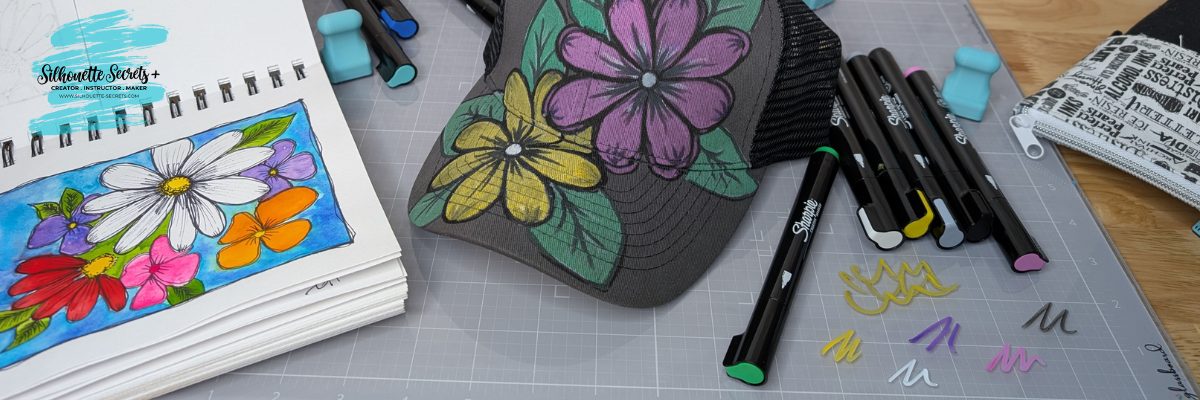
And while I had the Sharpie Creative Markers out, I really stepped outside my comfort zone and did a little doodling on a hat. Before I used each marker on the hat, I would scribble to make sure it was flowing well on the glass mat. A wet paper towel will make this easy clean up.

A black baseball cap decorated with colorful flower designs sits on a crafting mat next to a drawing pad and various markers.

I took a watercolor class from Tracy Weinzafel earlier this year and ever since have been experimenting with different mediums and drawing the flowers taught at the event over and over for multiple projects.

I love new tools and craft supplies! Check out other supplies I use to create with HERE.

Find these Magnetic Glass Craft Mats at GlassBoard Studio HERE. If you decide to add this tool to your toolbox, use code SILHOUETTESECRETS to save 15% on your order.

Watch for new patterns released and I’d love to hear your favorite below, even if you are just window shopping and dreaming. That’s how it all started for me!

Save this for future reference by pinning the image below.

An overhead view of a craft workspace featuring a gray magnetic glass craft mat with sketches, colored markers, and a decorated black hat. The workspace displays various designs and tools used for crafting.

Enjoy !

THANK YOU for your support! How can you help? Click HERE & buy a coffee.
Every little bit helps with the cost of running the site.

Silhouette Classes

Never stop learning! Let me help you take the anxiety out of learning with Silhouette and get to creating faster! My Silhouette classes are heavily focused on software, so you can take the skills & techniques taught and apply them to many future projects!

Silhouette step-by-step Classes by Silhouette Secrets+

Silhouette Secrets+ with EllyMae
**This post may contain affiliate links. What that means is that I may receive compensation if you purchase through the links I have provided. The price you pay for the product or service is not higher but I may get compensated for sharing.

Posted on Leave a comment

Silhouette “Secrets” – EllyMae’s Craft Supplies

Affiliate links may be present in the following blog post and as an Amazon Associate, I earn from qualifying purchases.

I think every project I start seems small at the beginning, but seems to grow bigger than I originally thought. It is no different with this list of supplies I use in my projects and have in my studio.

I am asked all the time what I recommend and use, so I have added a header on the website with a list of supplies that I have in my studio and use.

Check out “EllyMae’s Craft Supplies” header HERE.

I am a big fan of use what you have, so if you have your favorite tools, use them! I have found new favorites over the years of project creation and thought I’d share. Do you have to use the same exact tools as me? NO! Use what you have, what you love, and what works best for you! I am simply sharing what I use and will add to this list as I find new favorites!

I’d love to hear what are some of your favorite tools! Comment below and let me know!

Save this for future reference by pinning the image below.

Enjoy !

THANK YOU for your support! How can you help? Click HERE & buy a coffee.
Every little bit helps with the cost of running the site.

Silhouette Classes

Never stop learning! Let me help you take the anxiety out of learning with Silhouette and get to creating faster! My Silhouette classes are heavily focused on software, so you can take the skills & techniques taught and apply them to many future projects!
Silhouette step-by-step Classes by Silhouette Secrets+

**This post may contain affiliate links. What that means is that I may receive compensation if you purchase through the links I have provided. The price you pay for the product or service is not higher but I may get compensated for sharing.
Posted on Leave a comment

Let’s Explore v4 – Select by Color

Have you used the Select By Color Tool in the Silhouette Studio software?

Affiliate links may be present in the following blog post and as an Amazon Associate I earn from qualifying purchases.

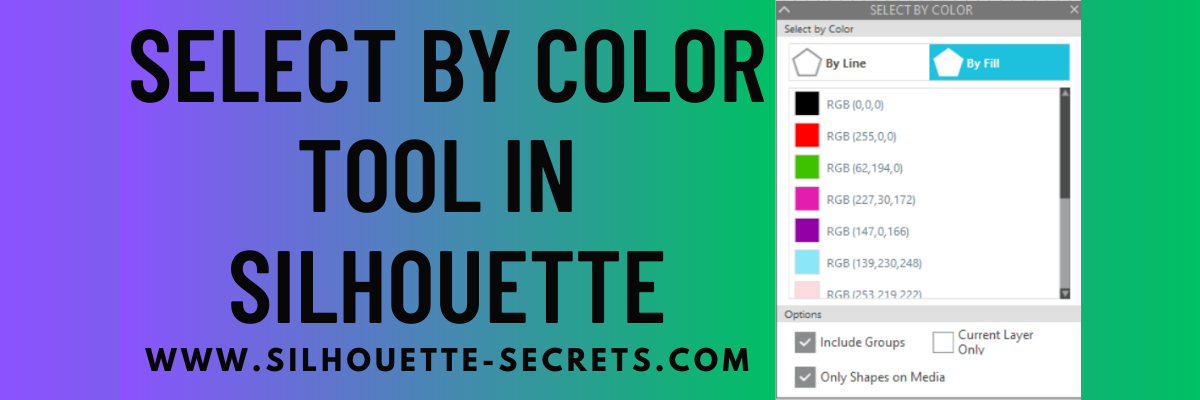
Select By Color Panel

This is a very helpful tool if you have a complex design and want to select all of the same color either by line color or fill color.

The Select By Color tool can be found in two location in Silhouette Studio.

The fastest way is the Select By Color icon in the top toolbar of Silhouette Studio as shown above.

Butterfly Flower Mandala Design Faux Stained Glass with Silhouette
Butterfly Flower Mandala by Wispy Willow Designs – Design #320100

But, you can also find it under the Edit menu in the top left corner of the Silhouette Studio software too.

Select by Color Panel in Silhouette Studio

Once you have selected the tool, a panel will open on the right side and you have several options that you can use.
Click on either the By Line or the By Fill option at the top and you will see a list of colors for the design on the screen show up.

Select by Fill Color in Silhouette Studio

Select a color of your choice and all of the pieces of that same color will be selected at once. This comes in handy when you have multiple pieces throughout a design and want to easily group them together quickly or select them all for any reason.

Select by Color in Silhouette Studio

At the bottom of the Select By Color Panel, you have a few more options to further specialize the way the tool works.

Select by Color Options in Silhouette Studio

The Select By Color tool worked awesome when creating this faux stained glass design with Oracal 8300 transparent vinyl and black Oracal 651.

Faux Stained Glass with Oracal 8300 and Silhouette

Check out my recent blog post about Custom Color Palettes HERE and how they can help you in your project creation too! It came in real handy for the butterfly project as well!

So many tools in the Silhouette Studio software that can help you in your projects now and in the future!

Don’t miss out on any Silhouette tutorials, classes, or news!
Sign up below to get email notifications every time I publish a new blog post.
My goal is for 1 new post a week, unless there is exciting news to share in between.
I know we are all busy and daily emails are not my thing.

Save this for future reference by pinning the image below.

Select by Color in Silhouette Studio Pinterest

Enjoy !

THANK YOU for your support! How can you help? Click HERE & buy a coffee.
Every little bit helps with the cost of running the site.

Silhouette Classes

Never stop learning! Let me help you take the anxiety out of learning with Silhouette and get to creating faster! My Silhouette classes are heavily focused on software, so you can take the skills & techniques taught and apply them to many future projects!

Silhouette step-by-step Classes by Silhouette Secrets+

SS Logo snip it
**This post may contain affiliate links. What that means is that I may receive compensation if you purchase through the links I have provided. The price you pay for the product or service is not higher but I may get compensated for sharing.
Posted on 3 Comments

Gift Idea for a Crafter

Just popping in really quick to share a new video I released on YouTube sharing some new tools from Crafter Cuts that would be a perfect gift idea for a crafter friend or even yourself!
Who doesn’t need more tools handy when creating?

Check out the video HERE on my Silhouette Secrets+ YouTube Channel to see which tool I’m most excited about!

Affiliate links may be present in the below and as an Amazon Associate I earn from qualifying purchases. What that means is that I may receive compensation if you purchase through the links I have provided. The price you pay for the product or service is not higher but I may get compensated for sharing.

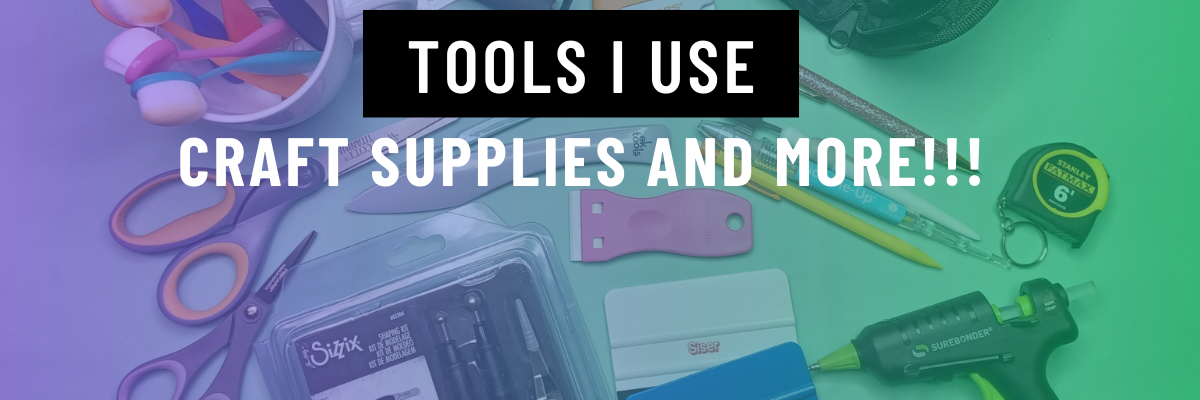
Here is a close up of each of the tool kits I received from Crafter Cuts and what each includes.

Crafter Cuts 7 Piece Vinyl Tool Kit – available in black, blue, or pink

Includes: Scraper, 3″ x 4″ Vinyl Squeegee with felt, 3″ x 2″ Small Vinyl Squeegee, Angled Anti Static Weeding Tweezers, Hook Tool, Pin Tipped Pen with replacement pin, precision knife with 5 replacement blades

Crafter Cuts Deluxe Vinyl Tool Kit

Includes: All Felt 3M Squeegee, Blue Vinyl Squeegee with Felt edge, White Squeegee, Lil’ Chizler Precision Tweezer, Precision knife with 5 replacements, and Crafter Cuts Pick Tools

I’ll have more gift ideas soon!
Now I’m off to play with my new tools and give them a talk about not hiding in “safe” places.

Save this for future reference by pinning the image below.

Enjoy !

This image has an empty alt attribute; its file name is logo.jpg

THANK YOU for your support! How can you help? Click HERE & buy a coffee.
Every little bit helps with the cost of running the site.

Or if you are looking for more in-depth, step-by-step classes, check out all of my online Silhouette classes on my Teachable site HERE.

SS Logo snip it
**This post may contain affiliate links. What that means is that I may receive compensation if you purchase through the links I have provided. The price you pay for the product or service is not higher but I may get compensated for sharing.