Posted on Leave a comment

Bella Con 2026 – Registration Open!!!

Silhouette Secrets+ with EllyMae

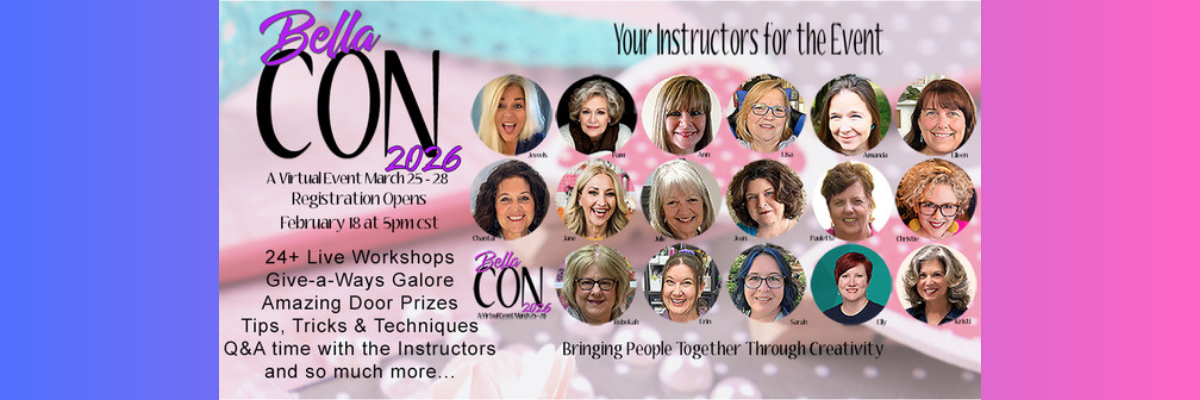
I am so excited to announce that I am an instructor again at this year’s Bella Con event hosted by Bella Crafts Publishing! This is a LIVE virtual crafting event bringing creative instructors together for four full days of inspiration and hands-on learning. And… I get to be on-site with the other instructors this year in Texas to share my classes too! Bella Con is happening March 25-28, 2026.

Affiliate links may be present in the following blog post and as an Amazon Associate, I earn from qualifying purchases.

This is a wonderful event full of inspiring and talented creators. Not only are there awesome classes, but each instructor also shares their tips, tricks, and wisdom throughout the entire event and that adds so much to the value.

Promotional image for Bella CON 2026, featuring a collage of instructors for the event, alongside event details including dates, registration information, and highlights of activities.

BellaCon 2026 features 24+ LIVE workshops, creative tips and techniques, giveaways, and interactive sessions you can enjoy from the comfort of home. Every registered attendee receives access to all of the workshops, not just a single class.

One of the highlights of the event is the LIVE Pajama Party, where many of the instructors will be together in one location, coming to you live with mini workshops, prizes, surprises, and a chance to win giveaways from our generous sponsors.

If you love crafting, learning new ideas, and connecting with creative people, I would love for you to join us.

There are 2 options to join us:

  • SWAG option – this features a SWAG bag full of goodies from the sponsors plus access to all of the classes virtually shipped directly to you
    Don’t delay if you think you might want SWAG as it is limited to the first 125 and does tend to sell out quickly.
    Estimated retail value of SWAG bag is $200
  • No SWAG

Class supply lists will be available, and some classes will also have the option to purchase kits too!

I will be teaching 2 classes live from Texas, and they can be done with or without a cutting machine. These classes are designed to be customized and add your own creative flair to them. I’ll share my ideas and you can see where it takes you.

A collection of craft supplies including glue, paint, brushes, and popsicle sticks, arranged on a surface with a photo of cherry blossoms in the background.
Rewriting the Story – Class Supplies Photo

Rewriting the Story…Creative Home Decor with Repurposed Books: Give old books a fresh new purpose in this creative home decor class. You’ll learn the basic steps for transforming repurposed books into a unique decorative piece, then take those ideas and make the project your own. A variety of craft supplies can be used, encouraging creative exploration and personal expression. This class will also share a cut file, background photo, and supply list, along with ideas for variations so every project is one of a kind.

For this class, I did a couple test rounds and love how they turned out! This is one of those projects that you can let your imagination run wild with and customize however you want. You never know what embellishment might speak to you in your craft stash to add this project.

Colorful decorative book spine with a galaxy theme featuring vibrant purple and blue hues, accented with stars and a forest silhouette at the bottom. It is adorned with decorative charms and beads.
Northern Lights Themed Book Decor

My first project with this is a Northern Lights themed design. Growing up in Montana I am drawn to the Northern Lights.

Close-up of a hand holding a bead organizer with a colorful assortment of beads and charms, set on a crafting workspace with various tools and materials.
Custom Beaded Embellishment

I made a custom pendant piece using a beading technique I learned from Julianna the creator behind the Jewel Loom. The funny part is, I bought Julianna’s eBook when researching writing my own eBook and then I fell in love with the designs taught and that sent me down the rabbit hole of beading. Find the Jewel Loom Inspirations book HERE at Bella Craft Publishing under eBooks – just be careful, it can spark a whole new world of crafting energy!

Instead of making a full bracelet this time, I made it smaller and customized it with a custom pendant using the same image that is on the book decor. Find more on creating custom pendants HERE.

A creative workspace featuring various craft supplies including glue, Mod Podge, and paints, alongside a decorated miniature fairy garden with flowers, a garden gnome, and stylized figurines.
Fairy Themed Book Decor

The second one I made is a Fairy Garden theme. Ever since I made my first fairy garden in 2014 when we lived in California – back before they were even a “thing” – I’ve wanted to create another and when the fairy garden supplies all but jumped off the end cap into my cart at the Dollar Tree – the project design fell into place.

I used drywall spackle to create a “tree” texture as the base and then started embellishing from there.

I love how these both turned out and have them displayed in my home. This is a project you can turn into your own and make it personalized however you would like.

I will be teaching a spring themed design for this class at Bella Con 2026. I’m so excited to see how it turns out.

The second class I’ll be sharing is another one that is completely customizable too! Give your project a personality of it’s own and you might not know what that is until it’s almost finished.

A wooden bowl filled with green and blue beads, accompanied by a paintbrush, a can of acrylic paint, and several crafting tools including wire, scissors, and unpainted terracotta pots.
Grow Your Style Class Supplies Photo

Grow Your Style…A Little Pot of Personality: Create a charming mini clay pot full of character in this playful and creative class. Using multi color green beads, you’ll design a unique style and finish your pot by adding a face and choosing its personality. Cute, quirky, sassy, or sweet, no two projects will look the same. This easy and relaxed project is perfect for all skill levels and can be completed with or without a cutting machine.

I’ll also be co-teaching a class with the amazing, talented artist Julie McGuffee and sharing a quick project for Artesprix too!

This event is filled with so much creative inspiration and talented artists! I am honored to be a part of it.

And those are only the classes I am teaching. There is so much more! Look at all those faces above.

Bella Con 2026 Class Sneak Peek

Here are a couple sneak peeks at the other instructors and their projects too! Find the full list HERE

Eilleen Hull is a maker, teacher, influencer, and creative community builder with a passion for helping others discover the joy of making. She licenses her art with leading craft manufacturers, including an 18-year partnership with Sizzix that resulted in hundreds of innovative die designs.

A smiling woman with brown hair and earrings, next to an image of a colorful banner with flowers and a fence design for the 'Stitched with Love' workshop.

Julianna (aka Jewels) – the one who got me addicted to beading.
Julianna is an award-winning innovator, product developer, bestselling Amazon author, and creative entrepreneur with over 25 years in the craft industry. She became a household name through thousands of appearances on shows such as Aleene’s Creative LivingThe Carol Duvall Show, and HSN, inspiring millions to create.

A promotional image for 'Earring Palooza' featuring instructor Julianna Avelar and a display of colorful earrings made from beads and jewelry components.

Amanda is one of the founders of Pear Blossom Press, a company known for innovative products designed especially for paper crafters.

Image of Amanda Stevens, a presenter for workshops at Pear Blossom Press.

Julie McGuffee has been professionally involved in the arts and crafts industry since 1988. She hosted a scrapbooking television show for 15 years and has appeared as a guest and guest host on numerous craft shows over the past 30+ years, including popular shopping channels. As an all-around crafter and designer, Julie has authored over 150 “how-to” craft books covering a wide variety of techniques, from decorative painting to silk ribbon embroidery.

A headshot of Julie McGuffee, a woman with light hair, smiling.

I wish I could list them all, but that might get a bit long. You can check out the full list of instructors and classes directly at Bella Con HERE. Then come back and click the link below to register.

I hope you’ll join us and soak up all the creative inspiration shared by these amazing instructors and artists. Bella Con is one of my favorite events of the year.

Thanks so much for using my links when you register for the event. This helps to cover the costs of developing the classes and travel expenses too!

I cannot wait to share more from the “Instructor Zone” in March!

Enjoy !

THANK YOU for your support! How can you help? Click HERE & buy a coffee.
Every little bit helps with the cost of running the site.

Silhouette Classes

Never stop learning! Let me help you take the anxiety out of learning with Silhouette and get to creating faster! My Silhouette classes are heavily focused on software, so you can take the skills & techniques taught and apply them to many future projects!

Silhouette step-by-step Classes by Silhouette Secrets+

Silhouette Secrets+ with EllyMae
**This post may contain affiliate links. What that means is that I may receive compensation if you purchase through the links I have provided. The price you pay for the product or service is not higher, but I may get compensated for sharing.

Posted on 2 Comments

Crafting with Abstract Florals: 5+ Creative Project Ideas Using Clikchic Designs

Silhouette Secrets+ with EllyMae

Welcome to this edition of Crafting Creativity, featuring the bold and beautiful abstract floral designs by Clikchic Designs! These eye-catching patterns are the centerpiece of a wide range of creative projects that highlight the versatility of digital designs. From a custom shaker card and sketch-style greeting cards to shrink plastic tool charms, bracelet charms, earrings, wine charms, and a personalized chalkboard sign—these florals bring a fresh and modern flair to every creation. You’ll also see them used in card backgrounds and oversized tags, offering endless possibilities for crafters of all kinds. Get ready to be inspired by how one design collection can do so much!

Collage of vibrant floral designs featured in various handmade projects including greeting cards, tags, charms, and bookmarks, showcasing the versatility of digital designs.

Affiliate links may be present in the following blog post and as an Amazon Associate, I earn from qualifying purchases.

A great big THANK YOU to Clikchic Designs for being the May contributing artist for the Silhouette Secrets+ newsletter. These gorgeous abstract floral designs can be found in Clikchic Designs artist store on the Silhouette Design Store site.

A collection of abstract floral designs in various colors, featuring purple, pink, and green blooms, as well as leaves, showcasing the artistry of Clikchic Designs.

Sign up for the Silhouette Secrets+ newsletter HERE for future free files & project inspiration.

Crafting Creativity with Clikchic Abstract Florals

Project #1 – Custom Shaker Card

A hand holding a Mother's Day card embellished with colorful floral designs, positioned in front of a crafting machine and various crafting tools.

I set this up to print on a 12″ x 12″ sheet of cardstock. The only thing that did not fit on one sheet was the frame. It could easily be cut using letter size cardstock too.

Digital design interface displaying a shaker card layout featuring floral elements and a 'Happy Mother's Day' greeting.

I added a bit of sparkle on top of the flowers with a shimmer pen and love it. The hardest part is getting that to show up well on photos.

Close-up of a hand-decorated card featuring colorful abstract floral designs in shades of pink, red, and blue, adorned with green leaves and sparkly embellishments.

My mom loved it!

Don’t forget to add your shaker bits before you adhere the acetate & frame down. I got excited and forgot, so I had to peel up a corner and add them in. Nothing like making a project harder than it needs to be.

Additional Resources:

Supplies Used:

Project #2 – Sketched Card Backgrounds

Two birthday cards featuring abstract floral designs, one with a pink flower and the other with a blue flower, placed on a wooden table beside a container holding more floral stickers. A black pen and a white gel pen are also visible.

I drew out 2 rectangles and applied different Sketch Effects to them to create the sketched squares, then added a sketch sentiment around the outer edge of the border using a font called Flannel Shirt Sketch.

I then added some foam tape on the back of the Abstract Floral designs and added those to the center of the sketched frame to give it some dimension.

Next, I sketched a couple more with a premade frame called Dot Frame Sketched.

Two handmade greeting cards featuring colorful floral motifs with the text 'just for you' at the top. The cards are displayed on a wooden surface alongside a Gelly Roll marker and a black pen, with additional floral stickers in the background.

I think this one is my favorite of them all, but I think I’m drawn to this pink flower for some reason.

A birthday card featuring a colorful floral design on a white background, surrounded by the text 'happy birthday' repeated around the frame. In the background, a cutting machine is partially visible.

They are all gorgeous when paired with the Abstract Floral designs by Clikchic Designs.

A birthday card featuring a watercolor-style pink flower with dark outlines, positioned centrally within a black frame. The words 'happy birthday' are printed around the frame in a playful font.

I added the random dots around the edge of the square frames by hand after the card was sketched. I could have set it up in the software and had the machine do it perfectly, but it might have also smooshed the tip of my pen. This gives each card a randomness to it as well and makes it unique.

Additional Resources:

Supplies Used:

Project #3 – Shrink Plastic Projects

Have you ever used shrink plastic before?

There are so many things you can create with shrink plastic. From wine charms, bracelet charms, earrings, tumbler charms, tool charms, and more!

A variety of shrink plastic charms and earrings featuring abstract floral designs, displayed on a silver tray. The collection includes two flower-themed earrings, decorative tags, and a bracelet adorned with floral motifs.

Here is a look at my printed page using Silhouette Shrink Plastic Sheets.

A hand holding a printed sheet featuring various colorful abstract floral designs, showcasing purple, pink, and blue flowers alongside the word 'INSPIRE'. The sheet is being prepared for use with a cutting machine in a crafting workspace.

I used the default settings in the Silhouette Studio software to start with. Here is a look at the Send tab when I sent this page to cut.

A digital design workspace in Silhouette Studio, showcasing colorful abstract floral elements with the text 'INSPIRE'. Various floral shapes are arranged for cutting on shrink plastic.

Larger shrink plastic designs can be interesting when they shrink and you just have to keep going to get them to flatten out. Sometimes, they will also not be a uniform shape at the end. I think that adds to their uniqueness and can be fun to see what happens.

Custom tool charms are a great way to mark your scissors either for a specific purpose or to identify them when you go craft with friends. They are also handy to help you locate them on your craft table if they like to hide in a “safe” place often.

A pair of beige scissors with a protective cover sits on a grey surface, alongside a handmade keychain featuring a bookmark that reads 'INSPIRE' decorated with pink flowers and colorful beads.

I love watching it shrink when heat is applied! Check out this quick video on the Silhouette Secrets+ Facebook Page, on Instagram, or on my YouTube channel.

Any type of plastic will dull the blade quicker than other materials, so it is not uncommon to have to increase the settings the more you cut.

There are several brands of shrink plastic out there and they can all be a bit different. I cut both Silhouette Shrink Plastic and Grafix Shrink Plastic during this process. I was using an older blade and I think it’s about done for now. It was having a hard time cutting through the Grafix Shrink Plastic in clear.

Test cuts are really the only way to know what is going to work with your blade and materials.

Two “secrets” of mine are:

  1. I’ll take a blade that isn’t cutting other materials such as cardstock or HTV well and move it to my shrink plastic blade. I get a bit more life out of my blades this way.
  2. Do not unload the cutting mat after the cut and check it first. If it did not cut through, you can increase the settings and send it again until it does cut.

Additional Resources:

Supplies Used:

Project #4 – Custom Sign or Chalkboard Sign

I started by measuring out the size of this chalkboard sign and then drew a rectangle the same size in Silhouette Studio. Then I just started adding the abstract floral designs and moving them around to create a floral frame.

A decorative black sign featuring a colorful floral border and the text "Create THE THINGS YOU WISH EXISTED" in white and pastel hues.

Did you know that vinyl goes bad? Yep! I started this project using Silhouette Printable Vinyl, which I love for the print quality. However, it must have been an old package because it would not weed properly and was separating. I ended up using Orajet 1917 that I’ve had in my craft stash for many, many years and it cut beautifully.

There is a shelf life for vinyl and other craft products such as pens, paint, string, inks, tape, etc.

What is the lifespan of vinyl? Well, there really isn’t an exact date or time as you never really know how long it’s sat on a retailers shelf or the manufacturer’s shelf, etc. And other factors play into it as well, such as temperature, humidity, etc. You will see many mention 2 years when stored properly. But, you never really know how it was treated before you bought it. I have some vinyl that I still try to cut even though I know it’s like 7 years old. Sometimes it works and sometimes it doesn’t.

How can you tell if it’s gone bad?

The 2 most obvious signs I have found is that it can separate when you try to weed it and it’s a bugger to work with no matter your troubleshooting or cut settings. These 2 things can present themselves by the adhesive can visibly be separating from the actual vinyl or the vinyl will not easily come off the backing paper.

Usually I try to push through and I always end up kicking myself for working so hard to try to salvage it.

However, the final way I know the vinyl has gone bad is when I get a new good piece and it weeds so smoothly. And that’s when I end up kicking myself.

For this project, I lost a few letters of the text in the middle, so I just ended up cutting the text from a scrap of Oracal 651 in white and adding that on to the project. A great use of scraps!

Additional Resources:

Supplies Used:

Project #5 – Cards with Unique Backgrounds

When I do a print and cut page, I will fill the page with extra designs and this month I had a good bunch of the florals left over to create with. So I set about brainstorming what I could do with the left overs.

A collection of colorful floral stickers featuring various flower designs in shades of blue, pink, and red, arranged on a light blue background.

I was browsing Pinterest and found an idea where they created custom backgrounds with a stencil and inks. Why not do that with a stencil design & digital patterns?

Here is a look at the first ones I created.

Four handmade birthday cards featuring abstract floral designs in various colors, each with the text 'Happy Birthday' displayed prominently. The designs include a mix of pink, blue, and purple hues, set against a white background.

The next set, I started playing around with the orientation and mixed it up a bit.

I had so much fun playing around and creating backgrounds with different pattern papers.

Here is a close up look at one of the cards.

A birthday card featuring a pink flower with green leaves, against a background of blue and purple leaf patterns, with the text 'HAPPY BIRTHDAY' prominently displayed.

You can do this too! Check out the video How to Make Stunning Card Backgrounds with Stencils & Digital Patterns in Silhouette on the Silhouette Secrets+ YouTube channel.

A digital tutorial for creating cards with stencils and patterned designs, featuring a split-screen image of the design process on a computer and finished card samples showcasing floral elements.

I am sharing my process of design creation, mistakes, and explanations of how and why I did things too!

Additional Resources:

Supplies Used:

Project #6 – Custom Tag Designs

Whether you need a design 2″ or 6″, you can do it with your cutting machine. You can create things whatever size you want.

These tags are 3.5″ wide and 6.125″ tall. I used the Project Wizard in Silhouette Studio to create the basic tag design and cut from 110 lb Neenah cardstock.

Two colorful birthday tags featuring floral designs, one with a blue flower and another with a red flower, both embellished with 'Happy Birthday' labels.

I used up the last 2 flowers and bits of greenery I had printed on cardstock and combined that with a patterned paper I designed and printed when I shared the tutorial on Creating Custom Background Patterns in Silhouette.

A person holding a printed page with an abstract blue and purple design, showcasing swirling patterns. In the background, there is a white printer and part of a calendar visible.

Additional Resources:

Supplies Used:

A great big THANK YOU to Clikchic Designs for collaborating for the Silhouette Secrets+ newsletter!

Find more designs by Clikchic Designs at:

Follow Clikchic Designs for more inspiration on her website, Facebook, and Instagram. I love watching the videos of how the designs are created. I love how she takes something that she has physically painted and turns it into a digital file so we can all enjoy and create with her amazing artwork!

Sign up for the Silhouette Secrets+ newsletter HERE so you don’t miss out on future collaborations.

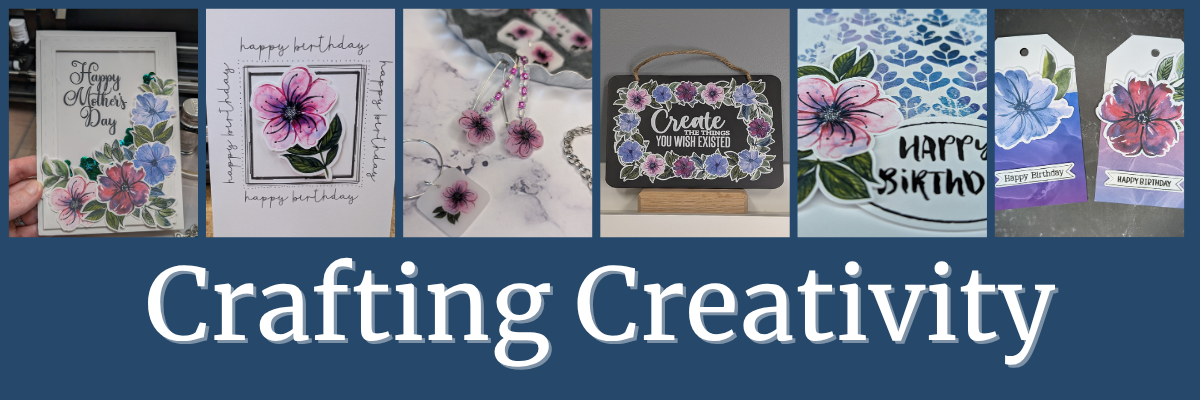
From handmade cards to custom jewelry and home décor, the possibilities with these abstract floral designs by Clikchic Designs are truly endless. Each project in this Crafting Creativity edition showcases how one digital collection can be transformed into a wide variety of unique creations. Whether you’re crafting with paper, shrink plastic, or chalkboard materials, these versatile florals add a bold, artistic touch to every piece. We hope you’re inspired to explore new techniques and think outside the box with your next project.

Check out the Crafting Creativity series HERE.

Save this for future reference by pinning the image below.

A collage of various handcrafted projects featuring abstract floral designs, including greeting cards, jewelry, and a chalkboard sign, all showcasing the versatility of Clikchic Designs.

Enjoy !

THANK YOU for your support! How can you help? Click HERE & buy a coffee.
Every little bit helps with the cost of running the site.

Silhouette Classes

Never stop learning! Let me help you take the anxiety out of learning with Silhouette and get to creating faster! My Silhouette classes are heavily focused on software, so you can take the skills & techniques taught and apply them to many future projects!

Silhouette step-by-step Classes by Silhouette Secrets+

Silhouette Secrets+ with EllyMae
**This post may contain affiliate links. What that means is that I may receive compensation if you purchase through the links I have provided. The price you pay for the product or service is not higher but I may get compensated for sharing.
Posted on Leave a comment

How to Craft Stunning Mixed Media Projects with Sarah Hurley’s Digital Files

Silhouette Secrets+ with EllyMae

Welcome to this edition of Crafting Creativity! In this edition, I am sharing the vibrant world of mixed media digital design with the talented Sarah Hurley! In this post, we’re spotlighting sharing inspiring ways to incorporate Sarah’s digital elements into your own creative projects. Whether you’re crafting cards, journals, or home décor, you’ll find plenty of ideas to spark your next masterpiece. Let’s explore how digital and traditional techniques can come together to make something truly magical!

Last month was the 2025 Creativation by NAMTA event in Seattle and I was able to connect with Sarah Hurley in person. I’ve known Sarah for a couple years now and always enjoy getting together with her to connect and collaborate.

Three women standing in front of a sign for the Sarah Hurley Academy Pavilion at a creative event.

The Sarah Hurley Academy Pavilion was on the trade show floor and I loved hearing her Trend Report during the event. I was madly typing my notes in my phone during her presentation.

It was the perfect month to collaborate again with Sarah’s designs for the Silhouette Secrets+ newsletter.

Affiliate links may be present in the following blog post and as an Amazon Associate, I earn from qualifying purchases.

If you missed these files in the April newsletter, you can find these mixed media files in the Mixed Media Dingbat Font – Volume 2 HERE.

Sign up for the Silhouette Secrets+ newsletter HERE for future free files & project inspiration.

Let’s Get Creative with Digital Mixed Media

Project #1 – Artist Trading Cards – Mixed Media Background Elements

One of the projects the Creative Professionals did at the 2025 Creativation was create “found art” and place them all over the trade show floor for people to find and keep. I designed it all in Silhouette Studio using a collection of different elements, including the mixed media designs by Sarah Hurley.

Artist Trading Card with Mixed Media Files by Sarah Hurley

I am not sure which one I like the most, but I love that I can create in the software and test things out before I print my projects. I wanted each one to be a bit different and I was able to achieve that easily.

Artist Trading Cards for Creativation with Digital Mixed Media by Sarah Hurley

I also designed these double sided so I could include my information on the backside.

NAMTA Creative Professional Backside of Found Art

The biggest thing about doing a double sided print and cut is your printer. Every printer is different and you have to figure out how the printer prints and how to insert the page back in the printer so everything lines up.

I printed these and then used my paper trimmer to cut to the size I needed. Since it was a simple rectangle I felt it was more efficient for this project. I cut between 60-70 cards to “hide” during the event.

Additional Resources:

Supplies Used:

Project #2 – T-shirt with Siser Metallic Puff HTV & Mixed Media Designs

This may be my new favorite shirt! Not only is the Siser Tiger Lily Metallic Puff HTV gorgeous, but the mixed media background really made this design unique!

A black t-shirt featuring a pink design with the word 'create' in a stylish font, surrounded by a dotted pattern.

I duplicated the mixed media design, scaled it up, and then subtracted an offset of the text from the background.

Here is a closer look at the design.

Close-up of a dark t-shirt featuring the word 'create' in a shiny pink metallic finish, surrounded by a pattern of smaller pink dots.

I just love how the mixed media design puffed up. I’ll definitely be using more mixed media designs for backgrounds!

Specialty materials with shine are always so difficult to photograph and really capture how beautiful it is. I have had great luck with the Siser Metallic Puff HTV living up to it’s puff. Regular puff HTV and I have had a few issues, but the Metallic Putt HTV is so easy to use.

I share how I created this design on the Silhouette Secrets+ YouTube channel HERE.

A black t-shirt featuring a textured 'create' design in pink puff HTV, surrounded by dotted embellishments, with a colorful gradient background for the text.

Additional Resources:

Supplies Used:

Project #3 – Digital & Physical Backgrounds – Cards

I added the mixed media files on top of a patterned background and set it up as a print and cut for a 4.25″ x 5.5″ card background.

Two artist trading cards designed with mixed media elements featuring vibrant backgrounds and the text 'Enjoy Every Moment'. The left card showcases a grid overlay with colorful bubbles, while the right card has a marbled background with a dotted pattern.

On the left side I used a pattern called Purple and Rainbow Bubble Background by Sarah Hurley, then placed the mixed media design on top on the left side. I used the eyedropper tool in the Fill Color panel to pull a color from the pattern and then adjusted it just a bit to make it pop.

On the right side, I used the background pattern created using the Gradient Fills in Silhouette from last month’s YouTube videos. I then added a different mixed media design on top and again pulled color from the pattern and adjusted to make it pop.

Check out more on how I created this background pattern in these videos:

I wanted the sentiment to stand out a bit so added that as a separate piece to the print and cut file so I could pop it up with foam tape.

Here is a look at the print and cut file I created in Silhouette.

A look at the Silhouette Studio software print and cut page with the mixed media card designs.

I used the Enjoy Every Moment by Sarah Hurley sentiment and added an offset around the design. For this design, I first made a larger offset to enclose everything and then made an internal offset to bring it back closer to the design. Once I had the offset as I wanted, I deleted the larger offset as it was not needed.

But I couldn’t stop there! These designs can be used for more than just digital projects too!

I cut these same designs from cardstock using the Silhouette Autoblade with the Cameo 5. Look at those cuts!

Close-up of a cutting machine with a mat displaying mixed media designs cut from cardstock.

Then I added the designs on top of a dark blue card base to make them stand out.

Two handcrafted greeting cards displayed on a wooden surface. One card features a purple polka dot design with the words 'You are' in a circular frame. The other card has a grid pattern in the same purple color with the words 'Best Wishes' arranged around a central circle.

Add a sentiment and you have a quick easy card design.

I did not just want to print and cut 2 designs, so I filled the page and had several options to choose from.

Screenshot of Silhouette Studio software showing a card design layout with circular sentiment designs.

I drew a circle and centered the design inside, then with both the circle and design selected, chose Cut Edge on the Send tab. Once it was cut, I added foam tape to the back of the sentiments to give the card a bit of dimension.

Additional Resources:

Supplies Used:

Project #4 – Stencils

Stencils can be from many different types of materials. I grabbed some scrap cardstock and also cut some plastic stencil material as well.

A Silhouette cutting machine positioned on a wooden surface, next to materials cut for stencils with a mixed media design.

Scrap cardstock is a very economical way to test out a stencil design and it can hold up and work for many projects too. I know I have a lot of scrap cardstock in my stash, so it’s perfect to test with.

I also see many who want to cut plastic stencil materials and I have both 6 mil and 7 mil stencil material on hand. Something to keep in mind with plastic stencil material is that plastics dull a blade differently and often quicker than other materials. All stencil material will vary in the cut settings that will work well with it.

A workspace featuring a white canvas with blue paint splatters, three bottles of DecoArt acrylic paint, a painter's brush, a color palette, and various art tools on a wooden surface.

The one above is 6 mil stencil plastic and I used the Stencil Material setting in the software with a used blade, but increased the passes to 3. I still had to pop the bits out of place, but it actually cut better than some of the smaller areas did on my fibrous cardstock.

And then just have fun! I grabbed some of the ​DecoArt Paints​ and a Dynasty EvoArt paint brush and just started stenciling a background. I don’t know how this will turn out yet, but I’m going to keep adding to it and see what speaks to me.

If you are cutting lots of stencil material, I’d recommend having extra blades on hand and also know that you will need to increase the cut settings as the blade dulls.

I am always looking for sales or bundles to stock up on blades or mats. Check out ​Crafter Cuts for a blade bundle HERE​ and use coupon code SECRETS to save 10% on supplies too!

A painted canvas displays splatter designs in teal, with stencils of mixed media designs.

I love this background pattern so much and still don’t know what I want to do with it. I asked for suggestions from my community and one of them was to scan it and save it as a digital background. YES! I love this idea.

Additional Resources:

Supplies Used:

A great big THANK YOU to Sarah Hurley for collaborating for the Silhouette Secrets+ newsletter!

Make sure to follow Sarah Hurley and watch for new designs:

Sign up for the Silhouette Secrets+ newsletter HERE so you don’t miss out on future collaborations.

Bringing mixed media designs by Sarah Hurley into your creative projects is a fantastic way to add personality, depth, and a unique flair to your crafts. Whether you’re layering textures, combining materials, or experimenting with color, these designs offer endless possibilities to explore your creativity. If you’ve enjoyed this project, be sure to check out the full Crafting Creativity series for even more inspiration, step-by-step ideas, and creative ways to make your projects truly stand out. Let your imagination lead the way—there’s always something new to discover! Check out the Crafting Creativity series HERE.

Save this for future reference by pinning the image below.

A collage showcasing various crafting projects featuring Sarah Hurley designs, including a black T-shirt with 'create' in pink, two colorful card designs, sheets with mixed media elements, and crafting supplies like paints and paper.

Enjoy !

THANK YOU for your support! How can you help? Click HERE & buy a coffee.
Every little bit helps with the cost of running the site.

Silhouette Classes

Never stop learning! Let me help you take the anxiety out of learning with Silhouette and get to creating faster! My Silhouette classes are heavily focused on software, so you can take the skills & techniques taught and apply them to many future projects!
Silhouette step-by-step Classes by Silhouette Secrets+

Silhouette Secrets+ with EllyMae
**This post may contain affiliate links. What that means is that I may receive compensation if you purchase through the links I have provided. The price you pay for the product or service is not higher but I may get compensated for sharing.
Posted on Leave a comment

Crafting Creativity with Nitwit Collections & Silhouette

Nitwit Collections Digital Kit
Silhouette Secrets+ with EllyMae

Welcome to this edition of Crafting Creativity! This time, we’re diving into the wonderful world of digital kits with an inspiring collection from Nitwit Collections. Their beautifully designed elements and papers make it easy to create stunning projects with Silhouette. From layered cards to custom decor and everything in between, we’ll explore creative ways to bring these digital designs to life. Get ready for a fun and crafty adventure as we showcase projects that highlight the versatility and charm of Nitwit Collections!

Affiliate links may be present in the following blog post and as an Amazon Associate, I earn from qualifying purchases.

Nitwit Collections Logo

If you missed these files in the March newsletter, you can find the Warm Embrace Knick Knack kit HERE. There are so many amazing kits available, make sure to check out the full shop HERE.

Sign up for the Silhouette Secrets+ newsletter HERE for future free files & project inspiration.

I have also released a new print and cut class: Master Print and Cut with Silhouette: Step-by Step Class that is available on my Teachable site HERE. The kit is provided in the class so you can use the same files I do and create amazing projects too!

Silhouette Print and Cut Class - Step-by-Step

If you are looking for step-by-step classes to learn more, check out all of the classes that are currently available on my Teachable site HERE.

Crafting Creativity with Nitwit Collections

Project #1 – Creative Card Designs: Make Every Greeting Uniquely Yours

Layered Card Design with Nitwit Collections Warm Embrace Kit

I just started playing around in the software to see what new card idea I could create after I finished the Print and Cut class. I like to make a mock-up in the software of a lot of projects before I actually cut. That means I will add all of the design pieces and play around with placement, elements, colors, and more right in Silhouette Studio.

Here is a look at my design file for this card in Silhouette Studio.

Silhouette Studio Design File of Framed Card

Once I have an idea of the card design layout, I can start cutting and in this case, printing, then cutting all the pieces.

Here is a close up look at the finished card with the 3-D layers.

Layered Card Design with Nitwit Collection Warm Embrace Knick Knack Digital Kit

But, I didn’t stop there! The creative ideas were still flowing and I decided to share how I created this card design in Silhouette with a LIVE tutorial on the Silhouette Secrets+ YouTube channel.

Designing in Silhouette Studio with Nitwit Collections Digital Kits

This session covers essential skills and techniques, including drawing tools, scaling tools, pattern fills, the Quick Access toolbar, Flexishapes, Draw Note, and more! Plus, with real-time viewer participation, questions were answered and demonstrated live to help you master these features. Check out the replay HERE on the Silhouette Secrets+ YouTube channel.

Don’t forget to Like and Subscribe if you want to be notified when new videos are released or Live tutorials are scheduled.

Additional Resources:

Supplies Used:

Project #2 – Seagull Card Design: A card to WOW!

I’ve been watching the Nitwit Collections Facebook group and saw that a member, Lisa Shaw, was doing a Live demo and I joined in. I was mesmerized by her demo of a flying seagull card! The moment I saw it, I knew everything else had to wait. I just had to dive in and create this card style as a 5″ x 7″ card!

Seagull Card design with Warm Embrace Knick Knack kit by Nitwit Collections

Immediately following the LIVE demo, I started working out the math to make a prototype of this card. It reminded me how much I love to design and create fun fold and 3-D cards. Now, I can’t say that I got it right the first few times, so there was a few sheets of cardstock that are now in my scraps pile, but I did get there eventually.

Seagull Card Creation Behind the Scenes look

After I made the prototype, I could then bring it all together in the Silhouette Studio software to create a cut file.

Seagull Card Creation Design File Process

And then I printed all the pieces and started assembly to see where the elements should go. Here is another behind the scenes look at creating this card.

Seagull Card Design with Nitwit Collections

Here is a collage of how this card looks finished out from a few different angles.

Seagull Card design with Nitwit Collections Photo Collage

The top photo shows how the card look when completely unfolded. The bottom left shows the card completely closed and then on the right is a top look showing the Seagull Design.

I shared some of the tools I used to create this card file in Silhouette in the LIVE tutorial – Silhouette Studio Secrets: Design Smarter with These Powerful Tools

Silhouette Secrets Tutorial - Design Smarter with These Powerful Tools

Additional Resources:

Supplies Used:

Project #3 – No Peeking Gift Bag Topper

These are so easy to create and can add a unique look to any gift bag. Plus it hides the contents until you are ready for the recipient to see it.

No Peeking Gift Bag Topper created with Nitwit Collections digital kit

Here is a close up look at these layered designs on the gift bag toppers.

Close Up of Custom Gift Bag Topper Layered Design with Nitwit Collections

Such an easy thing to add to make a gift bag stand out.

Custom Gift Bag Topper with Nitwit Collections Digital Kit

I shared how I created this design in Silhouette Studio in this video – DIY No Peeking Gift Bag Topper in Silhouette Studio on the Silhouette Secrets+ YouTube channel HERE.

No Peeking Gift Bag Topper YouTube video tutorial

Additional Resources:

Supplies Used:

Project #4 – Custom Sticky Note & Pen Holder

I love using this Sticky Note & Pen Holder file from Lori Whitlock and the Nitwit Collections kits work perfect for creating a custom cover. These make great gifts and work awesome for swaps at events too!

Custom Notepad & Pen holder with Nitwit Collections

Here is a close up look at the design layered on the front of the sticky note holder.

Close Up of Sticky Note & Pen Holder design by Lori Whitlock with Nitwit Collections

Supplies Used:

A great big THANK YOU to Nitwit Collections for collaborating for the Silhouette Secrets+ newsletter!

Make sure to follow Nitwit Collections for more amazing designs:

Sign up for the Silhouette Secrets+ newsletter HERE so you don’t miss out on future collaborations.

Unlock endless creative possibilities with a digital kit! In this edition of Crafting Creativity, we showcased a fabulous digital kit from Nitwit Collections and explored how a variety of unique projects. The Crafting Creativity blog series is your ultimate source for fresh ideas, practical tips, and expert techniques to take your crafting to the next level. Whether you’re transforming a go-to design, trying out new materials, or refining your skills, these posts are designed to ignite your creativity and help you bring your ideas to life. Check out the Crafting Creativity series HERE and discover where your imagination can take you!

Save this for future reference by pinning the image below.

Crafting Creativity with Nitwit Collections Digital Kits

Enjoy !

THANK YOU for your support! How can you help? Click HERE & buy a coffee.
Every little bit helps with the cost of running the site.

Silhouette Classes

Never stop learning! Let me help you take the anxiety out of learning with Silhouette and get to creating faster! My Silhouette classes are heavily focused on software, so you can take the skills & techniques taught and apply them to many future projects!

Silhouette step-by-step Classes by Silhouette Secrets+

Silhouette Secrets+ with EllyMae
**This post may contain affiliate links. What that means is that I may receive compensation if you purchase through the links I have provided. The price you pay for the product or service is not higher but I may get compensated for sharing.
Posted on Leave a comment

Upcoming Crafting Events

Silhouette Secrets+ with EllyMae

Affiliate links may be present in the following blog post and as an Amazon Associate, I earn from qualifying purchases.

Just a quick note to share 3 crafting events that are coming up soon!!!

August 2024 events

Gifts & Business Summit – August 23-25, 2024 – details HERE

Bespoke Earrings & Custom Gift Packaging with Digital Patterns

I am teaching a class called Creating Bespoke Earrings & Custom Gift Packing with Digital Patterns.

Class description: Boost your crafting skills and create unique, personalized gifts with ease! Design one-of-a-kind bespoke earrings that showcase your style and pair them with beautifully coordinated gift packaging. Impress your friends and family with delightful, handmade gifts they’ll adore! Don’t forget to create extras for yourself too!

Earrings with Siser EasyColor DTV and matching Gift Boxes

I show how to set up the design for print and cut in Silhouette Studio, tips for print and cut with Silhouette, and assembly of the earrings and gift boxes too!
For this project I used Siser EasyColor DTV on which is an inkjet printable HTV (real HTV) made by Siser, and added that to wooden earring blanks. Find more details on the Siser EasyColor DTV here.

Check out all the classes offered and register for your free ticket HERE.

Gifts & Business Summit

*****

Maker’s Retreat – Virtual Event – August 28-31, 2024 – details HERE

I am not an instructor at this event, but I attended the in-person Maker’s Retreat in Texas in July and had a blast! They wanted more to be able to attend the event and have opened it up for a virtual retreat!
Erin Reed, Eileen Hull, and Kassandra Louise are amazing instructors!
This is NOT a cutting machine event and all are welcome!

Makers Retreat 2024

Get ready for the 2024 Virtual Maker’s Retreat!! It is going to be an amazing event filled to the brim with projects, classes, techniques and LIVES. The Maker’s Retreat is an event that caters to the maker and crafter who loves to do a little bit of everything. From cardmaking to sublimation to mixed media to journaling and so much more!! You will learn how to create over 14 different projects and try out over 18 different techniques all from the comfort of your home. The Maker’s Retreat is a virtual event, so you get to enjoy all the classes, live streams, and events all in your jammies, and it is all happening from August 28 to Aug 31st!

Maker's Retreat Virtual 2024

Find all the details and register HERE.

*****

Crafty Con 2024 – September 4-6, 2024 – details HERE

Crafty-Con features over 30 workshops led by experts, all designed to help you break free from any crafting ruts, master new skills, and strengthen your Cricut or Silhouette fundamentals.

Crafty Con - Intro to Print and Cut in Silhouette by EllyMae

I am teaching Intro to Print and Cut in Silhouette where we will use print and cut to create tags.

Class description: In this workshop, you’ll learn the basics of the Print and Cut feature on your Silhouette machine. EllyMae will guide you through the process of designing and creating custom tags using text and graphics. By the end of the session, you’ll have hands-on experience in setting up your design, printing it, and then using your Silhouette to cut it out perfectly. Perfect for adding a personalized touch to gifts, party favors, or any project that needs a special tag! And you’ll be set up for success to create your next print and cut project with your Silhouette.

Register for your FREE ticket HERE.

Crafty Con Speakers 2024

And Save the Date for future events coming up too!

September & October 2024 Events

September 23, 2024 – Silhouette Secrets+ YouTube LIVE tutorial and Q & A
Save the Date – October 10-12, 2024
Save the Date – October 21, 2024 – Silhouette Secrets+ YouTube LIVE tutorial and Q & A

Check out all the events HERE.

I hope I’ll “see” you at a future event soon!

Enjoy !

THANK YOU for your support! How can you help? Click HERE & buy a coffee.
Every little bit helps with the cost of running the site.

Silhouette Classes

Never stop learning! Let me help you take the anxiety out of learning with Silhouette and get to creating faster! My Silhouette classes are heavily focused on software, so you can take the skills & techniques taught and apply them to many future projects!

Silhouette step-by-step Classes by Silhouette Secrets+

Silhouette Secrets+ with EllyMae
**This post may contain affiliate links. What that means is that I may receive compensation if you purchase through the links I have provided. The price you pay for the product or service is not higher but I may get compensated for sharing.
Posted on Leave a comment

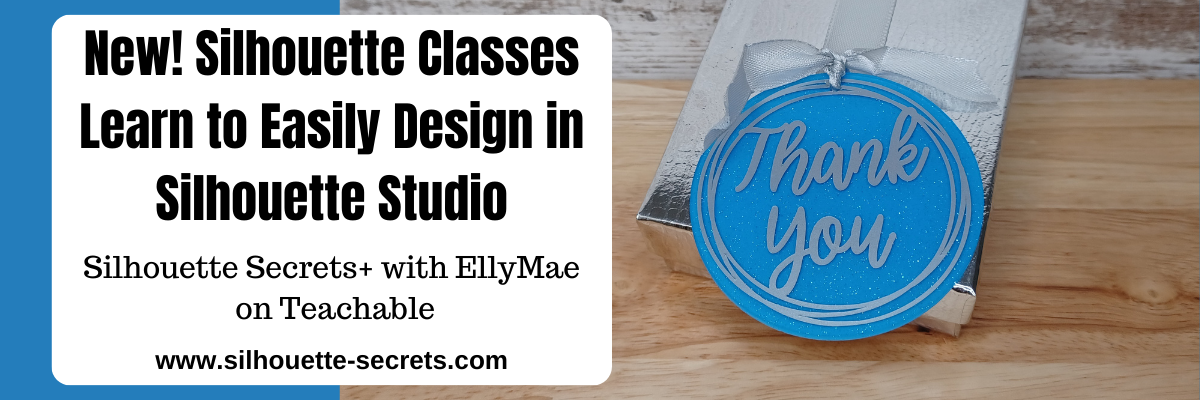
New Silhouette Classes!!! Design with me in Silhouette Studio

Want to learn more in Silhouette Studio and start creating your own designs? I have 2 new classes on designing in the Silhouette Studio software available. on the Silhouette Secrets+ Teachable site.

Affiliate links may be present in the following blog post and as an Amazon Associate, I earn from qualifying purchases.

Easily Create a Custom Gift Tag & Keepsake Ornament in Silhouette Studio

Custom acrylic tags made in Silhouette

This class uses basic tools in the Silhouette Studio software to design custom tags that could be used for a wide variety of projects. While I demonstrate on a 3″ acrylic circle, once you know the tools used and put them together, you can use it for so much more! Shirts, tote bags, ornaments, wood rounds, and more!

And included with the class is a printable guide for tips to cutting small fonts and designs!

Check out the full class description and supply list HERE.

Easily Create Custom Gift Tags & Keepsake Ornaments in Silhouette Studio

*****

Designing in Silhouette Studio – Creating Keepsake Ornament Designs 2

Designing in Silhouette Studio Class

In this next class, we take it a step farther and move beyond just the basics and get into a little more creative designing. We start off with some basic shapes to see how the tools work and then by the end you have drawn your own holly berry wreath design completely from scratch! Yes! YOU!

Once you have the design steps down, you can easily use the skills to create other designs as well. Everyone has the power inside them! We just need to unlock that and that starts with learning how things work in Silhouette Studio.

Check out the full class description and supply list HERE

Designing in Silhouette Studio 2

*****

Let me help you get started with Silhouette faster and learn more! Find all of the current Silhouette classes available on the Silhouette Secrets+ Teachable site HERE.

Silhouette Secrets+ on Teachable

Save this for future reference by pinning the image below.

Silhouette Classes Pinterest

Enjoy !

THANK YOU for your support! How can you help? Click HERE & buy a coffee.
Every little bit helps with the cost of running the site.

Silhouette Secrets+ by EllyMae
**This post may contain affiliate links. What that means is that I may receive compensation if you purchase through the links I have provided. The price you pay for the product or service is not higher but I may get compensated for sharing.
Posted on Leave a comment

Beginner Acrylic Engrave/Etch with the Silhouette Curio 2

Affiliate links may be present in the following blog post and as an Amazon Associate I earn from qualifying purchases.

The Silhouette Curio 2 is a unique machine that I am enjoying so much! Just like it’s predecessor, it functions a bit differently than the Silhouette Cameo and Portrait model machines. I am not sure it really should have been called a curio, but it is what it is and I don’t control that. What I can control is me and what I’m creating.

I am having a blast learning it and I do think that anyone can use it and learn it if they are willing to take the time to! That is why I’ve created classes to help Silhouette Curio 2 users get started faster and take the guess work out of it. Less anxiety in learning a new machine! I’ve made the mistakes and I am showing step-by-step how you can be successful with your Curio 2 in my classes.

I am so excited to announce this class – Curio 2 – Beginner Engraving/Etching on Acrylic class using the Silhouette Power Engrave Tool!!

Here is a look at a few of the designs that I have been creating on acrylic rounds.

In this class you will learn how to:

  • setup a template for exact placement for projects
  • recognize “no compatible cut setting” errors and why you see it
  • set up the Silhouette Curio 2 Debris tray for cutting & engraving/etching
  • set up to cut with the Silhouette Curio 2 to create the template
  • use the Auto height detection & how it works
  • use the Layers Panel in Silhouette Studio
  • set up an engrave/etch for the Silhouette Power Engrave Tool
  • create a custom setting for acrylic etching/engrave
  • do a manual height detection and why I love it!
  • and more! Bonus tips & demos included as well!

Silhouette Curio 2 –
Beginner Acrylic Engrave Class

Step-by-step class for setting up the Curio 2 for exact placement on blanks, creating a template, creating a custom setting for the Acrylic Engrave, auto & manual height detection and why you would use either, engrave tips, and more!

Supplies Used for Beginner Curio 2 Engrave Class:

Design used in class:

Additional bonus designs shown in testing:

Optional:

  • Handheld vacuum or wet wipes – do not inhale or get the acrylic dust in your eyes
  • Small paint brush to clean off engraving tool

Save this for future reference by pinning the image below.

Silhouette Curio 2 Engrave Etch

Enjoy !

THANK YOU for your support! How can you help? Click HERE & buy a coffee.
Every little bit helps with the cost of running the site.

Silhouette Classes

Never stop learning! Let me help you take the anxiety out of learning with Silhouette and get to creating faster! My Silhouette classes are heavily focused on software, so you can take the skills & techniques taught and apply them to many future projects!

Silhouette step-by-step Classes by Silhouette Secrets+

**This post may contain affiliate links. What that means is that I may receive compensation if you purchase through the links I have provided. The price you pay for the product or service is not higher but I may get compensated for sharing.
Posted on Leave a comment

Silhouette Curio 2 – Resources

Affiliate links may be present in the following blog post and as an Amazon Associate I earn from qualifying purchases.

Silhouette Curio 2 – Resources

The Silhouette Curio 2 is new but I have resources that can help! I have been having a lot of fun getting to know this new machine and want to share some things that can help you!

If you have happened on this page before getting a Silhouette Curio 2, you’ll be off to a great start with this information for when you receive it. You can find the Curio 2 at CrafterCuts HERE.

Silhouette Curio 2 Manual

The new Silhouette machines now have a QR code on the side of the box and that should be your first step when you open the box. It will help in getting setup with the new machine and your Silhouette account.

Or you can go to www.silhouetteamerica.com/setup

It also has a link to the Silhouette Curio Manual, but I find that users often skip over that section and then later on are asking where to find it.

Find the Silhouette Curio 2 User Manual HERE on the Silhouette America website.

Additional Silhouette Curio 2 Information

The Silhouette America website also has additional information about the Curio 2 in the Support area. These topics are usually frequently asked questions that Silhouette Support gets asked over and over, so it’s a great resource to check out and see if your answer is there before you contact Silhouette Support.

There is no need to Log in, simply type “Curio 2” into the search box and all the articles about the Curio 2 will pop up.

The information provided here can be very helpful and save you from doing things with your machine that it was not designed or tested for. Such as etching with the Tool 1 housing on the Curio 2.

My goal as an instructor is to help users have the best experience they can. I don’t want to be responsible for any issues you encounter with your machine, so you will not see me instruct or recommend techniques with your machine that could have an effect on the warranty or the lifespan of your machine. Others don’t always consider this when they advise a user to do it. As a Silhouette instructor, I feel I just can’t do that. Your experience and being able to get help when you have a problem matter to me.

I hope you will check out the Silhouette Support Freshdesk for more information!
It is an important resource that I use ALL THE TIME!

I have more tips for this resource in this post HERE.

Silhouette Secrets+ YouTube Channel – Curio 2

Check out the Silhouette Curio 2 playlist on the Silhouette Secrets+ YouTube channel HERE.

As I add videos specific to the Curio 2, they will show up in the playlist.

Or you can see all the videos I have on the Silhouette Secrets+ YouTube channel HERE.

Make sure to Like, Subscribe, and click the bell for notifications so you don’t miss anything. It is also a big help to me as a creator as well. The more people watch, interact, like, and comment on a video helps the algorithms show others more.

So a great big thank you to those who interact on the Silhouette Secrets+ YouTube channel. I appreciate it!

Silhouette Curio 2 Classes

If you are looking to get started faster and avoid the guessing game, I have also released step-by-step Silhouette Curio 2 classes.

Silhouette Curio 2
First Cuts Step-by-Step

Step-by-step video class to getting started with the Silhouette Curio 2. Learn about proper setup for the Electrostatic Bed, about IPT, and complete the first cuts with the Curio 2. Click below for the full class description.

Silhouette Curio 2 –
Out-of-the-box Class

Step-by-step class to complete 3 projects with the Curio 2 right out of the box.
Cutting vellum with the electrostatic bed, perfect print and cut, sketching on thicker materials, and creating templates for exact placement. Click below for the full class description.

Silhouette Curio 2 –
Beginner Acrylic Engrave Class

Step-by-step class for setting up the Curio 2 for exact placement on blanks, creating a template, creating a custom setting for the Acrylic Engrave, auto & manual height detection and why you would use either, engrave tips, and more!

Find all of the Silhouette classes available on the Silhouette Secrets+ Teachable site HERE.

Silhouette Classes

Never stop learning! Let me help you take the anxiety out of learning with Silhouette and get to creating faster! My Silhouette classes are heavily focused on software, so you can take the skills & techniques taught and apply them to many future projects!

Silhouette step-by-step Classes by Silhouette Secrets+

I hope you have as much fun with your Silhouette Curio 2 as I have been! I’ll be adding additional resources and classes soon – Stay tuned!

Save this for future reference by pinning the image below.

Enjoy !

THANK YOU for your support! How can you help? Click HERE & buy a coffee.
Every little bit helps with the cost of running the site.

**This post may contain affiliate links. What that means is that I may receive compensation if you purchase through the links I have provided. The price you pay for the product or service is not higher but I may get compensated for sharing.
Posted on Leave a comment

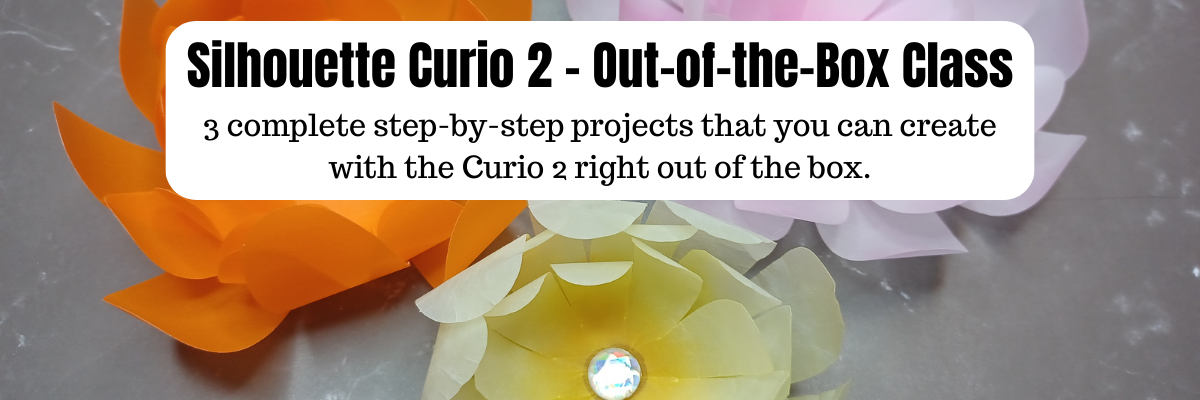
Silhouette Curio 2 – Out-of-the-box Class

What can you do with the Silhouette Curio 2 right out of the box? LOTS!

I have just released the new Silhouette Curio 2 – Out-of-the-box class where you will complete 3 projects step-by-step and learn all about your Curio 2 and setting yourself up for success! No power tools needed!

Silhouette Curio 2 – Out-of-the-Box Class

The first project is creating vellum flowers using the new electrostatic bed on the Silhouette Curio 2. In the class, I’ll share 2 ways you can cut thin, delicate materials on the ES bed. We will look at the differences in a regular cut and the new IPT (Intellectual Path Technology) method. You might find that this new method is successful for more materials that previously did not have a high success rate.

The second project is setting up a print and cut file for a successful cut with sticker paper. While it may seem very basic in written word, I’m sharing my tips for success and the more you can practice with the Silhouette Curio 2 and the electrostatic bed, the more successful you will be in your future projects.

We will use an amazing design by Diva Watts Designs that is provided in the class.
Thank you Diva Watts Designs! Check out all her fabulous designs HERE.

The third project is utilizing the new 20 mm clearance on the Silhouette Curio 2 by sketching on thicker materials. I will share tips for the new height detection, how to perform a manual height detection exactly on your project, and how to create a template so you can get exact placement for your designs on your material. I’ll be showing several different thicknesses in materials and you will have options for this class depending on what you want to sketch on and try first.

And I couldn’t stop sharing, so there are some additional bonus sections in this Curio 2 – Out-of-the-box class where I’m sharing even more tips too!

What you’ll also learn in the class is exactly how I troubleshoot issues when they do come up. You will encounter issues or have times that a project just doesn’t turn out. I did and show how I worked through those and explain why they might happen as well.

I hope you’ll join me in this class to get started making fabulous projects with your Silhouette Curio 2.

Silhouette Curio 2 –
Out-of-the-box Class

Step-by-step class to complete 3 projects with the Curio 2 right out of the box.
Cutting vellum with the electrostatic bed, perfect print and cut, sketching on thicker materials, and creating templates for exact placement. Click below for the full class description.

I’ve had a blast creating with the Silhouette Curio 2 and I can’t wait to see what you create with it!

Affiliate links may be present in the following blog post and as an Amazon Associate I earn from qualifying purchases.

If you want to add the new Silhouette Curio 2 to your toolbox right now, you can find it HERE.

Save this for future reference by pinning the image below.

Enjoy !

THANK YOU for your support! How can you help? Click HERE & buy a coffee.
Every little bit helps with the cost of running the site.

Silhouette Classes

Never stop learning! Let me help you take the anxiety out of learning with Silhouette and get to creating faster! My Silhouette classes are heavily focused on software, so you can take the skills & techniques taught and apply them to many future projects!

Silhouette step-by-step Classes by Silhouette Secrets+

**This post may contain affiliate links. What that means is that I may receive compensation if you purchase through the links I have provided. The price you pay for the product or service is not higher but I may get compensated for sharing.
Posted on Leave a comment

Silhouette Curio 2 – First Cuts Class

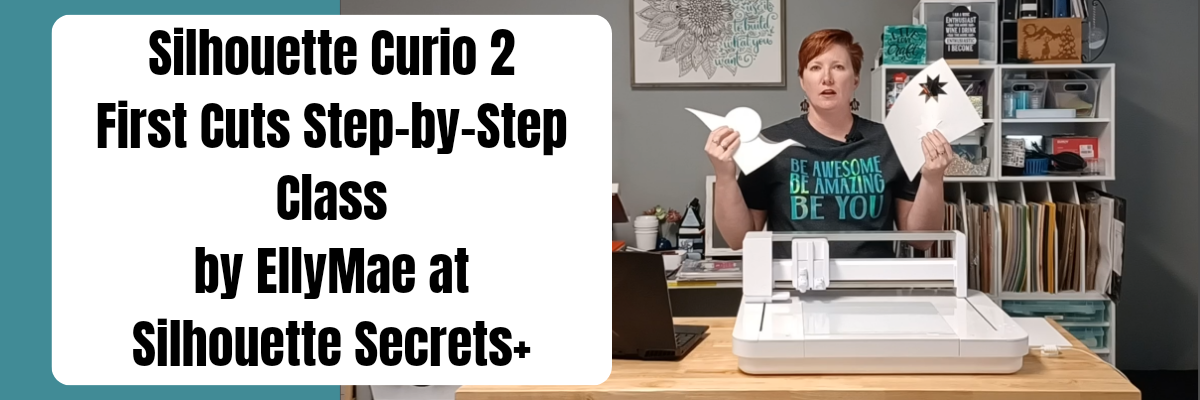
I have been having so much fun creating with the Silhouette Curio 2 and seeing what it can do right out of the box. Let me help you get set up for success and get started with the Silhouette Curio 2 quickly in this step-by-step First Cuts Class!

In this step-by-step video class, we dive into the exciting world of the Curio 2 and its electrostatic bed. You will learn how to set up the Curio 2 with the electrostatic bed, ES protective sheet, and copy paper to ensure successful cuts.
Additionally, we will explore two different cutting techniques using the electrostatic bed, including a regular cut and a more detailed cut.
I will demonstrate and explain the importance of Intelligent Path Technology (IPT) and how it can contribute to your cutting success.

This class is designed to help you get started quickly with your new Silhouette Curio 2 and set up properly for successful cuts.

Silhouette Curio 2
First Cuts Step-by-Step

Step-by-step video class to getting started with the Silhouette Curio 2. Learn about proper setup for the Electrostatic Bed, about IPT, and complete the first cuts with the Curio 2. Click below for the full class description.

I hope you will join me in learning more about the Silhouette Curio 2 machine!

Affiliate links may be present in the following blog post and as an Amazon Associate I earn from qualifying purchases.

If you want to add the new Silhouette Curio 2 to your toolbox right now, find it HERE.

Save this for future reference by pinning the image below.

Enjoy !

THANK YOU for your support! How can you help? Click HERE & buy a coffee.
Every little bit helps with the cost of running the site.

Silhouette Classes

Never stop learning! Let me help you take the anxiety out of learning with Silhouette and get to creating faster! My Silhouette classes are heavily focused on software, so you can take the skills & techniques taught and apply them to many future projects!

Silhouette step-by-step Classes by Silhouette Secrets+

**This post may contain affiliate links. What that means is that I may receive compensation if you purchase through the links I have provided. The price you pay for the product or service is not higher but I may get compensated for sharing.