Posted on Leave a comment

Silhouette Studio Business to Basic? Fix Missing Upgrade

Silhouette Secrets+ with EllyMae

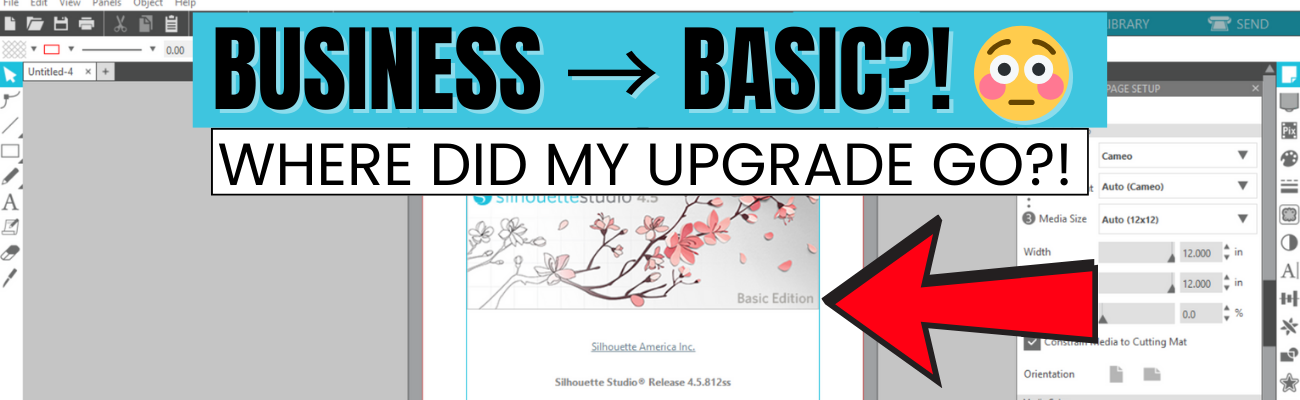
If you’re suddenly seeing Silhouette Studio revert from Business to Basic (or Designer Edition or Designer Edition Plus to Basic) and panicking because your Silhouette upgrade is missing, take a deep breath—you’re not alone, and you didn’t lose your purchase. This is one of the most common Silhouette software issues users run into, and it usually comes down to account login and/or activation, hiccups. In this post, I’ll break down why this happens, what to check first, and how to get your paid features back where they belong. I’ll also link to a detailed video on the Silhouette Secrets+ YouTube channel where I walk through the fixes step by step and share additional troubleshooting tips.

Affiliate links may be present in the following blog post and as an Amazon Associate, I earn from qualifying purchases.

The good news is – YOU can fix this easily. I am providing written information below and have also released a video on the Silhouette Secrets+ YouTube channel that can be found HERE.

Why Silhouette Studio software upgrades disappear?

The most common reasons for a software upgrade to disappear are:

  • Silhouette Software version update – this does not happen every time you update software versions, but can happen
  • Computer OS (Operating System) updates – this is on both Windows and MAC computers.
    Computer OS updates can happen in the background without a user knowing it.
  • New computer – software upgrade activations are not automatically loaded when you install the software on a new computer

How to Activate a Silhouette Software Upgrade Easily

If you previously had a upgrade active and the Silhouette upgrade is missing, you can easily activate this again simply by going to the top left menu in Silhouette Studio, select Help > Apply Upgrade Edition.

Screenshot of the Silhouette Studio software interface showing the menu with 'Apply Upgrade Edition' highlighted.

Enter your email address and password associated with your Silhouette account.

Sign-in screen for activating a Silhouette Studio software upgrade, featuring email input field and activation button.

At the time I am writing this and recorded the video, I am not recommending Silhouette Studio version 5 due to many bugs in it. If you have a Silhouette Cameo5α (Alpha), then you HAVE to use version 5 and we would recommend v5.0.402 as there a some major issues we’ve seen with v5.0.414.
For most Silhouette users, I am recommending v4.5.812 which the screenshots are from above.

Here is a look at Silhouette v5.0.402 and you can see you’ll find it in the same location, however, there is a new splash screen when you open version 5 that you cannot bypass. You can find the Help menu on the new Home Page or on the other tabs in the version 5 software.

Screenshot of Silhouette Studio 5 interface showing the Help menu with an arrow pointing to 'Apply Upgrade Edition'.

If you have never activated a Silhouette software upgrade and you purchased it from a Silhouette retailer, you will first need to apply the upgrade to your Silhouette Account.
Please follow these steps to apply the code.

  • Log into the Silhouette America website HERE.
  • Move to the top right and move the mouse over the person icon, select My Account.
  • On the left side menu, choose License Keys and apply the Silhouette software upgrade code.
  • Then follow the instruction shown above to activate the code in the Silhouette Studio software.

This new method of easily activating the Silhouette software upgrades is available in any version of Silhouette v4.4.552 or higher.

Missing Tools & Features in Silhouette Studio?

This is the most common reason Silhouette users notice that a software upgrade has reverted to Basic Edition.

You can easily check what software version and upgrade is active on your Silhouette Studio software and determine if your Silhouette upgrade is missing and not active.

Instructions for Windows users:

  • Click on Help in top left menu
  • Then choose About Silhouette Studio

Instructions for MAC users:

  • Navigate to the top left of Silhouette Studio and select Silhouette Studio in the menu
  • Then select About
Screenshot of Silhouette Studio displaying the 'About' window, showing the software version and license information.

This About window will tell you what version is open and the upgrade that’s active.

If you have a Silhouette software upgrade and it is currently showing Basic Edition in this window, please follow the instructions above to activate the upgrade on your computer.

Screenshot of Silhouette Studio software showing the 'About' window with the version number and Basic Edition status highlighted.

Silhouette Studio Upgrade Information

Silhouette Studio software upgrades are a one time fee and you do not have to purchase again if it disappears.

The Silhouette upgrades can be active on up to 3 computers or 3 active devices.

With this new system, if you have 3 devices active and log into a new device or Silhouette Web, it will deactivate the software upgrade on the device that is oldest used date. This means you can easily activate the software upgrade on multiple devices, but it will only be active on up to 3 devices at one time.

Something new to mention here is that the new Silhouette Web (still being developed and in beta as I write this), that counts as one of the activations of the software upgrade license. This technically means that if you are logged into Silhouette Studio on your device and you log into the Silhouette web (web based software) on the same device, that it will use 2 software upgrade codes, even though it is the same device.

This is not an issue, but it can catch you off guard when you see the message that one device will be deactivated if you exceed the 3 upgrade log ins.

Screenshot of the Silhouette Web homepage displaying various design tools and featured library files.

Silhouette Web is a web based program that allows users who do not have a full computer operating system, such as a Chromebook to connect to a Bluetooth enabled Silhouette machine. It does not have the full Silhouette Studio software option. However, it does have some different features than Silhouette Studio and some of these are only available with a software upgrade. At the time I am writing this, it is still being developed and is changing.

I don’t feel it is stable and there are bugs and issues with it, so I have not done any tutorials with it. To be honest, if you have a computer with Silhouette Studio, I would recommend that to design in.

Another thing to mention here is, if you do decide to try it out, for MAC users, please note that you cannot cut directly from Silhouette Web. This is due to restrictions from Apple that it will not allow a web browser to connect to any outside systems. For Apple users, you would design in Silhouette Web, then open in Silhouette Go (mobile app) in order to connect to a Bluetooth enabled Silhouette machine in order to cut.

Troubleshooting Silhouette Upgrade Activation

If you encounter issues when trying to activate a Silhouette software upgrade, there are a few steps you can do before contacting Silhouette Support.

  1. Try again to log in with the email and password to make sure there was no mistypes or missed keystrokes.
  2. Log into the Silhouette America website HERE. Select My Account under the person icon in the top right > License Keys and do you see your software upgrades?
  3. Log into the Silhouette Design Store website HERE. Can you log in at both websites? The email and password has to be the same on both sites and in the Silhouette library.
  4. If you cannot log in to those 2 websites or the information is not the same on both sites, you can try resetting your password.
    The password reset is supposed to send a OTP (One Time Password) to your email account. Since the website migration (May 2024), there are issues with this and the OTP does not always come through.

If you still cannot log in or cannot reset your password, then you will need to contact Silhouette Support – support@silhouetteamerica.com

Tips for Contacting Silhouette Support

If you encounter any issues with your Silhouette account and the steps above have not resolved those, you will need to contact Silhouette Support.

Silhouette Support is the only one that can access your account information and investigate or reset things for you.

Here are some tips to help you get resolutions faster:

  • Email Silhouette Support at support@silhouetteamerica.com – we often have seen users complain they are not getting responses and they didn’t actually contact Silhouette, but had a mistype in their email submission
  • Provide as much information about the issue you are encountering as possible. Be clear and concise and provide the exact issue encountered as well as the steps you have tried already.
  • Do not email simply stating “I can’t log in.”
    That will not get a quick resolution and can be a million different issues.
  • Provide photos of what you are seeing so the support agent will hopefully understand what you are experiencing.
  • Follow any instructions and respond to the Support agent with descriptive information on what you did.
  • Continue to contact Silhouette Support until the issue is resolved.

Don’t be surprised if you get an AI response. This is new and it is Silhouette Supports “quick response”. It will be sent on to an agent after the AI response has been sent. Follow the instructions sent and reply back to their communication.

Don’t be surprised if the Silhouette Support Agent responds with the same response as the AI bot. This is not unusual. Both the AI bot and Support Agent use the Silhouette FAQ to provide initial responses. This is why it’s so important that a user provides as much information as they can when they first contact Support.

Remember that contacting Silhouette Support and stating a basic issue such as “I can’t log in.” or “My machine isn’t cutting.” does not give the Support agent enough information to provide a good troubleshooting answer and they have to start at a million reasons and narrow it down to 1. That can take time and a lot of back and forth with Support. The more information you can provide, the faster your resolution will be … hopefully.


I have also included this information in the Silhouette Studio Business to Basic?! Why Your Upgrade Disappeared & How to Fix It video on the Silhouette Secrets+ YouTube channel. I would recommend viewing it as well, there may be points that I’ve covered that may click better on the video for some users.

Screenshot of Silhouette Studio Upgrade Issue, showing the software version and Basic Edition status with a decorative floral background.

This is one of the most common issues we see users encounter. I hope those tips have helped!


Looking for additional Silhouette Troubleshooting? I have been teaching Silhouette and troubleshooting Silhouette issues since 2016. We have seen a lot of changes and have helped a lot of users. I have launched the new Creative Community with EllyMae where I provide troubleshooting assistance and exclusive monthly tutorials. Find more details on that HERE.

I also have step-by-step classes to help you learn the Silhouette software and your machine – find those HERE.

As well as additional resources and tutorials on the Silhouette Secret+ website. Check out the A to Z Resources HERE.

Save this for future reference by pinning the image below.

A graphic showing a Silhouette Studio screen with text indicating a downgrade from Business to Basic Edition, featuring floral design elements and a worried face emoji.

Enjoy !

THANK YOU for your support! How can you help? Click HERE & buy a coffee.
Every little bit helps with the cost of running the site.

Silhouette Classes

Never stop learning! Let me help you take the anxiety out of learning with Silhouette and get to creating faster! My Silhouette classes are heavily focused on software, so you can take the skills & techniques taught and apply them to many future projects!

Silhouette step-by-step Classes by Silhouette Secrets+

Silhouette Secrets+ with EllyMae
**This post may contain affiliate links. What that means is that I may receive compensation if you purchase through the links I have provided. The price you pay for the product or service is not higher but I may get compensated for sharing.

Posted on Leave a comment

How to Create a Design in Silhouette Studio in Under 1 Minute – Quick & Easy Tutorial

Silhouette Secrets+ with EllyMae

Looking for a fast and easy way to jump into designing with Silhouette Studio? In this quick tutorial, I’ll show you how to create a custom design in under 1 minute! Whether you are brand new to Silhouette or just short on time, this step-by-step guide is perfect for beginners and seasoned crafters alike. From shape tools to compound paths, you’ll learn how to make a project-ready design in no time—ideal for faux leather, fabric, vinyl, HTV, paper crafts, and more. Let’s get designing in 60 seconds or less!

Quick Design in Silhouette Studio

Open Silhouette Studio and grab the teardrop shape from the ​Flexishapes​ menu on the left side of Silhouette Studio.

Silhouette Studio screenshot showing the Flexishapes Tool

Left click on the design mat and drag down to create the teardrop shape to create approximately a 2″ tall shape. It does not have to be perfect. Then right click and choose Convert to Path.

Silhouette Studio screenshot showing Convert to Path

With the tear drop selected, in the top ​QAT (Quick Access Toolbar)​, highlight the numbers in the H box and change it to 2″. Press Enter.

Silhouette Studio screenshot showing QAT and Scale Tools

Double click on the tear drop shape to activate the ​Edit Points​. Click on the edit point at the top of the tear drop and 2 blue nodes will appear.

Silhouette Studio screenshot showing edit points on design

Grab the blue node on the left and drag it out so it is even with the red cut line on the left side.

Silhouette Studio screenshot adjusting edit points

Grab the blue node on the right side and move it to the right so it’s even with the red cut line.

Silhouette Studio screenshot with custom earring design

Ta-da! Ok. It probably took longer than a minute to read the steps and follow them, but you can do this again and could design this shape in less than a minute. But you don’t have to! It’s not a speed test.

If you want to create the hole for the top of the earrings. Grab the ​Draw Ellipse tool​ on the left side, hold the Shift key down to draw a perfect circle. Let the mouse button go before you let the Shift key up and you will have a perfect circle. Decide what size you would like and adjust as needed. Place the circle at the top, select both the circle and the tear drop and ​Align Center​.

Silhouette Studio screenshot showing Align Tools

With both the circle and the tear drop selected, right click and choose ​Make Compound Path​. Fill the design with color and you will see the hole is “punched out” of the tear drop shape.

Silhouette Studio Screenshot of earring design

Quick Video of Designing in Silhouette Studio

Check out this quick video on the ​Silhouette Secrets+ YouTube channel​ showing these steps in less than 1 minute.

Silhouette Secrets+ YouTube video thumbnail

Additional Resources:

Save this for future reference by pinning the image below.

Screenshot of Silhouette Studio showing a teardrop shape with a hole at the top, designed in a pink color, and text reading 'DESIGN IN SILHOUETTE IN LESS THAN 1 MINUTE'.

Enjoy !

THANK YOU for your support! How can you help? Click HERE & buy a coffee.
Every little bit helps with the cost of running the site.

Silhouette Classes

Never stop learning! Let me help you take the anxiety out of learning with Silhouette and get to creating faster! My Silhouette classes are heavily focused on software, so you can take the skills & techniques taught and apply them to many future projects!

Silhouette step-by-step Classes by Silhouette Secrets+

Silhouette Secrets+ with EllyMae
**This post may contain affiliate links. What that means is that I may receive compensation if you purchase through the links I have provided. The price you pay for the product or service is not higher but I may get compensated for sharing.

Posted on Leave a comment

DIY Custom Earring Cards with Silhouette Sketching & Gelly Roll Pens

Silhouette Secrets+ with EllyMae

Looking for a creative way to level up your handmade jewelry packaging? In this DIY tutorial, I’ll show you how to create custom earring cards using Silhouette Sketching and vibrant Sakura Gelly Roll pens. These unique earring display cards not only showcase your earrings beautifully but also add a professional, artistic touch to your small business or handmade gifts. Using Silhouette Studio software and your Silhouette cutting machine, you can sketch intricate designs, logos, or text with ease. Whether you’re selling on Etsy, prepping for a craft fair, or making gifts for friends, these handmade earring cards are the perfect finishing touch!

Affiliate links may be present in the following blog post and as an Amazon Associate, I earn from qualifying purchases.

Have you ever made custom earring cards with Silhouette? How about sketched with your Silhouette machine? Why not combine the two and create custom earring cards?
I created the projects shown in this post to send with a gift to a friend.

Customize your designs for your specific project, a gift, or just because!

Think it, design it, create it!

Sketched Earring Card Supplies

Grab your supplies and just get started.

A collection of jewelry making supplies including earring hooks, a Silhouette pen adapter, Gelly Roll pens, and cardstock, arranged on a wooden surface next to a Silhouette cutting machine.

Supplies:

Sketched Earring Card Setup in Silhouette

Use a premade earring card file or create your own. Then add a design to the earring card for sketching.

Screenshot of Silhouette Studio software displaying a design for sketched earring cards, featuring a floral vine design and design setup options.

I used the Long Earring Display Card by Clikchic Designs – Design #389717 for this project.

Keep in mind the software and machines are designed as cutting machines, so the red “cut” lines on the screen are exactly how a sketch pen will sketch out. It will sketch the outer lines of a “cut” file. If a design or font is not filled in, the sketch pen will not magically fill things in unless it’s told to.

If you want a design or font to be filled in by a pen, you can use the Sketch Panel/Line Effects Panel to add a fill. Keep in mind that the sketch fill pattern will affect the time to sketch the design. When a design or font is filled in with a small sketch fill pattern, that pen is going over and over an area just like if you were filling in a design or font by hand with a pen. That can mean that it cements the paper to the cutting mat, so be careful removing the materials from the mat.

Sketch designs, fonts, or single line fonts can work better for sketching without having to do much to alter the designs.

However, not all sketch designs or fonts are truly designed for sketching. The file name may simply include sketch, so it’s always good to click on the Send tab and take a closer look to see where the pen may travel to get an idea of what it will turn out like.

Find additional tips on sketch designs in this post – How to Sketch with Silhouette.

Install the pen in the Silhouette machine and test.

Close-up view of a Silhouette cutting machine with a pen holder and white cardstock positioned for crafting.

The Silhouette pen holders allow for a wide variety of pens to be used in the machines. The installation process is the same no matter if using the Silhouette Type A, Type B, or Type C Pen Holders. Find the collar that fits the best for the size pen you are using and make sure it’s secure.

Did you know that the cap on the Silhouette pen holder has a purpose? Keep the cap!
Place the cap on the pen holder when you install the pen and when the tip of the pen touches the cap, that is your pen depth. This should work for most pen types and all Silhouette pen holders.

If needed, you can also use a popsicle or craft stick placed underneath the pen tip when you insert the pen holder in the machine. This will show you if the pen is too far down in the adapter or installed at the correct height. Pens installed too low in the adapter have a greater chance of drawing drag marks.

Silhouette Sketch Popsicle Stick Trick
Silhouette Cameo 3 with Type A Pen Holder

If the pen is too low, simply remove it and lift it up in the pen holder a bit before tightening the collars. Proper setup and testing will save you frustration and drag lines across your project.

If you are working on a project with specific materials such as envelopes, etc. Test on cardstock first to save your more expensive materials.

Sketching a Design with Silhouette

If sketching and cutting a project, set up the design to Cut by Line Color. I use red lines for the cut lines and blue lines for sketch lines.

Screenshot of Silhouette Studio software displaying design settings for sketched earring cards, featuring a blue intricate design on the left side of the interface.

I recommend sketching first and then cutting, so there is less chance that the design will move. Do NOT unload the cutting mat after the design has sketched.

A Silhouette cutting machine in action, sketching various designs including flowers and a butterfly on a sheet of white cardstock.

Uncheck the sketch lines and check the box next to the cut color, install a blade, and send the job to cut.

For more details on sketching by line color, check out this post – Silhouette Send Tab – Line Color.

A Silhouette cutting machine with white cardstock displaying multiple unsketched earring cards featuring floral designs and decorative borders.

Add you earrings and you have DIY custom earrings cards that can be used as gifts and more!

A variety of handmade earring cards showcasing different designs and earrings, displayed on a textured surface.

Want to see this in action?
Check out this quick glimpse on the Silhouette Secrets+ YouTube channel.

Just get started! Set it up to sketch and just start selecting designs and sketching. It is so much fun to just play around with it, even if you do not have a specific project or purpose in mind. Grab some cardstock and set up the machine to sketch and just play!

Additional Resources for Sketching:

Save this for future reference by pinning the image below.

A collection of custom DIY earring display cards featuring different designs and earrings, with a title banner reading 'DIY Earring Cards Sketching with Silhouette'.

Enjoy !

THANK YOU for your support! How can you help? Click HERE & buy a coffee.
Every little bit helps with the cost of running the site.

Silhouette Classes

Never stop learning! Let me help you take the anxiety out of learning with Silhouette and get to creating faster! My Silhouette classes are heavily focused on software, so you can take the skills & techniques taught and apply them to many future projects!

Silhouette step-by-step Classes by Silhouette Secrets+

Silhouette Secrets+ with EllyMae
**This post may contain affiliate links. What that means is that I may receive compensation if you purchase through the links I have provided. The price you pay for the product or service is not higher but I may get compensated for sharing.

Posted on Leave a comment

How to Save As PNG in Silhouette Studio

Silhouette Secrets+ with EllyMae

If you’ve ever created a design in Silhouette Studio and wanted to use it outside the software—whether for DTF (Direct to Film) printing, sublimation, print-and-cut, or any high-quality print project—this guide is for you! With just a few simple steps, you can save your design as a transparent PNG file directly from Silhouette Studio. This method is perfect for uploading to services like Siser®’s Easy® Transfers for vibrant, press-ready DTF prints, but it’s also a great option for any project that needs a clean, high-resolution image. In the video below, I’ll walk you through how to export your design as a PNG and show you exactly how to upload it to the Siser Easy Transfers site to order custom DTF transfers—plus, you’ll get tips to ensure your file is properly formatted for print success. You’ll also find written step-by-step instructions below the video in this post to make it even easier to follow along.

Affiliate links may be present in the following blog post and as an Amazon Associate, I earn from qualifying purchases.

Find the video – How to Save as PNG in Silhouette Studio + Upload to Siser® Easy® Transfers for DTF Prints on the Silhouette Secrets+ YouTube channel HERE or click the image below.

Screenshot of Silhouette Studio showing a colorful 'create' design with export settings for saving as a transparent PNG file.

In the video linked above, I show how I created the design featured. I am going to skip right to the steps of saving as a PNG from Silhouette Studio Business Edition. If you would like to see how I create the design, check it out in the video HERE.

When creating your own designs, make sure you are starting with high resolution images. Photos and digital files that are 72 dpi are designed for internet quality images and you want 300 dpi for print quality.

How to Save As a High Resolution PNG File

In order to save as a PNG file type or any other file type, the Silhouette Studio Business Edition upgrade is needed. Find more details on Silhouette software upgrades HERE and how to activate an upgrade on the Silhouette software HERE.

Note: if you are on a MAC, the screenshots below may look a bit different as I am using a Windows computer, however, the process is the same.

Select all parts of the design to be saved. This can be done by left clicking and dragging across the entire design to “rubber band” select everything the mouse moves across.

Silhouette Studio workspace displaying a colorful 'create' design with a gradient background and the text in pink. The interface is shown with tools and options available.

In the top left corner of Silhouette Studio, select File > Save Selection > Save to Hard Drive.

Screenshot of Silhouette Studio showing the steps to save a design as a PNG, including the menu options 'File', 'Save Selection', and 'Save to Hard Drive'. The design features colorful text that says 'create'.

Using this method will save the design at the size created and not the entire art board. I explain and show a demonstration of why I recommend this method in the video tutorial HERE.

Choose the location you want the file to be saved, name the file, and change the Save as type at the bottom to PNG (or whatever other file type you’d like to save as).

Screenshot of the Silhouette Studio save selection window, showing options to save a design as different file types including PNG.

Silhouette has a default DPI (Dots per inch), this is NOT print quality. Highlight the number and change it to 300, then press the Enter key. You will notice that the Pixels for both Width and Height increase. Pixel size is directly related to DPI.

Check the box next to Transparent background if you want a transparent background.

Silhouette Studio export settings window showing options for width, height, dots per inch, and transparent background.

PNG and JPEG files are rectangle shaped files. If a PNG was not designed with a transparent background, it will show as a white rectangle behind the design. JPEG files do not have transparent backgrounds.

The maximum pixel size that can be saved for either width or height in Silhouette Studio is 10,000 pixels.

Make sure to press Enter after changing the DPI or the change will not take effect.

Click the Save button to save the file as a PNG.

Screenshot of Silhouette Studio showing the Export Bitmap settings with options for width, height, and DPI, along with a colorful design in the background.

Check the file in the saved location to make sure it saved as you want. On a Windows computer, in the Windows folder, move the mouse over the image and it will tell you the pixel size.

Screenshot of a computer window showing a file directory with a saved PNG design titled 'Create Shirt Demo Silhouette'. The design features a colorful gradient background with the word 'create' in pink cursive font.

To change how you view files in the Windows Folder, select View at the top and select how you want to see those files in the folder.

When using those steps, the design should be saved at 300 DPI from Silhouette Studio.

Upload your high resolution designs and order Siser® Easy® Transfers DTF prints HERE.

Supplies I used in the design featured:

Save this for future reference by pinning the image below.

Instructional graphic showing the steps to save a design as a PNG file in Silhouette Studio, with highlighted options for width, height, DPI, and a 'Save' button.

Enjoy !

THANK YOU for your support! How can you help? Click HERE & buy a coffee.
Every little bit helps with the cost of running the site.

Silhouette Classes

Never stop learning! Let me help you take the anxiety out of learning with Silhouette and get to creating faster! My Silhouette classes are heavily focused on software, so you can take the skills & techniques taught and apply them to many future projects!

Silhouette step-by-step Classes by Silhouette Secrets+

Silhouette Secrets+ with EllyMae
**This post may contain affiliate links. What that means is that I may receive compensation if you purchase through the links I have provided. The price you pay for the product or service is not higher but I may get compensated for sharing.

Posted on Leave a comment

Beginner’s Guide to the Silhouette Cameo 5 Step-by-Step Class Now Available!

Silhouette Beginner's Guide to the Cameo 5
Silhouette Secrets+ with EllyMae

Are you ready to start crafting with your Silhouette Cameo 5 but don’t know where to begin? 🎉 Our brand-new Beginner’s Guide to the Silhouette Cameo 5: Crafting Made Easy is here to help! This step-by-step class is designed with beginners in mind, walking you through everything from unboxing your machine to mastering your first project. Whether you’re brand-new to Silhouette or want to boost your confidence with the Cameo 5, this class is packed with practical tips and easy-to-follow instructions to set you up for crafting success. Let’s get started on your creative journey today! 🌟

Beginner’s Guide to the Silhouette Cameo 5: Crafting Made Easy
step-by-step class
Click HERE

Take the guesswork out of using your Silhouette Cameo 5 with this hands-on, step-by-step class designed for beginners. You’ll learn how to set up your machine, navigate the essential features of Silhouette Studio, and master the basics of cutting with confidence. This class covers everything from opening the box to getting your first successful cuts, with expert tips all along the way. Perfect for new users, this guide will leave you equipped with the skills and knowledge to bring your creative ideas to life!

Portrait 4 owners: this video course can also be used for Portrait 4 machines as well. Most of the information is the same for both machine models, the main difference is the cutting width of each machine.
View an unboxing of the Portrait 4 here.

The supplies needed for this class are minimal. I used Oracal 651 adhesive vinyl, AT 65 Transfer Tape, and Cardstock.

Complete course outline below:

Introduction, Unboxing, and Proper Setup of the Silhouette Cameo 5 – 20 minutes

  • Unboxing the Silhouette Cameo 5
  • Explanation of all parts included in the box
  • Proper Setup of Silhouette Cameo 5 machine
  • Proper Installation of the included Roll Feeder on the Silhouette Cameo 5
  • Explanation & Tips to Autoblade Installation and Tool Housings

Silhouette Cameo 5 New Machine Setup & Warranty Registration – 15:53 minutes

  • Set up on the Silhouette America Website
  • Registration to Your Account
  • Silhouette Studio Software
  • Silhouette Cameo 5 Setup
  • Silhouette Cameo 5 Firmware Updates

Silhouette Studio Software: Important Information

  • Silhouette Studio software version information

Silhouette Cameo 5: First Cuts with Adhesive Vinyl & Cardstock – 56:40 minutes

  • Setting up a Design Using Text
  • Cut Settings on the Send Tab Explained
  • 2 Ways to Do Test Cuts
  • First Cuts from Adhesive Vinyl
  • Explanation of the Autoblade Adjustment
  • Removing materials from the cutting mat
  • Weeding Tips
  • Applying Transfer Tape
  • Removing the Backing off Adhesive Vinyl & Cutting Tips
  • Changing Blades & Reinstalling for Cardstock Cuts
  • Test Cuts on Cardstock
  • Drawing Basic Shapes & Adjusting a Polygon
  • Cutting Basic Shapes from Cardstock
  • Troubleshooting Tips for Cut Issues
  • Tips to Removing Materials, Saving Adhesive on the Mat, and Materials Not Curling When Removed
  • More Tips

Additional Resources
Terms of Use

This class will help get you up and cutting faster than figuring it out yourself! Help yourself get started quicker and be on your way to more fabulous projects in no time!

Beginner’s Guide to the Silhouette Cameo 5: Crafting Made Easy class found HERE
Check out all of the Silhouette classes HERE.

Save this for future reference by pinning the image below.

Silhouette Cameo 5 Beginner's Class

Find more Silhouette resources and tutorials on the A to Z section on the blog HERE.

Enjoy !

THANK YOU for your support! How can you help? Click HERE & buy a coffee.
Every little bit helps with the cost of running the site.

Silhouette Classes

Never stop learning! Let me help you take the anxiety out of learning with Silhouette and get to creating faster! My Silhouette classes are heavily focused on software, so you can take the skills & techniques taught and apply them to many future projects!

Silhouette step-by-step Classes by Silhouette Secrets+

Silhouette Secrets+ with EllyMae
**This post may contain affiliate links. What that means is that I may receive compensation if you purchase through the links I have provided. The price you pay for the product or service is not higher but I may get compensated for sharing.

Posted on Leave a comment

How to Fix the ‘Materials Not Found’ Message in Silhouette Studio

Silhouette Studio Quick Tip - Materials Not Found
Silhouette Secrets+ with EllyMae

Have you ever seen the message stating materials not found when opening a design in Silhouette Studio? Encountering the “Materials Not Found” message in Silhouette Studio can leave you wondering “What is wrong?”. Whether you’re working on a vinyl project, heat transfer design, or a print and cut masterpiece, this error can be frustrating and confusing. But don’t worry! In this post, we’ll explain why it happens and what to do next.

Affiliate links may be present in the following blog post and as an Amazon Associate, I earn from qualifying purchases.

Materials Not Found Message – Silhouette Studio

This is what the materials not found message can look like in Silhouette Studio on the Design Tab.

Silhouette Studio Materials Not Found Design Tab

It can also appear when you are opening from the library tab before the image is placed on the design mat.

Silhouette Studio Materials Not Found

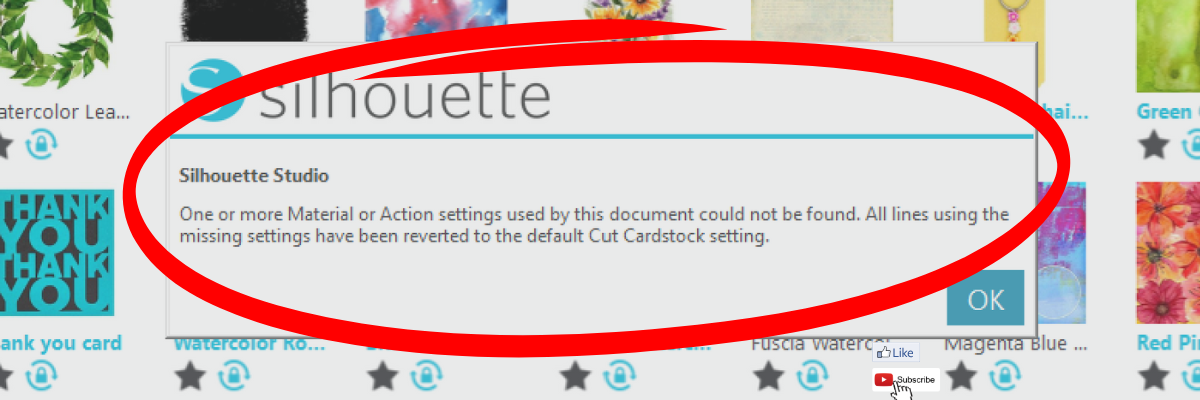
This materials not found message is not something to be alarmed about. It simply means that the cut setting that the person who created the file had on their software is not found within the Silhouette Studio software on your computer. This could be for several reasons.

The most common reason is that the designer has their own custom setting created and when they saved the design, those cut settings were saved with the file. When opened, if that cut setting is not on your Silhouette Studio software, it triggers this message.

Whether cut settings are saved with a file in Silhouette Studio is dependent on the software version that the design is saved with.

Another reason is that Silhouette has made changes to the cut settings menu and changed names or added/removed cut settings. With the release of newer model Silhouette machines, more cut settings have been added over time to the Silhouette preset menu.

This message is just letting you know that the cut setting has been switched back to the default of Cardstock. Click OK and proceed as usual.

When it comes time you cut the design, select the material that best fits your project and test cut.

Silhouette Studio Send Tab with Cut Settings

While the idea of having a cut setting that works for all users perfectly is appealing, that is not reality. Materials vary worldwide and many factors go into getting a clean cut such as blade life, machine model, cutting mat adhesion, etc.

Here is a quick video clip demonstrating the ‘Materials Not Found’ message that appears when opening a design file in Silhouette Studio.

Materials Not Found Silhouette Studio Message YouTube video

Additional Resources:

Save this for future reference by pinning the image below.

Silhouette Studio Materials Not Found Pinterest

Enjoy !

THANK YOU for your support! How can you help? Click HERE & buy a coffee.
Every little bit helps with the cost of running the site.

Silhouette Classes

Never stop learning! Let me help you take the anxiety out of learning with Silhouette and get to creating faster! My Silhouette classes are heavily focused on software, so you can take the skills & techniques taught and apply them to many future projects!

Silhouette step-by-step Classes by Silhouette Secrets+

Silhouette Secrets+ with EllyMae
**This post may contain affiliate links. What that means is that I may receive compensation if you purchase through the links I have provided. The price you pay for the product or service is not higher but I may get compensated for sharing.
Posted on Leave a comment

DIY Busted Canvas Art: Transform Your Wall Decor with This Trendy Technique

DIY Busted Canvas
Silhouette Secrets+ with EllyMae

Are you ready to take your wall art to the next level? Or just want to try something new? A busted canvas project is the perfect way to add a bold, trendy touch to your home decor. This creative technique combines texture, dimension, and artistic flair to transform a plain canvas into a statement piece that’s truly one of a kind. Whether you’re a seasoned crafter or new to DIY projects, this guide will walk you through every step of creating your own stunning busted canvas.

First, I don’t think there is a “wrong” way you can do this! Look around your supplies and use what you have and then just keep going. Start with an idea and let it take you from there.

Affiliate links may be present in the following blog post and as an Amazon Associate, I earn from qualifying purchases.

Supplies for DIY Busted Canvas

Basic Supplies:

*this project can be created with a wide variety of materials. I will list some of the ones that I used in the examples I share below

Embellishment Supplies:

Example #1 – Christmas Tree Busted Canvas

Christmas Tree Busted Canvas DIY

Example #2 – Sketched Watercolor Busted Canvas

DIY Busted Canvas Sketched Watercolor Background

How to Create a DIY Busted Canvas

I’m going to share the steps I took, but you can do some of these in any order.

Step 1 – Prep the canvas frame.

With a paint brush or foam brush, add an even layer of Mod Podge to the inside of the back of the canvas frame as a base coat.

DIY Busted Canvas - Step 1 Mod Podge Backside

Step 2 – Cut the pattern material down to size.

Using scissors, cut the pattern material down to size. This does not have to be exact, but get as close from frame edge to frame edge. You want to make sure the center of the canvas is fully covered.

If using napkins, separate the ply of the napkin so you are only using 1 layer that is the patterned piece. This will ensure that the layers don’t separate later on in the process.

With the pattern face up, smooth down on top of the Mod Podge layer. Use a squeegee to help smooth it down onto the backside of the canvas.

DIY Busted Canvas - Step 2 & 3

Step 3 – Add an even layer of Mod Podge on top of patterned material.

I used the Mod Podge Sparkle on this one and love it, but of course, not every design will need bling.

Allow it to dry completely.

Step 4 – Measure the backside of the frame.

Measure the inside of the frame and the outer edge of the frame, so you know how large to create the design. Keep in mind that you want the design to be centered and if it’s too big, the canvas edges may hide part of the design.

Busted Canvas Measuring Frame

Step 5 – Pick a background design

Silhouette Studio Software - Background Design to Print

For this one, I printed a digital patterned background by Clikchic Designs of the Christmas tree. I started by opening the design in the Silhouette Studio software, set my page to letter size for the Koala Inkjet Glossy Paper, and then drew some rectangles using the measurements I took. This way I knew how large to size the design and what would be seen within the frame.

Then I printed the design.

Printing Background Design from Silhouette Studio

Step 6 – Trim the background design down to canvas size.

I used a paper trimmer to trim the background design down to the 8″ x 10″ size of the frame.

Step 7 – Decorate the front side of the canvas however you desire.

DIY Canvas - Painted Front

For this one, I decided I wanted to try to replicate the outer edge design of the patterned background with the blue sky, stars, and snow.

I started with a base layer of a blue metallic paint. Then sponged on a darker blue on top of that. And then added some lighter blue & white paint splatters for the stars. I added a bit of water to the acrylic paints to thin them out and give it some dimension too!

I just kept going to see how it would turn out. I’m learning to do that more and more and just see where it takes me and I’ve been thrilled with almost all the results.

Let that dry completely before moving on to the next step.

Step 8 – Cut the canvas from the backside

DIY Busted Canvas - Cutting the Canvas

Using a sharp utility knife on a safe surface such as a self healing cutting mat, find the center of the backside of the canvas and make slices from the center out towards the frame randomly. The farther back you cut, the deeper the curl will be on the front of the frame.

Step 9 – Secure the background photo to the backside of the frame

DIY Busted Canvas Glue Background to frame

Add hot glue along the edges of the frame and line up the background image to secure it to the backside of the canvas frame.

Gluing down the opposite corners to start can help get it aligned properly before you are too committed and the fine tip glue gun can come in handy. Use a squeegee to run along the edges of the background paper and smooth it down to the glue.

Step 10 – Roll back the cut pieces on the front of the canvas

DIY Busted Canvas Roll Back Edges

Flip the canvas over and gently roll back the cut pieces. Training the curls by rolling it a bit before gluing can help to prevent lifting after it’s glued down. Once curled as desired, add a bit of hot glue to the end and press it down to the canvas. I found using the end of my paint brush worked well to hold it in place while the glue dried and I didn’t burn my fingers.

Continue around the entire frame until all of the sections are curled and securely glued in place.

Step 11 – Admire your new DIY Busted Canvas artwork

DIY Busted Canvas - Christmas Design

Each diy busted canvas will be a unique creation!

DIY Busted Canvas Up Close Look

I love how this turned out!

 DIY Busted Canvas Final Photo

Like I mentioned at the beginning, I don’t think there is any “wrong” way to do this. I’m definitely hooked on the busted technique.

Step 12 – Start planning your next creation

DIY Busted Canvas Next Project

I hope this has given you some creative ideas! Look around your stash and see what you could use to create your own DIY Busted Canvas.

Check out the video tutorial on the Silhouette Secrets+ YouTube channel HERE

DIY Busted Canvas Video Tutorial

Save this for future reference by pinning the image below.

DIY Busted Canvas Tutorial Pinterest

Find more project ideas and tutorials on the blog HERE.

Enjoy !

THANK YOU for your support! How can you help? Click HERE & buy a coffee.
Every little bit helps with the cost of running the site.

Silhouette Classes

Never stop learning! Let me help you take the anxiety out of learning with Silhouette and get to creating faster! My Silhouette classes are heavily focused on software, so you can take the skills & techniques taught and apply them to many future projects!

Silhouette step-by-step Classes by Silhouette Secrets+

Silhouette Secrets+ with EllyMae
**This post may contain affiliate links. What that means is that I may receive compensation if you purchase through the links I have provided. The price you pay for the product or service is not higher but I may get compensated for sharing.
Posted on 3 Comments

Silhouette Studio: Testing Print Colors

Silhouette Testing Print Colors
Silhouette Secrets+ with EllyMae

The Silhouette Studio software allows you to print directly from the program to any printer that is setup on your computer. This action can be performed easily by going to File > Print and selecting the printer you are using once the design is ready to print. However, the colors you see on the computer screen may not be the actual results that print out from your printer.

Silhouette Print in Color

Affiliate links may be present in the following blog post and as an Amazon Associate, I earn from qualifying purchases.

Factors That Can Affect Printed Colors

  1. A computer monitor is not calibrated to print colors. Each brand of computer monitor can vary in the visual representative that you see.
    If you were sitting next to someone else using the exact same Silhouette Studio software version, your colors may not appear the same on screen as that person next to you simply because you are using different computers.
  2. Computer monitors display in RGB (Red Green Blue) versus printers that are CYMK (Cyan, Yellow, Magenta, black) – this can affect the actual printed results versus what is seen on the screen.
  3. There are many different brands and models of printers out there on the market being used worldwide. Different brands and models of printers can yield different results.
  4. Printer ink can vary by brand and yield different results.
  5. The material being printed on can affect the colors. Different materials absorb the ink and the final color you see can vary depending on the material.
    For instance, plain cardstock will absorb more ink into the paper versus a glossy photo paper. This can make the color appear muted on the cardstock versus a more vibrant print on a shiny gloss of photo paper.
  6. The printer settings selected when printing can affect color outcome. Each printer model has different settings it can print at and what you select for the print job sent can affect the final outcome of colors. For example, draft settings versus normal versus photo quality.
  7. Printer drivers can affect the outcome of colors and other options available, such as print page size, etc. For best results, install the full printer drivers direct from the printer manufacturer’s website for your specific printer model. Simply plugging in a printer or connecting it to your computer does not usually install the full printer drivers. While it may print, it may not have all the options of the full print driver as it’s using a default driver that’s in the computer operating system to perform basic print functions.
  8. Computer operating systems (OS) and updates. Print quality can vary by Windows versus MAC and also by the OS updates on those computer systems. We have seen print color output change overnight with a computer OS update.
  9. Different software programs can have different print color results.

Now that we’ve covered a few things that can make the difference, how can you test what colors you see versus what colors you get when printing?

Silhouette Studio: Color Test Print

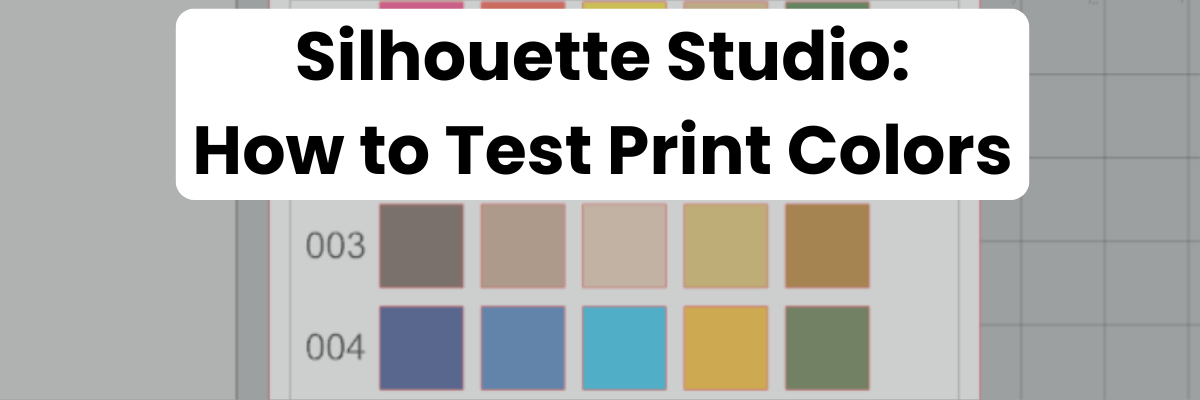
Draw out 1-inch squares (or larger if needed) and replicate to fill the page

Silhouette Studio Test Print Squares

Open the Fill Color Panel and fill each square with a color that you want to test print.

Silhouette Fill Color Panel

The full Fill Color Panel on the right side of the Silhouette software has several options for adding colors. Use the preset colors, add your own custom color, or add in colors by HEX, HSL, or RGB codes. Create your own custom color palettes too for easy access on future projects.

Silhouette Fill Color Panel Entering Hex codes for test print

I used the Color Cubes by Sarah Renae Clark to fill in a page of color combinations that I want to test print.  The color cards give 5 colors with the HEX code for each color and also have shades of that color shown on the card.

Color Cubes by Sarah Renae Clark

In the Silhouette Studio software, at the bottom of the Fill Color Panel, you can adjust the color to another shade easily by moving the custom color dot around on the color palette.

Silhouette Fill Color Panel Custom Palette

Once page is filled as desired, then select File > Print in top left corner.

Silhouette File Print Preview

Verify on the Print Preview that everything will be printed as desired. The print preview is where you can catch errors before you waste ink printing. For instance, if the design is not showing completely and is cut off, that can indicate the wrong printer is selected or the page size is incorrect. There is still time to make changes before you commit to printing and using ink.
If you are doing a print and cut project, verify that all 3 registration marks show as printing completely on the page before you click print.

When ready, click Print. The printer menu will pop up and you can select what options you would like to print at and where to print from. I use the rear tray on my printer when printing any specialty materials or cardstock.

Silhouette File Print Printer Menu

If you make any changes such as the actual printer being used or the page size, you will need to apply those changes and then cancel out to the main design screen to reset those settings completely.

Once printed, you can see how the colors will print on that particular material. It’s always best to test on the actual material you will be using to know for sure.

Test Print from Silhouette Studio

I printed this on higher quality copy paper using the regular print settings from my printer. I was also notified that one ink cartridge was low on ink, so I know that will affect the colors that are printed as well.

Additional Tips for Printing:

Objects or designs need to be filled with color to print.

Silhouette Studio is designed as a cutting software. That means the red lines you see on the design mat are cut lines for a Silhouette machine to follow. When a shape is drawn or text typed out, it is generally not filled with any color and the software sees it as empty. Which is exactly how it will print to a printer if sent. This is one great thing about utilizing print preview, you can catch issues before you’ve actually tried to print the project.

Cut lines do not print unless told to do so.

There are 2 options if you want the line of an object to print.

1 – Increase line thickness above 0. Any line thickness above 0 will print on the material.

    Silhouette Increase Line Thickness for Printing

    Here is what the text above will show on the Print Preview when the top text line is set to 0 line width and the bottom is set to 1.75.

    Silhouette Print Preview Line Thickness Increased

    2 – Select the objects you want the lines to print on and check the Print Lines of Selected Shapes box on the bottom of the Line Style Panel.

    Silhouette Print Lines of Selected Shapes

    Here is what the text above will show on the Print Preview when the top text has the print lines of selected shapes chosen.

    Silhouette Print Preview of Print Lines Selected

    There is also an italic note stating: This will display your 0 pt cut lines as 0.1 pt lines in prints and in SVG and PDF exports.

    Sublimation prints need to be pressed to show true color.

    If you are printing using sublimation inks, the true colors will not show until the design has been pressed. A sublimation print will always look dull or muted prior to pressing.
    For best results and the most accurate colors, press onto 100% polyester. This will show the final colors

    New equipment may not function the same as old equipment.

    Getting a new, updated printer model can be a great thing! However, users can be quickly frustrated when things do not work the same or the new printer doesn’t print the same colors the same as the old one did. It can take some getting used to for all new equipment.

    Low ink of any cartridge or tank can affect the color outcome.

    Most home printers have a set of color cartridges or tanks, for instance, my Canon TS9521C has 3 colors and 2 black cartridges. To make up the colors you are asking it to print, the printer combines those inks in order to make the color output. If a color cartridge or tank is low on ink, it may not yield the desired results.

    The results that each user sees and has when printed can vary simply because we all have different equipment we are using.

    Additional resources:

    And check out the Silhouette Live Tutorial – Colors in Silhouette HERE on the Silhouette Secrets+ YouTube channel.

    Silhouette Live Tutorial on YouTube about Colors

    Save this for future reference by pinning the image below.

    Silhouette Testing Print Colors Pin

    Enjoy !

    THANK YOU for your support! How can you help? Click HERE & buy a coffee.
    Every little bit helps with the cost of running the site.

    Silhouette Classes

    Never stop learning! Let me help you take the anxiety out of learning with Silhouette and get to creating faster! My Silhouette classes are heavily focused on software, so you can take the skills & techniques taught and apply them to many future projects!

    Silhouette step-by-step Classes by Silhouette Secrets+

    Silhouette Secrets+ with EllyMae
    **This post may contain affiliate links. What that means is that I may receive compensation if you purchase through the links I have provided. The price you pay for the product or service is not higher but I may get compensated for sharing.
    Posted on Leave a comment

    Silhouette Studio: 4 Ways to Open Patterns

    Silhouette Patterns Folder
    Silhouette Secrets+ with EllyMae

    Four Ways to Open Patterns in Silhouette Studio

    Using patterns in the Silhouette Studio software can give your projects a unique look. Whether you are doing a print and cut project or creating a digital graphic image. Digital patterns can be a great asset to your toolbox. As with many tools in the Silhouette Studio software, there can be multiple ways to do it. I’m sharing 4 ways that patterns can be opened in Silhouette Studio below, but first what is a pattern?

    A digital pattern is a photo file. It is typically a JPEG, PNG, or TIFF file format. Before we get too far into it, one thing to note about digital patterns is that they can be quite large. A digital pattern, when designed properly should be 300 dpi for print quality. That means the file size is much greater than your average SVG file. Since every user has a different computer with different specifications, that also means that each user’s computer may handle data differently. When working with heavy data files, close any programs that are not necessary and any tabs within Silhouette that are not needed. I’d also recommend clearing out any Recovered Documents and keep that cleared out as well. This will help your computer and software run as smooth as it can.

    4 Ways to Open Patterns in Silhouette Studio

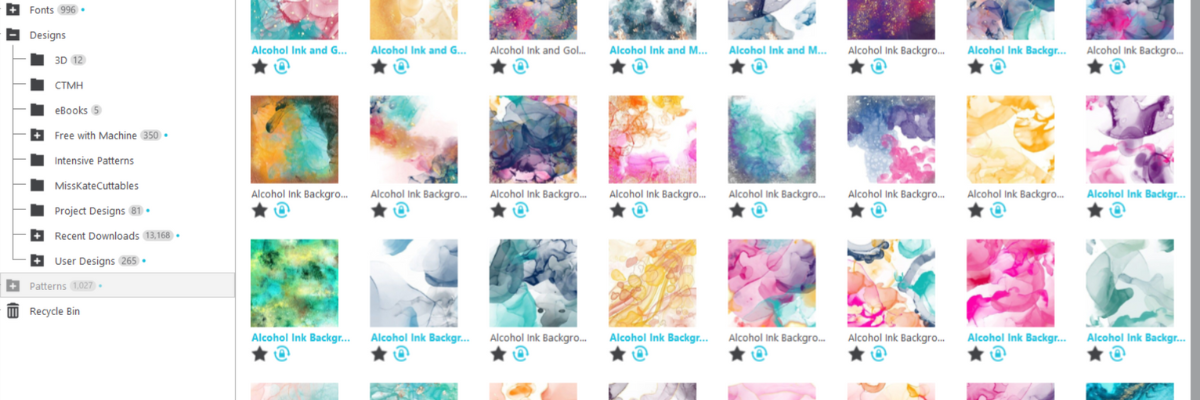
    1 – Open the pattern from the Silhouette Library Patterns Folder.
    If you want to open the full pattern on the design mat, double click on the pattern in the Silhouette Library Patterns folder.
    If you want to fill a particular shape, click on the shape to select it on the design mat. Then click on the Library Tab, Patterns folder and single click on the pattern. Click back on the Design tab and the shape will be filled with the pattern selected.
    If you double click with a shape selected, it will fill the shape and then also open the full pattern on top of that too.

    Silhouette Library Patterns Folder

    2 – Select a pattern from the Fill Color Panel – Tab 3.

    Silhouette Fill Color Panel

      3 – Click on the Show/Hide Library icon in the bottom left corner of the design tab.
      This will open a split screen showing the library and the design tab. This can be much easier to see larger images of thumbnails and design with instead of having to swap back and forth between the Design and Library tabs.
      Select a pattern the same way as in #1.

      Silhouette Show Hide Library Split Screen


      4 – Drag and drop a pattern from a folder saved on your computer or storage device.
      When dragging and dropping, drag the pattern to the shape you want to fill and hold it until the pattern has filled the shape. If you move too fast and release the mouse button too quick a little white rectangle will appear and not go away. The only way to get it to disappear is to close and reopen the software.

      Silhouette Drag and Drop Pattern

      I am sharing even more information in this video on the Silhouette Secrets+ YouTube channel found HERE.

      Silhouette YouTube video on 4 Ways to Open Patterns in Silhouette Studio

      I hope these tips have helped give you some ideas on how to work with patterns and create unique projects in Silhouette Studio. Check out the additional resources below to learn even more!

      Additional Resources:

      Save this for future reference by pinning the image below.

      Patterns in Silhouette Pin

      Enjoy !

      THANK YOU for your support! How can you help? Click HERE & buy a coffee.
      Every little bit helps with the cost of running the site.

      Silhouette Classes

      Never stop learning! Let me help you take the anxiety out of learning with Silhouette and get to creating faster! My Silhouette classes are heavily focused on software, so you can take the skills & techniques taught and apply them to many future projects!

      Silhouette step-by-step Classes by Silhouette Secrets+

      Silhouette Secrets+ with EllyMae
      **This post may contain affiliate links. What that means is that I may receive compensation if you purchase through the links I have provided. The price you pay for the product or service is not higher but I may get compensated for sharing.
      Posted on 2 Comments

      Understanding Compound Paths in Silhouette Studio: Beginner-Friendly Tips

      Silhouette Studio: Compound Paths
      Silhouette Secrets+ with EllyMae

      Compound paths are one of the things in Silhouette Studio that can take the longest to grasp. We see compound paths every day but are not always really “seeing” them. Most often the initial experience with compound paths leaves you saying, “What the heck?” or something along those lines. Or “Why did it do that?

      Affiliate links may be present in the following blog post and as an Amazon Associate, I earn from qualifying purchases.

      Compound Paths in Silhouette Studio

      In this month’s LIVE YouTube tutorial we covered compound paths and I walked through several different demonstrations starting with simple compound paths and working our way up to a little more complex designs with compound paths.

      Those who attended live were able to ask questions and I answered those on the spot and showed additional demonstrations.

      Check out this month’s YouTube LIVE on the Silhouette Secrets+ YouTube channel HERE.

      Demystify Compound Paths in Silhouette Studio YouTube video tutorial

      Additional Resources:

      Make sure to check out the Events Tab HERE for upcoming LIVE tutorials and more events too!

      Save this for future reference by pinning the image below.

      Compound Paths in Silhouette Studio

      Enjoy !

      THANK YOU for your support! How can you help? Click HERE & buy a coffee.
      Every little bit helps with the cost of running the site.

      Silhouette Classes

      Never stop learning! Let me help you take the anxiety out of learning with Silhouette and get to creating faster! My Silhouette classes are heavily focused on software, so you can take the skills & techniques taught and apply them to many future projects!

      Silhouette step-by-step Classes by Silhouette Secrets+

      Silhouette Secrets+ with EllyMae
      **This post may contain affiliate links. What that means is that I may receive compensation if you purchase through the links I have provided. The price you pay for the product or service is not higher but I may get compensated for sharing.